Key Takeaways
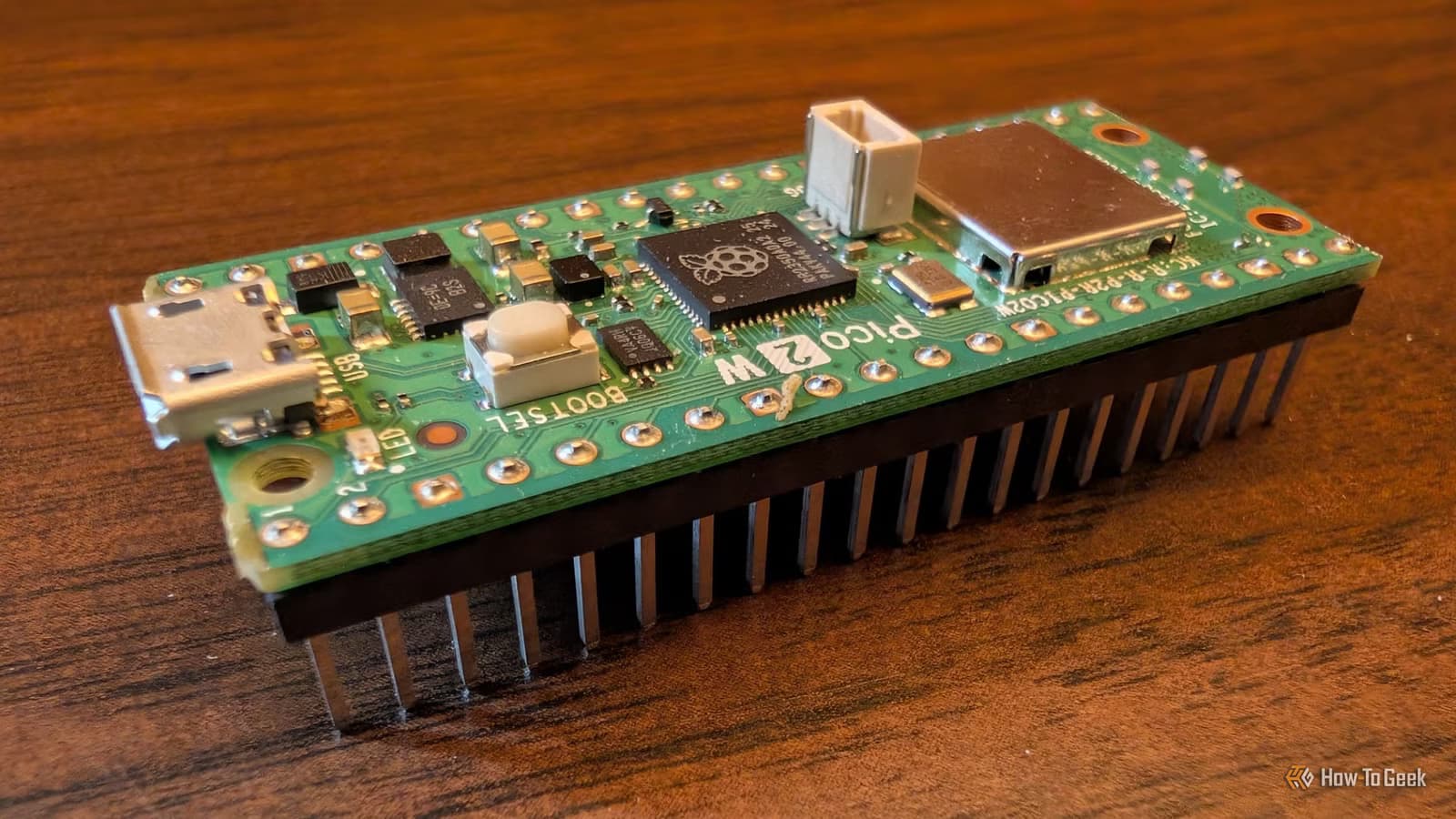
- A portable Plex or Jellyfin server on a Raspberry Pi solves unreliable hotel Wi-Fi for travelers
- NFC-powered jukeboxes combine 3D printing with Pi automation for a retro music experience
- Automated chicken coop doors eliminate daily manual tasks with simple hardware
Most Raspberry Pi projects deliver a weekend of tinkering and a lifetime of shelf dust. But a few actually earn back the hours you spend building them. How-To Geek highlights three Raspberry Pi projects that solve recurring annoyances: an offline media travel kit, an NFC-powered jukebox, and an automatic chicken coop door. Each one targets a specific friction point and keeps delivering value long after the soldering iron cools.
Why build a portable media server on a Pi?
Hotel Wi-Fi is notoriously unreliable. You pay for a room, open your laptop, and discover the connection can barely load a webpage, let alone stream a 4K movie from your home Plex server. The fix is simpler than you might expect: a Raspberry Pi 3B or newer paired with a portable hard drive.
Even over USB 2.0, a portable drive can hit 480 Mb/s. That is more than enough for 1080p or 4K playback. USB 3.0 pushes 5 Gb/s, roughly five times faster than Gigabit Ethernet. Install Plex, Jellyfin, Kodi, or Emby on the Pi, load your media onto the drive, and you have a self-contained streaming box that fits in a carry-on.
Because everything plays locally, transcoding is rarely necessary. Direct playback keeps CPU load low and battery drain minimal. At the hotel, you plug in the Pi, connect a keyboard and mouse, attach the drive, and start watching. No network dependency, no buffering, no middleman.
How does an NFC-powered jukebox work?
Jukeboxes have all but vanished from restaurants. If you miss feeding quarters into a glowing cabinet, you can recreate the experience at home with a Raspberry Pi and some NFC tags.
The simplest version connects a Pi to a touchscreen. Tap a song, it plays through a connected speaker. But the more satisfying route involves 3D-printed miniature records embedded with NFC tags. You add an NFC reader to the Pi and house everything in a 3D-printed jukebox enclosure. Drop a record on the reader, and the corresponding track starts playing.
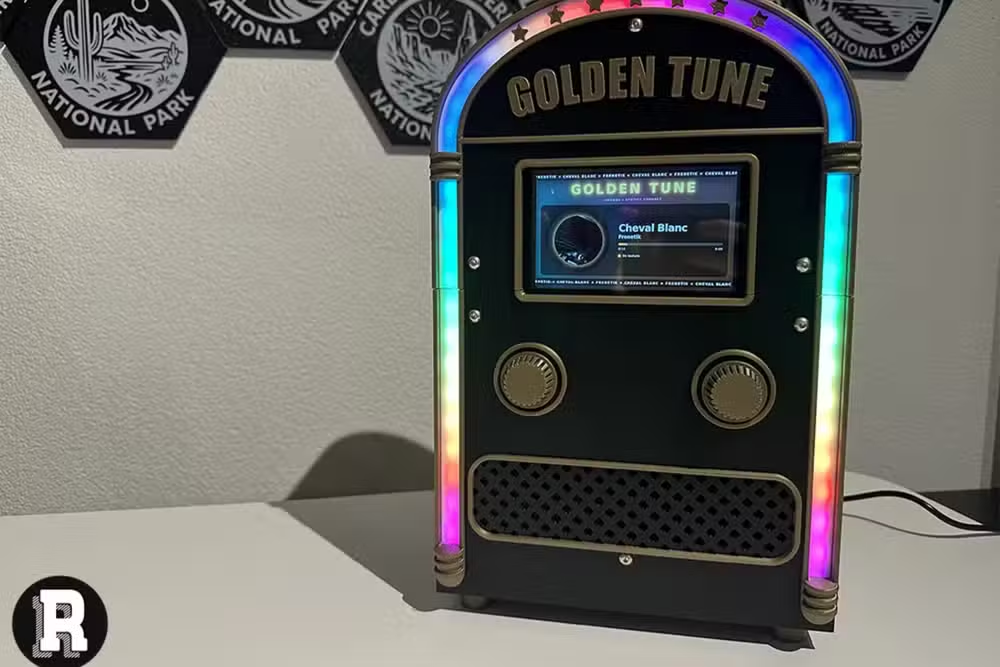
The appeal is tactile. Instead of scrolling through a phone app, you physically select music. Kids love it. Guests remember it. And once the system is configured, it runs without intervention.
What about automating a chicken coop door?
Backyard chicken keepers face a repetitive chore: opening the coop at dawn, closing it at dusk. Miss a closing, and predators get in. A Raspberry Pi with a motor controller and a light sensor can handle this automatically.
The Pi monitors ambient light. When brightness drops below a threshold, it triggers a motor to lower the door. At sunrise, it reverses. You can add a camera feed, temperature logging, or remote alerts. The time investment upfront replaces a twice-daily task for years.
Which Raspberry Pi model should you use?
The Raspberry Pi 3 B runs around $35 at CanaKit. Its quad-core 1.2 GHz processor and 1 GB of RAM handle media serving and basic automation comfortably. The Raspberry Pi Zero 2 WH costs roughly $21 at SparkFun, with pre-soldered GPIO pins for quick wiring. It suits compact builds like the jukebox. The Raspberry Pi 4 Model B, starting at $38, offers more headroom for multitasking or running a full desktop OS.
For the media server, a Pi 4 gives the smoothest experience. For the jukebox, a Zero 2 keeps the footprint small. For the coop door, any model with GPIO access works.
Do these projects require advanced skills?
The media server is the easiest. If you can install software on a Raspberry Pi OS and plug in a hard drive, you are done. The jukebox adds 3D printing and NFC wiring, so you need access to a printer and basic soldering ability. The chicken coop door involves motors and sensors, meaning some GPIO scripting and mechanical assembly.
None of these qualify as beginner projects, but none require an electrical engineering degree either. Clear tutorials exist for each, and the Pi community is unusually helpful.
Logicity's Take
The common thread here is automation of recurring tasks, not novelty. A portable media server eliminates the variable of hotel bandwidth. An NFC jukebox removes the friction of app-based music selection. An automated coop door deletes a daily chore. The best Pi projects are the ones you stop thinking about because they just work. If you are evaluating which to build first, pick the one that solves your most frequent annoyance.
More practical hardware tweaks for your workspace
Frequently Asked Questions
Can a Raspberry Pi run Plex or Jellyfin smoothly?
Yes. A Raspberry Pi 3B or newer handles direct playback without issue. Transcoding is rarely needed for local streaming, so the limited CPU is not a bottleneck.
How much does a portable Raspberry Pi media server cost?
A Pi 3B costs around $35, and a 1 TB portable hard drive runs $50-60. Total outlay is under $100 for a self-contained travel streaming setup.
What software do I need for an NFC jukebox?
You need an NFC reader library for Python (like nfcpy), a music player daemon, and scripts to map NFC tag IDs to specific tracks or playlists.
Is automating a chicken coop door safe for the chickens?
Yes, if you use a light sensor with appropriate thresholds and a slow-moving motor. Adding a safety delay ensures all birds are inside before the door closes.
Which Raspberry Pi model is best for beginners?
The Raspberry Pi 4 Model B offers the most flexibility and performance. It handles multiple use cases and runs a full desktop OS if needed.
Need Help Implementing This?
Planning a Raspberry Pi project for your home or small business? Logicity covers practical automation and maker builds. Subscribe for weekly guides, or reach out if you want us to cover a specific use case.
Source: How-To Geek
Huma Shazia
Senior AI & Tech Writer
Produced with AI assistance and reviewed by the Logicity editorial team. Learn more in our Editorial Policy.






