5 Ways to Use Claude Code Without Writing Code
Key Takeaways
- Claude Code is an agentic AI tool that can run commands on your computer, not just write code
- It can batch rename files by reading their content and generating descriptive names
- The same terminal-based approach works with Gemini or OpenAI Codex
Claude Code Is a File System Agent, Not Just a Coding Tool
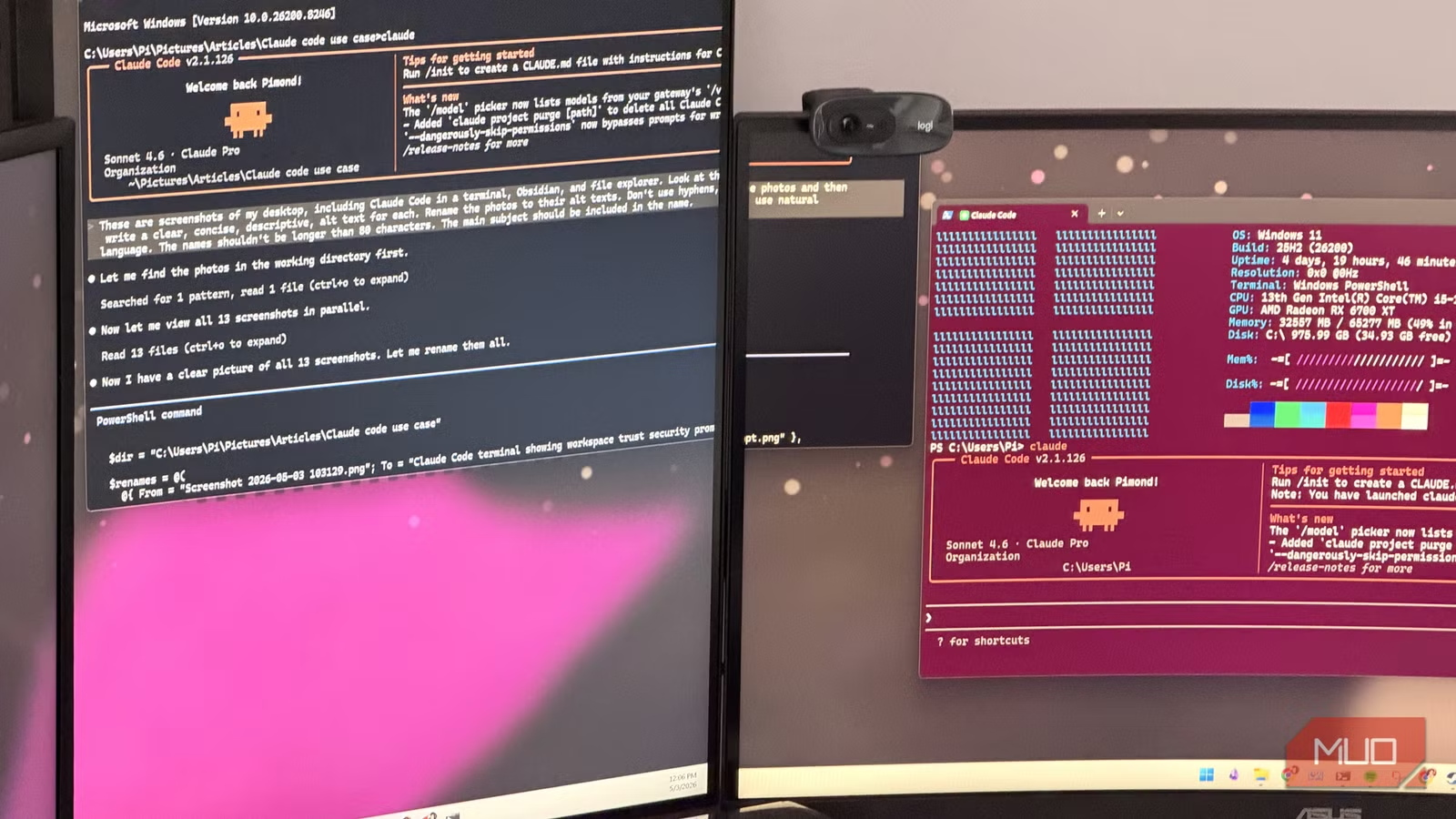
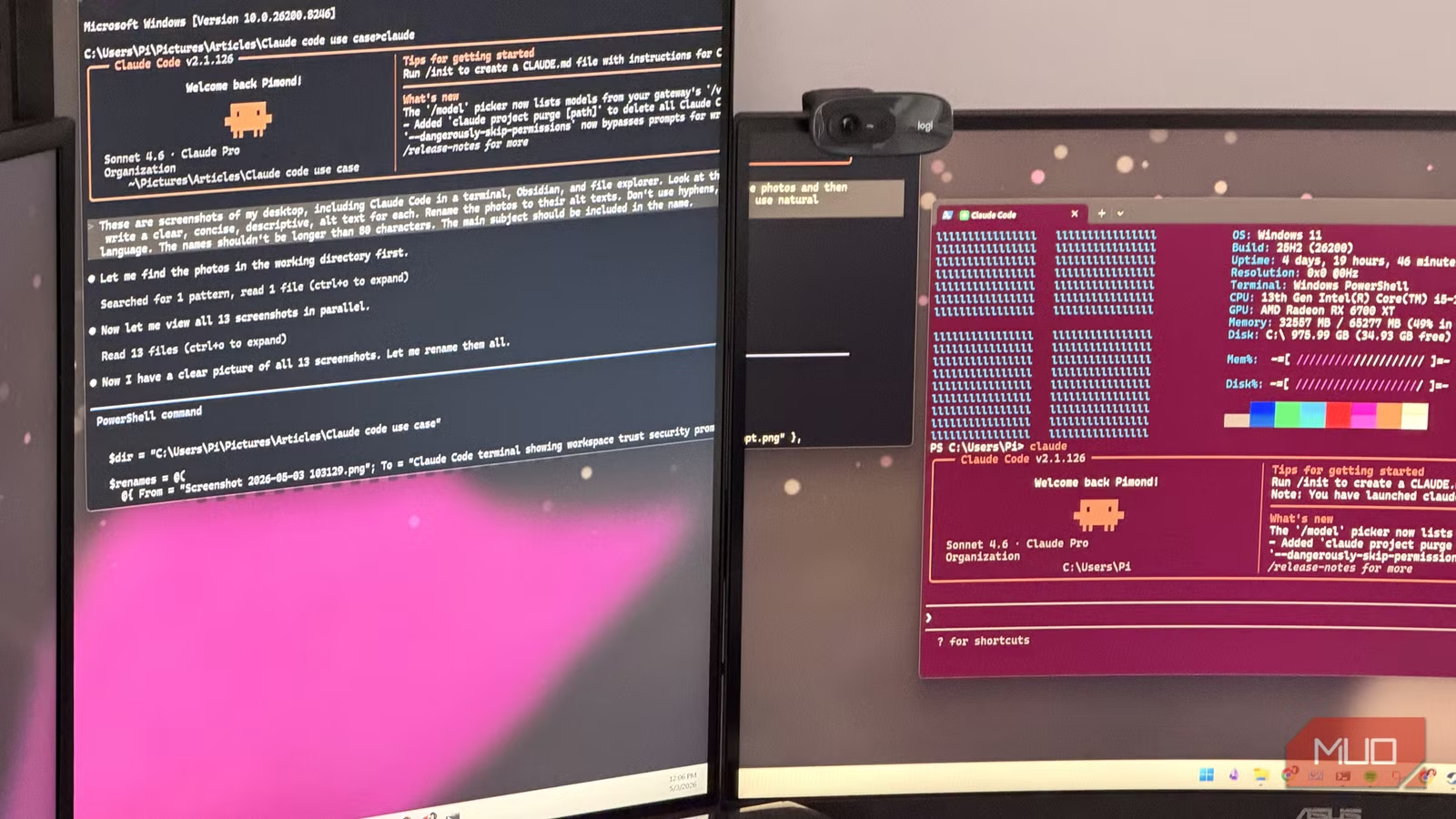
Anthropic's Claude Code has earned a reputation as a powerful coding assistant. But framing it only as a developer tool misses the point. At its core, Claude Code is an agentic AI with access to a directory on your computer. It can run commands, read the results, and execute more commands until the task is done.
That command can be anything. Not just code compilation or script execution. File organization, content analysis, batch operations. If you can do it from a terminal, Claude Code can help.
Amir Bohlooli, a tech writer at MakeUseOf, recently shared how he uses Claude Code for everyday tasks that have nothing to do with programming. The use cases are surprisingly practical for anyone drowning in disorganized files.
Batch Rename Files Based on Content
The simplest application is intelligent file renaming. Tools like PowerRename work fine when file names follow a clear pattern. But what about documents, PDFs, or media files where you want descriptive names based on actual content?
Bohlooli describes the workflow: open a folder in terminal, summon Claude Code, and give it a natural language instruction. For a folder of lecture notes named "note (1).pdf" through "note (47).pdf," the prompt might be: "Scan the first few lines in each of these PDF files, find the main topic, and rename the PDF to the topic. The name should be no longer than two words. Use hyphens."
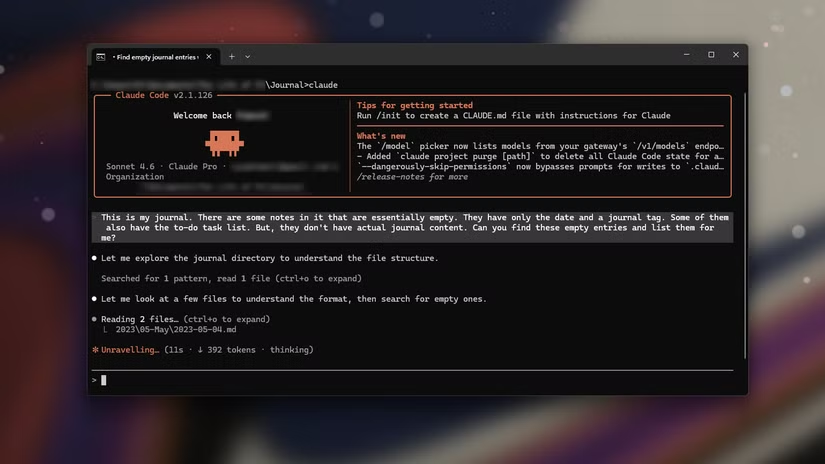
Claude reads each file, extracts the relevant information, and proposes the rename. Depending on your settings, it might ask for confirmation before executing. One prompt, dozens of intelligently renamed files.
Write Descriptions for Photos
Claude is a multimodal model. It can see images. This makes it useful for photo organization tasks that would take hours manually.
Point Claude Code at a folder of images and ask it to generate descriptions, suggest file names based on content, or identify what's in each photo. It's the same workflow as file renaming, but now the AI is analyzing visual content rather than text.
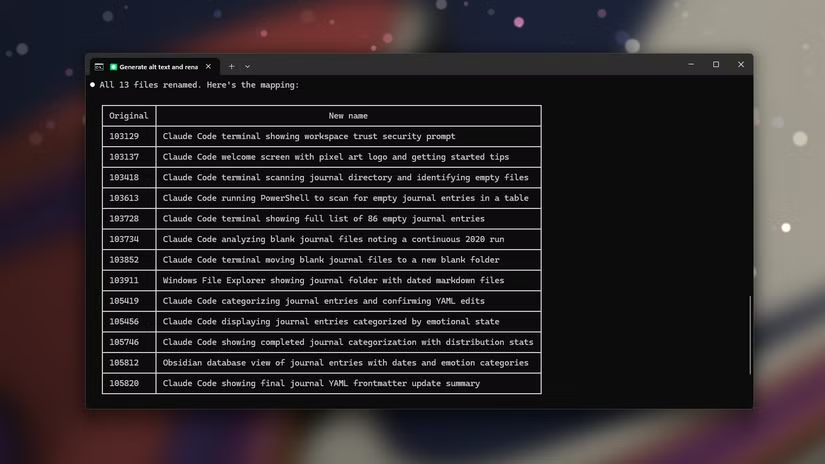
This is particularly useful for photographers or anyone managing large image libraries. Instead of "IMG_4523.jpg," you get something like "sunset-beach.jpg" or "team-meeting-march.jpg."
Analyze Images in Bulk
Beyond renaming, Claude Code can perform actual analysis on image collections. Need to identify all photos containing a specific object? Looking for images that might contain text you need to extract? The agent can loop through a folder and report back.
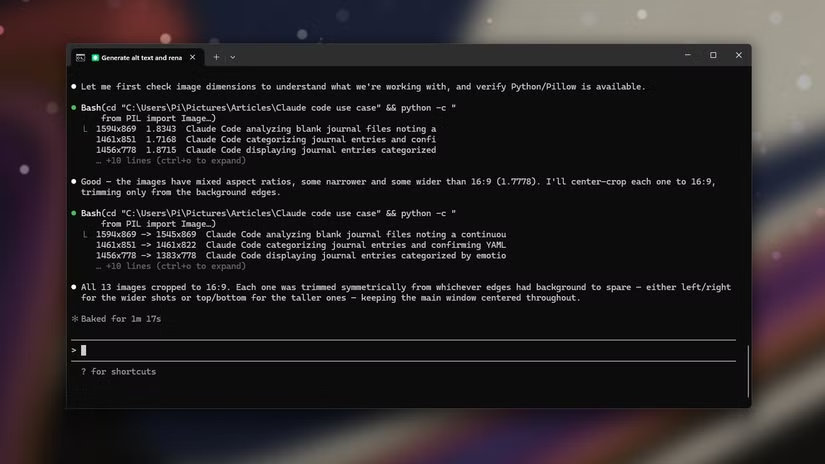
This turns a tedious manual review into a conversational query. Ask Claude to find all screenshots with error messages, or identify which product photos show the item from specific angles.
The Terminal Approach Works With Other Models Too
Bohlooli notes that nothing here is unique to Claude. Since he's using Claude in the terminal, the same approach works with Google's Gemini or OpenAI's Codex. The key insight isn't the specific model. It's the paradigm: giving an AI agent access to your file system through a command-line interface.
The right-click menu customization Bohlooli mentions is a Windows-specific convenience. He launches a terminal directly in whatever folder he wants Claude to work in. This avoids navigating through directory paths and lets him start prompting immediately.

Logicity's Take
More cross-platform productivity tools
Getting Started With Claude Code
Claude Code requires a Claude Pro subscription and installation through Anthropic's CLI tools. Once set up, you invoke it from any terminal window. The agent can read files, execute commands, and interact with your operating system within the permissions you grant.
The safety model asks for confirmation before potentially destructive actions. But the workflow stays conversational. Describe what you want in plain English. Watch the agent work through the problem step by step.
Frequently Asked Questions
Does Claude Code require programming knowledge?
No. While it's built for developers, the command-line interface accepts natural language prompts. You describe what you want done, and Claude figures out the commands.
How much does Claude Code cost?
Claude Code is available to Claude Pro subscribers. The subscription costs $20 per month. Usage may be subject to rate limits depending on your tier.
Can Claude Code delete or modify files without permission?
By default, Claude Code asks for confirmation before executing commands that modify your file system. You can adjust these safety settings based on your comfort level.
What's the difference between Claude Code and regular Claude?
Regular Claude is a chat interface. Claude Code is an agentic tool that can access your local file system, run terminal commands, and execute multi-step tasks autonomously.
Need Help Implementing This?
Source: MakeUseOf
Huma Shazia
Senior AI & Tech Writer
مقالات ذات صلة
تصفح الكل
5 إعدادات في متصفحك تسرّب بياناتك حتى مع تفعيل VPN
ماذا لو أخبرتك أن متصفحك المفضل يسلّم عنوان IP الحقيقي وموقعك الفعلي وعادات تصفحك لأي موقع يطلبها، حتى مع تفعيل VPN؟ هذا بالضبط ما يحدث لملايين المستخدمين يومياً، ومنهم من يكتشف ذلك بالصدفة عند إجراء

كيف تعرض شاشة هاتف Android على التلفزيون مجاناً باستخدام Google Cast
هل تبحث عن طريقة لعرض شاشة هاتف Android على التلفزيون دون دفع أموال لتطبيقات مليئة بالإعلانات أو شراء كابلات HDMI؟ الحل موجود فعلياً داخل هاتفك: ميزة Google Cast المدمجة في نظام Android 16 تتيح لك بث

4 تطبيقات سامسونج تستحق البقاء على هاتفك Galaxy
يأتي هاتف Galaxy الجديد محملاً بأكثر من 50 تطبيقاً مُثبتاً مسبقاً، وليست جميعها ضرورية. لكن وسط هذا الكم من التطبيقات، تبرز أربعة تطبيقات سامسونج تستحق فعلاً أن تبقى على جهازك — بل قد تفضّلها على بدائ

استدعاءات يونيو 2026 للسيارات: Ford وHonda وToyota تسحب ملايين المركبات من الأسواق
سجّلت الهيئة الوطنية الأمريكية لسلامة المرور على الطرق السريعة NHTSA أكثر من 300 استدعاء للسلامة شملت أكثر من 100 شركة مصنّعة منذ بداية عام 2026، لكن استدعاءات يونيو 2026 للسيارات جاءت الأضخم والأخطر.
اقرأ أيضاً

iQOO Z11i يظهر في الصين: هاتف vivo Y60 بثوب جديد وبطارية 6,500 مللي أمبير
بدأت iQOO بالتشويق لهاتفها الجديد Z11i في السوق الصينية، ليُضاف إلى عائلة Z11 المتنامية التي باتت تضم نماذج عدة. الهاتف يأتي ببطارية ضخمة سعة 6,500 مللي أمبير، لكن تسريبات من منصة Weibo تشير إلى أنه ق

Honor Watch 6: بطارية تدوم 35 يوماً في ساعة تزن 68 غراماً فقط
كشفت Honor عن ساعتها الذكية الجديدة Honor Watch 6، وهي تطرح سؤالاً مباشراً على منافسيها: كيف تحشرون بطارية بسعة 980mAh في ساعة لا يتجاوز وزنها مع السوار 68 غراماً، وتجعلونها تدوم 35 يوماً كاملة؟ هذا ل

الإمارات تحظر وسائل التواصل الاجتماعي على من هم دون 15 عاماً: أول دولة عربية تتخذ هذه الخطوة
في خطوة تاريخية تضع الإمارات في طليعة الدول العربية، أعلنت الحكومة الإماراتية حظر وسائل التواصل الاجتماعي على الأطفال دون 15 عاماً حظراً فعلياً، لتصبح بذلك أول دولة عربية تتخذ إجراءً بهذا الحجم لحماية