Windows 11 KB5083769 and KB5082052: April 2026 Patch Tuesday Brings Smart App Control Changes and Security Fixes
Key Takeaways
- Smart App Control can now be enabled or disabled without reinstalling Windows 11
- Narrator gets AI-powered image descriptions on all Windows 11 devices, not just Copilot+ PCs
- The sfc /scannow command bug that misreported errors has been fixed
- Microsoft 365 Family subscribers can now upgrade plans directly from Settings
- Updates are mandatory and include April 2026 security patches

Read in Short
Microsoft dropped the April 2026 Patch Tuesday updates for Windows 11. The big news? Smart App Control no longer requires a clean Windows install to toggle on or off. Security fixes are included, so don't skip this one.
Look, we all know the drill by now. Second Tuesday of the month means Microsoft is pushing out patches, and April 2026 is no different. But this month's updates actually have something worth talking about beyond the usual security fixes.
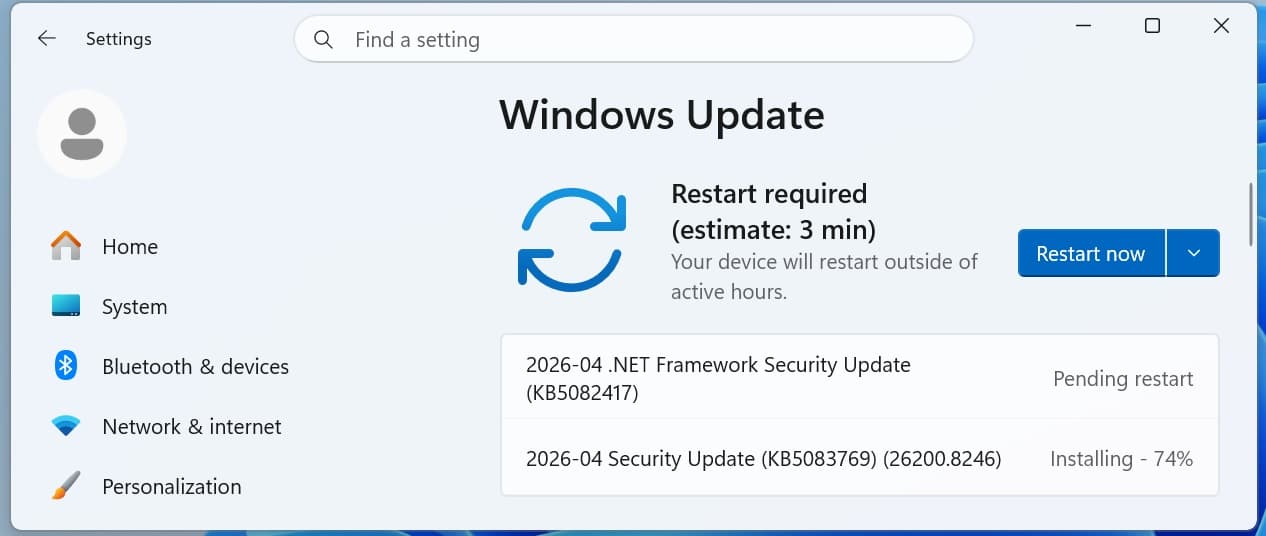
KB5083769 covers Windows 11 versions 25H2 and 24H2, while KB5082052 handles 23H2. Both dropped on April 14th and they're mandatory updates. That means they're rolling out automatically whether you like it or not. And honestly? You should probably let them.
The Smart App Control Fix Everyone Wanted
Here's the thing about Smart App Control. It's actually a pretty solid security feature that blocks untrusted or potentially malicious apps from running. The problem? Until now, if you wanted to turn it on after your initial Windows setup, you needed to do a complete clean install. That's insane for a toggle switch.
Microsoft finally fixed this annoyance. You can now flip Smart App Control on or off by heading to Settings, then Windows Security, App & Browser Control, and finally Smart App Control settings. No reformatting required. No backing up your files. No spending an afternoon reinstalling all your apps.
What is Smart App Control?
Smart App Control (SAC) is a Windows 11 security feature that uses AI and cloud-based intelligence to block apps that are untrusted, unsigned, or potentially harmful. It runs in the background and can prevent malware before it executes. Previously, it could only be enabled during a fresh Windows installation.
This change was actually teased back in January 2026 with KB5074105, but it's only now rolling out to everyone. Better late than never, I guess.
Narrator Gets Smarter Across All Windows 11 Devices
The accessibility improvements in this update are genuinely impressive. Narrator, Microsoft's built-in screen reader, can now provide detailed image descriptions on any Windows 11 device. Previously, the rich AI-powered descriptions were limited to Copilot+ PCs with their fancy NPUs.
- Press Narrator key + Ctrl + D to get a description of whatever image is currently focused
- Press Narrator key + Ctrl + S for a full screen description
- Copilot opens automatically with the image ready for custom prompts
- On Copilot+ PCs, you still get instant on-device descriptions with the option to ask Copilot for more detail
The privacy angle here is solid too. Images aren't shared with Copilot until you actively choose to describe them. So you're in control of what gets analyzed.
How to Install KB5083769 and KB5082052
Getting these updates is pretty straightforward. They should download automatically, but if you're impatient like me, here's the quick way to force it.
- Open Settings from the Start menu
- Navigate to Windows Update
- Click 'Check for Updates'
- Wait for the download and install to complete
- Restart when prompted
You can also grab the updates manually from the Microsoft Update Catalog if automatic updates aren't your thing or if you're managing multiple machines.
Build Numbers After Update
After installing, check your build number to confirm success. Windows 11 25H2 goes to 26200.8246, 24H2 becomes 26100.8246, and 23H2 updates to 22631.6936. Right-click Start and select System to verify your version.
Other Fixes Worth Mentioning
Beyond the headline features, Microsoft patched a bug that's been annoying power users for a while. The sfc /scannow command, which checks system file integrity, was failing to report error messages correctly. If you've ever run that command and gotten confusing results, this fix is for you.
Microsoft 365 Family subscribers also get a small quality-of-life improvement. You can now upgrade to different Microsoft 365 plans directly from Settings under Accounts. Don't want to see the upgrade prompts? Just turn off Suggested content in Settings.
The update also includes some visual tweaks to dialog boxes throughout Settings. Nothing dramatic, but Microsoft continues to polish the interface piece by piece.
If you're interested in how AI assistants like Copilot are getting smarter at understanding your content, Google's taking a similar approach with Gemini integration.
Security Patches: The Boring But Important Stuff
Let's be real. Most people skip over the security changelog because it reads like alphabet soup. But these April 2026 patches address vulnerabilities discovered in previous months, and some of them could be serious.
Microsoft doesn't always disclose specifics immediately, especially for actively exploited flaws. What we do know is that this is a mandatory update for a reason. The security patches alone make it worth installing even if you don't care about Smart App Control or Narrator improvements.
25H2 and 24H2: Same Update, Different Name
Quick clarification if you're confused about version numbers. Windows 11 25H2 is essentially running on the same codebase as 24H2. This means both versions get identical updates. There's no special sauce in 25H2 that 24H2 users are missing out on with this particular patch.
Microsoft has been doing this unified approach for a while now. It simplifies their update process and means fewer compatibility headaches for IT departments managing mixed environments.
Should You Install This Update Right Away?
Short answer: yes. The security fixes alone justify hitting that update button today.
The Smart App Control change is genuinely useful if you've been curious about the feature but didn't want to nuke your system to try it. And the Narrator improvements make Windows more accessible without requiring expensive specialized hardware.
✅ Pros
- • Smart App Control finally accessible without clean install
- • Narrator AI descriptions work on all Windows 11 devices
- • Security patches for known vulnerabilities
- • sfc /scannow error reporting fixed
❌ Cons
- • Forced restart required after installation
- • Some features still rolling out gradually
- • No major UI overhauls or new capabilities
The only reason to delay would be if you're running critical software that historically breaks with Windows updates. In that case, maybe wait a few days to see if any compatibility issues surface. But for most people? Just let it install.
Speaking of AI integration in everyday software, Chrome's new Skills feature takes a similar approach to making AI assistance more accessible in your daily workflow.
What's Next for Windows 11?
With four Patch Tuesdays down in 2026, Microsoft seems to be settling into a rhythm. The gradual rollout of features announced months ago, like Smart App Control's new toggle, shows they're being careful about stability.
Expect more Copilot integration in the coming months. The Narrator improvements hint at Microsoft's broader strategy of baking AI into every corner of Windows. Whether that excites you or makes you nervous probably depends on how you feel about AI assistants in general.
For now, go grab your updates. Your PC will thank you.
Source: BleepingComputer
Manaal Khan
Tech & Innovation Writer
Produced with AI assistance and reviewed by the Logicity editorial team. Learn more in our Editorial Policy.