Key Takeaways
How to Move the Start Menu Back to the Left in Windows 11
- Windows 11 Beta build 26220.8925 introduces Start menu size options (small/large) and new section controls
- The movable taskbar, announced in May 2026, remains confined to experimental Insider builds
- Microsoft faces pressure to reduce Windows 11 system requirements as hardware costs rise
Microsoft released Windows 11 Beta build 26220.8925 on July 21, 2026, delivering Start menu customization options that users have requested for years. The update brings size controls, section toggles, and interface tweaks to the Beta channel. One notable absence: the movable taskbar, which Microsoft promised in May but has not promoted beyond experimental builds.
What's new in the Windows 11 Start menu?
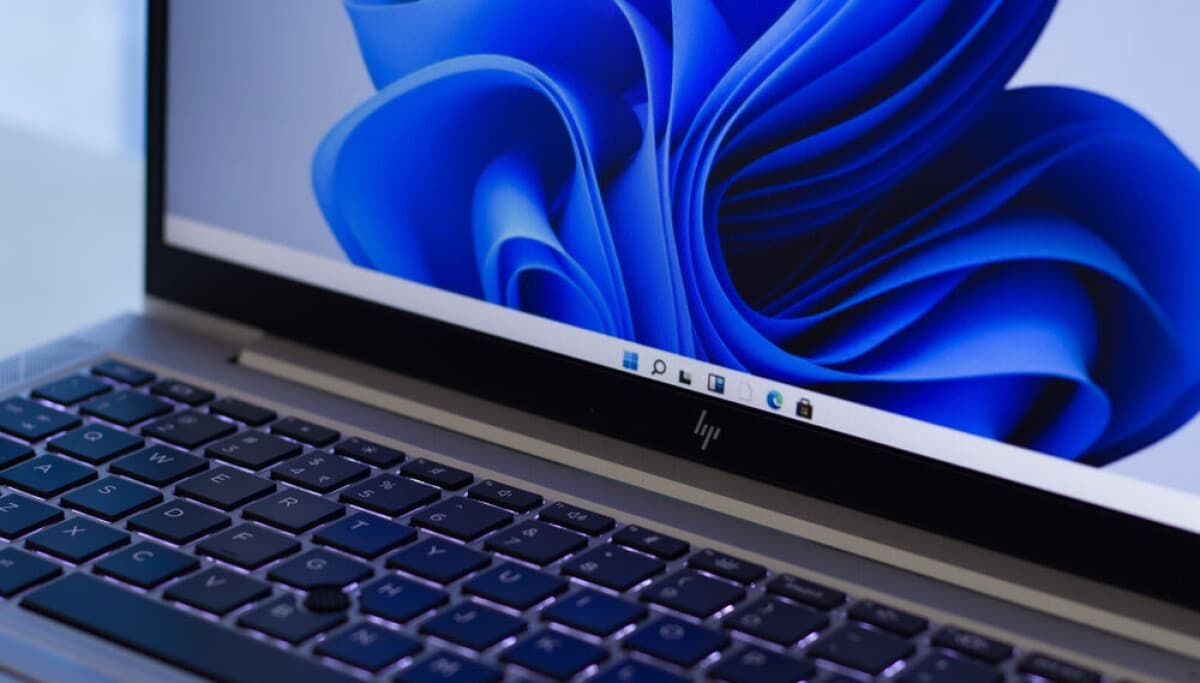
Build 26220.8925 introduces several Start menu changes. Users can now switch between small and large size options alongside the existing default. The Recommended section has been renamed to Recent, which better describes its function. Microsoft also redesigned the Start menu settings page and added an option to hide the user's name and picture.
These controls address complaints that Windows 11's Start menu offered less flexibility than its Windows 10 predecessor. The original Windows 11 Start menu was essentially take-it-or-leave-it. Now users get meaningful customization without third-party tools.
Where is the movable taskbar?
In May 2026, Microsoft announced it would restore the ability to move the taskbar to any screen edge. The company stated: "Location, location, location. The ability to move the taskbar to the top or sides of the screen has been one of the most requested features, and we are bringing it to Windows 11."
That feature remains in experimental Insider builds, not the Beta channel. Microsoft cut taskbar repositioning from Windows 11 at launch, citing code rewrites. Users have complained ever since. Restoring it four years later hardly counts as responsive development.
Related Windows 11 security concern for enterprise deployments
Why interface tweaks won't solve Microsoft's real problem
Microsoft may hope that listening to feedback on the taskbar and Start menu will generate goodwill. The timing suggests the company recognizes it has an image problem, particularly after aggressive AI integration that many users never requested.
But interface polish misses the larger issue. Hardware prices have climbed sharply, and Windows 11's system requirements remain higher than Windows 10's. Windows 10 ran adequately on 64-bit systems with 2 GB of RAM. Windows 11 requires at least 4 GB. Enterprising users have stripped Windows 11 down to run on 200 MB of RAM, but that's a curiosity, not a solution.
A leaner Windows that runs well on older hardware would help more users than a movable taskbar. Windows 10's extended security update program launches in October 2025, charging enterprise customers for updates Microsoft once provided free. That bill comes due while hardware refresh cycles stretch longer.
| Specification | Windows 10 | Windows 11 |
|---|---|---|
| Minimum RAM | 2 GB (64-bit) | 4 GB |
| Taskbar positioning | Any screen edge | Bottom only (movable coming) |
| Start menu size options | Resizable | Small/Default/Large |
| TPM requirement | Not required | TPM 2.0 required |
| Mainstream support end | October 2025 | October 2027 (est.) |
What this means for enterprise IT
The Beta channel designation means these Start menu changes should reach production builds within weeks, not months. IT teams planning Windows 11 deployments can expect the new customization options in the 24H2 update cycle.
The movable taskbar timeline is less clear. Microsoft has not committed to a release window. Organizations with users who depend on vertical or top-mounted taskbars should not assume the feature will arrive soon.
OS security features comparison across platforms
Logicity's Take
Microsoft is playing catch-up on features it never should have removed. For CIOs evaluating Windows 11 migration timelines, these Start menu tweaks don't change the calculus. The real blockers remain: TPM 2.0 requirements that exclude functional hardware, bloatware that ships with every install, and AI features that consume resources without delivering enterprise value. If your organization manages endpoints with tools like [ClickUp](https://logicity.in/r/clickup), [Asana](https://logicity.in/r/asana), or [Monday.com](https://logicity.in/r/monday) for IT project tracking, budget time for user training on Windows 11's interface changes. They're minor, but they'll still generate help desk tickets.
Disclosure
Some links in this post are affiliate links — Logicity earns a commission if you sign up, at no extra cost to you. We only link products we have used or actively recommend.
Frequently asked questions
Frequently Asked Questions
When will the Windows 11 movable taskbar reach stable builds?
Microsoft has not announced a release date. The feature remains in experimental Insider builds as of July 2026, with no confirmed timeline for Beta or production channels.
What are the new Windows 11 Start menu size options?
Build 26220.8925 adds small and large size options alongside the existing default. Users can also toggle sections and hide their name and picture from the Start menu.
Does Windows 11 require more RAM than Windows 10?
Yes. Windows 11 requires at least 4 GB of RAM for 64-bit systems, compared to 2 GB for Windows 10. Both are minimums; practical use requires more.
How do I get the new Windows 11 Start menu features?
Join the Windows Insider Program and select the Beta channel. Install build 26220.8925 or later through Windows Update.
Why did Microsoft remove the movable taskbar from Windows 11?
Microsoft cited code rewrites when Windows 11 launched. The company is now working to restore the feature after sustained user complaints.
Need Help Implementing This?
Planning a Windows 11 migration or managing enterprise endpoints? Contact Logicity's consulting team for deployment strategy guidance and user training frameworks.
Source: www.theregister.com
Manaal Khan
Tech & Innovation Writer
Produced with AI assistance and reviewed by the Logicity editorial team. Learn more in our Editorial Policy.