Key Takeaways
- Phones throttle charging speeds when batteries warm up or exceed 80% capacity to preserve long-term battery health
- Using a non-matching charger or cable can drop your charging rate from 120W to as low as 15W
- USB Power Delivery with PPS support is now the safest bet for cross-device fast charging compatibility
Your phone's 120W fast charging is probably a lie. Not outright fraud, but a peak number you'll rarely see in practice. Phone makers deliberately slow your charging speed once the battery warms up or fills past 80%, cutting actual wattage by 40-50% under typical conditions. The advertised figure represents a best-case scenario most users never experience.
This throttling isn't a bug. It's a feature designed to keep your battery alive longer. Lithium-ion batteries degrade faster when charged at high speeds, especially when hot or nearly full. A battery rated for 500 charge cycles to 80% capacity can drop to 300 cycles with aggressive fast charging. Manufacturers have decided, correctly, that battery longevity matters more than shaving five minutes off your charge time.
Why your old charger won't hit peak speeds
Fast charging requires your phone and charger to speak the same language. This negotiation determines the optimal voltage and amperage based on your battery's current state and temperature. When the protocols don't match, your phone falls back to a slower, safer rate.
Most Android phones from Samsung and Google now support USB Power Delivery (USB PD), a universal standard. Plug a USB PD charger into a compatible phone and you'll get decent speeds. But 'decent' isn't maximum. OnePlus uses SUPERVOOC. Xiaomi has HyperCharge. These proprietary systems can hit 120W or higher, but only with their own chargers and cables.
Plug a OnePlus phone into a generic USB PD charger and you might get 30W instead of 120W. The phone works fine. It charges. Just not at the speed OnePlus put on the box.
Samsung phones need PPS support
Even within USB PD, there's another spec to watch: Programmable Power Supply (PPS). Samsung Galaxy phones charge at sub-optimal speeds when plugged into USB PD chargers that lack PPS support. The charger might support 45W, but without PPS, your Galaxy tops out lower.
The cable matters too. USB-C cables look identical but vary wildly in capability. A cable rated for 60W won't deliver 100W no matter what charger you attach. If your phone uses proprietary fast charging, you need a cable that supports that protocol. The cable that came in the box isn't a suggestion.
Heat is the enemy of fast charging
Marketing numbers come from ideal lab conditions: room temperature, battery near empty, phone idle. Real life looks different. You're charging while scrolling. The phone is warm from an hour of use. The battery is at 40%, not 5%.
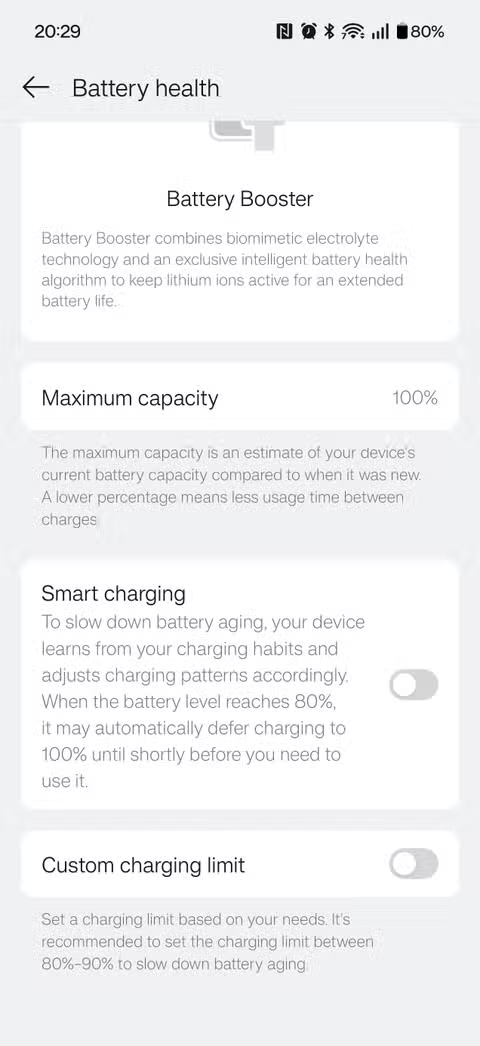
As your phone heats up, the charging controller throttles power to avoid damaging the battery. Above 80% capacity, charging slows further because pushing a nearly-full lithium-ion cell at high voltage accelerates chemical degradation. That last 20% always takes longer than the first 20%.
How to get the fastest possible charge
- Use the charger and cable that came with your phone, or certified replacements from the same brand
- Charge when the phone is cool and idle, not while gaming or in direct sunlight
- Turn on airplane mode during charging to reduce heat from wireless activity
- Avoid cheap unbranded cables, even if they claim high wattage
- For cross-brand charging, get a USB PD charger with PPS support
If you're buying a new charger for multiple devices, look for USB PD with PPS. Anker, Baseus, and Ugreen make reliable options. A 65W PPS charger will handle most phones well, though it won't hit the proprietary peaks of OnePlus or Xiaomi devices.
Should you care about peak charging speeds?
Probably not as much as marketing wants you to. The difference between 80W and 120W is a few minutes on a near-dead battery. Both are fast enough that you can top up during a shower. The throttling that kicks in above 50% capacity means sustained charging rates matter more than peak wattage.
What actually affects your daily experience: having a compatible charger at your desk, in your bag, and by your bed. A 45W USB PD charger everywhere beats a 120W proprietary brick you left at home.
Logicity's Take
Phone makers should display sustained charging rates alongside peak wattage, like how car fuel economy includes city and highway figures. A phone that hits 120W for 30 seconds before dropping to 40W isn't really a 120W phone for practical purposes. The EU's tightening USB-C requirements might eventually force this transparency. Until then, treat advertised charging speeds like camera megapixels: a number that matters less than you think.
Frequently Asked Questions
Why does my phone charge slower when it's warm?
Heat accelerates lithium-ion battery degradation. Your phone's charging controller reduces power when it detects elevated temperatures to protect long-term battery health, even if it means slower charging in the moment.
Do I need the original charger to get fast charging?
For maximum speeds with proprietary systems like SUPERVOOC or HyperCharge, yes. For good-enough fast charging on most phones, any USB PD charger with PPS support will work, though speeds may be lower than advertised peaks.
Why does charging slow down after 80%?
Pushing high voltage into a nearly-full battery causes faster chemical degradation. Phone manufacturers throttle charging above 80% to extend your battery's lifespan over hundreds of charge cycles.
Are cheap USB-C cables safe for fast charging?
Technically safe, but often incapable of delivering advertised speeds. Low-quality cables may lack the wire gauge or protocol support needed for high-wattage charging. Stick to known brands or the cable included with your phone.
Need Help Implementing This?
Logicity covers the tech decisions that matter for your business. Subscribe to our newsletter for clear-eyed analysis of hardware, software, and startup trends.
Source: How-To Geek
Huma Shazia
Senior AI & Tech Writer
Produced with AI assistance and reviewed by the Logicity editorial team. Learn more in our Editorial Policy.






