Key Takeaways
- Cache buildup and auto-playing featured content are the main culprits behind Fire TV Stick lag
- Clearing app caches and disabling video autoplay can restore near-original performance
- Budget Fire TV models with limited RAM struggle most as apps grow more resource-hungry
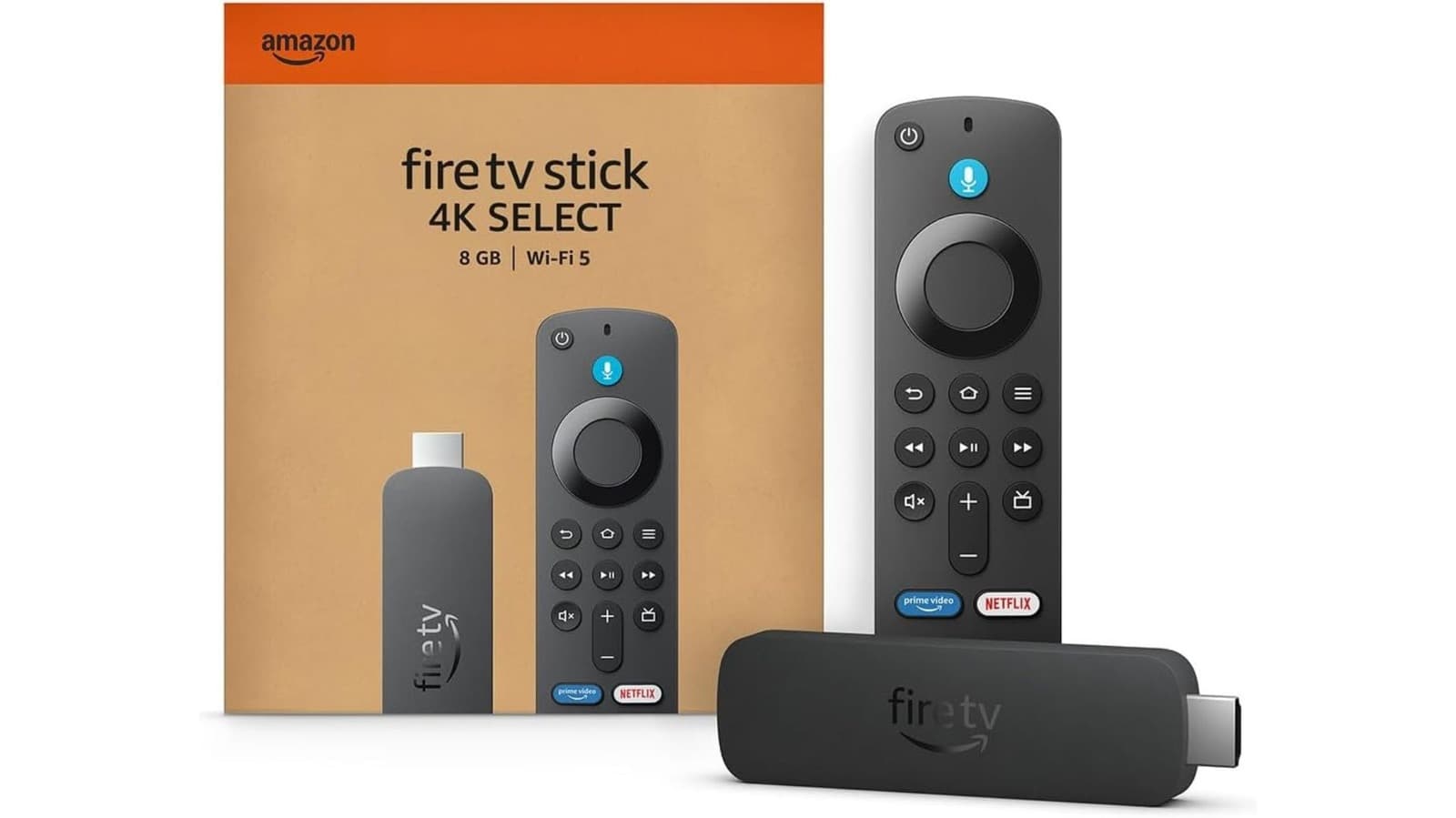
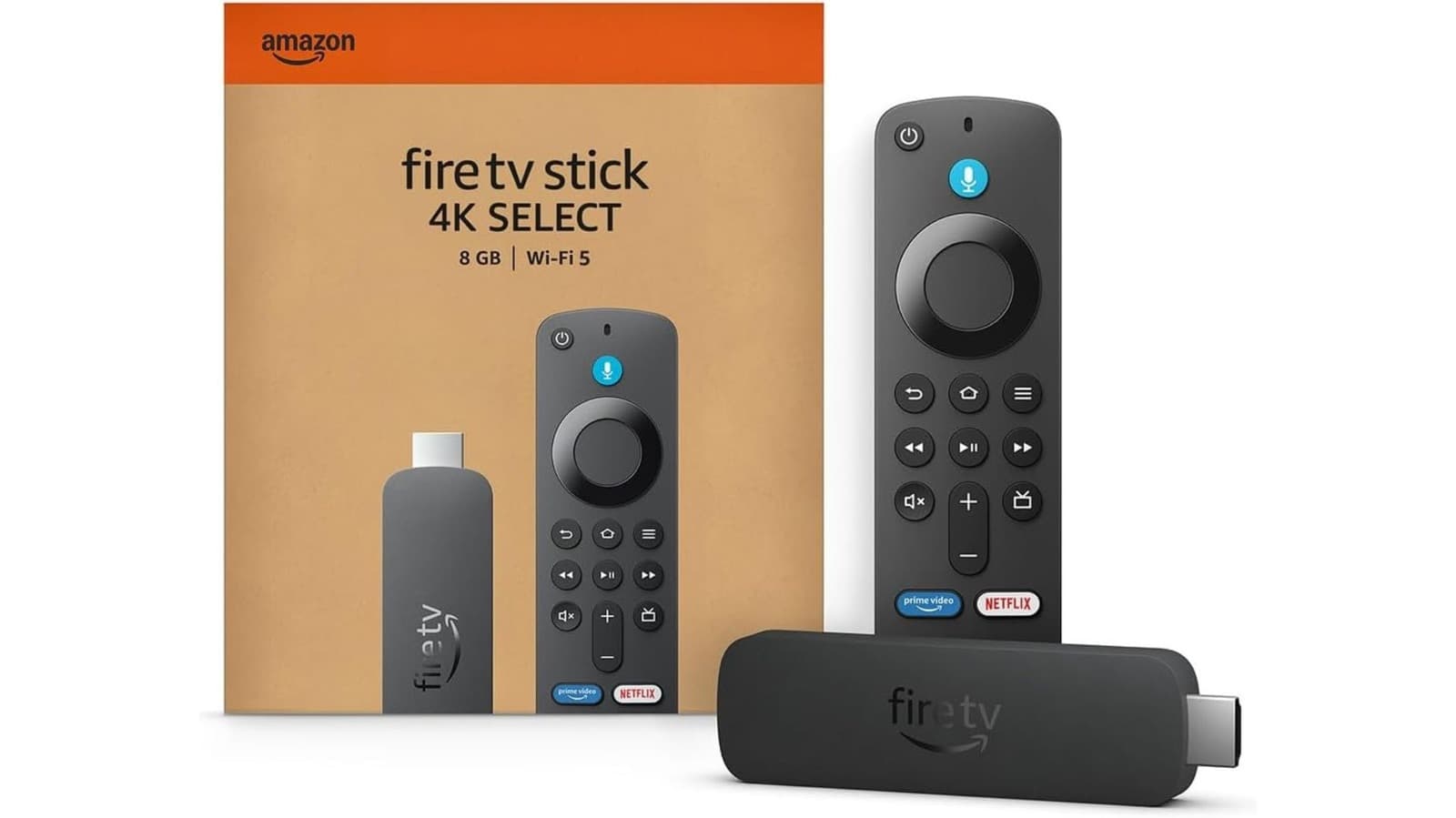
Your Fire TV Stick is slower than it was two years ago, and you're not imagining it. Cache buildup, auto-playing ads, and apps that demand more memory than your streaming dongle can spare are the primary causes. The fix takes about five minutes.
Fire TV Sticks ship with minimal RAM and storage. Amazon's entry-level models are the worst offenders. As apps like Netflix and Prime Video push updates with new codecs and features, they consume more of the device's limited resources. Meanwhile, the Fire TV home screen runs heavy, auto-playing video advertisements that tax the processor even when you're just browsing.
“The interface is struggling because it's essentially a browser running heavy, auto-playing video advertisements in the background at all times.”
— Senior Streaming Device Engineer
Reddit communities like r/firetv have labeled this a design flaw. Amazon prioritizes ad impressions over user experience, and budget hardware can't handle both smoothly.
What causes Fire TV Stick lag?
Three factors compound over time. First, apps accumulate cache data with every use. Streaming services store thumbnails, metadata, and playback history locally. Second, Fire TV's home screen autoplays trailers and promotional content, consuming CPU cycles before you've even picked something to watch. Third, older Fire TV Sticks simply age out. Netflix, for example, dropped support for first-generation Fire TV Sticks and devices made before 2015.
If your storage is near capacity, the operating system struggles to manage background processes. The result is buffering, delayed menu navigation, and apps that take seconds longer to launch.
Two quick fixes to try first
Start with a restart. Unplug your Fire TV Stick from power for at least 60 seconds. Amazon specifically recommends this duration to let the device fully discharge. A quick power cycle clears temporary memory and often resolves minor hiccups.
Next, check for software updates. Go to Settings > My Fire TV > About > Check for Updates. Many recent Fire TV Sticks now run Vega OS, Amazon's in-house Linux-based system that replaced the older Android-based Fire OS. Even if you can't upgrade to Vega, staying current with patches keeps the device running efficiently.
Newer Fire TV Sticks, anything beyond the second-generation or Basic edition, include Auto Offload. This feature automatically uninstalls apps you haven't used in 60 days but preserves your login credentials and settings. It's enabled by default and helps reclaim storage without manual intervention.
How to clear Fire TV cache and speed up performance
The most effective fix is clearing app data and cache. This is what you'd do with any computer that's slowing down, and it's the likely culprit if you've noticed degraded performance.
- Go to Settings > Applications > Manage Installed Applications
- Select 'Clear all Application Caches' for a clean slate
- Or choose individual apps if one service is particularly slow
- Re-enter your login credentials for each streaming service afterward
Set aside 10 minutes for this. Once you clear cached data, you'll need to sign back into Netflix, Disney+, and any other services. Have your passwords ready.
Disable auto-playing featured content
Fire TV's home screen autoplays trailers as you scroll. For a device already struggling, this creates unnecessary load. Disabling it is straightforward: go to Settings > Preferences > Featured Content, then toggle off both Video Autoplay and Audio Autoplay.
Many users on r/cordcutters report this single change makes browsing noticeably smoother. It's a workaround for what they call Amazon's aggressive ad strategy, but it works.
When a factory reset is the only option
If clearing cache doesn't help, a factory reset returns the device to its original state. This wipes everything, including installed apps, saved preferences, and login data. You're essentially starting fresh.
Go to Settings > My Fire TV > Reset to Factory Defaults. After the reset, reinstall only the apps you actually use. Bloat from unused services contributes to slowdowns, so a leaner setup performs better.
Should you buy a new Fire TV Stick?
If your device is four or more years old, hardware limitations may outweigh any software fixes. Netflix and other services drop support for older hardware, and apps optimized for newer processors will always run poorly on aging chips. The current Fire TV Stick 4K Max, priced around $55, offers significantly more RAM and processing power than earlier models.
But if your device is from 2020 or later, clearing cache and disabling autoplay should restore usable performance. The issue isn't the hardware, it's how Amazon's software manages limited resources.
Another example of software support decisions affecting older hardware
Frequently Asked Questions
Why is my Fire TV Stick so slow all of a sudden?
Cache buildup from streaming apps and auto-playing home screen content are the most common causes. Clearing app caches and disabling video autoplay typically resolves the issue.
How do I clear the cache on my Fire TV Stick?
Go to Settings > Applications > Manage Installed Applications, then select 'Clear all Application Caches' or choose individual apps to clear.
Does clearing Fire TV cache delete my apps?
No. Clearing cache removes temporary data but keeps your apps installed. You may need to log back into some streaming services.
How often should I restart my Fire TV Stick?
Amazon recommends unplugging for 60 seconds whenever you notice performance issues. Some users restart weekly as preventive maintenance.
Will a factory reset make my Fire TV Stick faster?
Yes, but it erases everything. Use this as a last resort after clearing cache and disabling autoplay haven't helped.
Logicity's Take
Amazon's ad-heavy home screen is the real problem here. The company ships budget hardware, then loads it with promotional content that demands premium resources. Users shouldn't need workarounds to make a device functional. Until Amazon offers a subscription tier that removes home screen ads entirely, expect these slowdown complaints to persist with every Fire TV generation.
Need Help Implementing This?
If your organization manages multiple streaming devices across offices or properties, Logicity can connect you with IT consultants who specialize in media hardware fleet management. Contact us at partnerships@logicity.in.
Source: Engadget
Huma Shazia
Senior AI & Tech Writer
Produced with AI assistance and reviewed by the Logicity editorial team. Learn more in our Editorial Policy.




