Key Takeaways
Sonos App Update (July 2026) – Here's What's Changed
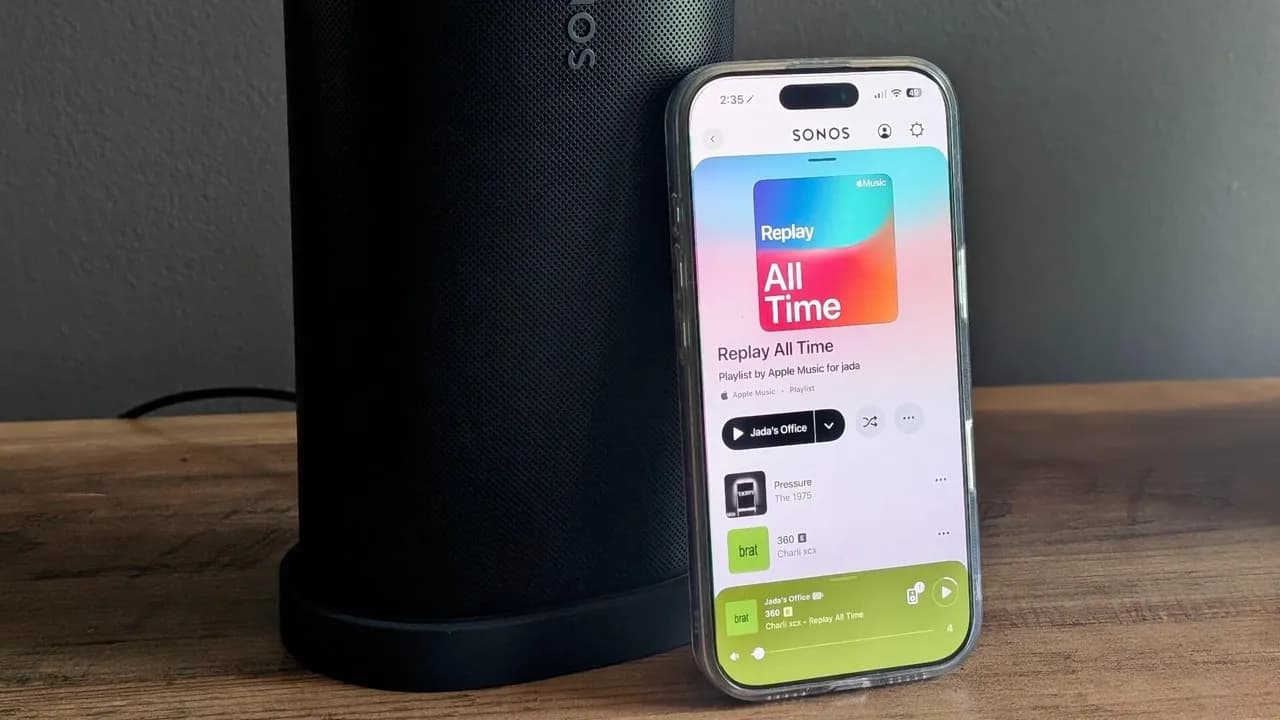
- Sonos has opened a public beta for its mobile app, letting users toggle new navigation and volume controls on or off
- iOS users get Apple Liquid Glass design consistency and improved volume scrubbing; Android gets a slimmer miniplayer and relocated search tab
- Some features remain platform-exclusive for now, with Android volume improvements still in development
Sonos has opened a public beta for its mobile app, giving users early access to navigation improvements and volume control fixes on both iOS and Android. The beta, announced by CEO Tom Conrad on Reddit, marks the company's most visible step toward rebuilding trust after the 2024 app disaster that cost millions in fixes and drove customers to competitors. Users can toggle the new features on or off directly in settings, letting them revert instantly if something breaks.
The changes are not dramatic overhauls. They are the small, irritating problems that made the Sonos app feel disconnected from how every other app on your phone behaves. For anyone managing multi-room audio at home or in a commercial space, these fixes address real friction points.
How to enable the Sonos app beta
The opt-in process takes about 10 seconds. Open the Sonos app, tap the gear icon in the upper right corner to access Settings, and toggle "Enable Improved Navigation" at the top of the screen. That's it. According to Conrad's Reddit post, users can switch the beta features on and off throughout the testing period, so there's no commitment. If the new navigation breaks something in your setup, you can revert immediately.
This toggle approach is smart. Sonos learned from 2024 that forcing changes on users without an escape hatch creates backlash. The company is now treating its user base as testers rather than captive customers.
What's actually different on iOS
The most noticeable change is how screens transition. Previously, new tabs and menus appeared via a bottom-to-top animation, and you dismissed them by sliding down. Now, content appears left-to-right, and you return by sliding left. This matches how nearly every other iOS app works. It sounds minor until you realize how many times per session you interact with these transitions.
Volume control gets a meaningful redesign. The old scrubber sat too close to the upward-slide gesture used to check system status, causing accidental volume changes. The scrubber also required large movements for fine adjustments. The updated version places a mute button in the bottom-left corner and a granular volume control in the bottom-right. When the scrubber is active, the mute button converts to a volume-down control.
Design consistency with Apple's Liquid Glass aesthetic also arrives. Animations between app sections are smoother, and the "Now Playing" background now changes color to match album art. A new "System" tab at the bottom of the screen replaces the old swipe-up gesture for viewing your entire Sonos setup. These are polish changes, not functional ones, but they remove the feeling that the Sonos app was designed for a different operating system.
What Android users get (and don't)
Android improvements focus on layout. The miniplayer is slimmer, and a new navigation bar underneath it provides quicker access to Home, System, and Search tabs. Sonos moved the Search function from above the miniplayer, which previously blocked content when scrolling. The result is a cleaner vertical flow.
Here's the gap: the volume control improvements available on iOS are not yet ready for Android. Sonos says they are "in the works," but no timeline was given. If you use both platforms, expect feature parity to take a few more months. This is worth knowing before you set up Android devices as your primary Sonos controllers.
What the beta doesn't fix yet
One persistent complaint remains unaddressed: iOS users still cannot control Sonos playback from the lock screen or home screen. For a music system, this is a strange omission. You have to unlock your phone, open the Sonos app, and then adjust playback. Every other major audio app, from Spotify to Apple Music, exposes playback controls at the system level. Sonos has not indicated when or whether this will change.
The beta also does not address integration depth with smart home platforms. If you manage Sonos speakers alongside Zapier automations or n8n workflows for office audio, nothing new appears on that front. The focus here is purely on the app's direct user interface.
Disclosure
Some links in this post are affiliate links — Logicity earns a commission if you sign up, at no extra cost to you. We only link products we have used or actively recommend.
Context: why Sonos is still rebuilding
The 2024 app relaunch was a case study in how not to ship software. Sonos pushed a complete redesign that broke basic functionality: speakers disappeared from the app, grouping failed, controls lagged. The company spent millions on fixes while long-time customers defected to competitors like Denon's HEOS and Amazon's Echo ecosystem. CEO Patrick Spence eventually stepped down, and the company brought in new leadership specifically tasked with restoring software credibility.
Nearly two years later, core stability appears restored. This beta represents the shift from "fixing what's broken" to "improving what works." The features themselves are incremental, but the public beta process signals something more important: Sonos is now willing to let users test changes before forcing them on the entire customer base.
Should you opt in?
If your Sonos setup currently works reliably, yes. The toggle-on/toggle-off approach means there's no risk of getting stuck with broken software. The navigation changes make the app feel less like a transplant from 2018, and the volume improvements on iOS address a genuine usability problem.
Android users should temper expectations. You get layout improvements, but the volume controls that iOS users are testing won't arrive until a later phase. If fine-grained volume adjustment matters to your use case, wait for parity.
For offices using Sonos in conference rooms or common areas, the System tab change is worth noting. Viewing all speakers at once is now a single tap instead of a swipe gesture. If you manage audio across multiple zones, this small change reduces the steps needed to check what's playing where.
Logicity's Take
Sonos is doing the right thing by opening a toggleable beta, but the missing iOS lock-screen controls remain baffling. Competing systems like Apple's HomePod and Amazon Echo have had system-level playback controls for years. The app improvements matter, but Sonos still hasn't addressed the fundamental friction of requiring users to unlock their phone and open an app just to pause music. For commercial deployments, consider whether automation tools like [Make](https://logicity.in/r/make) or direct API integrations can reduce dependence on the mobile app entirely.
Frequently Asked Questions
How do I enable the Sonos app beta?
Open the Sonos app, tap the gear icon for Settings, and toggle 'Enable Improved Navigation' at the top. You can turn it off anytime during the testing period.
Are the beta features the same on iOS and Android?
No. iOS gets volume control improvements and Apple Liquid Glass design updates. Android gets a slimmer miniplayer and relocated navigation tabs. Android volume improvements are still in development.
Can I revert to the old app behavior if something breaks?
Yes. The beta toggle allows you to switch back to the previous version instantly without reinstalling the app.
The beta is available now. Sonos has not announced when these features will move to stable release, but the company's post suggests the testing period will run for several months.
Need Help Implementing This?
If you're deploying Sonos in commercial spaces or integrating multi-room audio into smart building systems, Logicity can help you evaluate setup options and automation workflows. Contact us for consulting on audio infrastructure decisions.
Source: Latest news
Manaal Khan
Tech & Innovation Writer
Produced with AI assistance and reviewed by the Logicity editorial team. Learn more in our Editorial Policy.