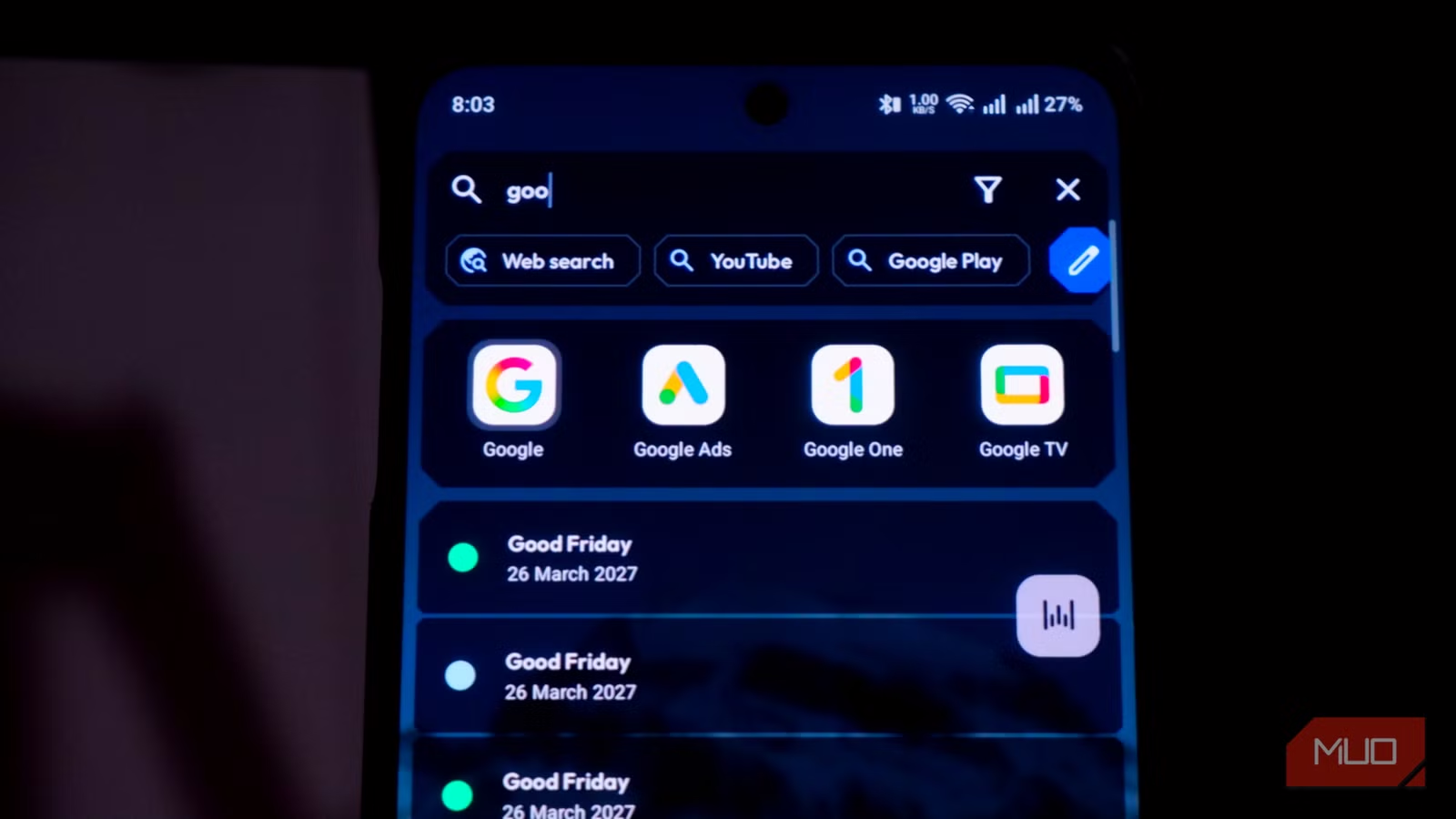
Key Takeaways
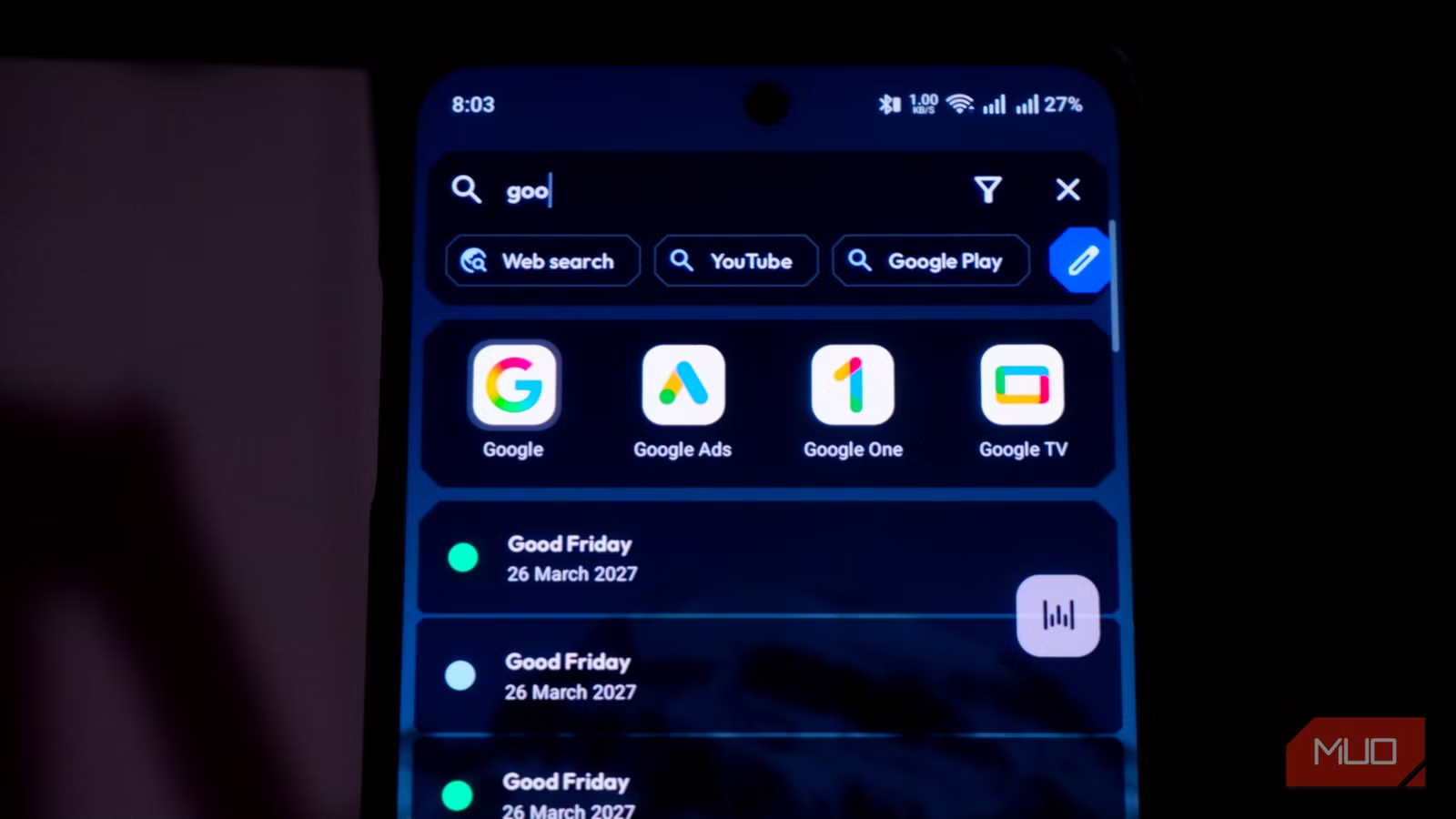
- Kvaesitso is a free, open-source Android launcher that replaces icon grids with a universal search bar
- The first hour feels disorienting due to muscle memory, but search becomes faster than visual scanning
- Beyond apps, it searches contacts, files, calendar entries, and even works as a calculator
Kvaesitso, a free open-source Android launcher, eliminates app grids entirely and replaces them with a universal search bar. After an hour of disorientation, the payoff is real: typing two letters finds an app faster than swiping through folders. For anyone managing 100+ apps, that's a meaningful productivity gain.
The concept challenges a design assumption that's been baked into smartphones since the iPhone: that users want to see their apps laid out visually. Kvaesitso bets the opposite. Its home screen shows a search bar at the top, a date/time widget at the bottom, and nothing else. No grids, no folders, no icons competing for attention.
Why does muscle memory fight back so hard?
Abhijith N Arjunan, writing for MakeUseOf, documented his first day with Kvaesitso as "worse, not better." Every unlock triggered a reflexive search for app grids that no longer existed. The white space felt wrong. This isn't a design flaw. It's the cost of overwriting years of habit.
Dr. Elena Vance, a digital behavioral researcher, frames this friction as intentional: "By removing the visual dopamine of icon grids, we introduce 'intentional friction' that forces users to decide if they actually need to open an app." The launcher isn't trying to be immediately comfortable. It's trying to change how you interact with your phone.
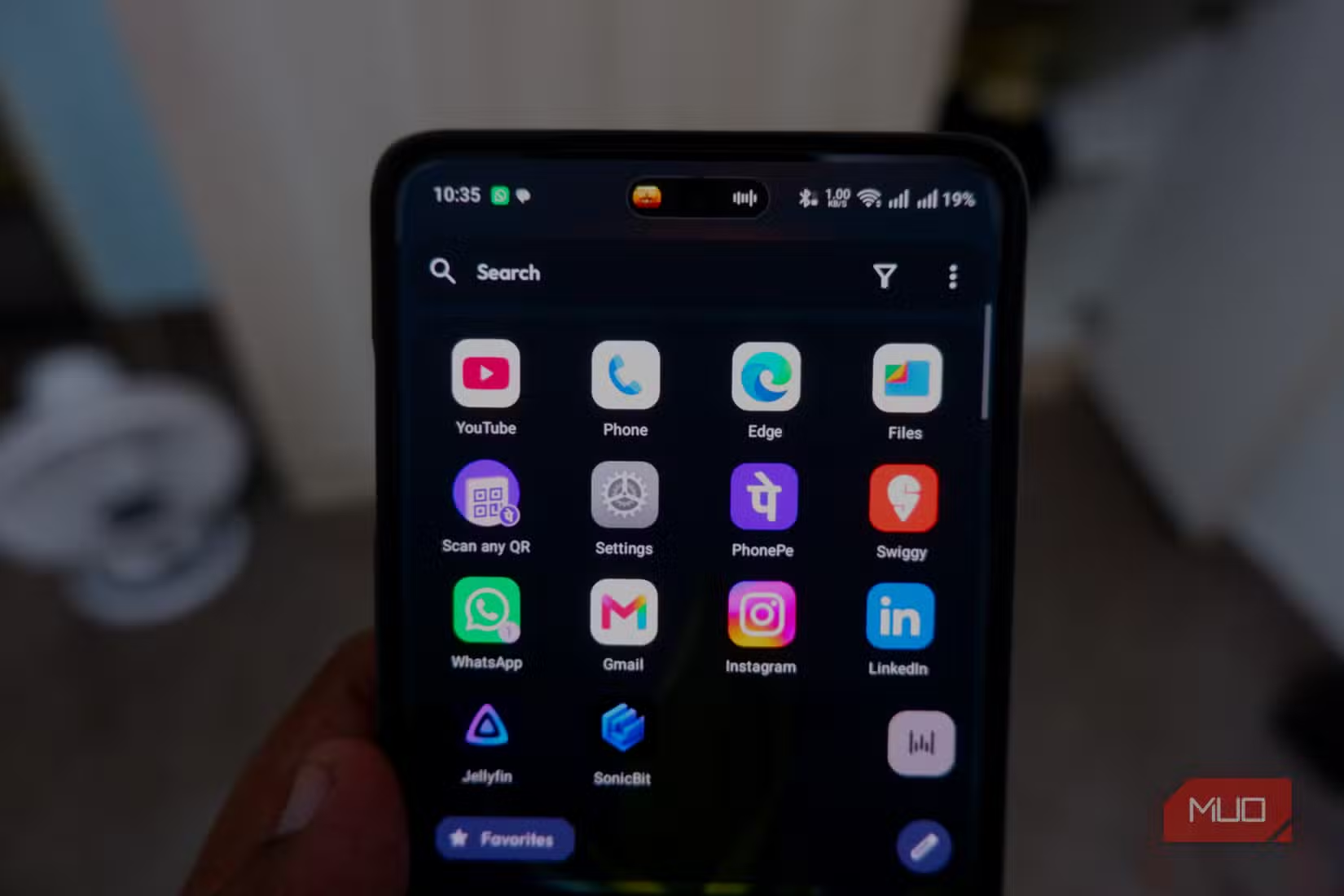
Arjunan reports the adjustment period lasted about an hour. After that, the search-first approach clicked. Two keystrokes to find an app replaced multiple swipes through folders and pages. The speed gain compounds as your app count rises.
What can Kvaesitso actually search?
Apps are just the start. Kvaesitso's search indexes contacts, files, and calendar entries. It functions as a calculator and unit converter directly in the search bar. You can get answers without ever opening a separate app.
The launcher also supports gesture customization. Swipe down for notifications, swipe up for search. You can pin frequently used apps to the search interface or create adaptive folders that reorganize based on your usage patterns.
Thomas S., the lead developer at competing launcher Niagara, articulates the philosophy behind this design approach: "The goal of a launcher should not be to present a gallery of apps, but to function as a surgical tool that gets you to the specific task you need, and then gets out of your way." Kvaesitso takes that idea to its logical extreme.
How do you install Kvaesitso?
Kvaesitso isn't on the Play Store. You need to sideload it from GitHub or F-Droid, and it requires several permissions for full functionality. That's a higher barrier than a typical launcher, but it also means no ads, no tracking, and no corporate incentives to maximize your screen time.
The tradeoff is worth examining. Average mobile screen time hit 5 hours 16 minutes daily in 2025, with 94% of that time spent inside apps rather than browsers. Traditional launchers present every app as an equally tempting option. Search-first launchers force you to know what you want before you see it.
For more Android customization options in the latest OS version
Is this just for minimalists or does it scale?
The productivity case strengthens as complexity increases. Managing 30 apps visually is reasonable. Managing 100+ becomes a filing system problem. Kvaesitso sidesteps the problem entirely. You don't organize apps. You just remember enough of the name to type two letters.
Reddit communities like r/AndroidApps and r/digitalminimalism have turned these launchers into a subculture, sharing screenshots of clean setups and debating the optimal balance between minimalism and usability. On HackerNews, the conversation tends toward efficiency metrics and the technical overhead of UI-heavy home screens.
The broader context is the attention economy. Traditional home screens are designed to trigger dopamine responses. Colorful icons, notification badges, and visual variety all encourage browsing rather than doing. Minimalist launchers treat that design as a bug, not a feature.
The one-hour investment that changes the habit
Arjunan's experience suggests the learning curve is steep but short. One hour of discomfort, then a permanent efficiency gain. The question is whether you're willing to push through the muscle-memory rebellion.
Kvaesitso won't be for everyone. If you've carefully organized your home screens and know exactly where everything is, the switch may feel like a downgrade. But if you've given up on organization and just swipe through pages hoping to spot what you need, search-first is faster.
Frequently Asked Questions
Where can I download Kvaesitso launcher?
Kvaesitso is available on GitHub and F-Droid. It's not on the Google Play Store and requires sideloading.
Does Kvaesitso work with all Android phones?
Yes, it works as a standard Android launcher replacement. It requires several permissions for full functionality including contacts, files, and calendar access.
Can I still have a dock with Kvaesitso?
Yes. Kvaesitso allows you to retain a dock or pin frequently used apps to the search interface for quick access.
How long does it take to adjust to a no-grid launcher?
Based on user reports, about one hour of active use. The initial disorientation from muscle memory fades quickly once the search habit forms.
What can Kvaesitso search besides apps?
Contacts, files, calendar entries, online results, and it includes a built-in calculator and unit converter.
Logicity's Take
Kvaesitso represents a bet that the smartphone home screen's 17-year-old paradigm is a liability, not an asset. The interesting question isn't whether search is faster than grids. It obviously is, once you adjust. The question is whether enough users will tolerate the adjustment period. Most people optimize for immediate comfort, not long-term efficiency. That's why this will remain a power-user tool rather than a mainstream shift, even if the productivity logic is sound.
Need Help Implementing This?
Want guidance on Android productivity setups, launcher customization, or building efficient mobile workflows for your team? Reach out to the Logicity team for implementation support and expert recommendations.
Source: MakeUseOf
Huma Shazia
Senior AI & Tech Writer
Produced with AI assistance and reviewed by the Logicity editorial team. Learn more in our Editorial Policy.






