Key Takeaways
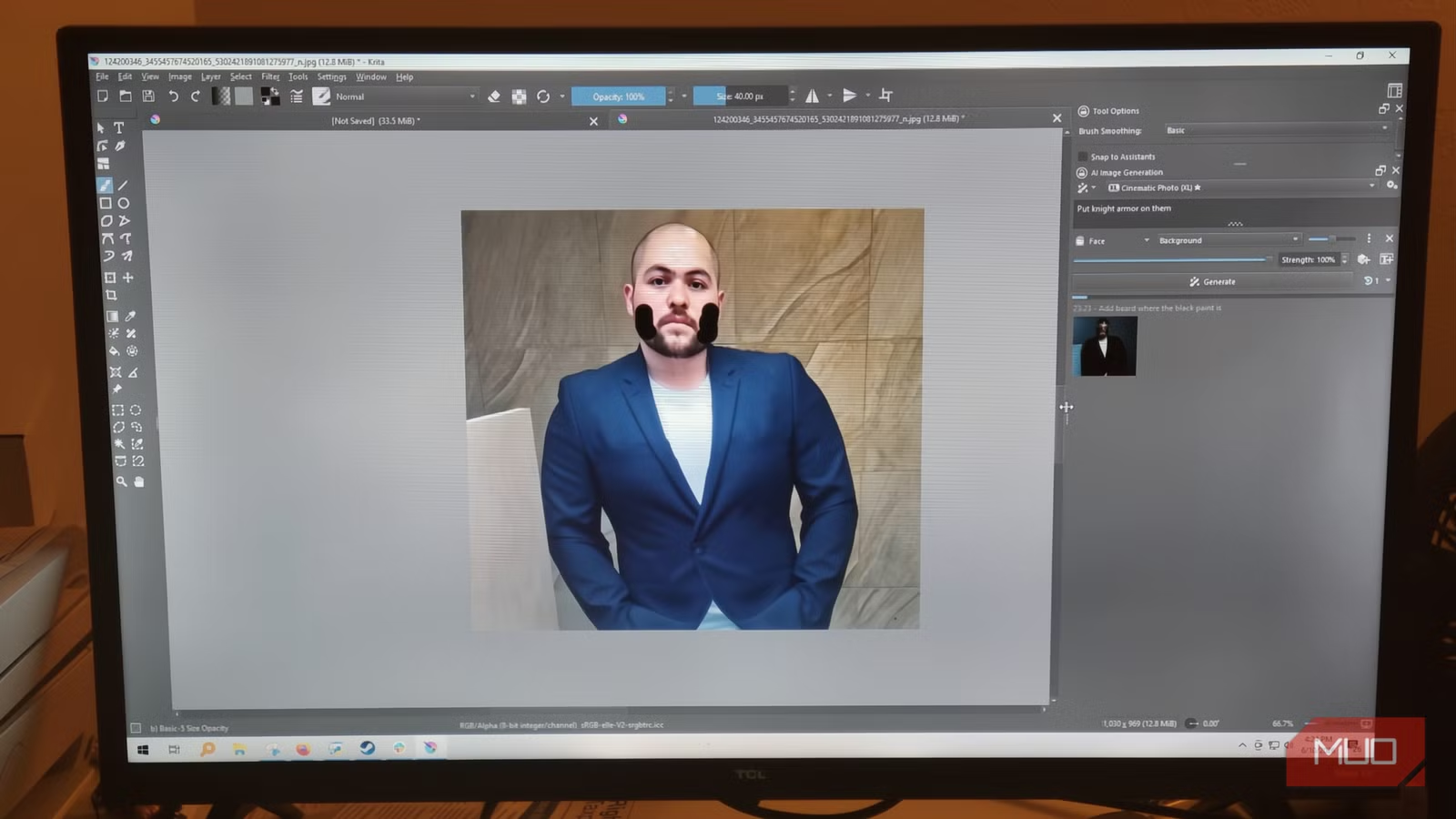
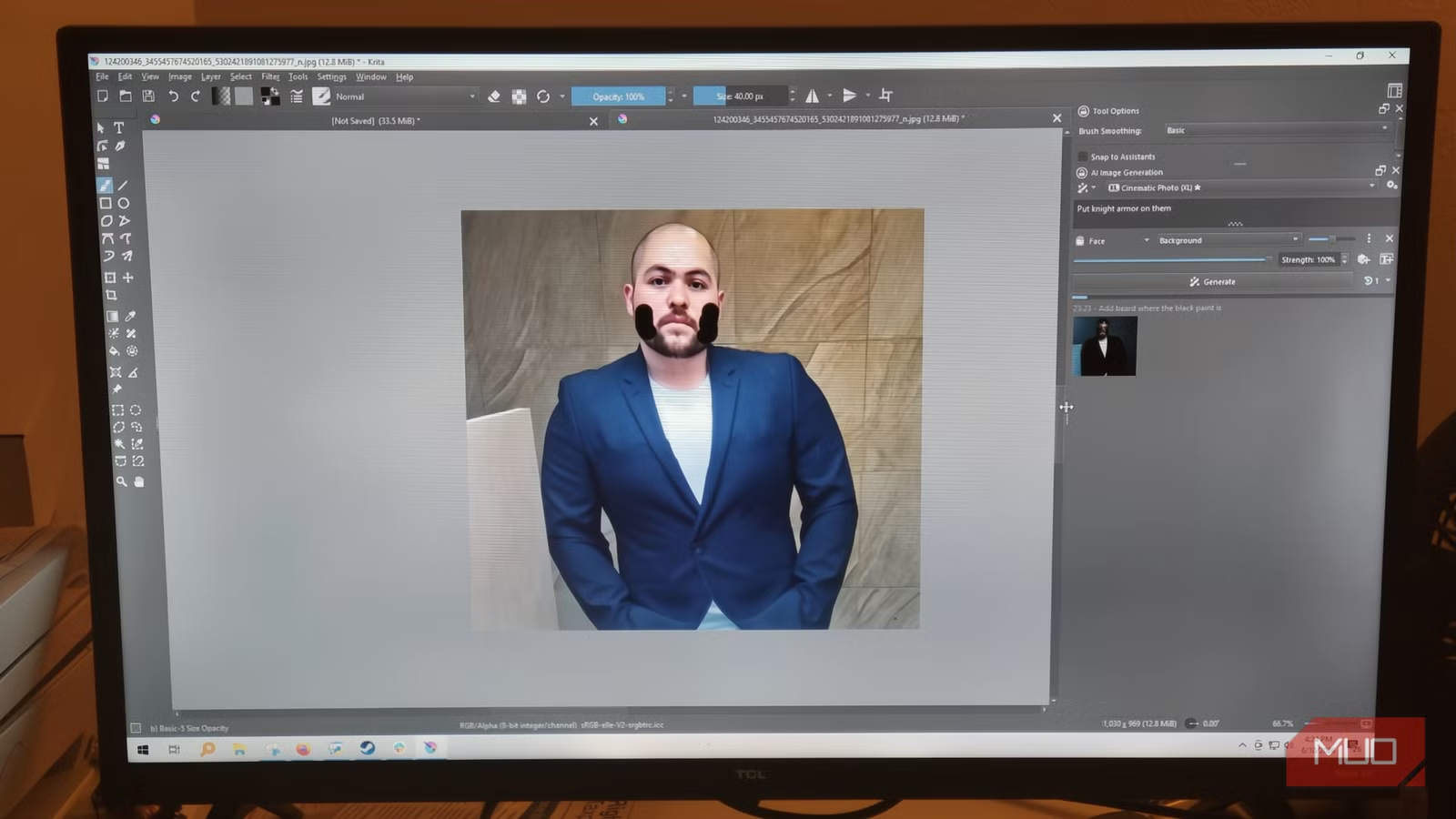
- Krita's free AI Diffusion plugin produces results comparable to Adobe's Generative Fill
- Local GPU processing means no cloud compression, no usage credits, and no content restrictions
- Setup requires a GPU with at least 6GB VRAM and about 15 minutes of configuration
The Adobe Problem: Subscriptions, Credits, and Compression
Adobe's Generative Fill is convenient. Select an area, type a prompt, and watch pixels appear. But that convenience comes with strings attached. Creative Cloud subscriptions keep climbing. The AI credit system runs dry at the worst moments. And before your image even reaches Adobe's servers, it gets compressed through their cloud pipeline.
For hobbyists experimenting occasionally, these trade-offs might be acceptable. For professionals iterating dozens of times per project, the costs add up fast. Not just in dollars, but in lost quality and workflow interruptions.
Krita AI Diffusion: Same Tech, No Strings
Krita is an open-source painting application that's been around for years. On its own, it doesn't do AI generation. But the Krita AI Diffusion plugin changes that. This tool connects Krita to a local AI engine running on your own GPU. Nothing goes to the cloud. Nothing gets compressed by a remote server. No content policy stands between you and your canvas.
The plugin uses the same underlying machine learning models that power commercial tools. Stable Diffusion and Flux run directly on your hardware. The result is generative fill that, according to users who've tested both, produces identical quality to Adobe's offering.
✅ Pros
- • Zero subscription cost or credit system
- • No cloud compression means full resolution processing
- • No content restrictions or moderation policies
- • Unlimited iterations without usage limits
- • Complete privacy since images never leave your machine
❌ Cons
- • Requires a GPU with at least 6GB VRAM
- • Initial setup takes 15-30 minutes vs Adobe's one-click
- • No mobile version available
- • Technical troubleshooting falls on the user
What You Need to Get Started
The main hardware requirement is a GPU with at least 6GB of VRAM. Most modern gaming graphics cards from the past few years qualify. If you bought a desktop or laptop with a dedicated NVIDIA or AMD card for gaming or video editing, you're probably covered.
On the software side, you'll need Krita version 5.2.0 or newer. The mobile version won't work. You'll also need the AI Diffusion plugin itself, available as a compiled ZIP file from the developer's GitHub page.
Step-by-Step Setup
Installation takes about 15 minutes if you follow the process carefully. First, download and install Krita 5.2.0 or later from the official website. Then grab the AI Diffusion plugin ZIP from the developer's GitHub releases page. Make sure you download the compiled ZIP, not the raw source code.
- Open Krita and navigate to Tools > Scripts
- Select "Import Python Plugin from File"
- Point the dialog to your downloaded ZIP and confirm
- Restart Krita completely
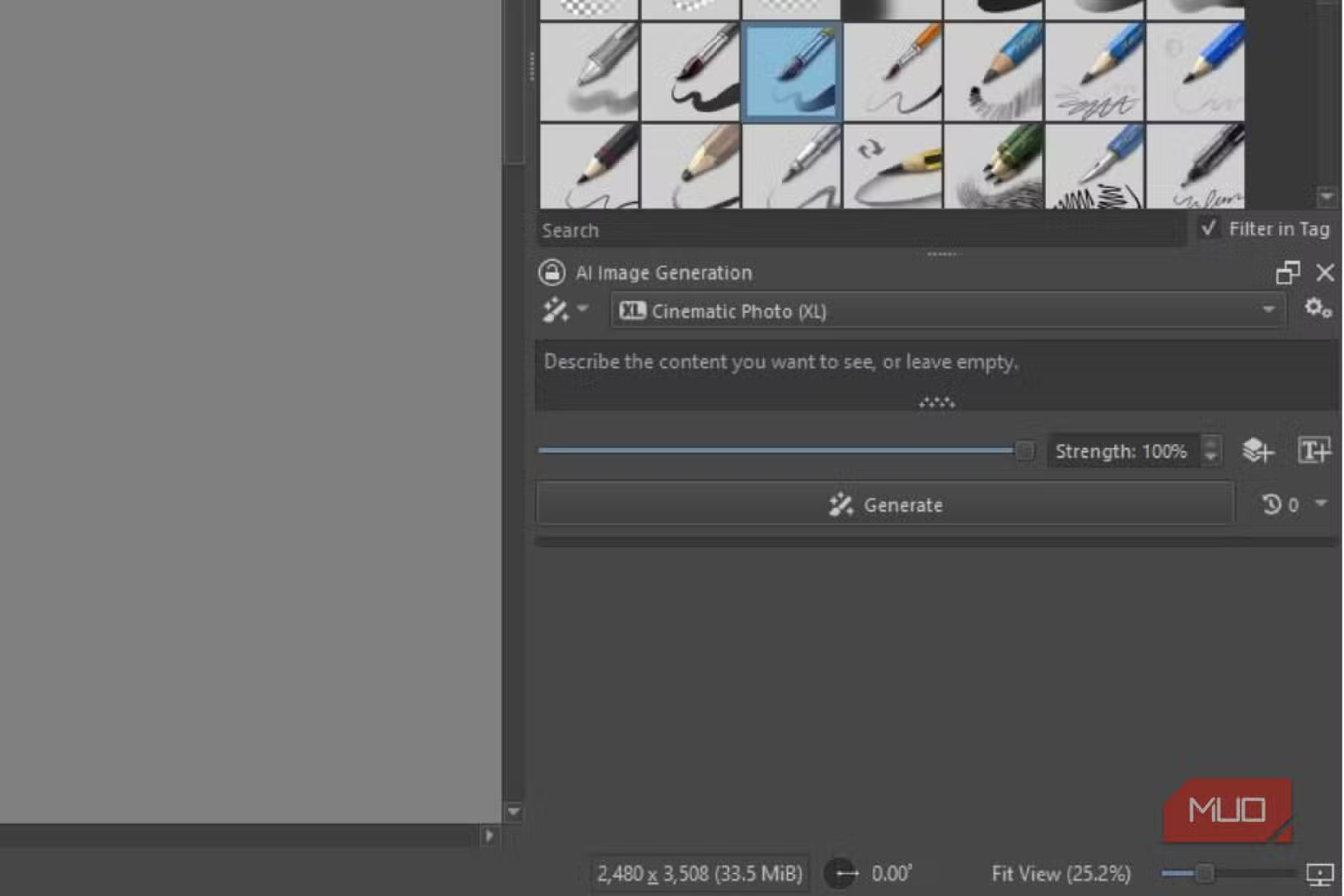
- Go to Settings > Dockers and enable "AI Image Generation"
- The AI panel will appear in your workspace
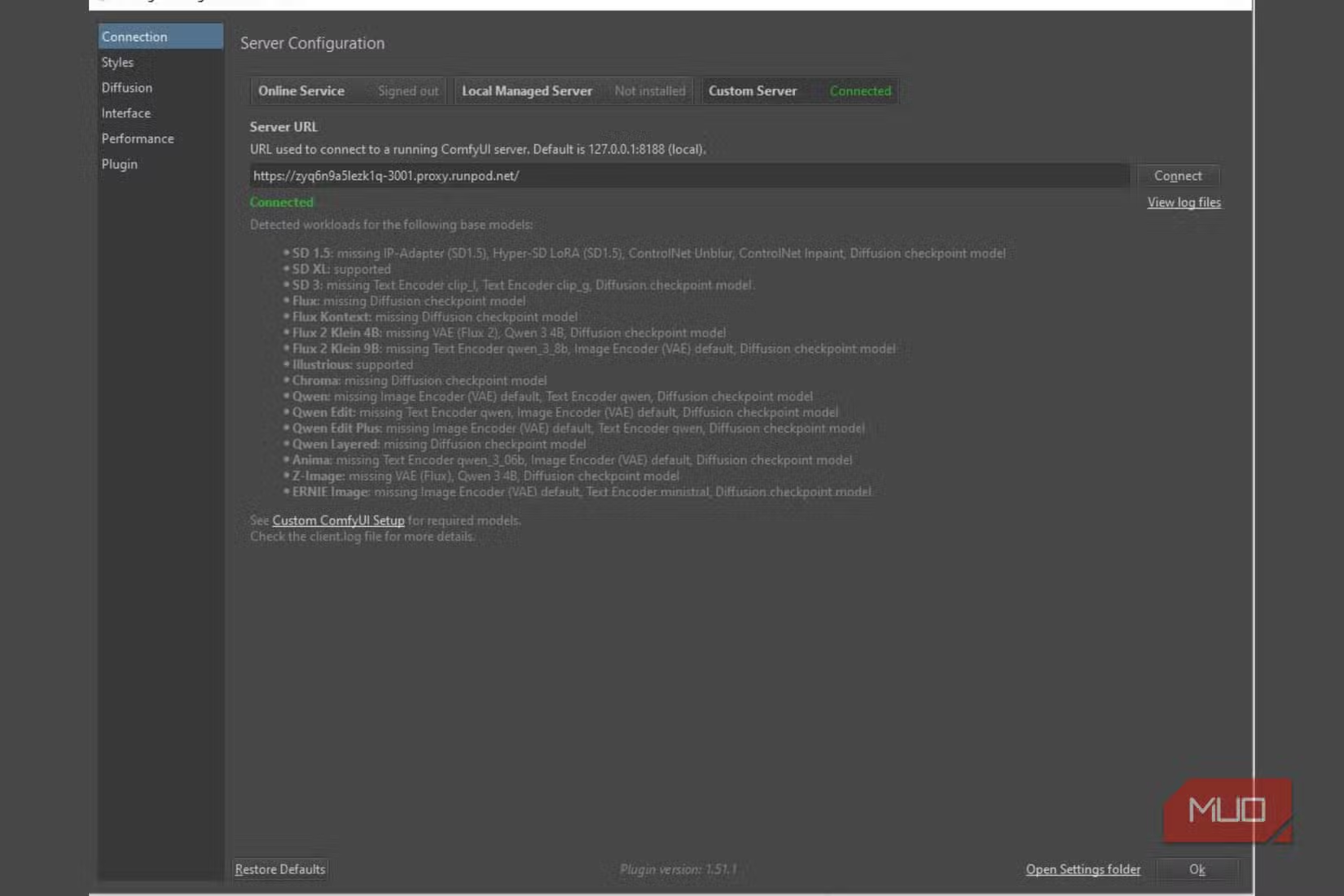
The panel you just enabled is the front end. The actual AI processing happens through a ComfyUI backend. The plugin gives you two options here. If you want minimal fuss, pick "Managed Server." The plugin will automatically download and configure a portable version of ComfyUI for you. If you already have ComfyUI running locally for other projects, choose "Custom Server" and point the plugin to your existing setup.
Using the AI Features
Once configured, the workflow mirrors Photoshop's Generative Fill. Select an area of your image, type a text prompt describing what you want to generate, and the AI fills in the selection. Because everything runs locally, there's no network lag waiting for cloud servers to respond.
Community feedback highlights one feature that Photoshop can't match: "Live Painting" mode. This lets you see AI suggestions update in real-time as you sketch, creating a collaborative workflow between human intent and machine generation. Users on r/StableDiffusion and Hacker News describe it as enabling creative workflows impossible in Adobe's tools.
The Privacy Angle
For some users, the biggest advantage isn't cost. It's control. When you use Adobe's Generative Fill, your images pass through Adobe's servers. They're subject to Adobe's content policies and data practices. Some professional work simply can't go through third-party cloud services.
With Krita AI Diffusion, your images never leave your computer. Client work stays confidential. Sensitive projects remain private. There's no content moderation deciding what you can or can't generate for your own projects.
Logicity's Take
Who Should Make the Switch
If you're already comfortable with technical setup and own capable hardware, the switch is straightforward. The learning curve isn't steep if you're familiar with Photoshop's interface. Krita's toolset is different but comparable.
If you rely heavily on Adobe's broader ecosystem, like After Effects integration, Lightroom syncing, or Creative Cloud collaboration features, Krita won't replace everything. But for generative fill specifically, it delivers the same results without the ongoing costs.
Understanding which creative skills remain relevant alongside AI tools
Frequently Asked Questions
Is Krita AI Diffusion really free?
Yes. Both Krita and the AI Diffusion plugin are completely free and open-source. There are no subscriptions, no credit systems, and no premium tiers.
What GPU do I need for Krita AI Diffusion?
Any GPU with at least 6GB of VRAM should work. Most modern gaming graphics cards from NVIDIA or AMD qualify. More VRAM allows for larger images and faster generation.
How does the quality compare to Photoshop Generative Fill?
Users who have tested both report identical quality. The underlying AI models are similar, and local processing avoids the compression that happens when images pass through cloud servers.
Can I use Krita AI Diffusion for commercial work?
Yes. Since the software is open-source and images never leave your computer, you retain full ownership and can use generated content commercially without licensing concerns.
Does Krita AI Diffusion work on Mac?
Krita runs on Mac, but the AI Diffusion plugin works best with NVIDIA GPUs due to CUDA support. Mac users with Apple Silicon may need additional configuration or face performance limitations.
Need Help Implementing This?
Source: MakeUseOf
Manaal Khan
Tech & Innovation Writer
Produced with AI assistance and reviewed by the Logicity editorial team. Learn more in our Editorial Policy.






