Key Takeaways
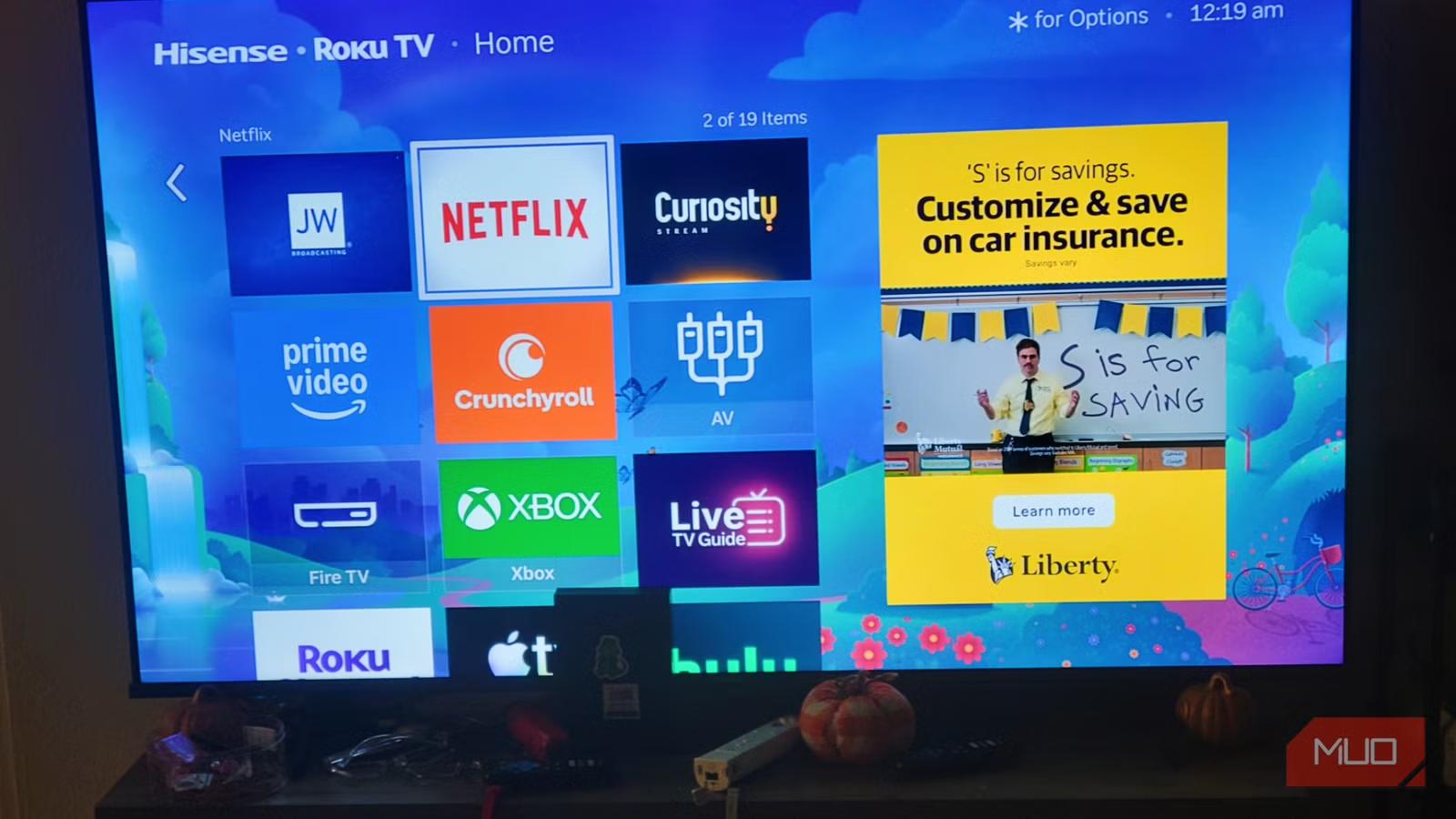
- Roku's June 2026 OS update adds a permanent ad panel taking 40% of screen space
- DNS-level blocking with Pi-hole can eliminate most promotional content
- Display settings adjustments can shrink the ad panel's visual footprint
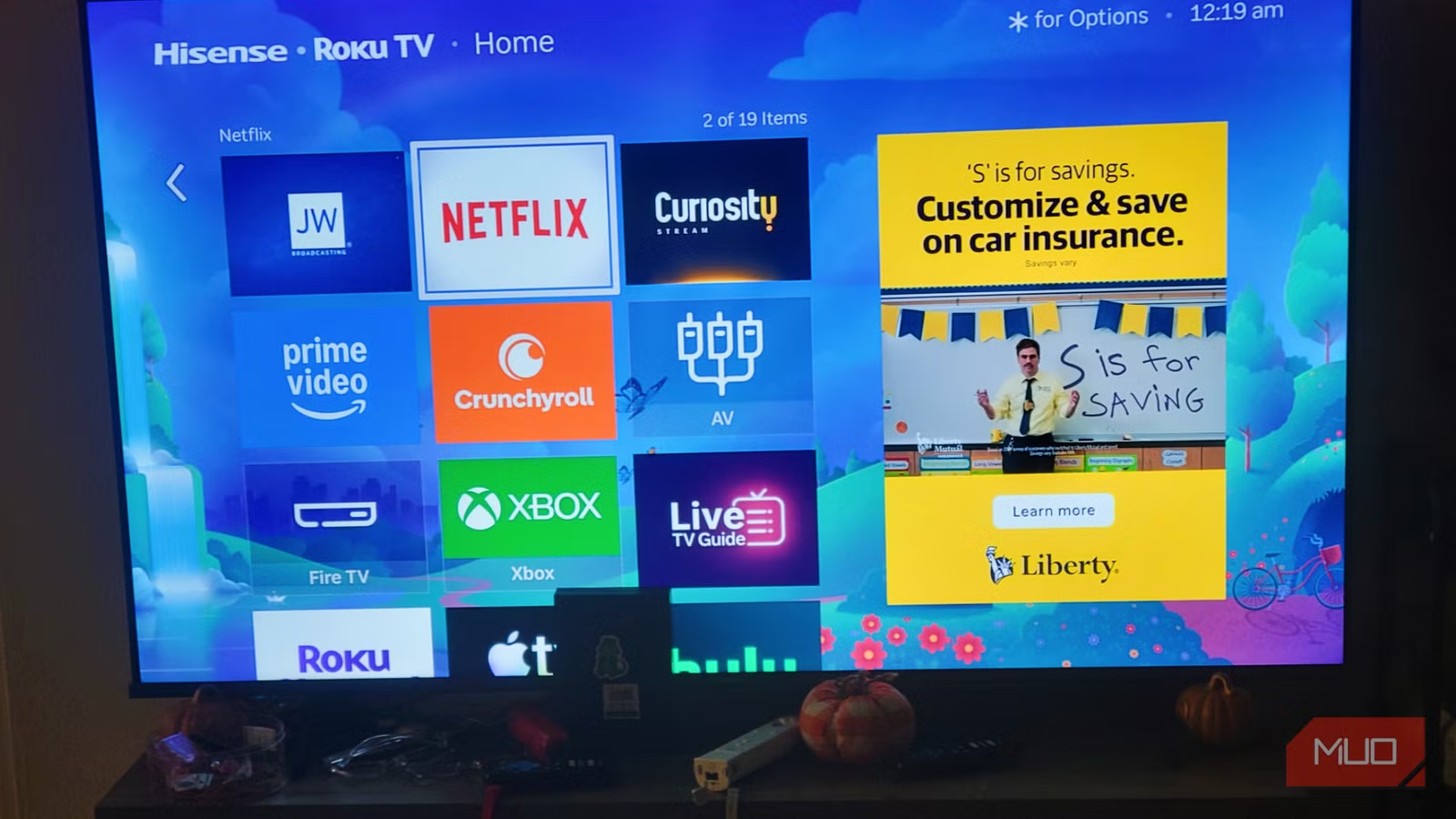
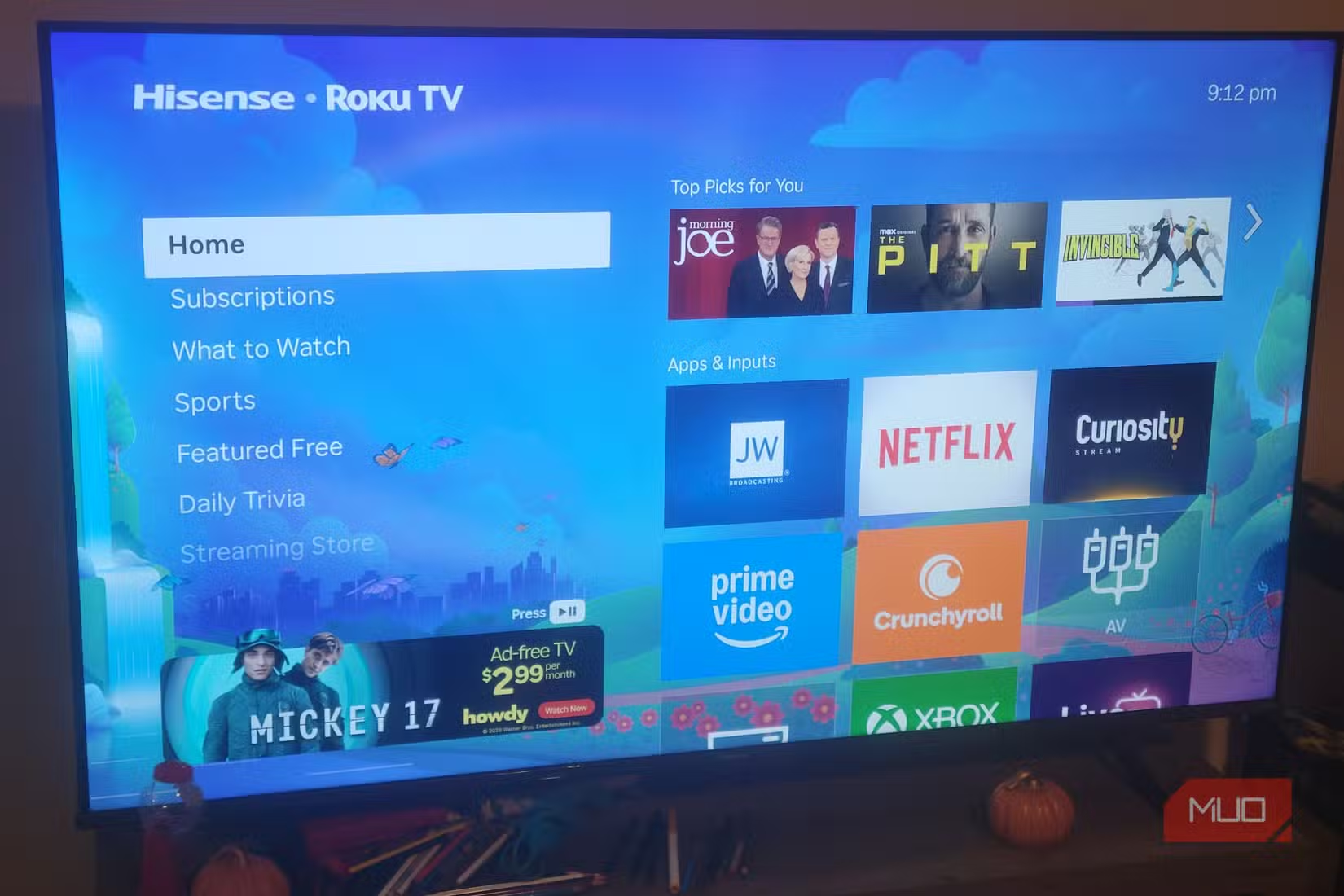
Roku's June 2026 operating system update has transformed the home screen from a simple app launcher into an advertising billboard. A permanent display ad now sits on the right side of the screen. It cannot be removed. It occupies roughly 40% of the visible area.
The update also expanded the "Top Picks for You" section from three tiles to five, blending personal recommendations with sponsored placements. New rows like "Quick Access" and "Your Daily Scoop" push your actual apps further down the screen. What used to be a straight path to Netflix now requires scrolling past genre destinations, interactive screensavers, and live TV guides.
“We are evolving the home screen from a simple app launcher into a discovery engine, creating a more personalized and engaging experience for our users.”
— Anthony Wood, CEO of Roku
Translation: Roku's 85.5 million active accounts are watching more ads. The company's Platform segment, which is mostly advertising revenue, is projected to hit $2.7 billion in 2026. Your attention is the product.
Why This Update Happened
The smart TV market is saturated. Hardware margins are thin. Roku, like Amazon and Google, has shifted to extracting revenue from users after the initial device sale. The metric that matters is Average Revenue Per User (ARPU), and ads drive that number.
Roku is not the worst offender. Amazon Fire TV devices push autoplay video ads and sponsored content more aggressively. But Roku's appeal was always its clean interface. That advantage is now gone.
Method 1: DNS-Level Ad Blocking
The most effective workaround is blocking Roku's ad servers at the network level. This requires a Pi-hole or similar DNS filtering tool on your home network.
Pi-hole intercepts DNS requests and blocks connections to known advertising domains. When Roku tries to load an ad from its servers, the request fails silently. The ad panel remains on screen but displays a blank or placeholder image instead of promotional content.
- Install Pi-hole on a Raspberry Pi or Docker container
- Point your router's DNS settings to the Pi-hole device
- Add Roku-specific blocklists (available on Reddit's r/pihole)
- Expect some trial and error. Roku regularly changes ad domains
The downside: DNS blocking can occasionally break legitimate Roku features. Some users report issues with the Roku Channel and certain app updates. You may need to whitelist specific domains.
Method 2: Adjust Display Settings
You cannot remove the ad panel, but you can shrink its visual impact. Go to Settings > Display type and experiment with different resolution options. Some users report that changing from 4K to 1080p output makes the ad panel proportionally smaller on certain TV models.
This is a compromise. You lose resolution quality. But if the ads bother you more than the pixel count, it works.
Method 3: Disable Personalization
Roku uses viewing data to serve targeted ads. Turning off personalization does not remove ads, but it may reduce how often you see content that feels invasive or too accurate.
- Go to Settings > Privacy > Advertising
- Enable "Limit ad tracking"
- Reset your advertising identifier periodically
- Under Privacy > Smart TV Experience, disable "Use info from TV inputs"
These settings limit data collection. The ads become less personalized, which some users find less creepy even if the volume stays the same.
Method 4: The Nuclear Option
If none of these workarounds satisfy you, the only real solution is switching hardware. Apple TV has no home screen ads. The Nvidia Shield has minimal promotional content. Both cost more upfront but do not treat your attention as inventory.
Reddit communities like r/cordcutters are filled with users making this exact calculation. The consensus: Roku's value proposition was always price plus simplicity. With simplicity gone, the price advantage matters less.
Logicity's Take
What Community Testing Shows
The r/Roku and r/cordcutters subreddits have become unofficial testing grounds for ad-blocking methods. Threads titled "How to block Roku ads" and "Is this the end of the clean Roku experience?" dominate discussion. Users share Pi-hole blocklists, report which domains are safe to whitelist, and document what breaks after each Roku firmware update.
The collective verdict: Pi-hole works best. Display hacks help marginally. Privacy settings are mostly placebo. And Roku's engineering team actively works to circumvent blocking methods, so any solution requires ongoing maintenance.
Another guide to reclaiming control over device settings manufacturers prefer you ignore
Frequently Asked Questions
Can I completely remove ads from Roku's home screen?
No. The June 2026 update made the ad panel permanent. You can block ad content via DNS filtering, but the panel itself remains visible.
Does Pi-hole work with Roku?
Yes, but with caveats. Pi-hole blocks ad-serving domains at the network level. Some Roku features may break, requiring you to whitelist specific domains.
Will Roku remove ads if I pay for a subscription?
No. Roku does not offer an ad-free tier for the home screen. The ads appear regardless of which streaming services you pay for.
Which streaming device has no home screen ads?
Apple TV does not display ads on its home screen. Nvidia Shield has minimal promotional content compared to Roku and Amazon Fire TV.
Need Help Implementing This?
Source: MakeUseOf
Manaal Khan
Tech & Innovation Writer
Produced with AI assistance and reviewed by the Logicity editorial team. Learn more in our Editorial Policy.