Key Takeaways
How To Use Claude In Slack - (Step By Step Guide)

- Claude connectors let the chatbot read from and write to external apps like Slack, GitHub, and Google Drive directly from chat
- Free users get one connector at a time; paid plans unlock plugins that bundle connectors with pre-built workflows
- Zapier integration extends Claude to 7,000+ apps beyond native connectors, using triggers and multi-step automations
Claude connectors are native integrations that let Anthropic's chatbot search your Google Drive, post to Slack, create GitHub issues, and act inside dozens of other apps without leaving the chat window. Free users can connect one app at a time. Paid plans unlock plugins that bundle connectors with pre-built workflows for specific roles.
Disclosure
Some links in this post are affiliate links — Logicity earns a commission if you sign up, at no extra cost to you. We only link products we have used or actively recommend.
The setup takes about two minutes per connector. The harder question is knowing which connectors exist, what each one actually does, and whether you need Zapier to fill the gaps. This guide covers all three.
What Claude connectors actually do
A connector handles authentication and exposes specific operations to Claude. What you can do depends entirely on what that connector supports, but capabilities fall into two buckets.
Read operations let Claude search and pull content from connected apps. Ask it to find last quarter's sales deck in Drive, and it retrieves the file rather than hallucinating a summary from training data.
Write operations let Claude take action. That might mean creating a Linear issue, updating a CRM record, drafting a Slack message, or adding files to storage. A project manager could ask Claude to pull open issues from Linear, cross-reference them with standup notes in Google Drive, and post a status summary to Slack, all from one prompt.
Connectors vs. plugins vs. MCP
Anthropic's naming creates confusion. Here's the short version.
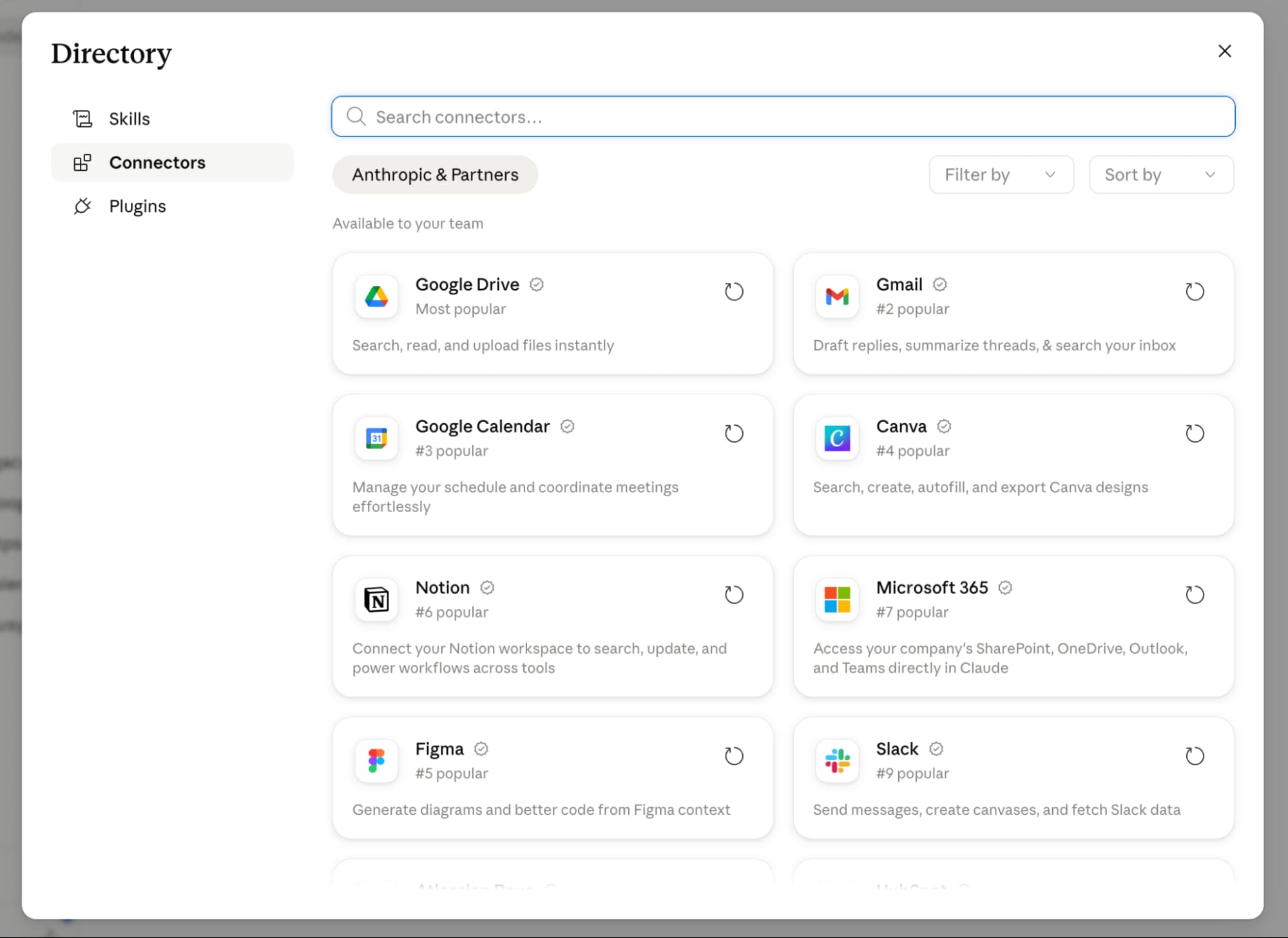
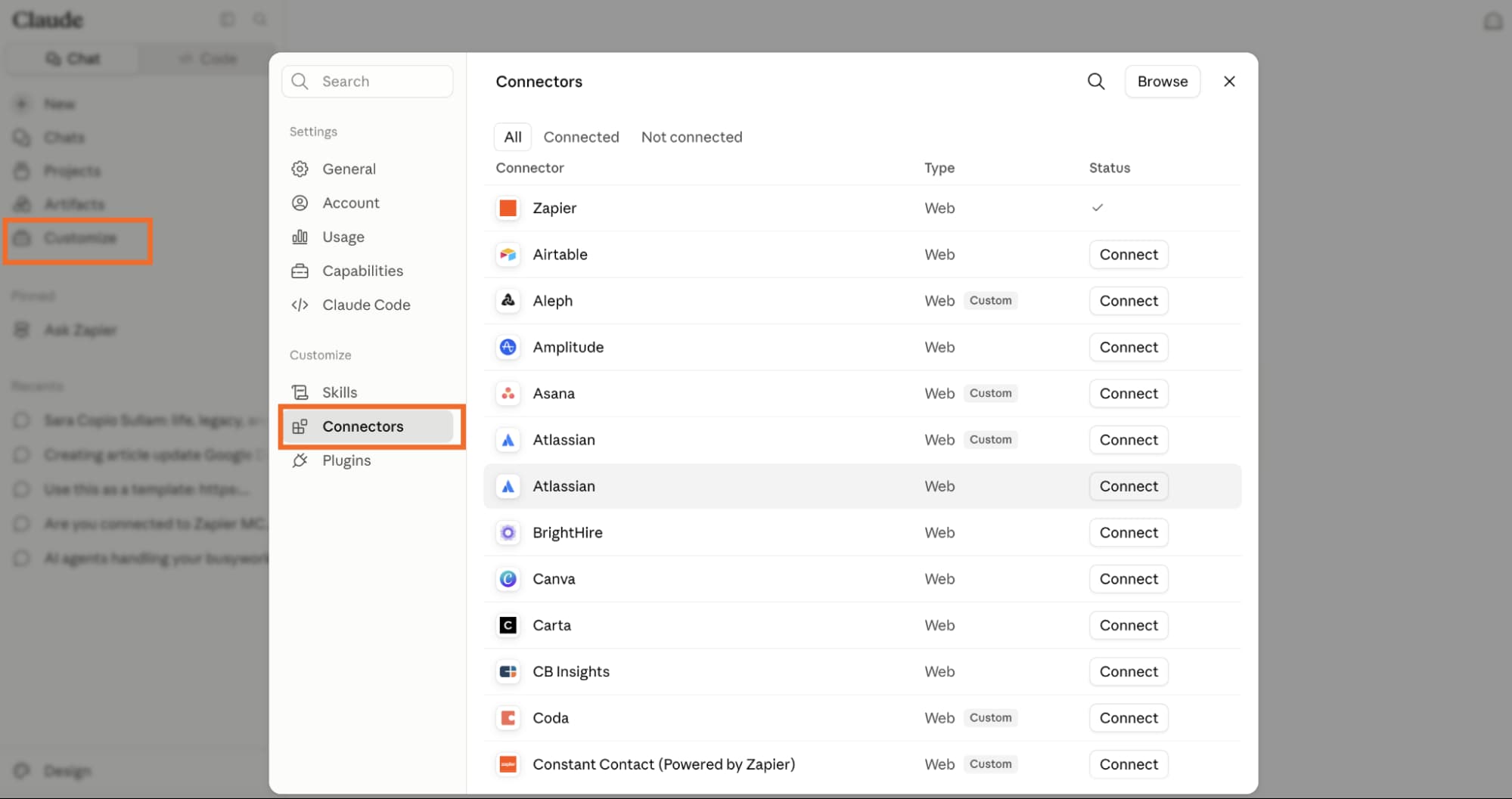
Connectors are the integrations themselves, individual connections to services like Gmail, Figma, or Notion. You browse and install them from the Connectors Directory. All plans, including free, can use connectors. Free users are limited to one active connector at a time.
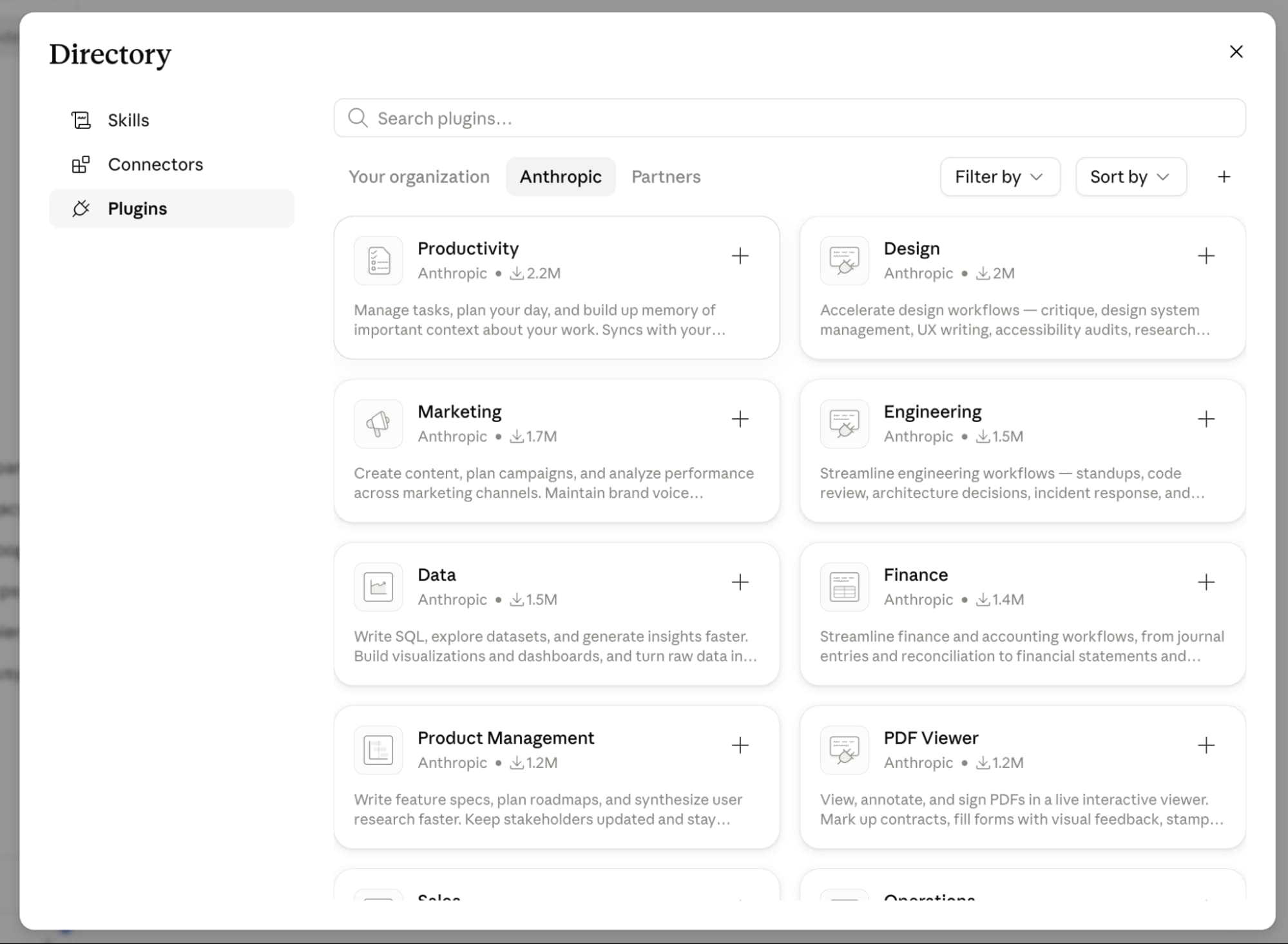
Plugins are installable bundles that include connectors plus skills (pre-built commands) and sub-agents. Think of a plugin as a ready-to-go setup for a marketing workflow or finance research task. Plugins require a paid plan.
MCP (Model Context Protocol) is the open standard that powers connectors under the hood. Anthropic developed it, and you'll see it mentioned in docs. For setup purposes, you don't need to understand MCP's internals.
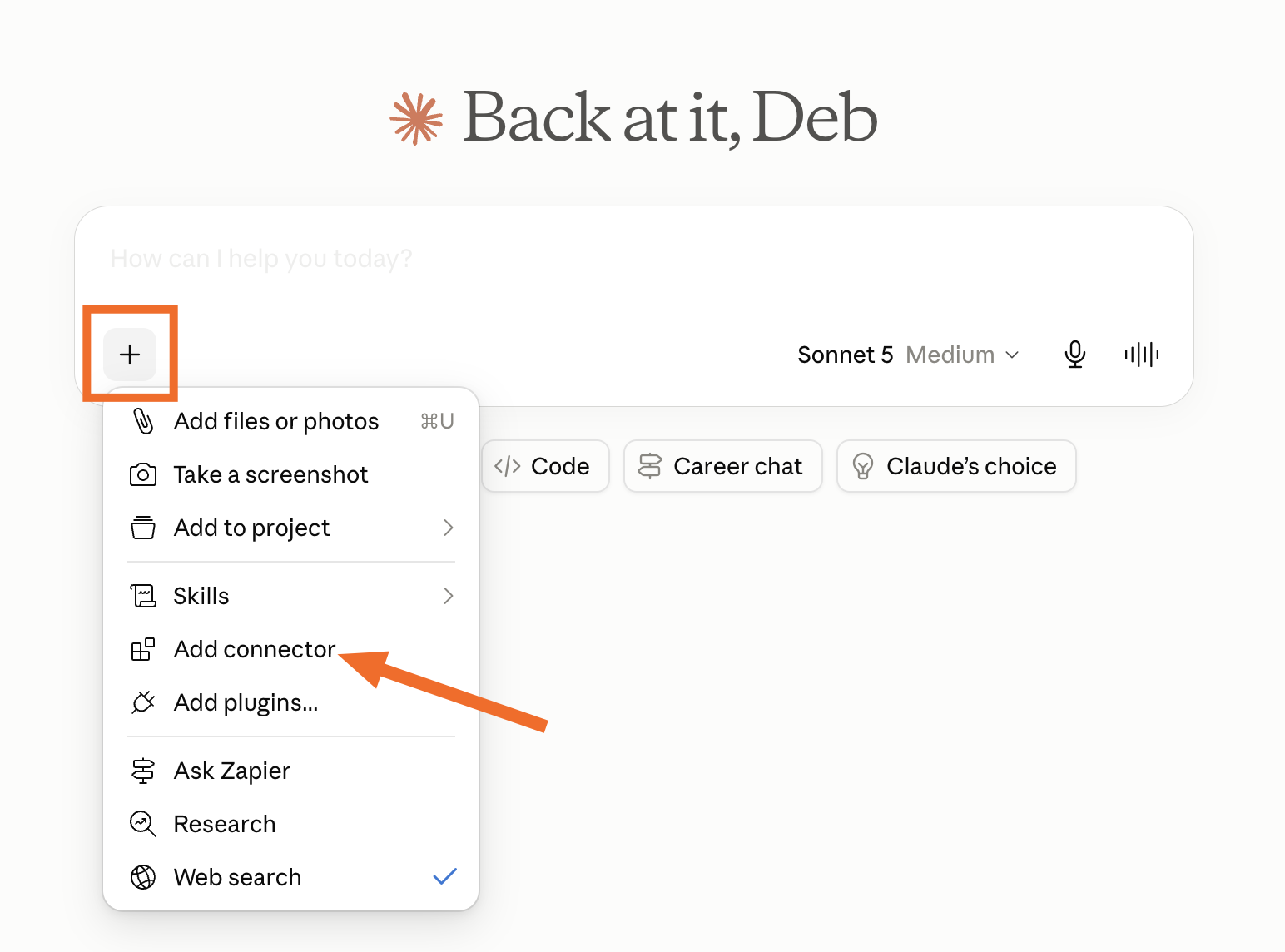
How to install a Claude connector
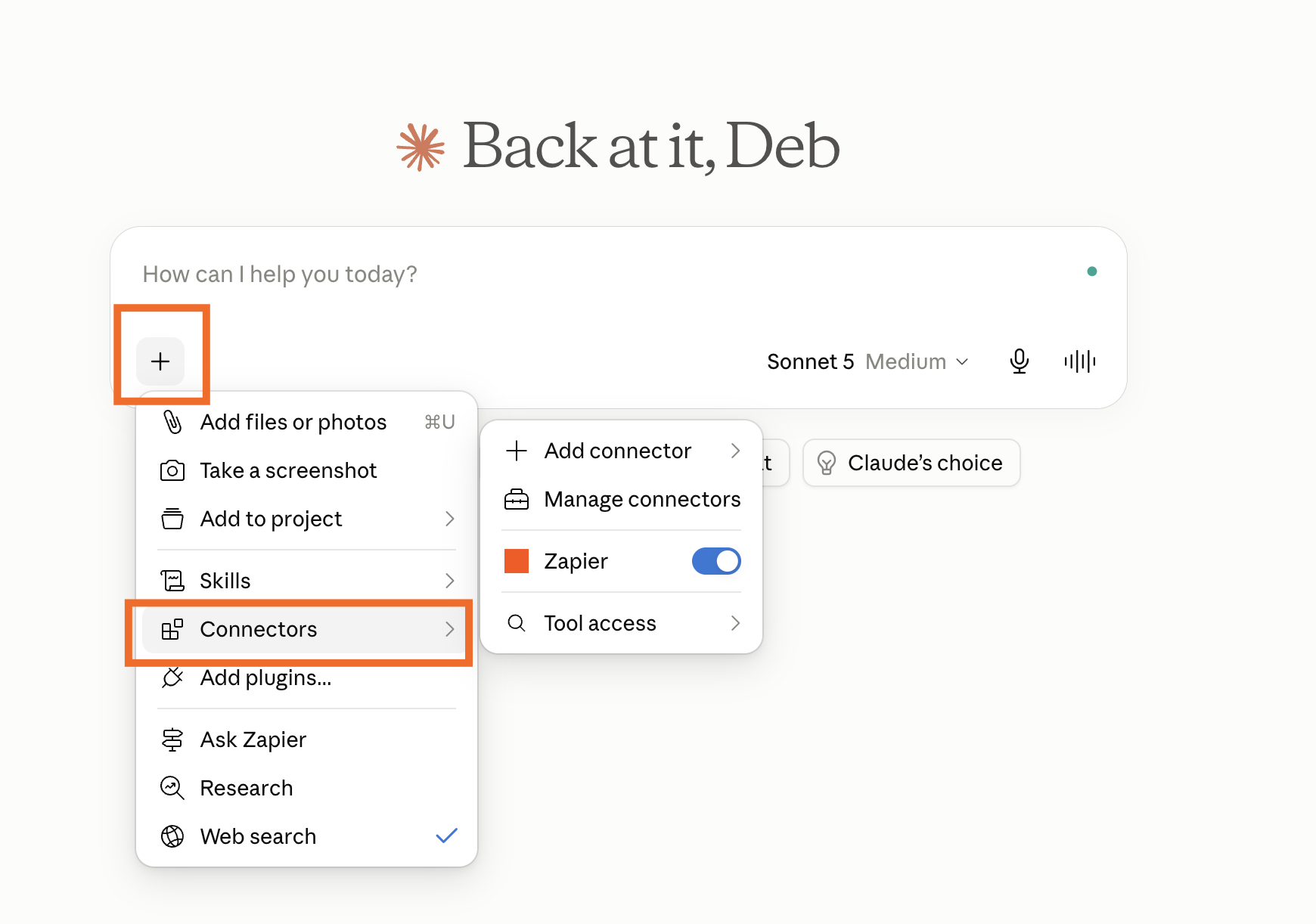
- Click the plus (+) button next to the Claude chat window and select Add connector.
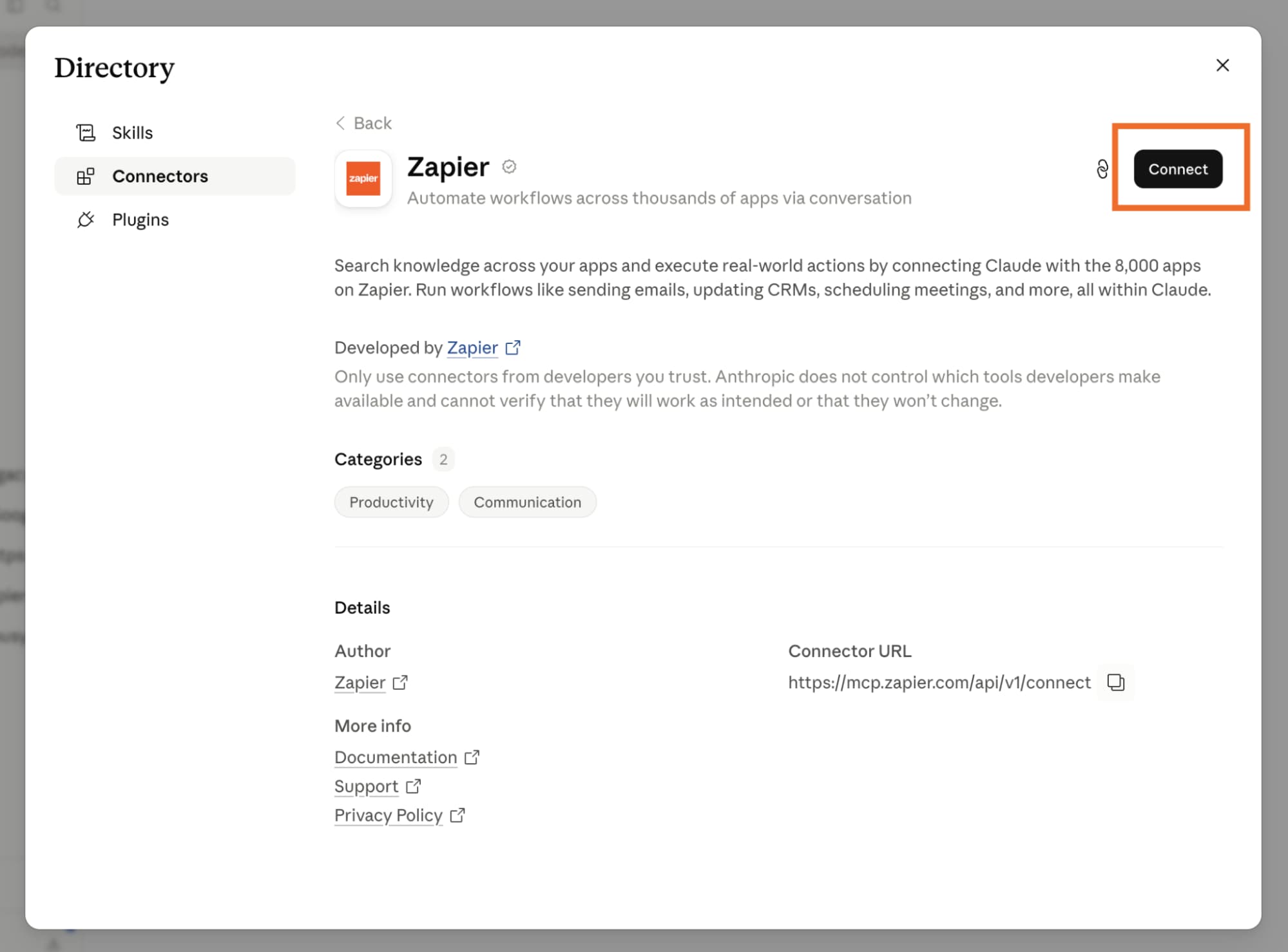
- Filter the directory by category or search for the service you want.
- Click the connector, review its description and capabilities, then click Connect.
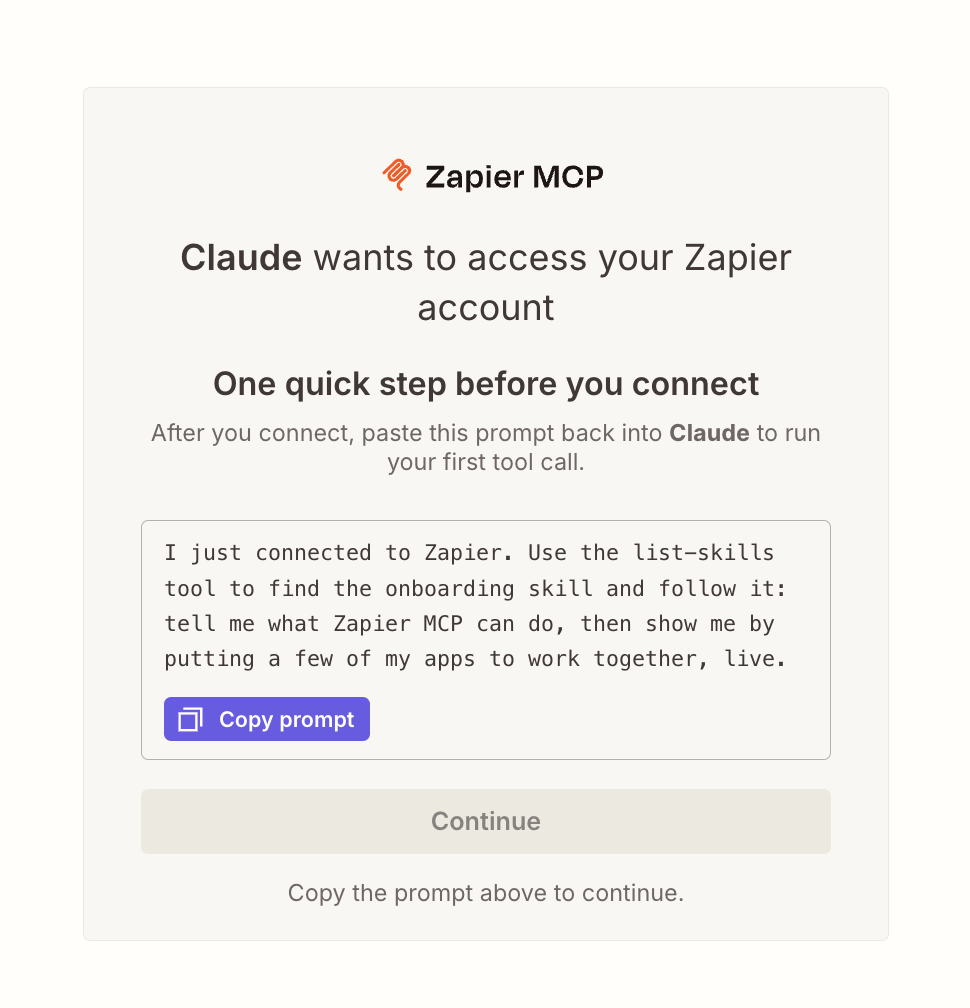
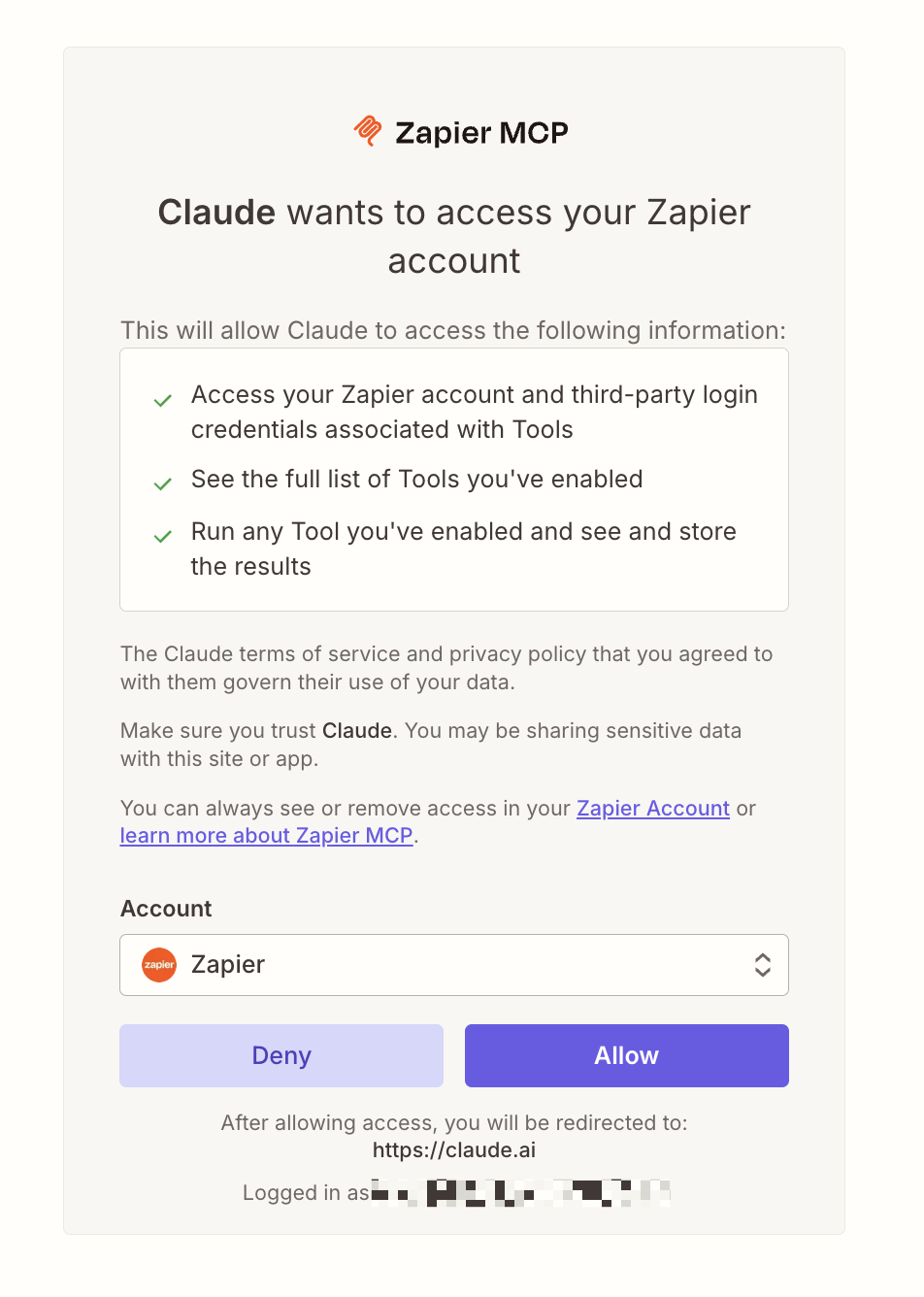
- Follow the authentication prompts to grant Claude access. Some apps open a new browser tab.
- Click Allow to confirm permissions. Claude returns you to the chat window.
After installation, click the plus sign in any conversation, hover over Connectors, and toggle the connector on. Claude also suggests connected apps when they're relevant to your prompt. You don't have to invoke them explicitly every time.
Team and Enterprise plans add one extra step: an account owner must enable each connector at the org level before individuals can authenticate.
Adding custom connectors via MCP servers
Not every tool has a native connector. For internal systems or niche apps, you can spin up a custom MCP server. This requires more technical setup, defining the operations you want Claude to access, hosting the server, and pointing Claude to it.
Most RevOps teams won't need custom servers. Native connectors cover the major productivity and data tools. But if you run a homegrown ticketing system or proprietary database, MCP gives you a path.
Extending Claude to 7,000+ apps with Zapier
Native connectors cover maybe a few dozen apps. Zapier's Claude integration opens the door to over 7,000. The approach differs: instead of Claude invoking operations directly, you build Zaps that trigger on Claude outputs or feed data into Claude for processing.
A practical example: a form submission in Typeform triggers a Zap that sends the response to Claude for sentiment analysis, then routes the result to HubSpot as a new contact with a sentiment tag. Claude handles the thinking; Zapier handles the plumbing.
Alternatives like Make and n8n offer similar capabilities. Make uses a visual builder that some teams prefer for complex branching logic. n8n is self-hostable, which matters for orgs with strict data residency requirements.
Logicity's Take
Native connectors work well for simple read/write tasks in mainstream apps. The moment you need multi-step logic, conditional routing, or access to a tool Claude doesn't support natively, you're in Zapier territory. For RevOps teams already running Zaps, adding Claude as a processing step is the faster path. Building custom MCP servers only makes sense if you're connecting internal systems no automation platform can reach.
Relevant for teams using Claude in automated workflows where output authenticity matters
Plan limits and pricing
Free users can install multiple connectors but only use one at a time. Paid plans (Pro, Team, Enterprise) remove that limit and unlock plugins. Enterprise adds org-level controls for connector approval.
Zapier's free tier includes 100 tasks per month. Most Claude-powered Zaps count as two tasks minimum (trigger + Claude step), so heavy usage requires a paid Zapier plan starting at $19.99/month.
Frequently Asked Questions
Can I use Claude connectors on the free plan?
Yes. Free users can install and use connectors, but only one connector can be active at a time. Paid plans remove this restriction.
What's the difference between a connector and a plugin?
A connector is a single integration to an app like Slack or Drive. A plugin bundles connectors with pre-built skills and sub-agents for specific workflows. Plugins require a paid plan.
Do I need to mention the connector in every prompt?
No. Once enabled, Claude suggests connected apps when relevant to your question. You can also manually toggle connectors on per conversation.
How do I connect Claude to an app without a native connector?
Use Zapier, Make, or n8n to bridge Claude to 7,000+ apps. For internal systems, you can build a custom MCP server, though this requires development work.
Who controls connector access on Team and Enterprise plans?
Account owners must enable each connector at the org level. Individual users then authenticate with their own credentials.
Need Help Implementing This?
Logicity helps Operations and RevOps teams design AI-powered automation workflows. Reach out at logicity.in/contact to discuss your stack.
Source: The Zapier Blog
Huma Shazia
Senior AI & Tech Writer
Produced with AI assistance and reviewed by the Logicity editorial team. Learn more in our Editorial Policy.