Key Takeaways
AI Email System: Clear Your Inbox in 20 Minutes (Full Guide)
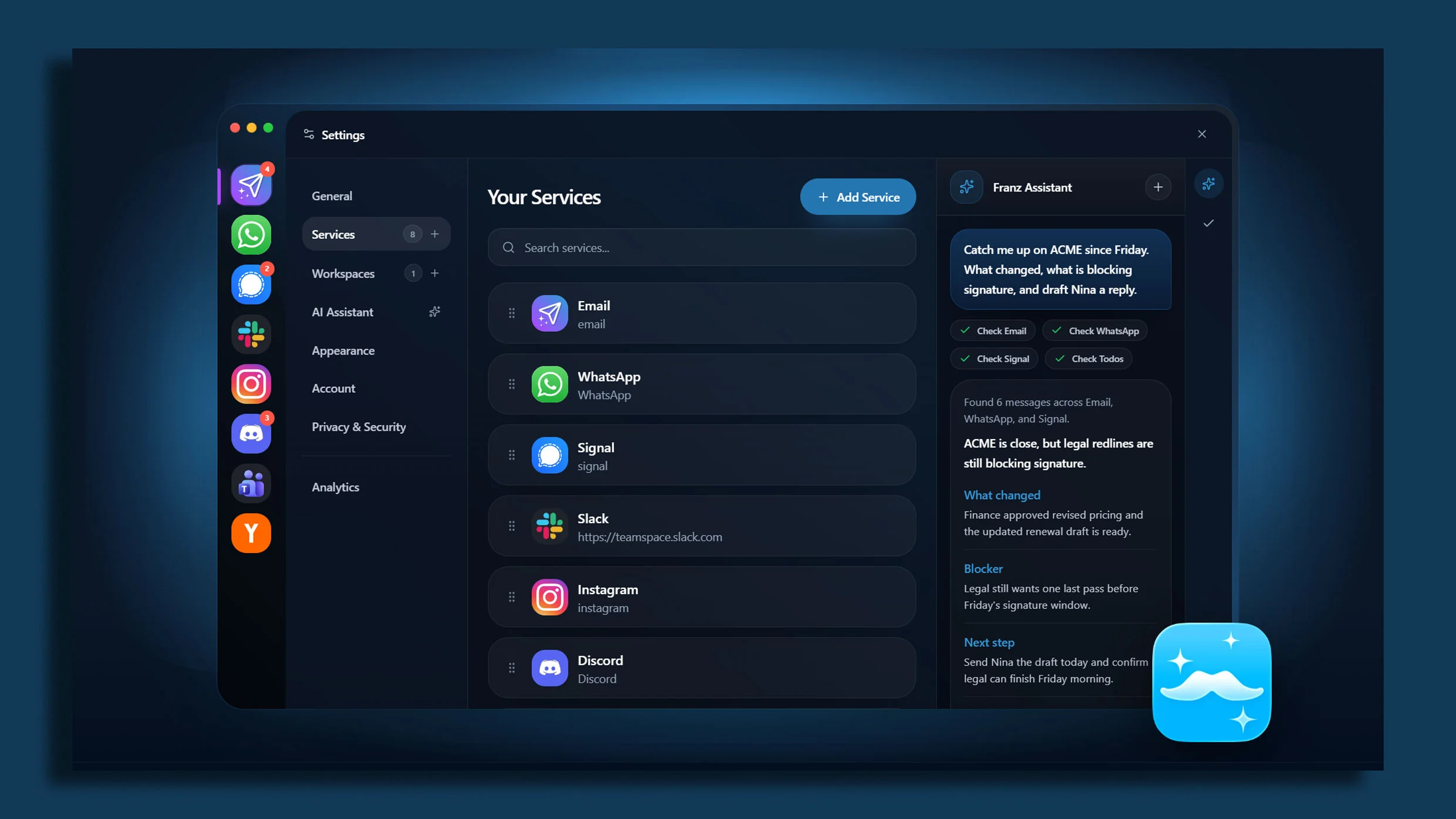
- Aggregator apps like Shift, Rambox, and Wavebox consolidate all messaging tools into a single window
- Declaring 'notification bankruptcy' on low-priority channels is the critical first step
- Combined with automation tools, a unified dashboard can route messages based on urgency and sender
The average knowledge worker toggles between apps 1,200 times per day, according to Harvard Business Review. Most of those switches are just checking whether someone pinged you on Slack, Teams, Gmail, or one of a dozen other channels. A unified inbox dashboard eliminates that context-switching tax by pulling every message stream into a single window with consolidated notification controls.
Disclosure
Some links in this post are affiliate links — Logicity earns a commission if you sign up, at no extra cost to you. We only link products we have used or actively recommend.
The setup takes about 20 minutes. No webhooks, no custom scripts, no API wrangling. You install a workspace aggregator app, add your messaging services, and configure when you actually want to be interrupted. Here's exactly how to do it.
Why traditional inbox management fails
Product teams and AI builders often run five or more communication tools simultaneously. Slack for internal chat. Microsoft Teams for client calls. Gmail for external correspondence. Discord for community management. WhatsApp or Signal for quick mobile threads. Each app has its own notification system, its own badge counter, its own rules for what deserves a ping.
The result is notification fatigue. You mute everything to get focus time, then miss a critical message from a customer or investor. You leave everything on, and your attention fragments across 47 browser tabs. Neither approach works.
The aggregator method solves this by treating all your messaging apps as inputs to a single dashboard. You control notifications at one layer, not twelve.
Step 1: Declare notification bankruptcy
Before you consolidate anything, prune the noise at the source. This is the step most people skip, and it's why their unified dashboards still overwhelm them.
- Turn off 'channel joined' and 'user typing' alerts in Slack
- Mute every Teams channel where you're CC'd but not actively needed
- Unsubscribe from marketing emails and automated digests you never read
- Disable badge counts for apps where real-time isn't actually required
The rule is simple: if a channel doesn't require direct action from you today, it shouldn't trigger a real-time alert. You can batch-check low-priority channels once or twice daily. They don't need to interrupt deep work.
Step 2: Choose your workspace aggregator app
Workspace aggregators wrap multiple web apps into a single desktop window. You add Slack, Teams, Gmail, and whatever else you use. They share one notification center, one dock icon, and one place to check.
Three options dominate this space: Shift, Rambox, and Wavebox. Each takes a slightly different approach.
| App | Free Tier | Paid Plan | Best For | Notable Limitation |
|---|---|---|---|---|
| Shift | 1 email + 2 apps | $149/year | Email-centric users | Free tier very limited |
| Rambox | 90+ apps, no account sync | $7/month | Heavy app users | No notification snoozing on free |
| Wavebox | 3 apps | $12/month | Power users, session containers | Steeper learning curve |
For most product teams, Rambox hits the sweet spot. The free tier supports over 90 apps, and the paid version adds notification management, session syncing across devices, and focus mode scheduling. Wavebox offers more granular control but requires more setup time.
If you're already using Slack heavily and want to keep it as your primary interface, consider Slack Connect for external partners rather than adding another aggregator layer. But for teams juggling genuinely separate tools, an aggregator is cleaner.
Step 3: Configure unified notifications
Once your apps are loaded into the aggregator, set up notification rules at the aggregator level, not inside each app. This gives you one place to control interruptions.
- Enable notifications only for direct messages and @mentions in Slack/Teams
- Set email notifications to trigger only for VIP senders or starred contacts
- Create a 'focus mode' schedule that batches all notifications during specific hours
- Use sound differentiation: distinct tones for urgent vs. normal messages
The goal is reducing interruptions without missing anything critical. Direct messages and @mentions reach you immediately. Everything else waits until your next check-in window.
Going further: Automation for smart routing
A unified dashboard is the foundation. Automation tools can build on top of it by routing messages based on content, sender, or urgency.
Zapier can monitor multiple inboxes and push high-priority messages to a single channel. For example: any email from your top 10 customers triggers a Slack DM to you, bypassing your email entirely. Make offers similar workflows with more complex branching logic. n8n is the self-hosted option for teams that want to keep message data on their own infrastructure.
For AI product teams specifically, piping urgent customer feedback directly into your issue tracker or ClickUp board creates a tighter loop between support conversations and sprint planning.
Relevant for AI builders tracking the funding environment their products compete in
What about mobile?
Desktop aggregators solve the tab-sprawl problem at your workstation. Mobile is trickier because iOS and Android don't allow the same kind of app wrapping.
The workaround: use your phone's built-in Focus modes (iOS) or Focus mode (Android) to filter which apps can send notifications during work hours. Combine this with aggressive pruning inside each mobile app. Most people don't need real-time Slack on their phone. A twice-daily check is enough.
If you need a true mobile aggregator, Beeper (now owned by Automattic) consolidates messaging apps at the protocol level, though it's still maturing.
The 20-minute setup, summarized
- Spend 5 minutes muting low-priority channels and unsubscribing from noise
- Install Rambox, Shift, or Wavebox (5 minutes)
- Add your messaging apps: Slack, Teams, Gmail, Discord, etc. (5 minutes)
- Configure unified notification rules: DMs and @mentions only (5 minutes)
That's it. You now have a single dock icon, a single notification stream, and a single place to check whether anyone needs you.
A reminder that AI systems require robust containment, relevant to teams building AI products
Logicity's Take
For AI product teams running customer-facing bots or copilots, a unified inbox isn't just about personal productivity. It's infrastructure for customer feedback loops. Piping support messages from Intercom ($39/seat/month for Starter), Slack communities, and email into one view lets you spot patterns faster. The next step is routing those signals into your fine-tuning or evaluation pipelines. Rambox at $7/month pays for itself the first time you catch a critical bug report that would have sat in an unchecked Discord channel.
Frequently Asked Questions
Can workspace aggregators access end-to-end encrypted apps like Signal?
Most aggregators wrap web versions of apps. Signal's web app works inside Rambox and Wavebox, but WhatsApp Web requires a phone connection. Truly native mobile-only apps can't be aggregated.
Do aggregator apps drain more battery and RAM than separate browser tabs?
They use roughly the same resources as multiple Chrome tabs, sometimes less due to session hibernation features. Wavebox specifically hibernates inactive tabs to save memory.
Will my IT department block workspace aggregators?
Enterprise policies vary. Most aggregators are Chromium-based and don't violate typical security policies, but check with IT before installing, especially if your company uses managed devices or endpoint detection software.
Can I use aggregator apps with SSO-protected enterprise accounts?
Yes. Aggregators load the standard web login flows, so SAML, Okta, and Azure AD SSO all work as they would in a browser.
Need Help Implementing This?
If your team is drowning in notification noise and wants a structured workflow audit, reach out to Logicity's consulting partners. We can help map your communication tools and build automation pipelines that route the right messages to the right people.
Source: Fast Company / Doug Aamoth
Huma Shazia
Senior AI & Tech Writer
Produced with AI assistance and reviewed by the Logicity editorial team. Learn more in our Editorial Policy.