Key Takeaways
Google Contacts vs Samsung Contacts (2026) - Which One Is BETTER?
- Samsung's default contacts app offers no advantages over Google Contacts and creates vendor lock-in
- Google Contacts provides cross-platform access, automatic duplicate detection, and labels for organization
- The Merge & Fix feature automates contact cleanup, reducing manual IT workload
Android contacts management should be simple. It isn't. Samsung ships phones with its own proprietary contacts app that locks users into its ecosystem, making cross-device access difficult and contact exports messy. For IT teams managing fleets of Android devices, this fragmentation creates unnecessary support tickets and data silos. The fix is straightforward: standardize on Google Contacts.

JR Raphael at Computerworld published an extensive guide to Android contacts, and the core message for enterprise IT is clear. Samsung's Contacts app exists to keep users buying Samsung products. It offers no technical advantage over Google's alternative. Google Contacts syncs across any device signed into a Google account, works on the web, and integrates with Gmail and Calendar. Samsung's version works only on Samsung phones.
How to migrate Samsung devices to Google Contacts
The migration process requires a few steps per device. Open Samsung's Contacts app, tap the three-dot menu, then Settings, then Sync contact accounts. Ensure the user's Google account appears and has sync enabled. If it's missing, add it.
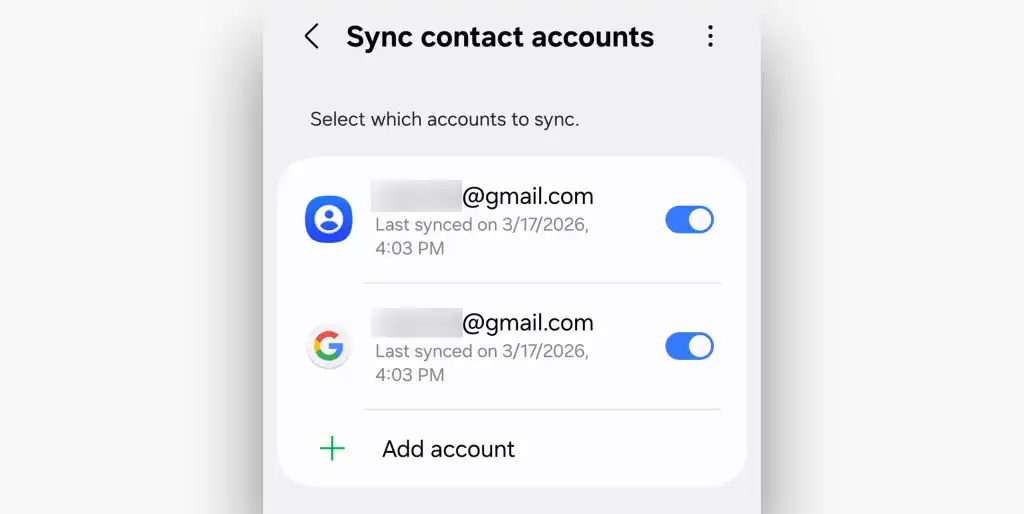
Next, install the Google Contacts app from the Play Store. Samsung won't let you uninstall or disable its own contacts app, but users can simply ignore it going forward. For older Samsung devices, the menu paths may differ slightly, but the sync options exist somewhere in the settings.
Non-Samsung Android phones from other manufacturers may also ship proprietary contacts apps. The approach is the same: find sync options to push contacts to Google, or export contacts from the default app and import them into Google Contacts.
Why Google Contacts works better for enterprise
Google Contacts offers several features that matter for business use. The accounts system lets users separate personal contacts from work contacts stored under different Google accounts. Labels function like folders, allowing contacts to be grouped by project, department, or client.
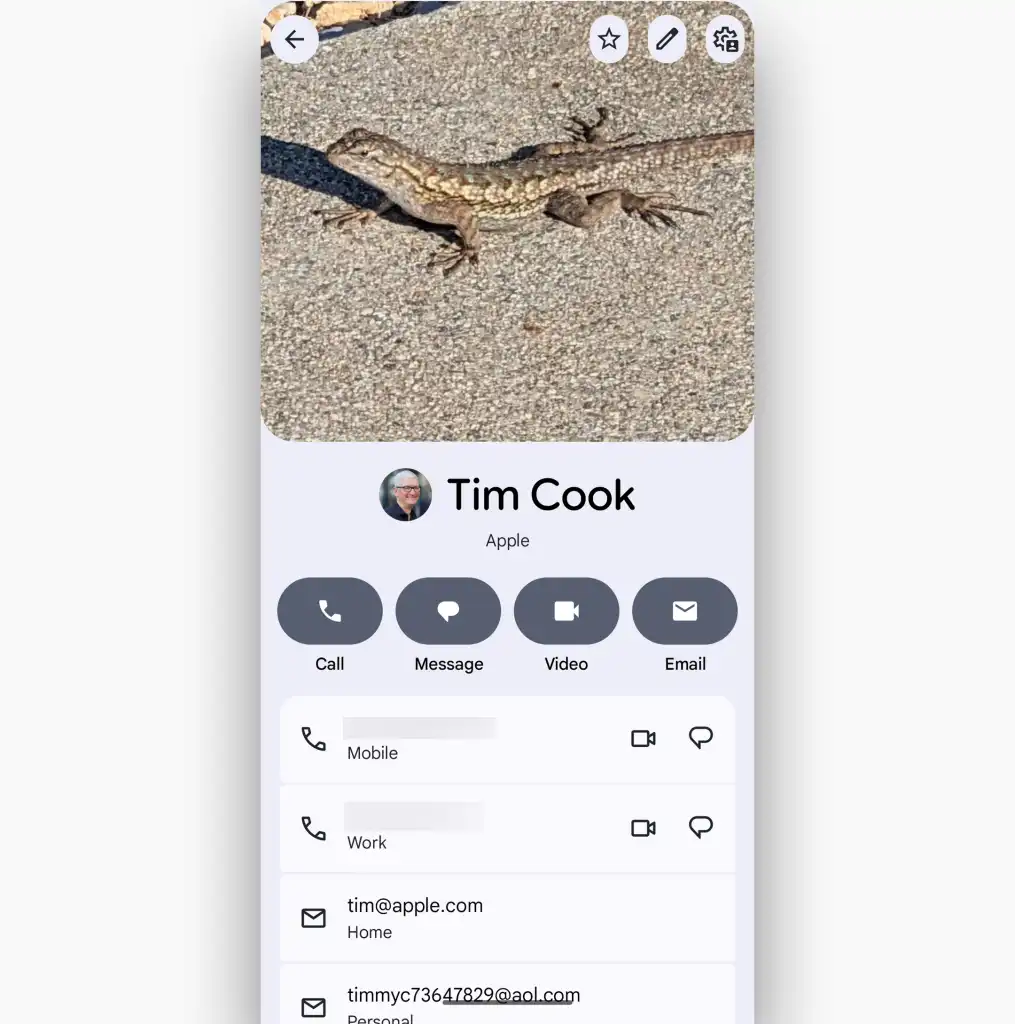
Labels can be created and managed from the app's sidebar. Tap the plus icon next to Labels, name the label, and add contacts to it. This beats scrolling through hundreds of unsorted entries when you need to find everyone on a specific team.
Contact profiles and interaction history
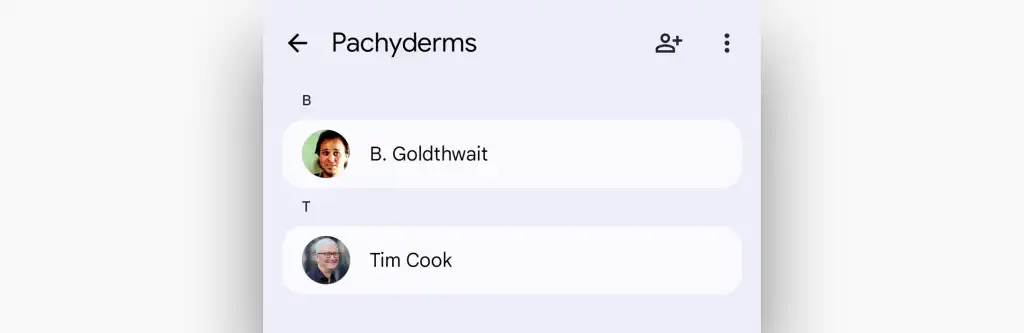
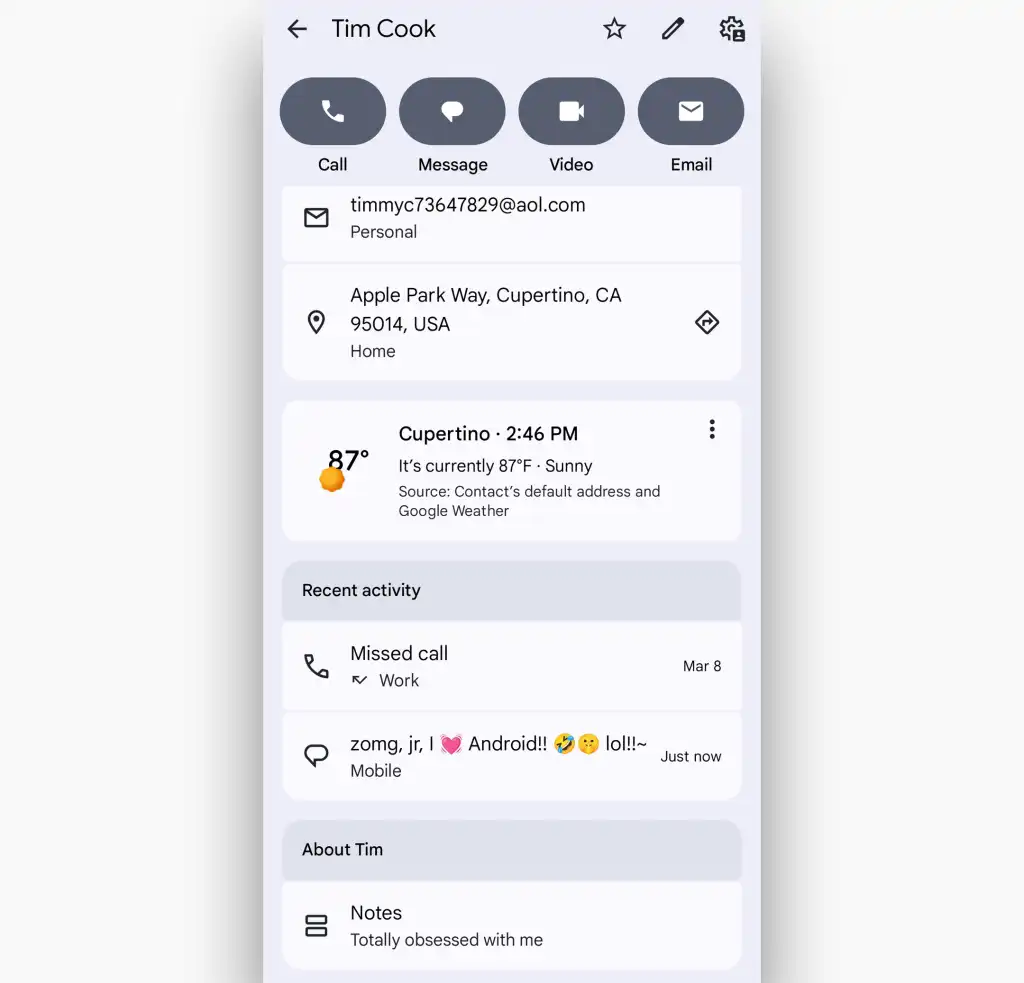
Each contact profile in Google Contacts shows more than phone numbers and email addresses. The app pulls in recent interactions, including calls, messages, and calendar events with that person. This context helps users remember when they last spoke with a client or colleague.
The activity section even shows weather at the contact's location if that data is available. Notes can be added to any contact, useful for recording preferences, meeting notes, or account details.
Automated cleanup with Merge & Fix
Years of accumulation leave most contact lists cluttered with duplicates. The same person appears three times: once from a business card scan, once from an email signature, once from a calendar invite. Google Contacts includes a Merge & Fix feature that detects duplicates and suggests merging them.
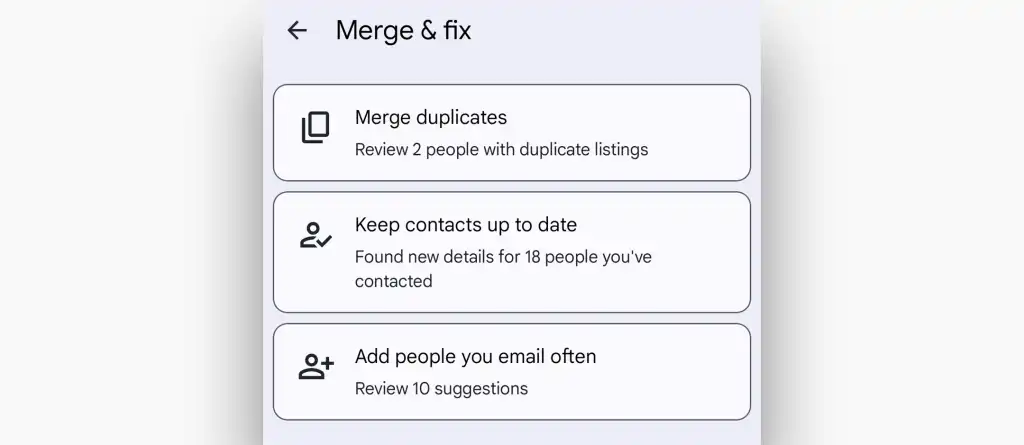
The feature also flags contacts missing information and suggests updates. For IT teams, this reduces the manual cleanup work that users never bother to do themselves.
Widgets for quick access
Google Contacts offers home screen widgets that let users call or message frequent contacts with a single tap. This is a small convenience, but it adds up for salespeople or account managers who communicate with the same people daily.

Logicity's Take
For organizations using Google Workspace, standardizing on Google Contacts is obvious. The sync happens automatically, and contacts are accessible from any browser. But even shops running Microsoft 365 should consider it. Google Contacts exports to vCard and CSV formats, making migration possible. The real alternative for enterprise is a dedicated CRM like [Salesforce](https://logicity.in/r/salesforce), [HubSpot](https://logicity.in/r/hubspot), or [Zoho CRM](https://logicity.in/r/zoho-crm), which offer richer contact profiles, deal tracking, and automation. For smaller teams not ready for full CRM adoption, Google Contacts is free and works well enough.
Disclosure
Some links in this post are affiliate links — Logicity earns a commission if you sign up, at no extra cost to you. We only link products we have used or actively recommend.
The standardization case for IT
Fragmented contact management creates real costs. Users who can't find contact information waste time. Data trapped in one device disappears when that device breaks or gets replaced. Duplicate contacts lead to embarrassing situations where a salesperson doesn't recognize a client they've met before.
Google Contacts solves these problems by centralizing contact data in the cloud. The trade-off is vendor dependency on Google, but for organizations already using Gmail or Google Workspace, that dependency already exists.
Frequently Asked Questions
Can I completely remove Samsung Contacts from a Samsung phone?
No. Samsung prevents users from uninstalling or disabling its default Contacts app. You can install Google Contacts and use it instead, but Samsung's app will remain on the device.
Will Google Contacts sync with Microsoft Outlook?
Not natively. Google Contacts exports to vCard and CSV formats, which Outlook can import. For ongoing sync, you'd need a third-party tool or middleware.
How does Google Contacts handle duplicates across multiple accounts?
The Merge & Fix feature detects duplicates within a single Google account. Contacts stored under different Google accounts remain separate unless manually merged.
Is Google Contacts data backed up automatically?
Yes. Contacts sync to Google's servers automatically when connected to the internet. You can also export contacts manually as a backup via the web interface at contacts.google.com.
Understanding hidden infrastructure costs helps IT leaders budget accurately for cloud-based services like Google Workspace
Need Help Implementing This?
Logicity helps IT teams standardize device management policies and reduce support overhead. Contact us for a consultation on Android fleet management and cloud identity strategies.
Source: Computerworld
Manaal Khan
Tech & Innovation Writer
Produced with AI assistance and reviewed by the Logicity editorial team. Learn more in our Editorial Policy.