Key Takeaways
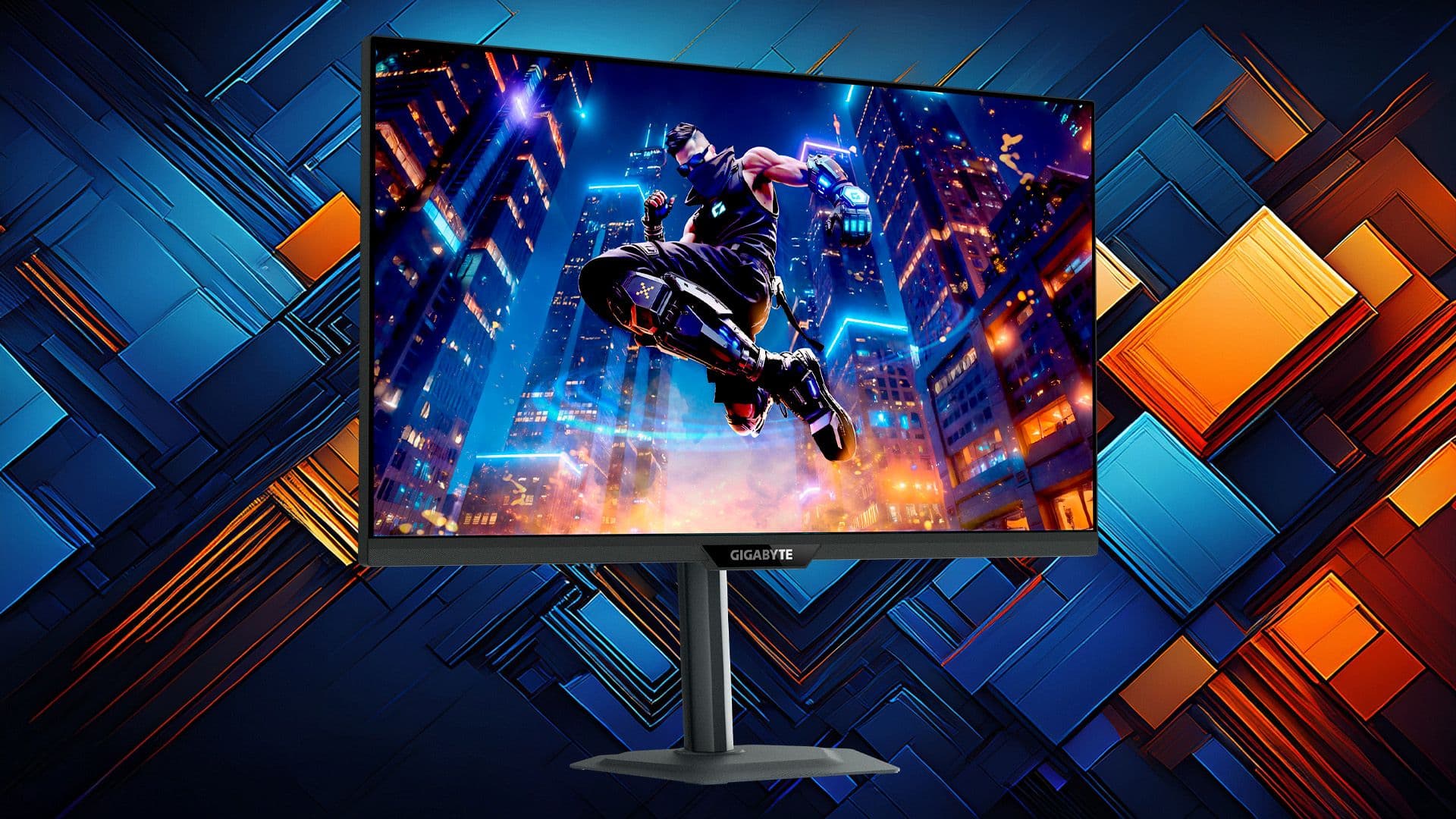
- The Gigabyte M27Q2 is discounted 36% to $179.99 at Newegg, down from $279.99
- The monitor offers 200 Hz refresh rate (overclockable to 210 Hz), QHD resolution, and quantum dot backlighting
- Built-in KVM switch lets you control two systems with one keyboard and mouse
Gigabyte's M27Q2 gaming monitor is selling for $179.99 at Newegg, a $100 discount from its $279.99 street price. The 27-inch display packs quantum dot backlighting, a 200 Hz refresh rate, and 1440p resolution. At this price, it undercuts most comparable QHD monitors by $70 to $120.
The deal represents solid value for gamers building a mid-range setup. Quantum dot technology, which uses nanocrystals to produce more saturated colors, was a flagship feature two years ago. Now it's showing up in sub-$200 panels.
What specs does the Gigabyte M27Q2 offer?
The M27Q2 uses a 27-inch IPS panel at 2560 x 1440 resolution, giving you 78% more pixels than 1080p. The native refresh rate sits at 200 Hz, though Gigabyte includes an overclock option that pushes it to 210 Hz. Response time is rated at 1 ms gray-to-gray, which should minimize ghosting in fast shooters.
G-Sync compatibility means NVIDIA GPU owners get adaptive sync without tearing. The panel carries a DisplayHDR 400 certification with 350 nits peak brightness. Color coverage hits 99% DCI-P3 and 150% sRGB, numbers that matter if you do any photo or video work alongside gaming.
Connectivity includes two HDMI 2.0 ports and one DisplayPort 1.4. There's also a USB-C port tied to the built-in KVM switch.
Why the KVM switch matters
The M27Q2 includes a hardware KVM (keyboard, video, mouse) switch, a feature usually reserved for $350+ monitors. Connect your gaming PC and a work laptop, then toggle between them using the same keyboard and mouse. For anyone working from home on a laptop but gaming on a desktop, this eliminates the need for a separate dock or second set of peripherals.
The USB-C port handles the laptop connection while passing display signal and peripheral data. It's a practical addition that distinguishes the M27Q2 from cheaper competitors focused purely on gaming specs.
What GPU do you need to hit 200 Hz?
A 200 Hz refresh rate only helps if your hardware can push frames that fast. At 1440p, you'll need a reasonably capable GPU. An RTX 3070 or RTX 4060 Ti handles most esports titles at high settings above 144 fps. Demanding games like Cyberpunk 2077 or Alan Wake 2 will hover closer to 60-80 fps even on a 4070.
If your system targets 100-120 fps, you still benefit from the headroom. The monitor's G-Sync support smooths out variable frame rates, so the 200 Hz ceiling becomes a luxury rather than a requirement. And at $179, you're not paying a premium for speed you can't use.
How does this compare to other budget QHD monitors?
The ASUS VG27AQ1A and Dell S2722DGM typically sell between $250 and $300. Both offer 165 Hz panels. The M27Q2's 200 Hz rate, combined with quantum dot backlighting, makes the $179 price an anomaly. Even accounting for the occasional sale, you rarely see these specs below $220.
The main tradeoff is HDR. DisplayHDR 400 with 350 nits brightness is entry-level HDR. You won't get the dramatic highlights of a 1000-nit OLED or mini-LED panel. For SDR gaming and everyday use, though, the color accuracy and refresh rate justify the price.
Another example of premium features reaching budget price points
Should you buy the M27Q2 at this price?
At $179, the M27Q2 hits a price point where the decision is straightforward for anyone upgrading from a 1080p 60 Hz display. The jump to QHD and 200 Hz is substantial. You're getting a monitor that would have cost $400 three years ago.
For competitive gamers already on a 240 Hz 1080p panel, the resolution upgrade is nice but the refresh rate is technically a downgrade. Know your priorities. If you play primarily single-player games or want a dual-purpose work and gaming setup, the M27Q2 makes more sense than a pure speed-focused panel.
Logicity's Take
This deal signals where the gaming monitor market is heading. Quantum dot and high refresh rates are no longer flagship differentiators. They're baseline expectations trickling into the sub-$200 tier. The M27Q2's KVM switch is the real value-add here. It transforms a gaming monitor into a productivity tool. If Gigabyte can offer this at $179, expect competitors to follow within six months.
Frequently Asked Questions
Is the Gigabyte M27Q2 good for competitive gaming?
Yes. The 200 Hz refresh rate and 1 ms response time suit fast-paced games. G-Sync compatibility eliminates tearing on NVIDIA GPUs.
Does the M27Q2 work with AMD FreeSync?
The monitor is G-Sync compatible, which means it supports variable refresh rate technology. AMD users should also benefit from adaptive sync, though check Gigabyte's specs for explicit FreeSync certification.
What resolution is the Gigabyte M27Q2?
QHD, which is 2560 x 1440 pixels. This sits between 1080p and 4K, offering sharper detail without the GPU demands of a 4K panel.
How long will the $179 deal last?
Newegg hasn't specified an end date. These promotional prices typically run until stock depletes or a set sale period ends.
Is DisplayHDR 400 real HDR?
It's entry-level HDR. With 350 nits peak brightness, you won't see the dramatic contrast of high-end HDR displays, but it's better than no HDR support.
Need Help Implementing This?
Building a gaming setup around a new monitor? Our hardware coverage tracks GPU deals and system builds. Subscribe to Logicity's newsletter for weekly roundups of tech deals that actually matter.
Source: Latest from Tom's Hardware
Manaal Khan
Tech & Innovation Writer
Produced with AI assistance and reviewed by the Logicity editorial team. Learn more in our Editorial Policy.