Key Takeaways
- FxSound is 100% free and open-source, replacing the old paid DFX model
- The app offers presets for music, movies, gaming, and streaming without requiring audio expertise
- Windows still has no built-in system-wide equalizer, making third-party tools like FxSound essential for laptop audio
It's 2026 and Windows still doesn't include a system-wide equalizer. This means laptop speakers, already compromised by thin chassis designs, have no native way to sound better. You either accept the tinny output or reach for headphones.
FxSound fixes this problem. It's a free, open-source equalizer that applies to all Windows audio output. The difference hits immediately after installation: louder volume, fuller bass, clearer mids.
Why Laptop Speakers Sound Bad
Laptop manufacturers prioritize thinness over acoustics. Speakers get squeezed into whatever space remains after the battery, motherboard, and cooling system claim their share. The result is underpowered drivers that can't push enough air to produce decent bass or clear separation between frequencies.
Even expensive laptops suffer from this. A $2,000 machine might have excellent display, keyboard, and trackpad, then ship with speakers that sound flat and lifeless. Users have accepted this as normal for so long that nobody expects laptop audio to be good.
The hardware limitation is real, but software can help. Digital signal processing can boost certain frequencies, add clarity, and increase perceived volume before the signal reaches the speakers. Windows just doesn't offer this out of the box.
What FxSound Does
FxSound sits between your audio output and your speakers, applying real-time processing to everything you hear. It's system-wide, meaning it affects Spotify, YouTube, games, video calls, and any other audio source.
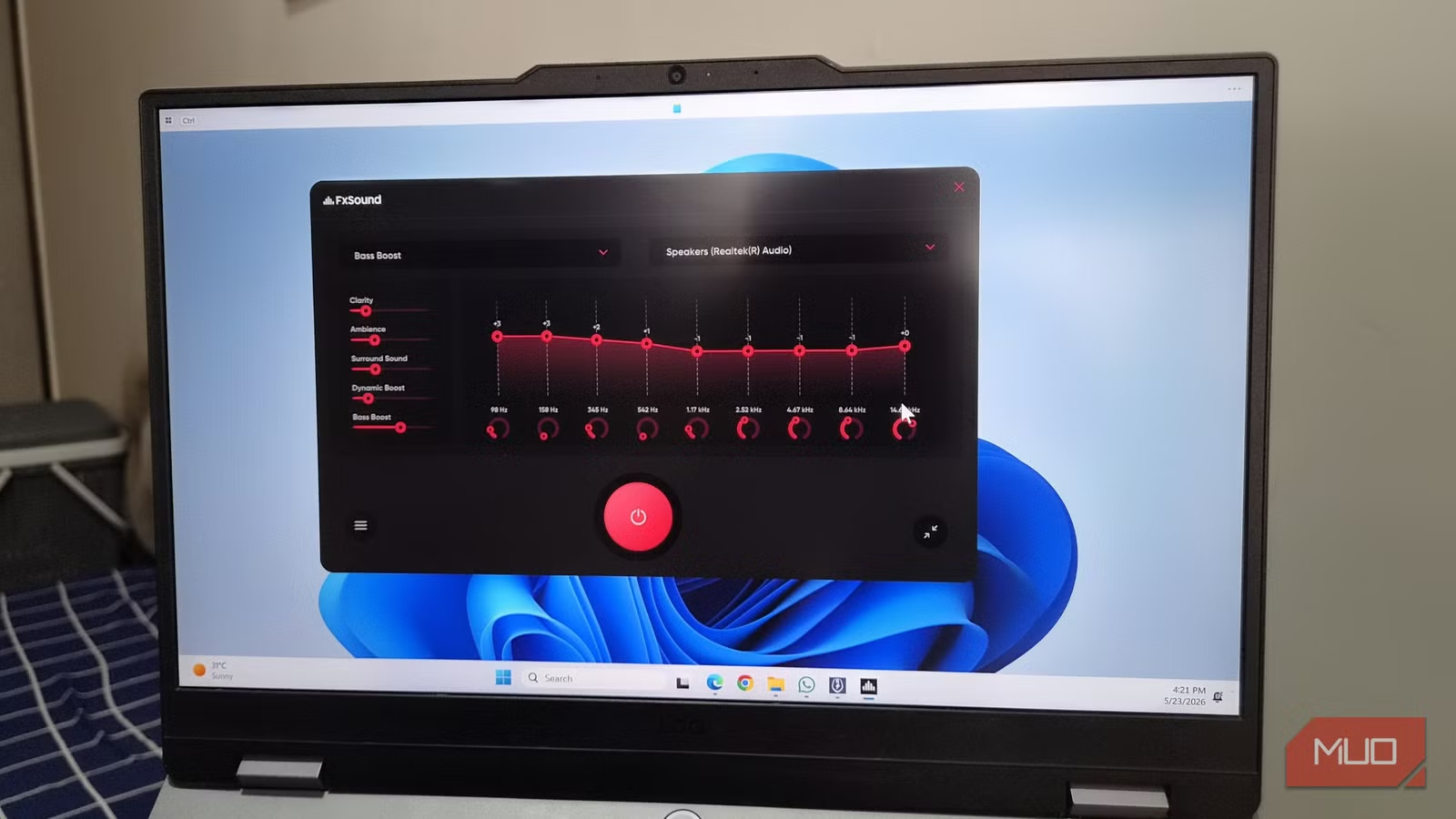
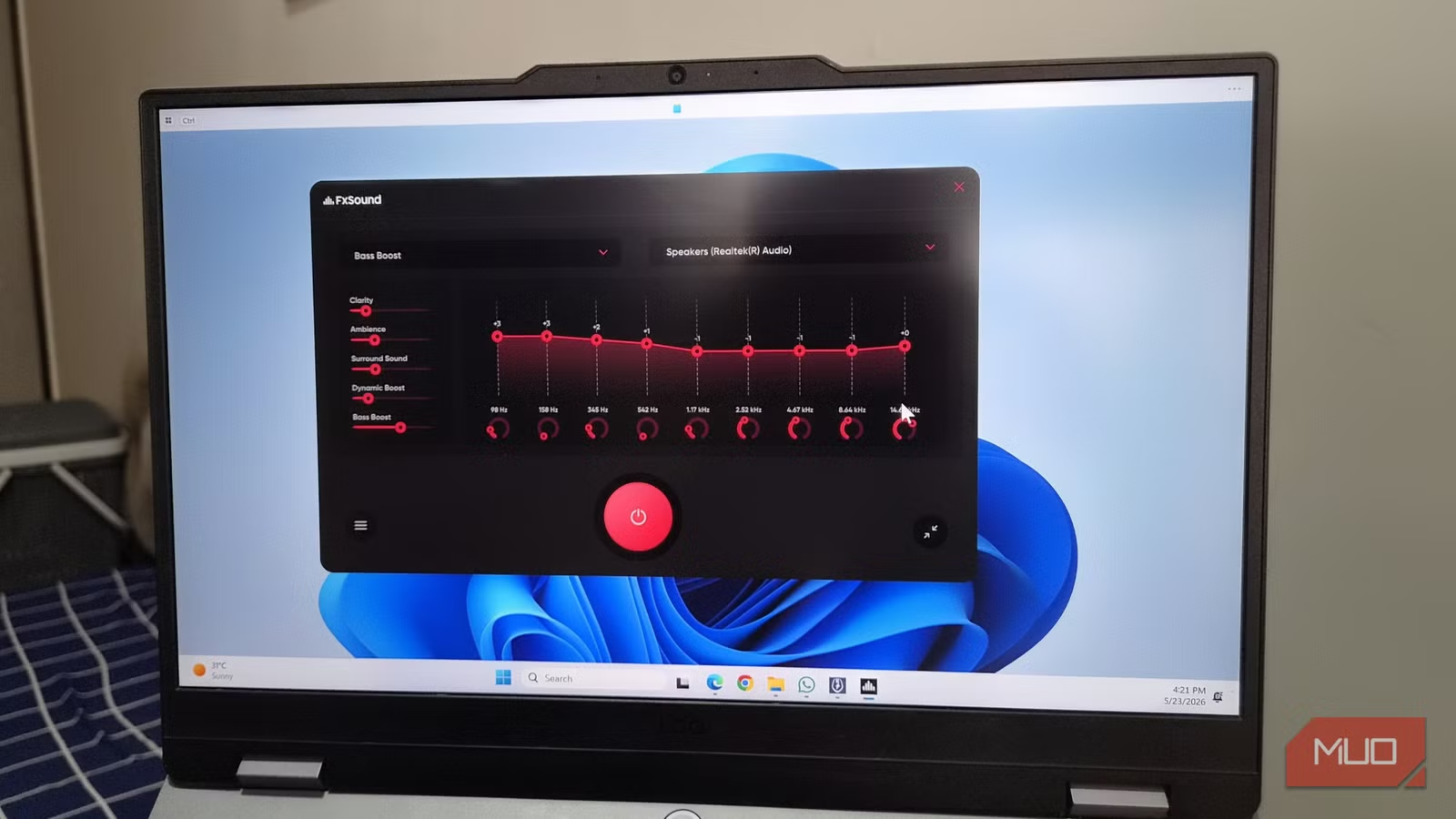
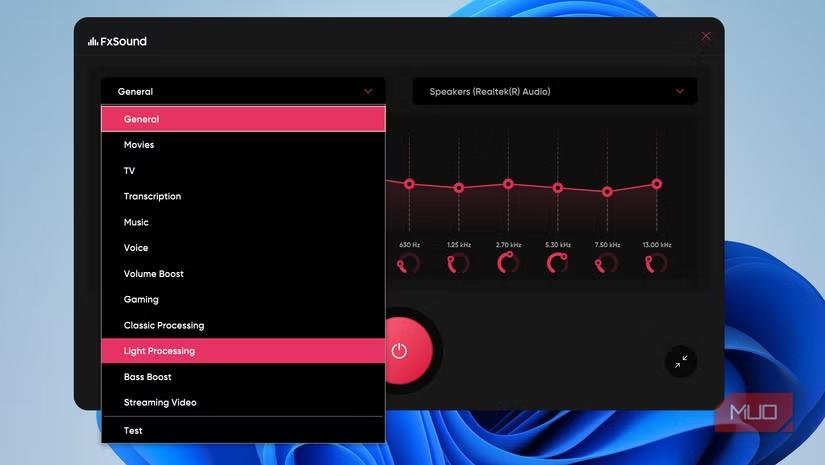
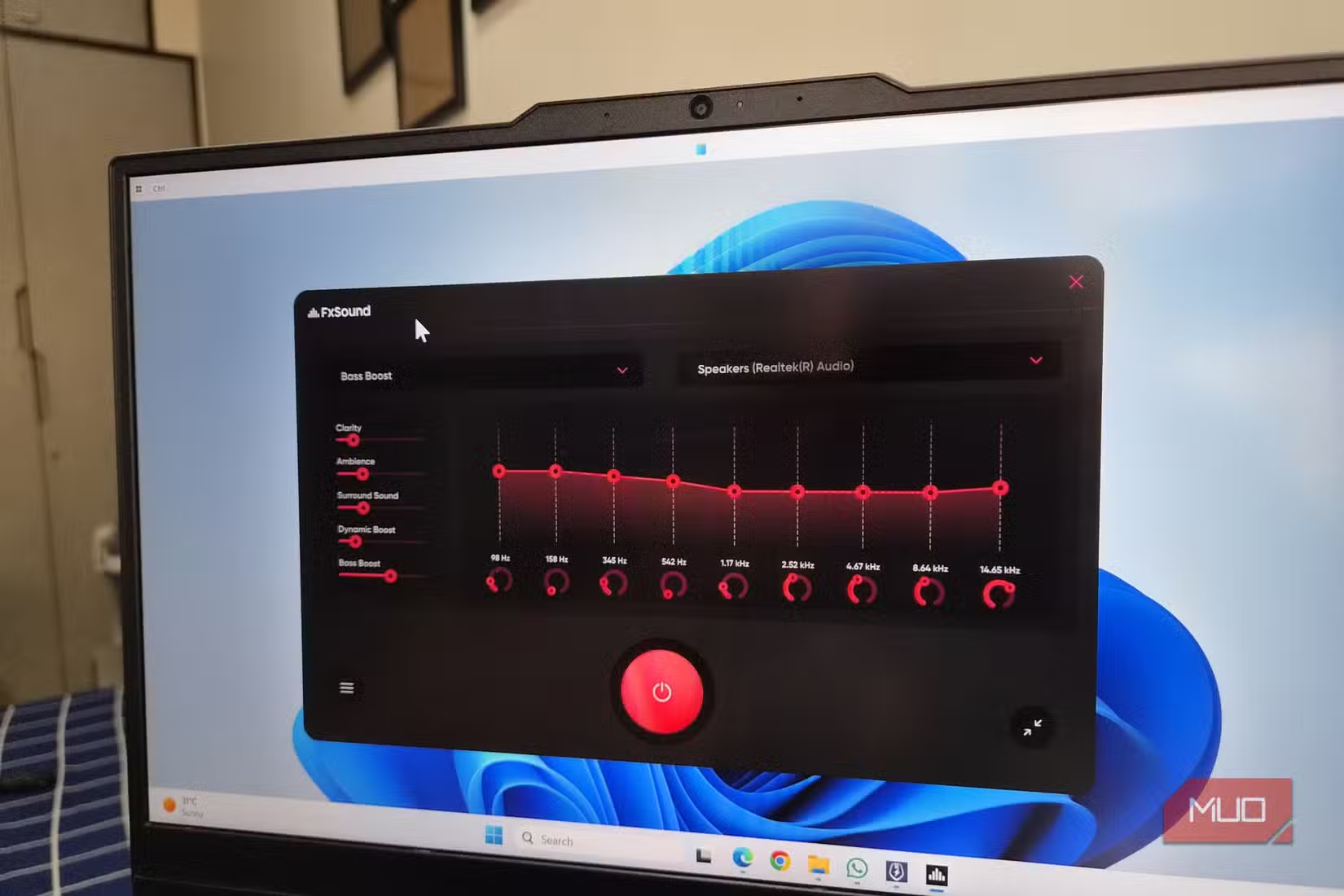
The app provides 9 adjustable EQ frequency bands. You can tweak each one manually or use built-in presets for common scenarios: music, movies, gaming, streaming, voice calls. The presets work well enough that most users never touch the manual controls.
Beyond basic equalization, FxSound adds effects for bass boost, surround simulation, and dynamic range compression. These can make laptop speakers punch above their weight class.
Simple Interface vs. Power User Tools
The main alternative to FxSound is Equalizer APO with the Peace GUI. APO is more powerful. It offers unlimited bands, per-application profiles, convolution filters, and parametric EQ. It's also intimidating if you don't know what those terms mean.
FxSound takes the opposite approach. Open the app, pick a preset, and you're done. The interface shows a simple frequency curve with nine points. Drag them up or down. Hear the change immediately. No documentation required.
Reddit communities like r/Windows10 and r/Audiophile generally recommend FxSound as the first step for anyone trying to fix bad laptop audio. Power users often graduate to Equalizer APO later, but most people find FxSound good enough to stop there.
Free and Open Source
FxSound used to be a paid product called DFX Audio Enhancer. The company pivoted to open source, making the entire application free with no feature restrictions.
This matters for a few reasons. No ads. No upsells. No premium tiers. The code is on GitHub, so security-conscious users can audit it. The community can contribute fixes and features.
Installation and Setup
Download FxSound from the official website or GitHub. Run the installer. The app starts automatically and begins processing audio immediately with default settings applied.
- Download the installer from fxsound.com or GitHub
- Run the installer and follow prompts
- FxSound launches and applies default enhancement automatically
- Select a preset that matches your use case (music, movies, gaming)
- Adjust individual frequency bands if desired
The app runs in the system tray. You can toggle it on and off instantly to compare processed versus raw audio. Most users notice the difference immediately, especially in volume and bass response.
Limitations to Know
FxSound can't perform miracles. Hardware limitations are real. A laptop with truly terrible speakers will sound better with FxSound, but it won't match dedicated external speakers or quality headphones.
The app also can't help with spatial audio features like Dolby Atmos. If your laptop supports those, you might prefer the manufacturer's built-in tools. FxSound works best as a straightforward EQ and enhancement layer.
Power users who want per-application profiles, parametric EQ, or VST plugin support will eventually hit FxSound's ceiling. Equalizer APO remains the choice for deep customization.
✅ Pros
- • 100% free with no ads or premium tiers
- • Simple interface requires no audio expertise
- • System-wide processing works with all apps
- • Immediate volume and clarity improvement on most laptops
❌ Cons
- • Less customization than Equalizer APO
- • No per-application profiles
- • Cannot fix fundamentally bad hardware
- • Windows only, no Mac or Linux support
Logicity's Take
Frequently Asked Questions
Is FxSound really free?
Yes. The software transitioned to a fully free, open-source model. There are no paid features, ads, or subscriptions.
Does FxSound work with all Windows apps?
Yes. It processes system-wide audio, affecting every application including browsers, media players, games, and video conferencing tools.
Will FxSound slow down my computer?
No. The app uses minimal CPU resources. Most users report no noticeable performance impact even on older hardware.
How does FxSound compare to Equalizer APO?
FxSound prioritizes simplicity with presets and a 9-band EQ. Equalizer APO offers more power but requires more audio knowledge. Most casual users prefer FxSound.
Does FxSound work with headphones?
Yes. It processes all audio output, including wired and Bluetooth headphones. You can create different settings for speakers versus headphones.
If you're improving your audio setup, your media player choice matters too
Need Help Implementing This?
Source: MakeUseOf
Huma Shazia
Senior AI & Tech Writer
Produced with AI assistance and reviewed by the Logicity editorial team. Learn more in our Editorial Policy.