Key Takeaways
How To Block YouTube Ads In DuckDuckGo Browser
- Duck Player blocks YouTube video ads by default in DuckDuckGo browser version 1.197.0
- Available on MacOS, Windows, Android, and iOS, but not Linux
- Arrives as Chrome's Manifest V3 transition limits traditional ad-blocker extensions
DuckDuckGo's latest browser update includes a built-in video player that blocks ads on YouTube. Duck Player, enabled by default in version 1.197.0, strips video ads from YouTube without requiring extensions or subscriptions. The feature is available now on MacOS, Windows, Android, and iOS.
The timing is pointed. Google is rolling out Manifest V3, a change to Chrome's extension framework that kneecaps traditional ad blockers like uBlock Origin. DuckDuckGo is positioning itself as the alternative for users who refuse to watch pre-roll ads but don't want to pay $13.99 a month for YouTube Premium.
How Duck Player blocks YouTube ads
Duck Player isn't a traditional ad blocker that filters network requests. According to DuckDuckGo's help documentation, it "protects you from tracking cookies and personalized ads by enforcing YouTube's strictest privacy settings for embedded video, all within a clean, theater-like interface." The player essentially repackages YouTube content through a privacy layer that strips out the advertising payload.
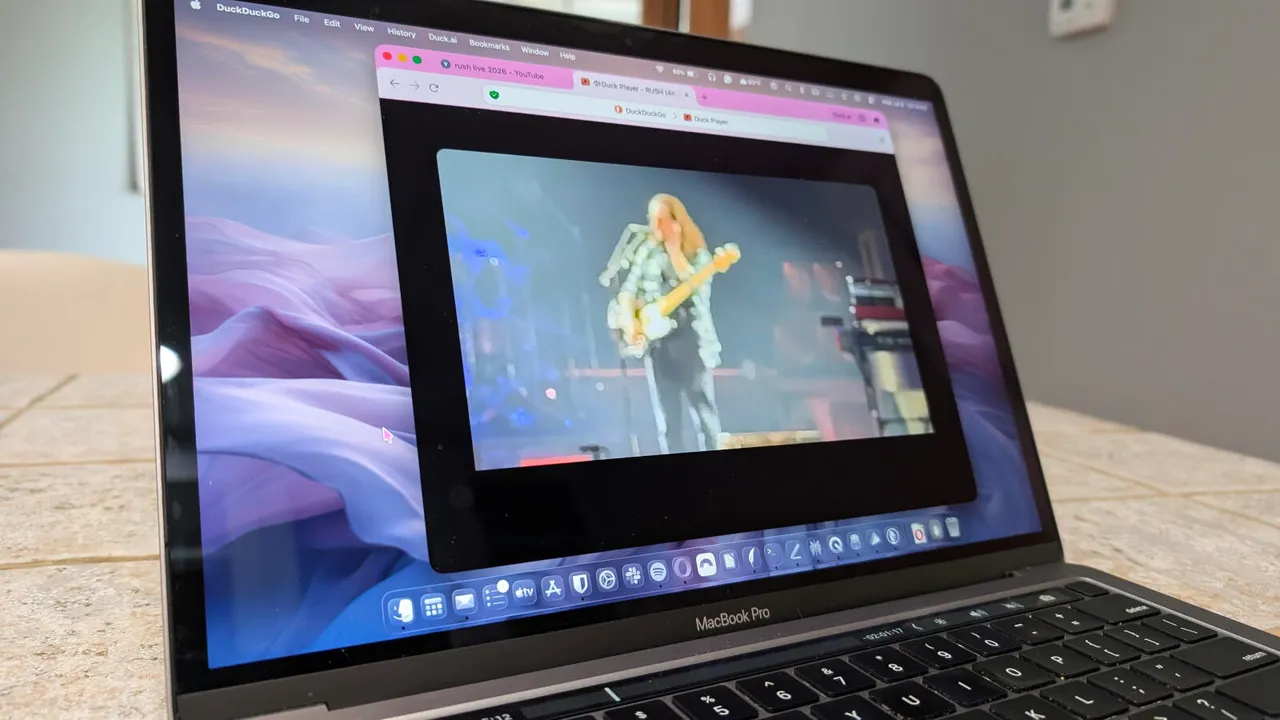
ZDNet's Jack Wallen tested the feature by watching a two-hour Rush concert video. Not a single ad played. He noted that the timeline still showed where ads would normally appear, but they simply didn't fire. Duck Player is enabled by default, so users don't need to configure anything. If you prefer the standard YouTube experience, you can disable it in settings.
Why this matters for Chrome users
Chrome controls roughly 65% of the browser market. Google's Manifest V3 transition, which began limiting extension capabilities in 2024 and continues through 2025, restricts how ad blockers can intercept and modify web requests. Extensions like uBlock Origin have had to release "Lite" versions with reduced functionality.
DuckDuckGo doesn't use Chrome's extension system. Its ad blocking is baked directly into the browser. This architectural choice means Google can't neuter it through extension policy changes.
The privacy argument runs deeper than just skipping ads. Video ads serve as another tracking vector. They're targeted based on your browsing history, watch patterns, and demographic profile. DuckDuckGo's approach cuts off that data collection pipeline entirely.
What's missing
Linux users are out of luck. DuckDuckGo still hasn't released a Linux version of its browser, a gap that frustrates privacy-conscious developers who often run Linux workstations. The company hasn't announced plans to address this.
There's also the sustainability question. YouTube generated $36.7 billion in ad revenue in 2024. If ad-blocking adoption grows significantly, Google has both the technical capability and financial incentive to play cat-and-mouse. YouTube has already deployed server-side ad injection experiments that are harder to block. Whether Duck Player can keep pace with Google's countermeasures remains to be seen.
How to get Duck Player
If you already have the DuckDuckGo browser installed, go to Menu > Help > About and click Check for Update. You'll know you have the latest version when you see "Ad Blocking New" in the left sidebar.
New users can download the browser from duckduckgo.com or install it from the iOS App Store or Google Play Store. Duck Player activates automatically once you're on version 1.197.0 or later.
Logicity's Take
DuckDuckGo is making a smart competitive move. With Chrome actively degrading ad-blocker functionality, there's a window for privacy browsers to capture frustrated users. The real test is whether DuckDuckGo can stay ahead of YouTube's ad-serving countermeasures. For enterprise IT teams, this is worth monitoring. Duck Player could reduce support tickets about intrusive ads during screen-sharing, though you'll need to weigh it against standardization on Chrome-based browsers. Brave offers similar built-in ad blocking with Chromium compatibility. Firefox with uBlock Origin remains viable on desktop but faces the same extension limitations on mobile.
Frequently Asked Questions
Does Duck Player work on all websites or just YouTube?
Duck Player currently focuses on YouTube, though DuckDuckGo's browser includes broader ad and tracker blocking across all websites.
Is DuckDuckGo browser available for Linux?
No. As of July 2025, DuckDuckGo browser is only available on MacOS, Windows, Android, and iOS. The company hasn't announced Linux support.
Can YouTube detect and block Duck Player?
YouTube could theoretically deploy countermeasures, as it has experimented with server-side ad injection. So far, Duck Player continues to work, but this may become a cat-and-mouse situation.
Does Duck Player affect YouTube creator revenue?
Yes. Blocked ads mean creators don't receive ad revenue for those views. This is the same trade-off as any ad blocker.
How does Duck Player compare to YouTube Premium?
YouTube Premium costs $13.99 per month and removes ads while supporting creators. Duck Player is free but removes ads without compensating creators.
Another story on privacy and data protection concerns
Need Help Implementing This?
If your organization is evaluating browser policies or privacy tools for your team, contact Logicity for guidance on balancing security, privacy, and compatibility requirements.
Source: Latest news
Huma Shazia
Senior AI & Tech Writer
Produced with AI assistance and reviewed by the Logicity editorial team. Learn more in our Editorial Policy.