Key Takeaways
- ZFS stores all configuration on the disks themselves, so you can move drives to any machine and import your pool instantly
- A basic RAIDZ1 setup on Debian 12 requires just a few commands, no TrueNAS or proprietary software needed
- Four 4TB NVMe drives in RAIDZ1 give you roughly 12TB usable storage with single-drive fault tolerance
You do not need TrueNAS, Synology, or QNAP to run a reliable NAS. A developer named Neil recently published a guide showing how to set up a ZFS storage pool on bare Debian 12, and the simplicity is striking. Four NVMe drives, a handful of terminal commands, and you have enterprise-grade data protection without any GUI or subscription.
The guide gained traction on Hacker News because it addresses a real frustration: TrueNAS and similar platforms ship features most founders never touch. If all you need is network-attached storage with redundancy, those extra layers become maintenance liabilities.
Why ZFS beats traditional RAID for small teams
ZFS combines volume management and filesystem into one package. Traditional RAID handles disk redundancy but knows nothing about the files sitting on it. ZFS checksums every block of data, catches silent corruption that hardware RAID misses, and supports instant snapshots without performance penalties.
The killer feature Neil highlights is portability. All ZFS configuration lives on the disks themselves. If your server dies tomorrow, pull the drives, install them in any Linux machine with OpenZFS, run 'zfs import', and your data reappears. No reconfiguration. No metadata stored on a separate boot drive that can fail independently.
“If your OS is nuked suddenly, simply take all disks to another machine or install a new OS, install zfs, run zfs import and get back your data. This freedom is underrated and not well understood.”
— Neil, author of the guide
Hardware requirements are modest
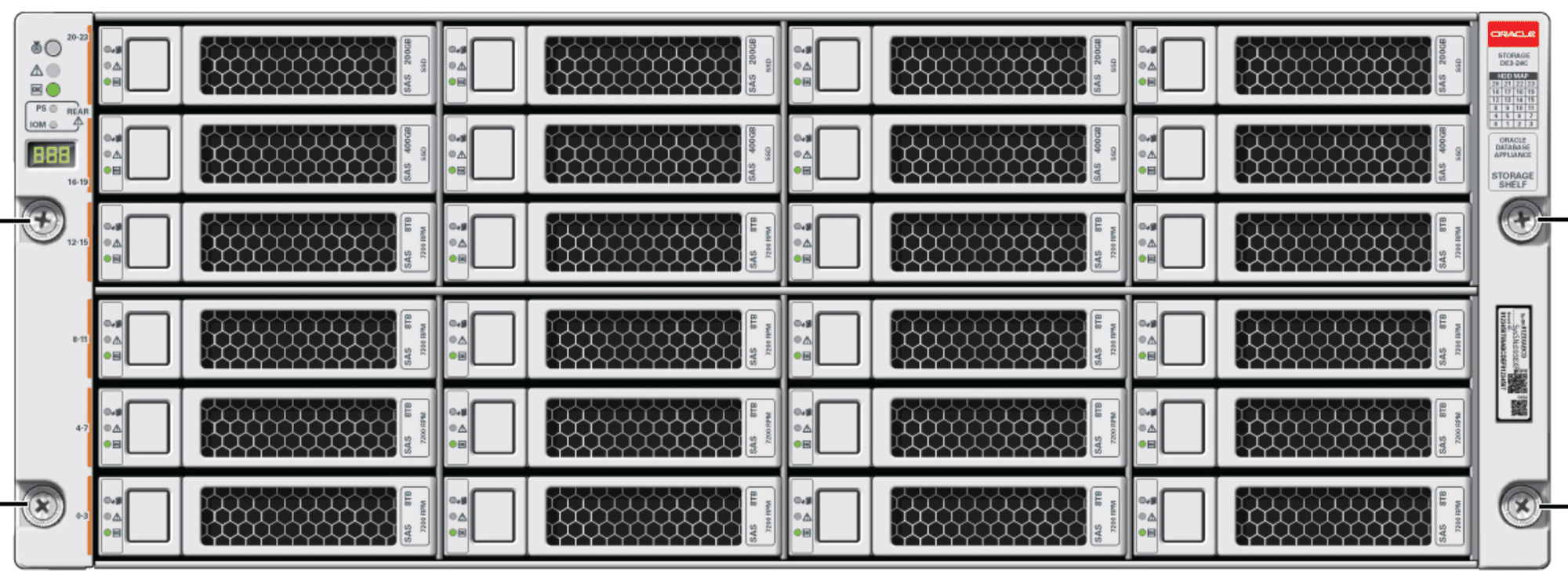
Neil's build uses a 4-core Xeon server CPU (available cheap on the secondary market), 16GB of ECC RAM, and four Samsung 990 PRO 4TB NVMe drives. The OS runs from a separate 40GB virtual disk, keeping the ZFS pool isolated from system operations.
ECC RAM matters here. ZFS caches data aggressively in memory before writing to disk. If a memory error corrupts cached data, ZFS will faithfully write that corruption to your drives. ECC catches and corrects single-bit errors before they propagate. For a startup storing customer data or code repositories, the $50 premium for ECC is obvious.
The actual setup takes 20 minutes
Step one: identify your drives. The command 'lsblk -d -o TRAN,NAME,TYPE,MODEL,SERIAL,SIZE' lists all attached disks with their serial numbers. Never reference drives by /dev/nvme0, /dev/nvme1 and so on. Those names can shift when you add hardware. Use /dev/disk/by-id paths or create aliases in /etc/zfs/vdev_id.conf.
Step two: create the pool. For RAIDZ1 (single-drive redundancy, similar to RAID 5), the command is straightforward:
zpool create tank raidz1 nvme0 nvme1 nvme2 nvme3That single line creates a pool named 'tank' using all four drives. With 4TB drives in RAIDZ1, you get roughly 12TB usable space. One drive can fail completely without data loss. ZFS will degrade gracefully and alert you to replace the failed disk.
Step three: share over the network. Install Samba, create a dataset within your pool, set permissions, and export it. The guide covers this, though the Samba configuration depends on your network setup and authentication preferences.
When TrueNAS still makes sense
TrueNAS is not bad software. It provides a web interface for snapshots, replication schedules, iSCSI targets, S3-compatible object storage, and user management. If you have non-technical staff who need to restore files from snapshots, a GUI saves time.
The trade-off is complexity. TrueNAS SCALE runs on Kubernetes under the hood. CORE uses FreeBSD jails. Both add layers between you and your data that can break in ways ZFS itself never would. For a two-person startup where the founders both know Linux, those layers are pure overhead.
Backup is still your responsibility
RAIDZ1 protects against drive failure. It does not protect against accidental deletion, ransomware, or fire destroying your office. Neil explicitly marks backups as out of scope, mentioning ZFS Backup Scheduler as a separate tool.
ZFS makes backups easier through its snapshot and send/receive features. You can snapshot a dataset, then send that snapshot incrementally to a remote pool. The delta transfer is efficient. But you still need to set up the remote destination and schedule the sends. No GUI will handle that automatically in a minimal setup.
Logicity's Take
This approach fits startups running their own infrastructure, whether for compliance reasons (data residency requirements), cost control, or simply because the founding team has ops experience. The all-in hardware cost is roughly $2,000 to $2,500 for 12TB usable NVMe storage with redundancy. A comparable 4-bay Synology NAS with drives runs $1,500 to $2,000 but locks you into their software ecosystem and uses slower SATA drives. For teams already comfortable with [DigitalOcean](https://logicity.in/r/digitalocean) droplets or self-hosted tools, the command-line approach described here adds minimal cognitive load. If you prefer managed backups, consider pairing this with Backblaze B2 or Wasabi for offsite replication at $5 to $6 per TB per month.
Disclosure
Some links in this post are affiliate links — Logicity earns a commission if you sign up, at no extra cost to you. We only link products we have used or actively recommend.
Frequently Asked Questions
Can I use ZFS without ECC RAM?
Yes, but ECC is strongly recommended. ZFS caches heavily in RAM. A memory error without ECC can corrupt data before it reaches disk. For storing important files, the $50 ECC premium is worthwhile.
What happens if two drives fail in RAIDZ1?
You lose the pool. RAIDZ1 tolerates exactly one drive failure. For two-drive fault tolerance, use RAIDZ2 (requires at least four drives, gives you less usable space).
How do I expand a ZFS pool later?
You cannot add a single drive to an existing RAIDZ vdev. You either replace all drives with larger ones (ZFS expands when the last drive is replaced) or add a new vdev to the pool, which must match the redundancy level.
Is ZFS difficult to maintain long-term?
Once configured, ZFS is largely hands-off. Run 'zpool scrub' monthly to verify data integrity. Check 'zpool status' periodically. Replace failed drives promptly. The filesystem handles the rest.
Need Help Implementing This?
Logicity publishes technical guides for startup infrastructure decisions. Subscribe to our newsletter for weekly breakdowns of dev tools, hosting choices, and ops automation that save engineering hours.
Source: Hacker News: Best
Huma Shazia
Senior AI & Tech Writer
Produced with AI assistance and reviewed by the Logicity editorial team. Learn more in our Editorial Policy.