Key Takeaways
[Top 7] Best Student Tablets in 2026 - (Study, Note, & Play!)
- The iPad Air (7th gen) is ZDNET's top pick for overall note-taking, combining Apple Pencil Pro support with a lightweight build
- E-ink tablets like reMarkable Paper Pro and Kindle Scribe offer paper-like writing feel at $449 and up
- Budget options exist: TCL Nxtpaper 11 Plus delivers note-taking basics at a fraction of flagship prices
ZDNET published its 2026 roundup of the best tablets for note-taking on July 21, testing eight devices across price points and use cases. The iPad Air (7th generation) took the top spot, but the list reveals a market split between traditional tablets with stylus support and dedicated e-ink devices built specifically for writing.
Modern note-taking tablets do more than accept stylus input. They sync across devices, autosave work, enable document annotation, and support real-time collaboration. For professionals who prefer writing to typing, or anyone who needs to sketch diagrams in meetings, these devices have become serious productivity tools. Using apps like Notion alongside a capable tablet can turn handwritten notes into searchable, organized databases.
Disclosure
Some links in this post are affiliate links — Logicity earns a commission if you sign up, at no extra cost to you. We only link products we have used or actively recommend.
Which tablet won the overall category?
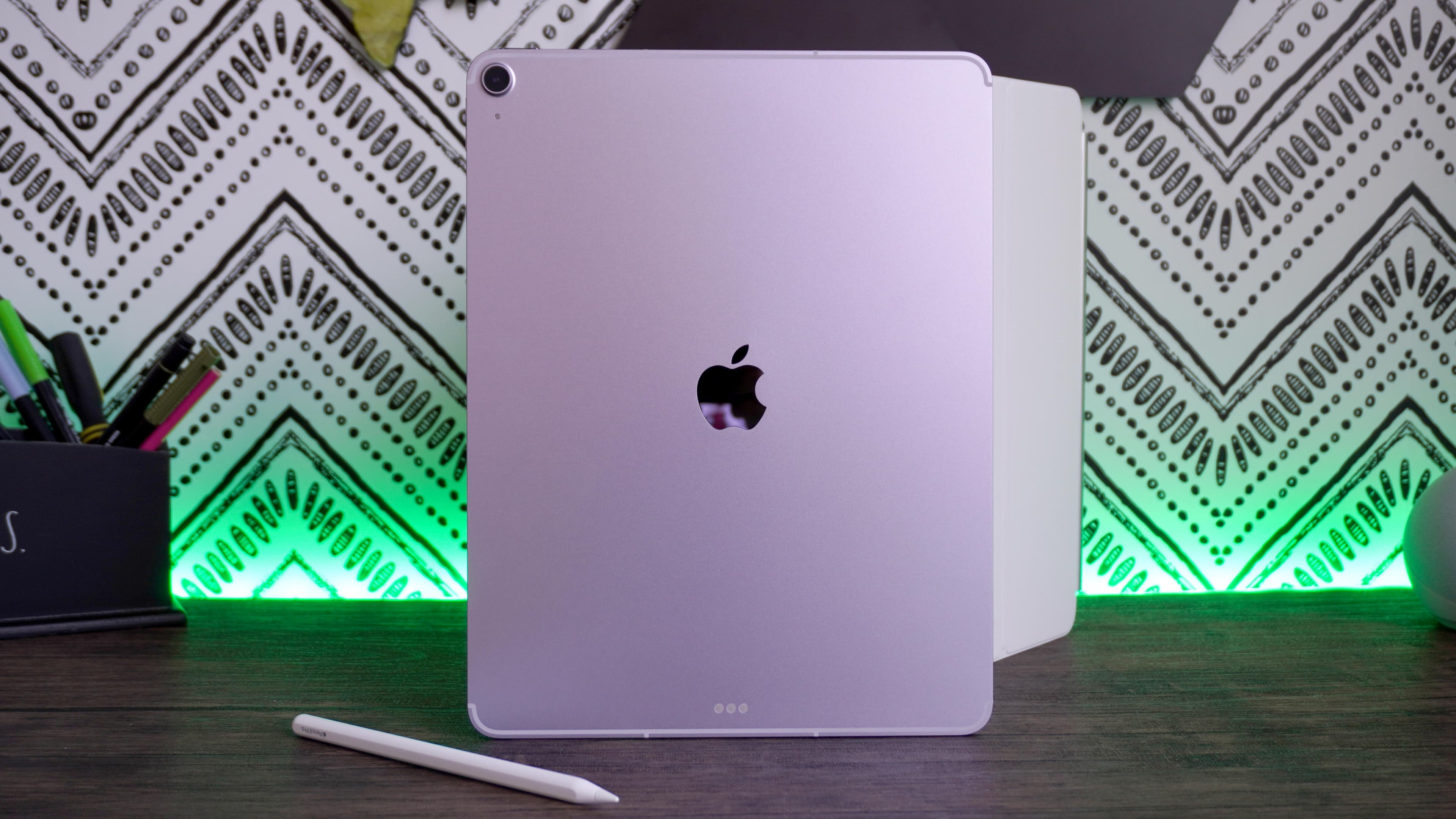
Apple's 11-inch iPad Air (7th generation) earned ZDNET's top recommendation. Its light weight and compatibility with the Apple Pencil Pro make it versatile for both note-taking and broader tablet use. Unlike dedicated e-ink devices, the iPad Air runs the full iPadOS app library, meaning your note-taking tablet doubles as a content consumption device, design tool, or portable workstation.
The tradeoff is screen technology. LCD displays strain eyes more than e-ink during extended writing sessions, and reflections can be distracting outdoors. For users who prioritize the feel of pen on paper over app versatility, the specialized e-ink tablets in this list may be better fits.
How do the tested tablets compare?
ZDNET's list spans eight devices, each targeting a specific use case. The breakdown:
| Tablet | Best For | Key Feature |
|---|---|---|
| Apple iPad Air (7th gen) | Overall note-taking | Apple Pencil Pro support |
| Boox Note Air5 C | Lightweight writing | Color e-ink, portable form factor |
| Amazon Kindle Scribe | Readers who take notes | E-ink display, Kindle ecosystem |
| reMarkable Paper Pro | Premium writing experience | Paper-like feel, distraction-free |
| TCL Nxtpaper 11 Plus | Budget buyers | Low cost, basic note-taking |
| Apple iPad Mini (A17 Pro) | Compact Apple option | Portability, full iPadOS |
| Acer Chromebook Spin 714 | Splurge alternative | Full laptop functionality |
| Kobo Libra Colour | E-reader with notes | Color e-ink, reading-first design |
The Boox Note Air5 C stands out for users who want e-ink with color support. At 10.3 inches, it balances screen real estate with portability better than larger tablets.
What about budget and premium extremes?
The TCL Nxtpaper 11 Plus won the budget category. ZDNET didn't publish specific pricing in this roundup, but TCL positions the Nxtpaper line well below Apple and Samsung flagships. If you need basic note-taking without premium features, it delivers.
At the premium end, the reMarkable Paper Pro targets users who want the closest approximation to actual paper. Its distraction-free interface removes browsers, apps, and notifications entirely. You write. That's it. For executives who find themselves multitasking during meetings instead of focusing, this constraint is a feature.
The Acer Chromebook Spin 714 appears as a "splurge alternative," which is an interesting inclusion. It's a full laptop with touchscreen and stylus support, not a tablet. ZDNET seems to acknowledge that some users would rather have one device that does everything than a dedicated note-taking tool.
Deals currently available
ZDNET highlighted several tablet deals as of their July 21 publication:
- Samsung Galaxy Tab A9 Plus 64GB: $140 (save $80)
- Apple iPad 11-inch 128GB (2025): $274 (save $75)
- Samsung Galaxy Tab S6 Lite 128GB: $230 (save $170)
- Amazon Fire HD 10 32GB: $70 (save $70)
- Amazon Fire Max 11 128GB: $190 (save $90)
Note that ZDNET explicitly states these deals were selected by their commerce team and may not relate directly to their note-taking recommendations. The Galaxy Tab S6 Lite at $230 is worth attention for budget-conscious buyers who want a Samsung ecosystem device with stylus support.
Logicity's Take
The note-taking tablet market has bifurcated. One path leads to versatile tablets like the iPad Air that happen to support styluses. The other leads to purpose-built e-ink devices like reMarkable that sacrifice versatility for focus. For most tech professionals, the iPad Air makes sense because it replaces multiple devices. But if you already have a laptop and phone, a distraction-free writing device might add more value than a third general-purpose screen. The reMarkable Paper Pro starts at $449; the iPad Air at $599. Factor in productivity apps like [ClickUp](https://logicity.in/r/clickup) or [Asana](https://logicity.in/r/asana) that sync handwritten notes to your project management stack, and the iPad's app ecosystem advantage compounds.
Hardware investment context for tech buyers evaluating device spending
Should you buy an e-ink tablet or a regular tablet?
This is the central question the ZDNET list doesn't explicitly answer. Here's a framework:
Choose an e-ink tablet (reMarkable, Kindle Scribe, Boox, Kobo) if you want eye comfort during long writing sessions, prefer a paper-like feel, need multi-hour battery life, or find yourself distracted by notifications and apps. Choose an iPad or Android tablet if you need a multi-purpose device, want access to productivity app ecosystems, require color display, or plan to consume media on the same device.
The Kindle Scribe occupies a middle ground: it's primarily a reading device that added writing capabilities. If you already read on Kindle, the Scribe lets you annotate books and PDFs without switching hardware.
Frequently Asked Questions
Which tablet has the best handwriting feel?
The reMarkable Paper Pro is designed specifically for a paper-like writing experience. Its e-ink display and textured surface minimize the plastic-on-glass feel of traditional tablets.
Can I use these tablets for more than note-taking?
The iPad Air and iPad Mini run full iPadOS apps, making them general-purpose devices. E-ink tablets like reMarkable are intentionally limited to writing and reading.
Do I need to buy a stylus separately?
It varies. The reMarkable Paper Pro includes a stylus. Apple requires a separate Apple Pencil purchase. Check each product's included accessories before buying.
What's the cheapest option that still works well?
ZDNET recommends the TCL Nxtpaper 11 Plus as the budget pick. Amazon Fire tablets in the deals section also offer low-cost stylus support.
How do these tablets sync notes across devices?
Most tablets sync via cloud services. iPads use iCloud. reMarkable has its own cloud subscription. Kindle Scribe syncs through Amazon's ecosystem. Third-party apps can expand sync options.
AI developments shaping future tablet features and note-taking automation
Need Help Implementing This?
Choosing the right tablet depends on your workflow. If you're evaluating note-taking tools for a team, consider how devices will integrate with existing project management and collaboration platforms. Reach out to Logicity for guidance on building a connected productivity stack.
Source: Latest news
Manaal Khan
Tech & Innovation Writer
Produced with AI assistance and reviewed by the Logicity editorial team. Learn more in our Editorial Policy.