Key Takeaways

- Lambda MicroVMs provide VM-level isolation with near-instant startup, solving the container-vs-VM tradeoff for running untrusted code
- Built on Firecracker, the same tech powering 15+ trillion monthly Lambda invocations
- MicroVMs retain memory and disk state across sessions, auto-suspend when idle, and resume on demand
AWS Lambda now lets you spin up isolated virtual machines that launch in milliseconds, retain state across sessions, and pause when idle. Lambda MicroVMs, announced today, target a specific problem: safely running code you did not write, whether that code comes from AI agents, end users, or third-party plugins.
The feature runs on Firecracker, the lightweight VMM that AWS open-sourced in 2018 and already uses to power over 15 trillion monthly Lambda function invocations. That is not a typo. Fifteen trillion.
What problem does this solve?
Running untrusted code at scale forces a bad choice. Traditional VMs offer strong isolation but take minutes to boot. Containers start in seconds, but their shared-kernel design requires serious hardening to contain malicious payloads. Standard Lambda functions, optimized for event-driven request-response, do not preserve state between invocations, making them awkward for interactive sessions.
Teams building AI coding assistants, browser-based IDEs, data analytics sandboxes, or game servers with user scripts have been stuck either accepting tradeoffs or building custom virtualization infrastructure. That second path demands deep expertise and pulls engineers away from the actual product.
Lambda MicroVMs address this gap directly. Each MicroVM gives one user or session its own isolated environment. It launches fast, keeps memory and disk state for the session's duration, and suspends to a lower-cost idle state when the user stops interacting.
How the workflow works
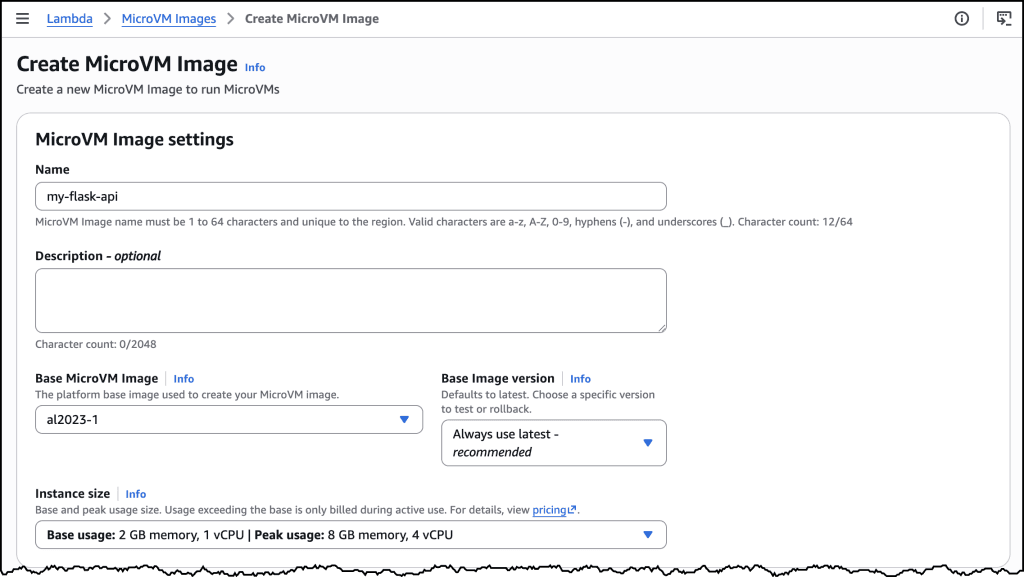
You start by creating a MicroVM Image. Package your application, a Dockerfile based on the provided base image, and upload the zip to S3. AWS retrieves the artifact, runs the Dockerfile, initializes the app, and takes a Firecracker snapshot of the running disk and memory. Build logs stream to CloudWatch in real time.
aws lambda-microvms create-microvm-image \
  --code-artifact uri=<path/to/s3/artifact.zip> \
  --name <VM_image_name> \
  --base-image-arn arn:aws:lambda:us-east-1:aws:microvm-image:al2023-1 \
  --build-role-arn <IAM role ARN>
Once the image is ready, launching a MicroVM takes one API call. Pass the image ARN, an execution role, and an idle policy. The policy in AWS's example auto-suspends after 15 minutes of inactivity and auto-resumes on the next request.
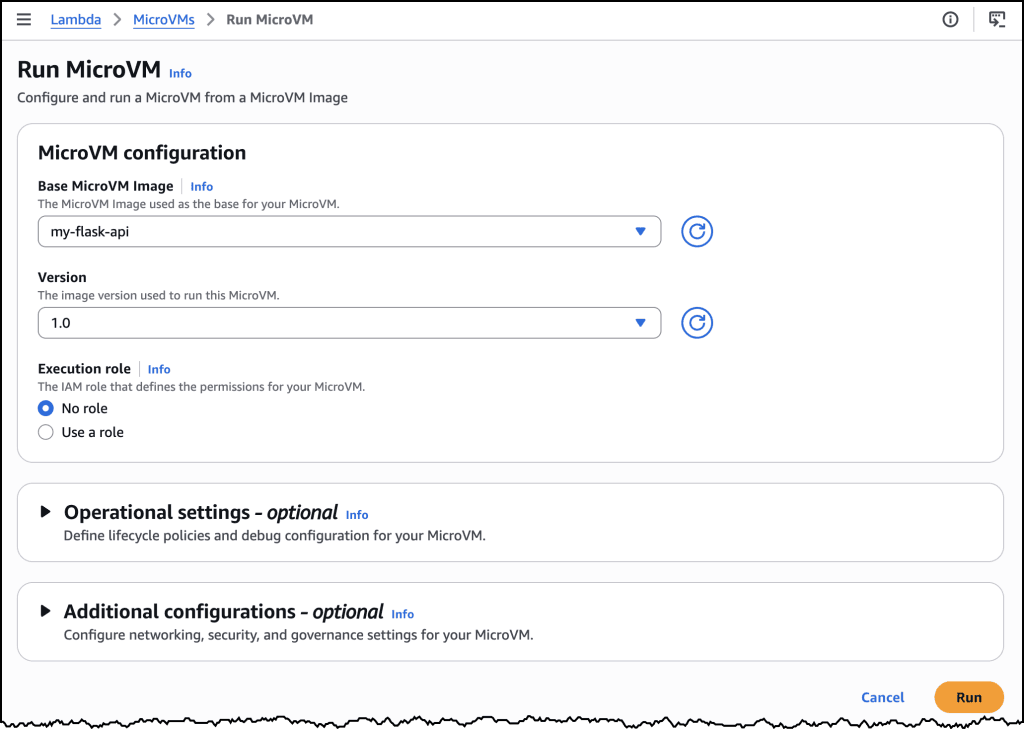
aws lambda-microvms run-microvm \
  --image-identifier arn:aws:lambda:<region>:<acct>:microvm-image:my-image \
  --execution-role-arn arn:aws:iam::<acct>:role/MicroVMExecutionRole \
  --idle-policy '{"maxIdleDurationSeconds":900,"suspendedDurationSeconds":300,"autoResumeEnabled":true}'
No networking setup is required. Lambda assigns the MicroVM a unique ID, returns a dedicated endpoint URL, and starts the VM from the snapshot. Your application is already running the moment launch completes.
Why Firecracker matters here
Firecracker boots microVMs in under 125 milliseconds with a memory footprint around 5MB per instance. Those numbers come from years of production at Lambda and Fargate scale. AWS is not introducing new virtualization tech. They are exposing the same stack that has been running for years, now with direct lifecycle control.
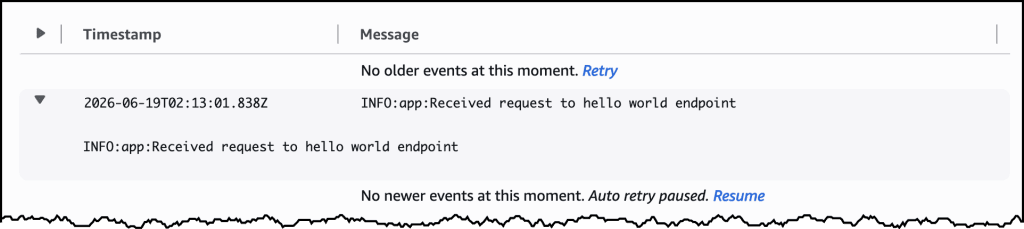
The difference from regular Lambda functions: MicroVMs are stateful. State persists across requests within a session. When the user leaves, the VM suspends rather than terminates, preserving memory and disk. When they return, it resumes from that snapshot instead of cold-starting.
Who should care
If you are building anything that executes code from sources you do not fully control, this is relevant. Specific use cases AWS highlights: AI coding assistants that need to run generated code, interactive notebook environments, vulnerability scanners, data pipelines with user-defined transformations, and multiplayer game servers running player scripts.
The value is clearest for teams that would otherwise build custom sandboxing. Instead of maintaining your own Firecracker deployment or bolting hardening layers onto containers, you get the isolation as a managed primitive.
Logicity's Take
Lambda MicroVMs fill a genuine gap, but pricing will determine adoption. AWS has not published rates yet. If costs approach EC2 instance-hours, teams may stick with their existing container hardening. If pricing resembles Lambda's per-invocation model with idle-state discounts, this becomes attractive for bursty workloads with long tail sessions. For comparison, Google Cloud Run and Azure Container Apps offer fast-starting containers but lack the VM-level isolation Firecracker provides. Fly.io offers Firecracker-based VMs with similar instant-resume semantics, so watch that space for competitive pricing pressure.
Availability
Lambda MicroVMs are available starting today. AWS's documentation shows us-east-1 support in the examples, though region availability may expand. The feature works via CLI, SDK, or the Lambda console.
Frequently Asked Questions
How do Lambda MicroVMs differ from regular Lambda functions?
Regular Lambda functions are stateless and optimized for short-lived, event-driven execution. MicroVMs retain memory and disk state across requests within a session and can suspend to save cost when idle.
What isolation does a Lambda MicroVM provide?
Each MicroVM runs in its own Firecracker virtual machine with hardware-level isolation via KVM, the same isolation boundary used by EC2 instances.
Can Lambda MicroVMs run any Docker image?
You must use AWS's provided base image (currently al2023-minimal). Your Dockerfile extends this base and adds your application code.
How fast do Lambda MicroVMs start?
They resume from a pre-initialized snapshot, so startup does not include application boot time. Firecracker microVMs historically launch in under 125ms.
What happens when a MicroVM is suspended?
Memory and disk state are preserved. When the next request arrives, the VM resumes from that exact state rather than cold-starting.
Need Help Implementing This?
If your team is evaluating Lambda MicroVMs for AI code execution, user sandboxing, or interactive environments, reach out to our consulting partners at hello@logicity.in for architecture guidance.
Source: AWS News Blog
Huma Shazia
Senior AI & Tech Writer
Produced with AI assistance and reviewed by the Logicity editorial team. Learn more in our Editorial Policy.