Key Takeaways
- Ask to Browse restricts website access across iPhone, iPad, and Mac Safari, on by default for kids under 13
- Screen Time now offers expert-backed time allowances for three app categories: Entertainment, Games, and Social Media
- Parents can block violent or gory media in text messages, expanding on existing nudity-blocking features
Apple used its Worldwide Developers Conference to announce a complete redesign of its parental control tools. The company is betting that parents want more precision, not just more limits, when managing their children's iPhone use.
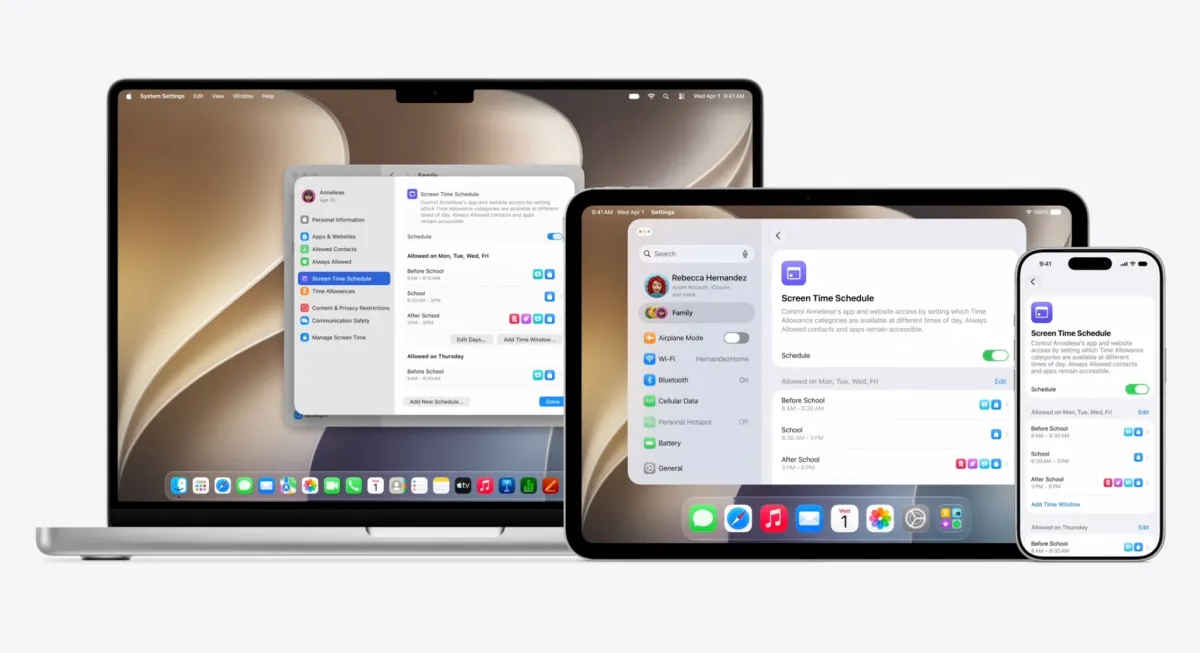
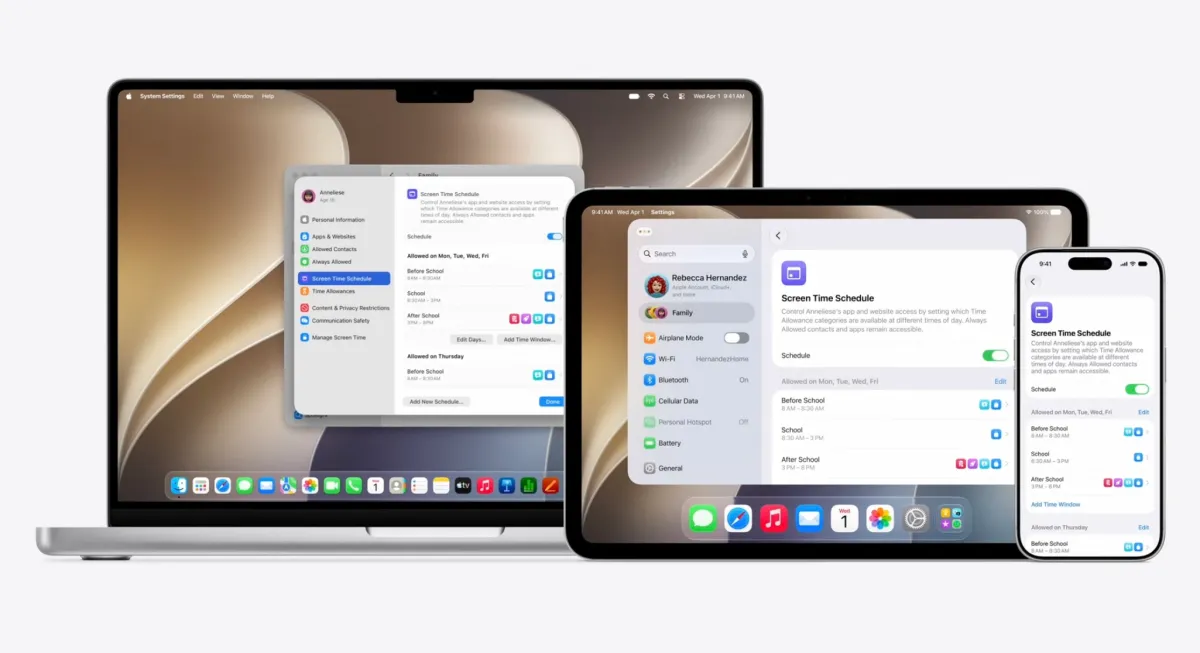
The updated Screen Time controls in iOS 27 include a new feature called Ask to Browse, which restricts website access across iPhone, iPad, and Mac. Parents can now block violent media in text messages. And for the first time, Apple is offering time allowances based on expert recommendations from the American Academy of Pediatrics.
“We believe parents deserve the tools to guide their children's digital journey, making the iPhone a safe space for exploration rather than just consumption.”
— Tim Cook, CEO at Apple
Ask to Browse Closes the Website Loophole
Kids have long used websites to work around app-based parental controls. Want to access TikTok when the app is blocked? Just open Safari and go to the website. Apple's new Ask to Browse feature closes that gap.
The feature is on by default for children under 13, along with Ask to Buy for apps and games. Parents can control which specific websites their kids can visit. When a child tries to access a blocked site, they'll need to request permission first.
Ask to Browse works across Apple's ecosystem. If you block a website on your child's iPhone, it's also blocked on their iPad and Mac when using Safari. This cross-device consistency was a frequent request from parents managing multiple Apple devices.
Expert-Backed Time Allowances by Category
The previous Screen Time system let parents set overall limits or restrict specific apps. iOS 27 adds a middle layer: category-based time allowances for Entertainment, Games, and Social Media.
Apple consulted with the American Academy of Pediatrics to set initial recommendations based on a child's age. A 10-year-old might get different default limits than a 15-year-old. Parents can adjust these recommendations, but the expert-backed starting point removes some of the guesswork.
The existing scheduling features remain. Parents can still limit social media during school hours while allowing it on weekends. What's new is the ability to set separate daily allowances for each of the three categories.
Blocking Violent Media in Texts
Apple already offered a feature to block potential nudity in text messages. iOS 27 expands this to include gore and violence. When the feature is enabled, incoming images that may contain violent content are blurred until a parent reviews them.
This addresses a real concern. Kids share media constantly, and not all of it is appropriate. A single graphic image forwarded through a group chat can expose a child to content their parents would rather they didn't see.
Smart App Suggestions for New Devices
When setting up a new device for a child, Apple now offers smart app suggestions. Parents can choose to give their child access to only essentials, or pick specific apps from a curated list.
This makes particular sense for younger kids getting their first iPhone. A 10-year-old probably doesn't need access to every social app available. Parents can start with a restricted set and add more apps as the child gets older.
Apple will also tailor initial safeguards based on the child's age. Younger children get stricter defaults: adult websites blocked, age-appropriate media only, and App Store restrictions based on age ratings.
Contact Management Gets an Upgrade
Parents can now control which contacts their child can add. This prevents kids from adding strangers or unknown numbers to their contact list without parental awareness.
Combined with the existing communication limits in Screen Time, this gives parents a fairly complete picture of who their child is talking to and when.
Why This Matters Now
These updates arrive as concerns about technology's impact on children's mental health have reached a peak. New laws and regulations in multiple states are attempting to limit kids' access to social media. Parents are demanding better tools from device makers.
Apple's response is to offer more control, not less access. The philosophy seems to be that parents should decide what's appropriate for their own children, and Apple should give them the tools to enforce those decisions.
Community Reaction
Discussion on Reddit's r/apple and Hacker News has been largely positive. Parents praised Ask to Browse as a practical solution to accidental exposure. The expert-backed time allowances were welcomed as a helpful starting point for families unsure how much screen time is appropriate.
Some power users expressed concern about the growing complexity of the Settings app. Others worried that these tools could enable "over-parenting" if used too restrictively. But most agreed that having the option is better than not having it.
Logicity's Take
Frequently Asked Questions
When will Apple's new parental controls be available?
The new Screen Time features will arrive with iOS 27, which was announced at WWDC 2026. A public release typically follows in September.
Does Ask to Browse work on all browsers or just Safari?
Apple noted that Ask to Browse works with Safari across iPhone, iPad, and Mac. Third-party browsers may have different behavior depending on how they integrate with Screen Time.
Can kids under 13 turn off Ask to Browse themselves?
No. Ask to Browse and Ask to Buy are on by default for kids under 13 and require parental authentication to disable.
What age groups do the expert-backed time allowances cover?
Apple said it consulted with the American Academy of Pediatrics to set recommendations based on a child's age, though specific age brackets weren't detailed in the announcement.
Will these features work on older iPhones?
The features will be available on any device that supports iOS 27. Apple typically announces device compatibility closer to the public release.
Full coverage of Apple's WWDC 2026 announcements including the new Siri integration
Need Help Implementing This?
Source: TechCrunch / Sarah Perez
How to Access the iOS 27 Developer Beta and Siri AI
The new article provides actionable information regarding the availability of the iOS 27 developer beta, including instructions on how to access it and important warnings about potential instability. It also clarifies the rollout timeline, noting that the public beta is expected in July with a stable release in September, and specifies that while the beta supports iPhones back to the iPhone 11, the new Siri AI features are restricted to the iPhone 15 Pro and later models.
Manaal Khan
Tech & Innovation Writer
Produced with AI assistance and reviewed by the Logicity editorial team. Learn more in our Editorial Policy.