Android Auto offline mode outperformed mobile data in two specific ways during a real road trip: zero latency when cellular coverage vanished, and measurably lower phone temperatures throughout the drive. The tradeoff is losing real-time traffic updates and voice assistant queries. For anyone who regularly drives through dead zones or worries about phone overheating on long trips, the findings point to a preparation strategy worth considering.
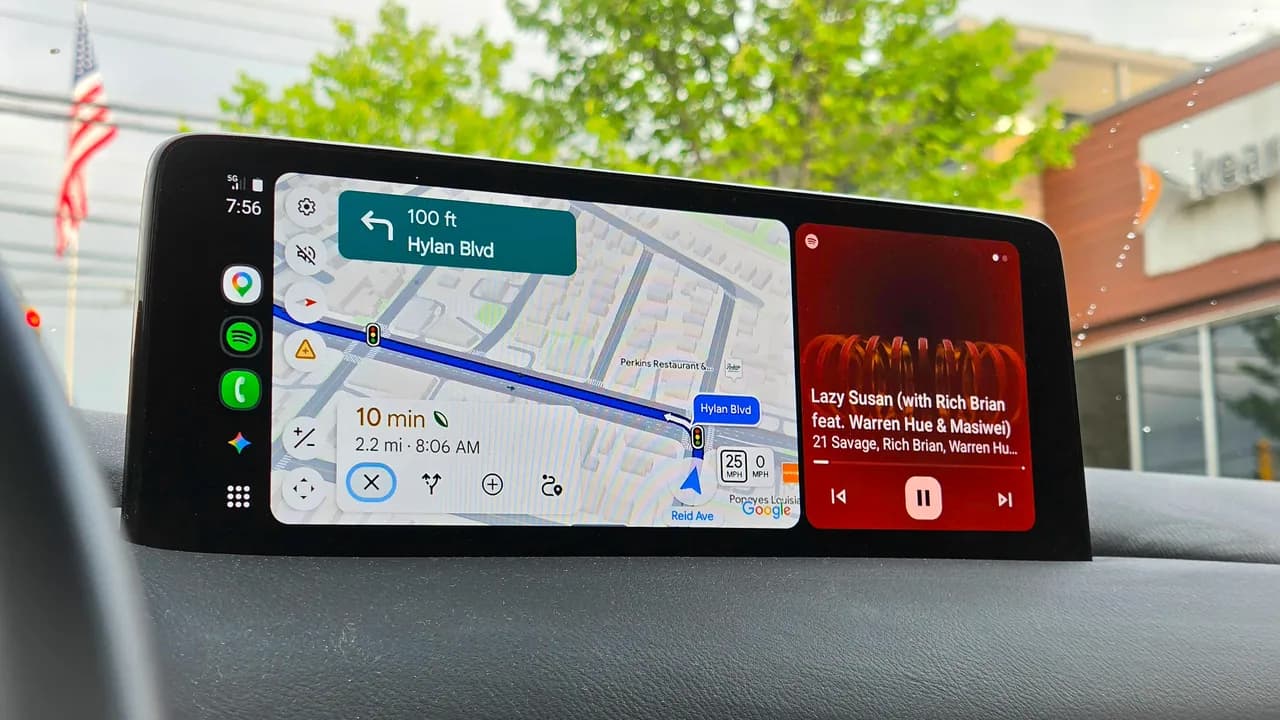
Kerry Wan, a senior contributing editor at ZDNet, tested offline Android Auto during a two-and-a-half-hour drive from the tri-state area to Catskill, New York in late July 2026. His approach: phones tucked away, notifications disabled, and navigation running entirely on predownloaded maps. The experiment followed an earlier trip through Western desert valleys where spotty coverage caused problems.
Why dead zones stopped mattering
Android Auto Problems in 2026? Here’s How to Fix Them FAST!
The primary advantage is simple: predownloaded Google Maps still provide turn-by-turn directions when your phone shows zero bars. This is not a partial solution. Offline maps still calculate multiple routes, account for toll passes, and handle reroutes. Wan downloaded only the second half of his route, covering unfamiliar territory plus restaurants and gas stations along the way.
Google Maps offline storage typically requires around 2 GB for a state or regional download. That is a reasonable ask given most phones ship with 128 GB or more. The catch is remembering to download before you leave, and knowing which areas will have coverage gaps.
The navigation itself worked without hiccups. No questionable reroute suggestions, no frozen screens, no "searching for signal" delays. The system behaved as if it had full connectivity, minus two features.
What you actually lose without data
Traffic reports vanish. An accident along the FDR Drive added 30 minutes to Wan's trip because offline mode cannot pull real-time congestion data. For commuters who rely on traffic rerouting, this is a significant gap. For weekend trips through rural areas where traffic rarely matters, it is irrelevant.
Voice assistant functionality also disappears. No asking Gemini for nearby restaurant recommendations. No scanning menus. No hands-free web queries. Wan framed this as having "its own charm," but for drivers who depend on voice commands to stay eyes-on-road, it is a genuine reduction in safety features.
The thermal argument is more interesting
Android Auto and CarPlay push phones hard. Constant GPS scanning, cellular network searching, audio streaming, and sunlight exposure combine to raise internal temperatures. Add wireless charging, and phones frequently thermal throttle mid-drive. The result: sluggish navigation, laggy audio, and sometimes forced shutdowns.
Running offline cuts the processing load substantially. Cellular radio stays quiet. Streaming stops. The phone does local playback of predownloaded music and podcasts instead of pulling high-quality streams. Wan reported a cooler phone and smoother overall Android Auto performance.
This matters more than it sounds. Over a multi-hour drive, accumulated heat degrades battery health. Over months of daily commutes, that degradation compounds. A phone that runs 10-15 degrees cooler every day will last longer.
The notification silence is a feature
Going offline also eliminated text messages, email alerts, and map pings. For drivers who struggle with notification discipline, airplane mode is a forcing function. Wan described it as allowing more focus on surroundings and discovering new places without algorithmic guidance.
This is not an argument for abandoning connectivity permanently. But for specific trips where you want fewer distractions, offline mode delivers that without requiring willpower. The phone cannot tempt you with notifications because it cannot receive them.
Logicity's Take
The thermal benefits are undersold here. Anyone managing a fleet of drivers using personal phones for navigation should consider offline mode as a device longevity strategy. Over a year of daily use, cooler operating temperatures could meaningfully extend phone replacement cycles. For individual users, the calculus is simpler: if you drive through areas with spotty coverage more than once a month, spending five minutes downloading maps before leaving is cheap insurance against a blank screen when you need directions most.
When offline Android Auto makes sense
Three scenarios justify the preparation overhead. First, any route that passes through known dead zones. Second, long drives where phone overheating has been a recurring problem. Third, trips where you genuinely want to disconnect from notifications and rely on local knowledge rather than algorithmic recommendations.
For daily commutes on familiar routes with solid coverage, the benefits shrink. Traffic updates matter more in congested urban areas. Voice assistant access is more valuable when you cannot safely touch the screen. The tradeoff tilts back toward staying connected.
Wan's conclusion was measured: he will not switch to airplane mode for his regular commute, but knowing that Android Auto functions well offline provides confidence for out-of-state trips where coverage is unpredictable. The preparation required is minimal. Download maps, download playlists, and the system handles the rest.
The broader implication is that Google has built offline functionality robust enough to be genuinely useful, not just a fallback. That is worth knowing before you hit the road, not after your phone loses signal in the middle of nowhere.
Need Help Implementing This?
Logicity helps teams make better technology decisions. If you're evaluating mobile workflows, fleet management tools, or connectivity strategies, reach out — we can help you think through the tradeoffs.
Source: Latest news
Huma Shazia
Senior AI & Tech Writer
Produced with AI assistance and reviewed by the Logicity editorial team. Learn more in our Editorial Policy.