Key Takeaways
- Amazon offers 60,000+ free ebooks but doesn't provide a complete list in one place
- Library apps like Libby let you borrow ebooks directly to your Kindle at no cost
- Community 'Stuff Your Kindle' events make 2,000+ paid books free simultaneously
The Hidden Free Book Problem
Amazon has over 60,000 free ebooks available on any given day. The problem? The company doesn't offer a complete list. Finding free books on Kindle has become, as one writer puts it, 'a dark art.' Even Amazon's own 'Free Kindle Books' section shows only a fraction of what's actually available.
The good news is that several reliable methods exist for filling your Kindle without spending money. Some require a Prime subscription. Others are completely free. A few only work on specific days. Here's how each one works.
1. Amazon's Top 100 Free Lists
The most straightforward approach is Amazon's Top 100 Best Sellers lists, updated hourly. These show the most-downloaded free ebooks at any moment. What many readers miss: you can filter these lists by category using the sidebar. Want free occult horror? Free books on horticulture? The filters exist.
A simpler but messier option is searching 'Kindle free books' on Amazon and sorting by price. Adding genre keywords narrows results, but the system remains clunky. Most experienced Kindle users skip this method entirely.
2. Prime Reading and Amazon First Reads
Amazon Prime subscribers get two book programs included with their membership. Prime Reading offers a rotating catalog of over 1,000 books, magazines, and comics. You can borrow up to 10 titles at a time. The selection is smaller than Kindle Unlimited but costs nothing extra.
Amazon First Reads gives Prime members early access to two editors' picks each month. These are typically new releases that would otherwise cost full price. Not a massive library, but two free new books monthly adds up.
3. Stuff Your Kindle Events
Community-organized 'Stuff Your Kindle' events have become a phenomenon among ebook enthusiasts. During these events, authors and publishers temporarily make their paid books free. A single event can feature 2,000+ titles available at no cost simultaneously.

These events happen several times per year. The r/FreeEBOOKS subreddit and various book deal newsletters typically announce them in advance. The catch: they last only a few days, and you need to know they're happening.
4. Your Local Library via Libby
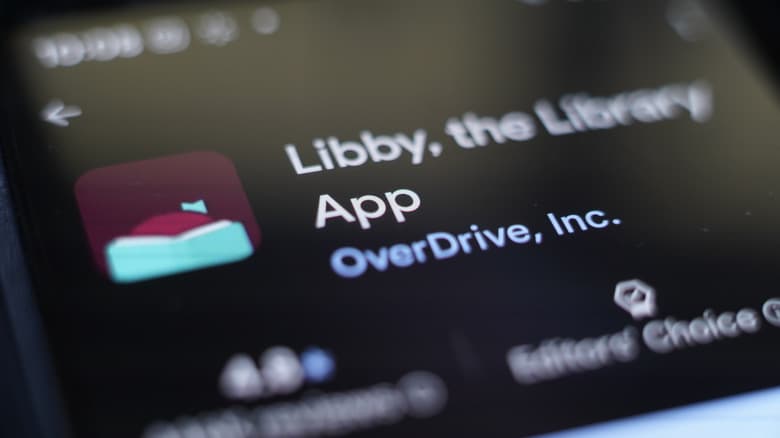
The most underused free book source is one most people already have access to: their public library. The Libby app connects your library card to your Kindle, letting you borrow ebooks directly. Popular titles may have waitlists, but the catalog is often surprisingly deep.
Setup takes about five minutes. You'll need your library card number and the Libby app. Borrowed books appear in your Kindle library like any purchased title and automatically return when the lending period ends.
5. Standard Ebooks and Public Domain Repositories
For classics and public domain works, online communities consistently recommend Standard Ebooks over other sources. The site offers professionally formatted, DRM-free versions of classic literature. Enthusiasts on Reddit and Hacker News note that Standard Ebooks files provide a far better reading experience than the often poorly formatted public domain files found elsewhere.
Project Gutenberg and similar repositories also offer thousands of public domain titles. Quality varies more widely, but the selection is massive.
6. Book Deal Tracking Services
Services like BookBub and EreaderIQ track when paid books temporarily become free. Rather than browsing Amazon's store directly, these tools filter out low-quality content and alert you to worthwhile deals. BookBub sends daily emails based on your genre preferences. EreaderIQ lets you set price alerts for specific titles.
Reddit and Hacker News communities frequently recommend these discovery tools over manual Amazon browsing. The Amazon store is full of low-quality 'filler' content mixed with legitimate free books. Tracking services separate the two.
Logicity's Take
What About Kindle Unlimited?
Kindle Unlimited costs $11.99 per month and offers access to over 5 million titles. For voracious readers, it can be worthwhile. But Amazon frequently offers free trial periods, and the methods above can satisfy most reading habits without the subscription.
“Knowledge aloof from people, locked shut behind paywall, bears no significance in society, holds no worth whatsoever.”
— Abhijit Naskar, Author
The decision depends on reading volume and genre preferences. Someone reading 10+ books monthly in genres well-represented on Kindle Unlimited may find it worthwhile. Occasional readers can likely get by on free sources alone.
Frequently Asked Questions
How many free books are available on Kindle?
Amazon has over 60,000 free ebooks available at any given time, though they don't provide a complete list. The actual number fluctuates as books cycle in and out of free promotions.
Can I borrow library books on my Kindle?
Yes. The Libby app connects your public library card to your Kindle account. Borrowed ebooks appear in your Kindle library and automatically return when due.
What is a Stuff Your Kindle event?
These are community-organized events where authors and publishers temporarily make their paid books free. A single event can feature 2,000+ titles. They happen several times per year and typically last a few days.
Is Prime Reading the same as Kindle Unlimited?
No. Prime Reading is included with Amazon Prime and offers a rotating selection of about 1,000 titles. Kindle Unlimited costs $11.99 monthly and has over 5 million titles.
Where can I find well-formatted free classics?
Standard Ebooks offers professionally formatted, DRM-free versions of public domain classics. The quality is notably better than many other free sources.
Need Help Implementing This?
Source: Engadget
Manaal Khan
Tech & Innovation Writer
Produced with AI assistance and reviewed by the Logicity editorial team. Learn more in our Editorial Policy.



