Key Takeaways
- Free 3D print files on Makerworld can replace store-bought Switch accessories
- Ergonomic grips solve the problem of tiny Joy-Con controllers for larger hands
- A Zelda Bokoblin chest design holds up to 15 game cartridges
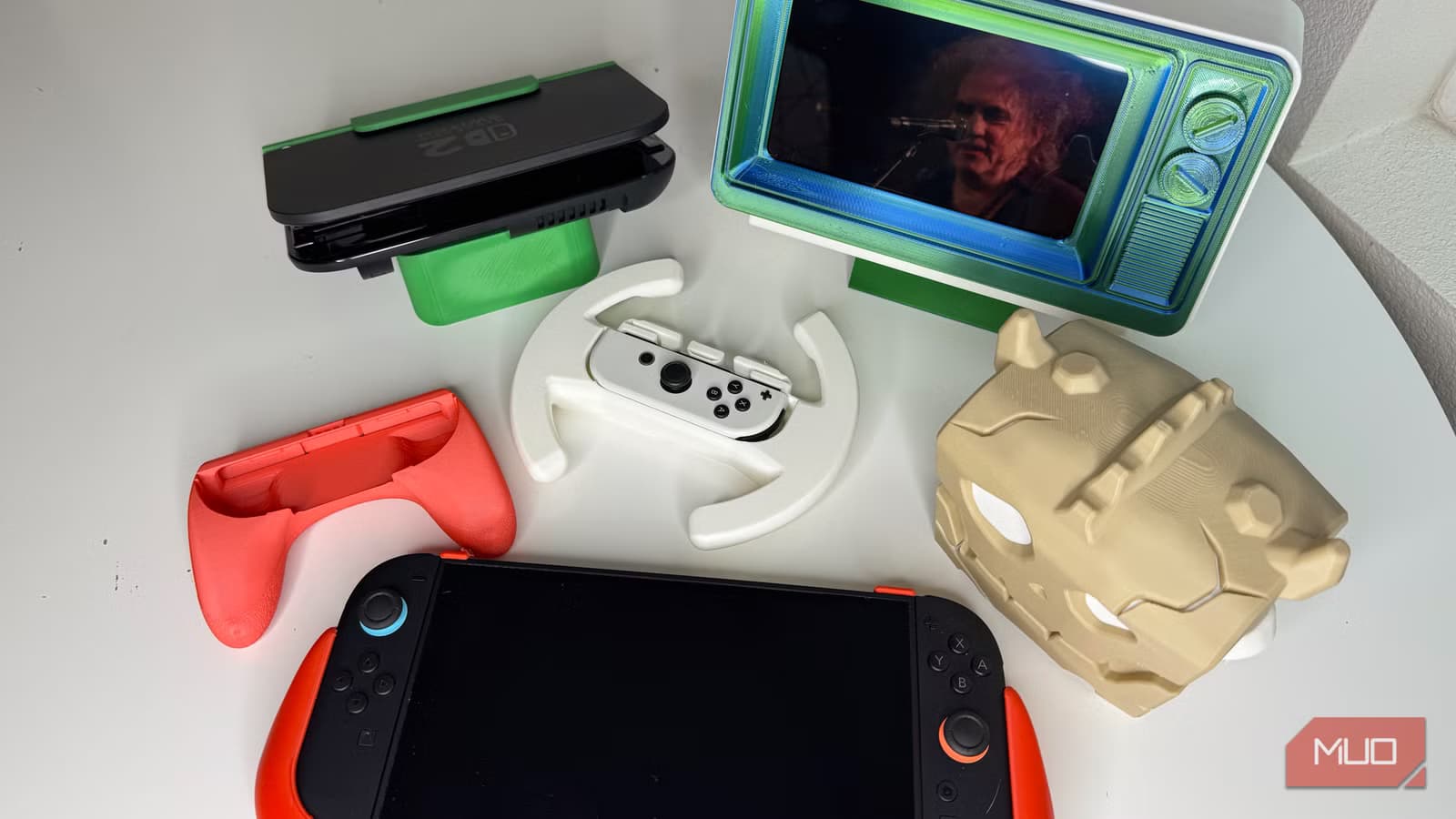
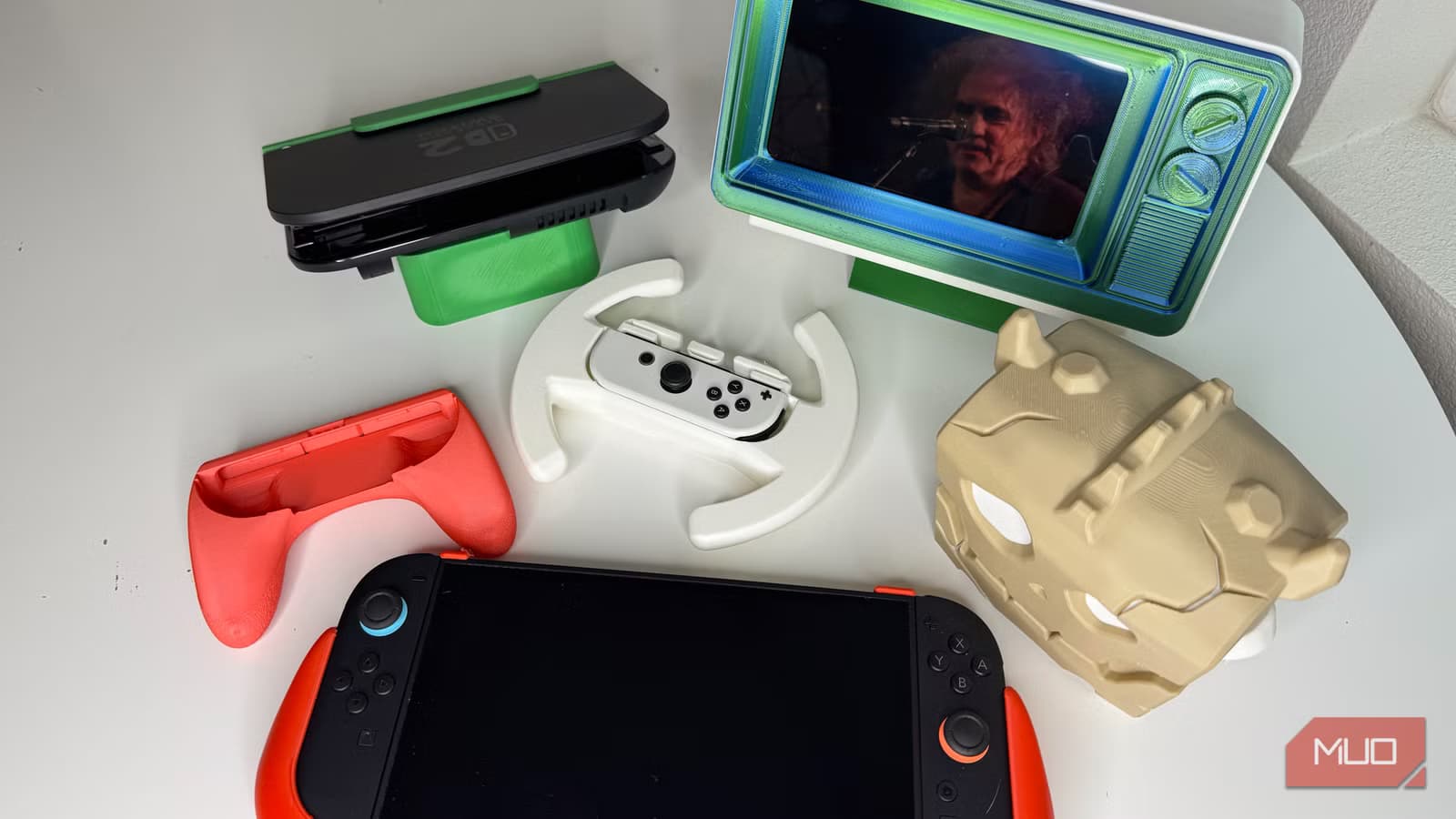
If you own a 3D printer and a Nintendo Switch, you're sitting on a goldmine of free accessories. Rob LeFebvre, a tech writer and 3D printing enthusiast, recently shared his favorite functional prints that genuinely improve the Switch experience. No gimmicks. No decorative trinkets. Just useful stuff.
LeFebvre tested six free designs from Makerworld, a repository popular with Bambulab printer owners. Each one solves a real problem: holding game cartridges, making tiny controllers comfortable, or just adding some fun to gaming sessions. Here's what he found.
Zelda Bokoblin Chest Game Holder
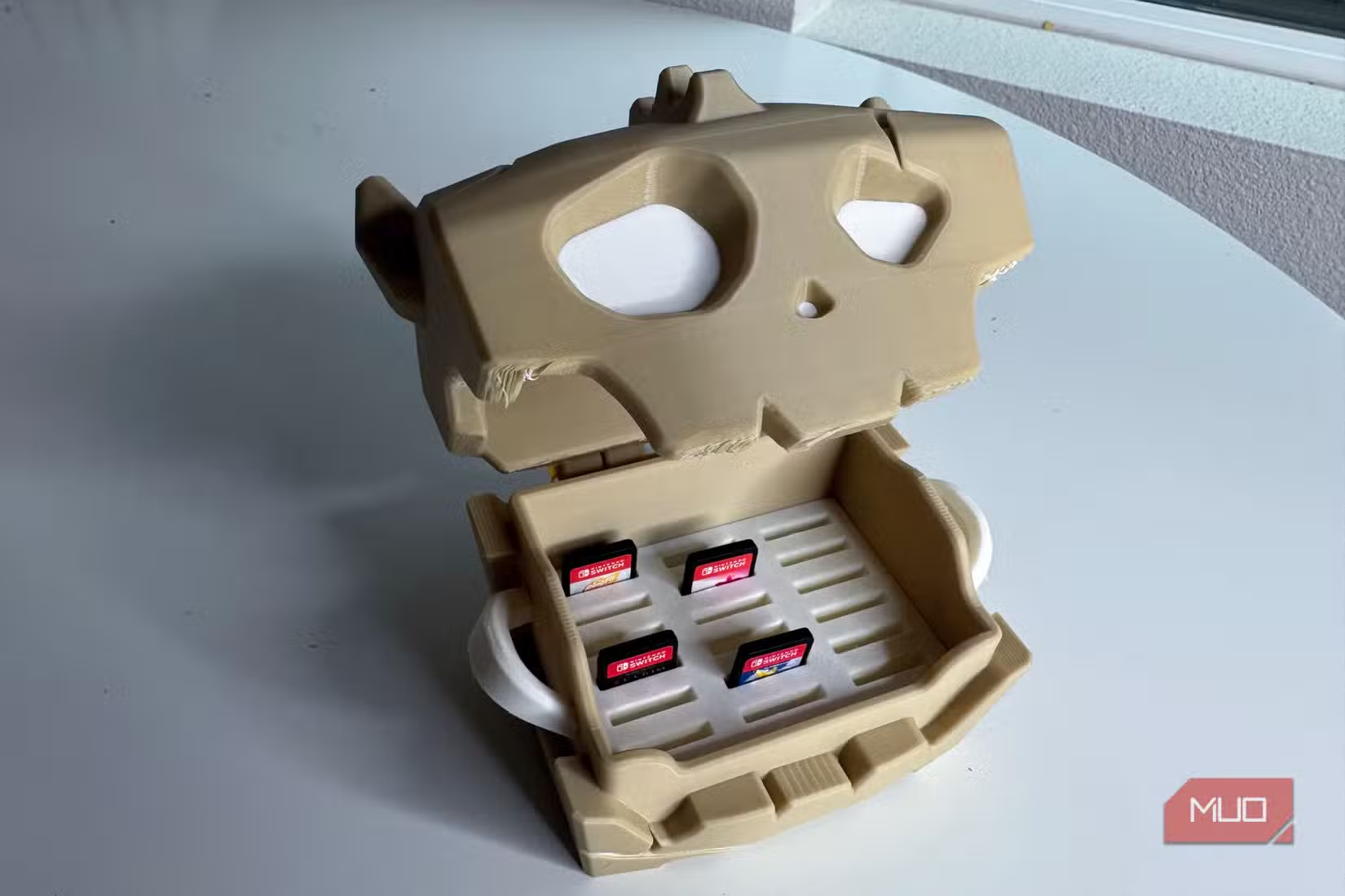
The first print is a game cartridge holder shaped like a Bokoblin chest from The Legend of Zelda: Breath of the Wild. It holds up to 15 game cartridges, which is plenty for most collections since so many Switch games are digital now.
The design supports two-color printing. LeFebvre used bone-colored filament for the exterior and white for the eyes, skipping the purple that would simulate the chest's glowing eyes in the game. The result looks clean on a shelf while keeping physical games organized.
Joy-Con Controller Grip for Switch 2
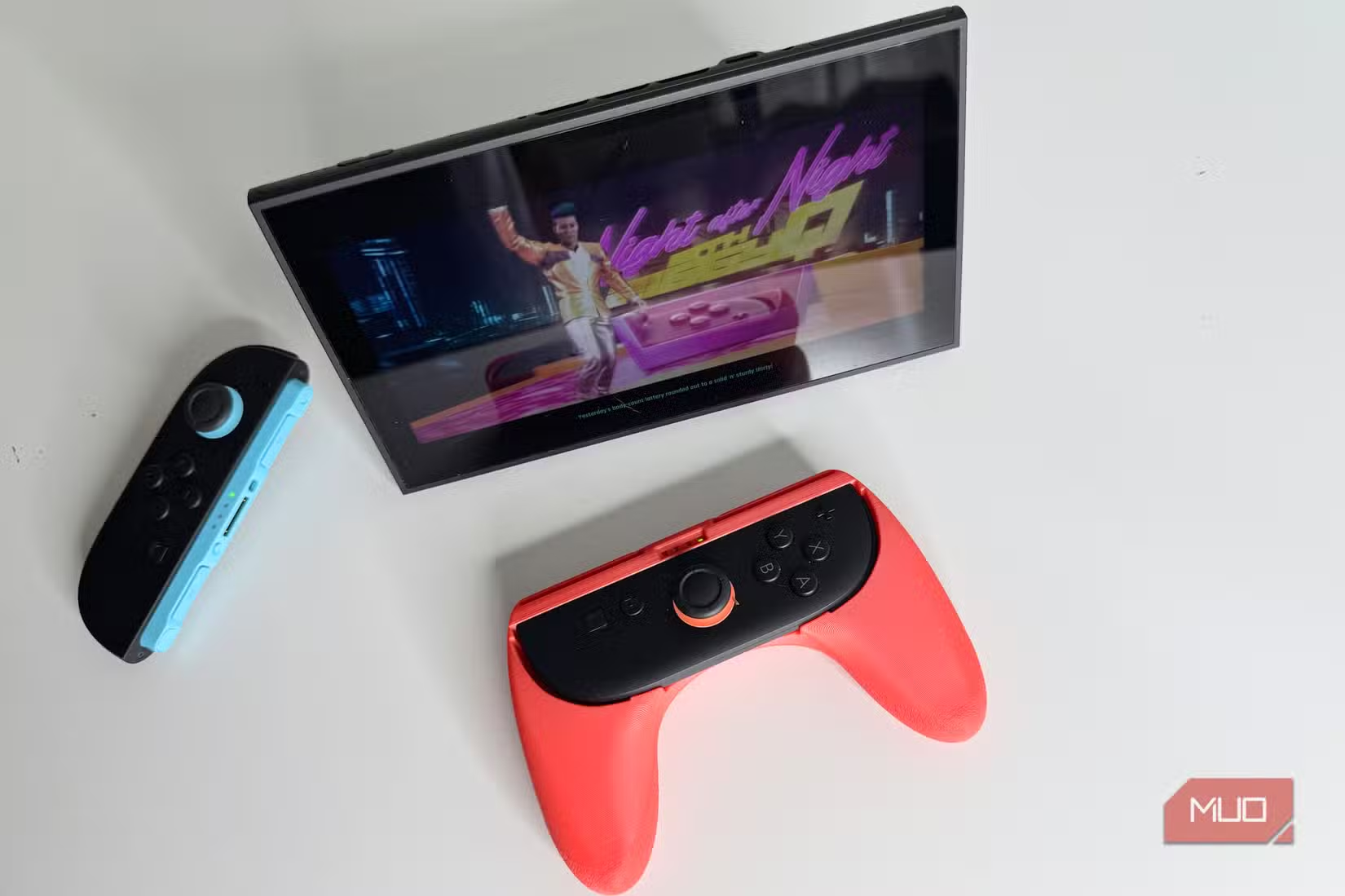
Here's a problem anyone with larger hands knows: Joy-Con controllers are tiny. Holding them horizontally for certain games is uncomfortable at best, painful at worst.
This controller grip solves that problem. It wraps around a single Joy-Con and includes extended buttons on top that press the small shoulder buttons. LeFebvre printed his in red to match the Switch color scheme, and the controller snaps right in. He plans to print a second in blue for the other Joy-Con.
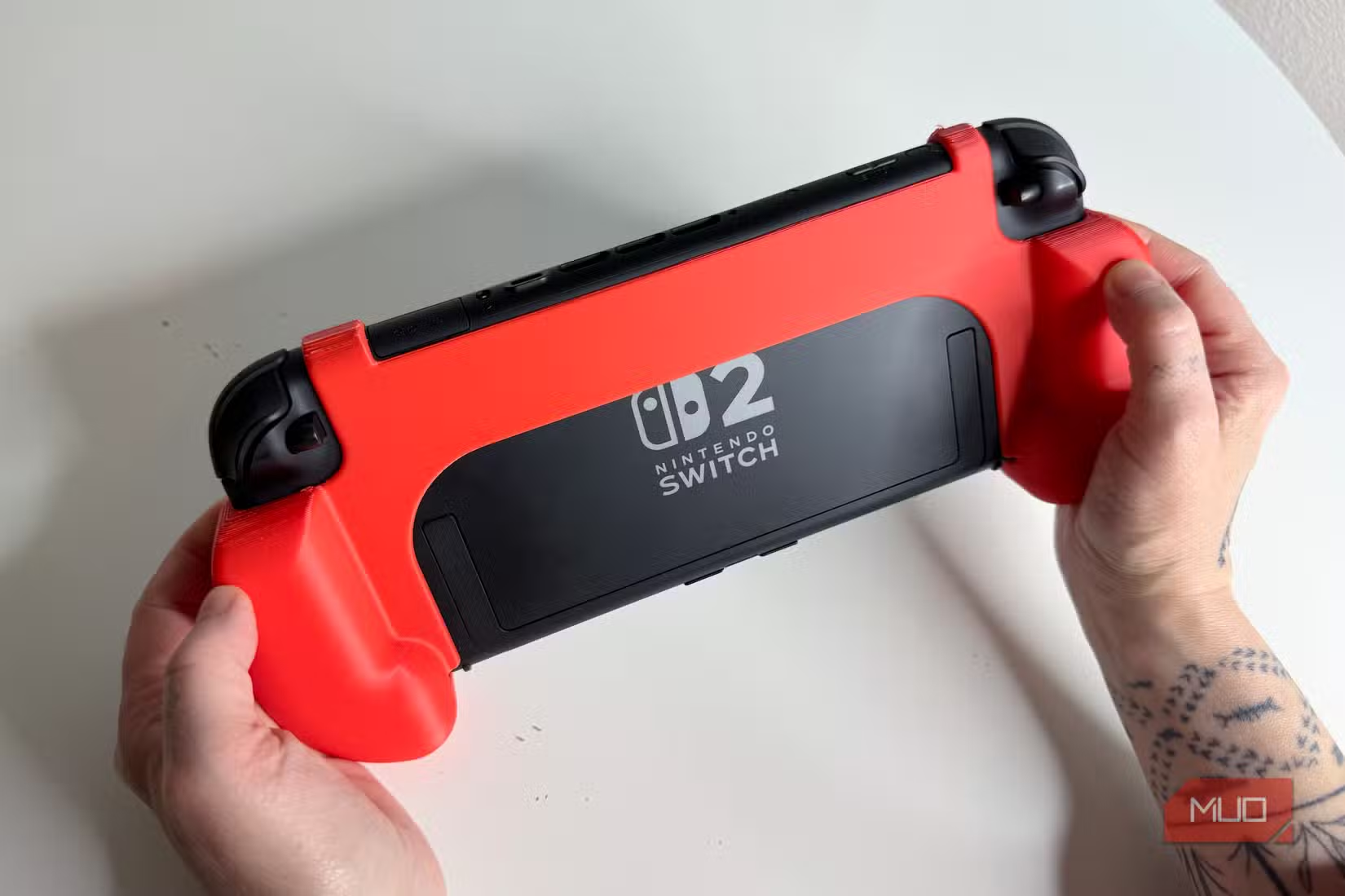
Ergonomic Grip for the Switch 2 Console
The Joy-Cons aren't the only ergonomic weak point. The Switch 2 console itself can be uncomfortable during long handheld sessions. LeFebvre printed an ergonomic grip for his son's Switch 2 that attaches to the back of the console and gives it a more substantial, comfortable shape.
Racing Wheel Attachment
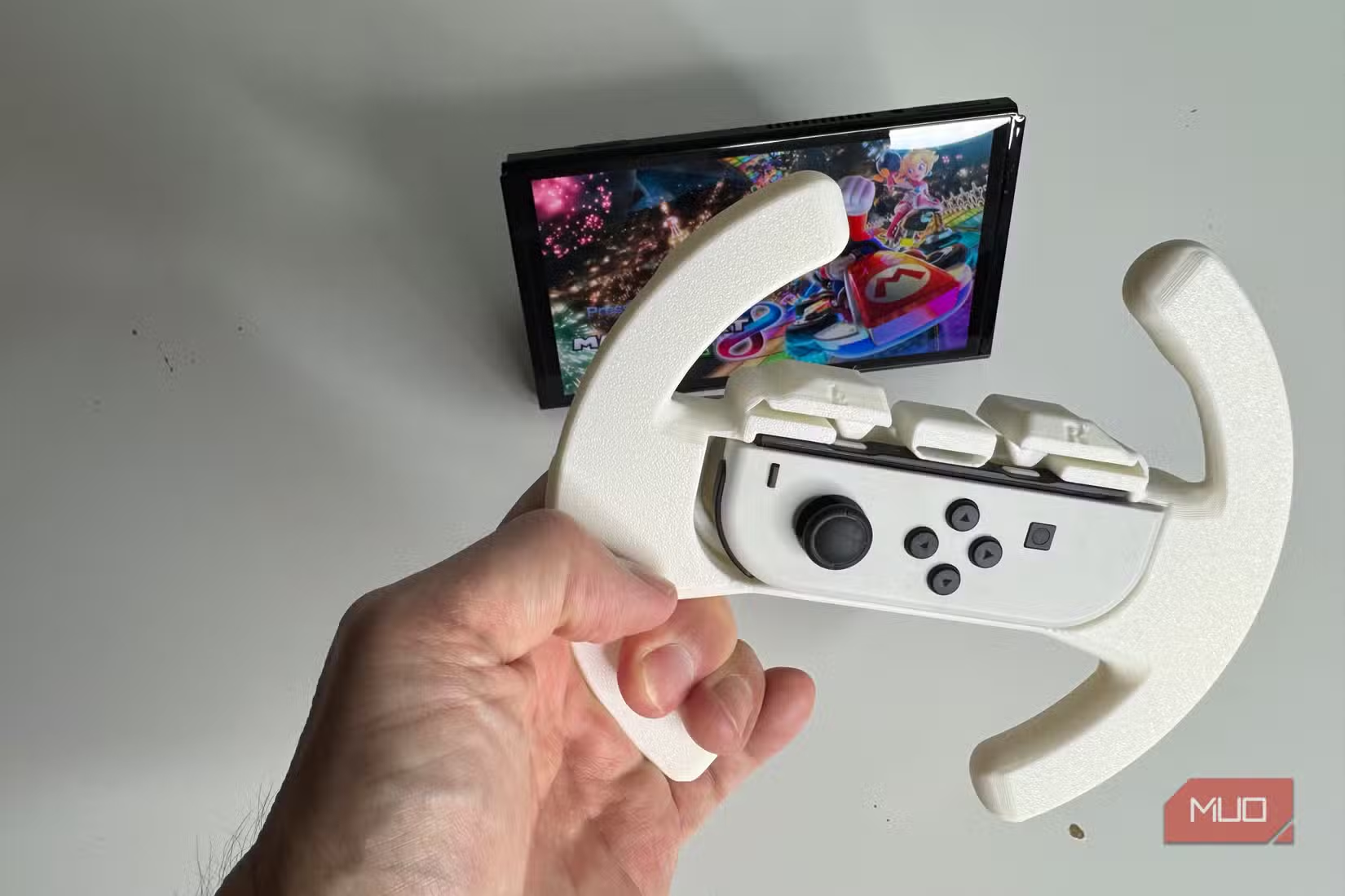
For racing games like Mario Kart, a wheel attachment adds immersion without the cost of buying one at retail. The Joy-Con slots into the center, and you steer by rotating the wheel. It's not essential, but it makes racing games more fun, especially for kids.
Why Print Instead of Buy?
LeFebvre's philosophy is practical: if you already own a 3D printer, printing functional items saves money and avoids shipping wait times. A controller grip that costs $15 at retail uses maybe $2 worth of filament. A game holder that would run $20 costs cents to print.
There's also the customization angle. You pick the colors. You can modify designs if you have CAD skills. And if something breaks, you print another one.
More hands-on tech projects you can finish in a few hours
What You Need to Get Started
All six designs are available free on Makerworld. You'll need a 3D printer, of course. LeFebvre uses a Bambulab P1S and A1 mini, but most FDM printers can handle these designs. PLA filament works fine for all of them.
- Bambulab P1S or A1 mini (or any FDM printer)
- PLA filament in your preferred colors
- Free design files from Makerworld
- Basic slicer software knowledge
Logicity's Take
Frequently Asked Questions
Do I need a specific 3D printer for these Switch accessories?
No. Most FDM printers can handle these designs. LeFebvre uses Bambulab printers, but any printer that works with PLA filament should produce good results.
Are these 3D printed accessories as durable as store-bought ones?
PLA prints are durable enough for normal use. They won't survive being stepped on, but neither will most retail accessories. For high-stress parts, you can print in PETG for extra durability.
How much does it cost to print a Switch accessory?
Most of these designs use $1-3 worth of filament. A 1kg spool of PLA costs around $20 and can produce many accessories.
Where can I find free 3D print files for Nintendo Switch?
Makerworld hosts many free Switch accessory designs. Thingiverse and Printables are also good sources for gaming-related prints.
Need Help Implementing This?
Source: MakeUseOf
Manaal Khan
Tech & Innovation Writer
Produced with AI assistance and reviewed by the Logicity editorial team. Learn more in our Editorial Policy.






