Key Takeaways
- Pixel Watch can download Google Maps for offline navigation during runs or in areas without cell service
- Emergency SOS and Loss of Pulse Detection work via satellite, no phone required
- Fitness tracking, music playback, and contactless payments all function independently of your smartphone
The Google Pixel Watch does more without your phone than most owners realize. Offline maps, emergency calls via satellite, full fitness tracking, and downloaded music all work when your smartphone stays home. For runners and outdoor enthusiasts who want to ditch the bulk, the watch functions as a genuine standalone device.
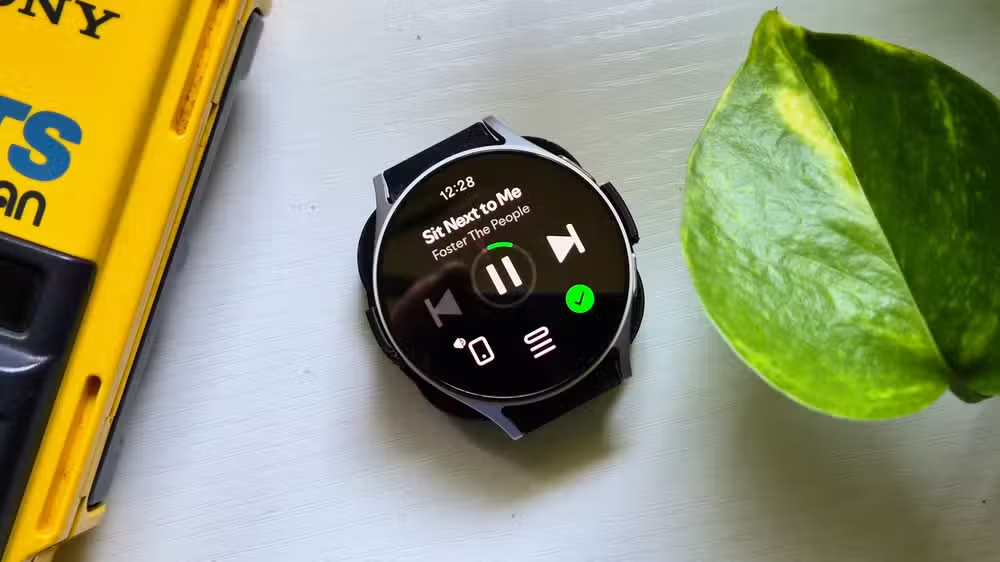
The Pixel Watch 3 and 4 run Wear OS 4 with 32GB of onboard storage. That capacity exists for a reason: Google designed the watch to handle disconnected scenarios, not just serve as a notification mirror for your phone.
How offline maps actually work
The Pixel Watch can download maps and turn-by-turn directions before you leave home. Some users report they rely on this feature "extensively" for outdoor runs in areas with spotty reception.
Setup requires Wi-Fi and your phone. Open Google Maps on your phone, scroll to "Offline Maps," and download the regions you need. Then manually sync them to your watch. Once downloaded, the watch's built-in GPS handles positioning without any connection to your mobile.
The feature is ideal for trail runners, hikers, or anyone traveling through dead zones. The watch tracks distance, pace, and location using standalone GPS, so your workout data stays intact even without a phone nearby.
Emergency SOS works via satellite
Both Pixel Watch 3 and 4 include Loss of Pulse Detection, a feature that monitors for cardiac emergencies. You enable it in Personal Safety settings. If the watch detects you've lost pulse and you're unresponsive, it can alert emergency services.
The SOS feature connects via satellite when no cell signal exists. You can configure it to contact an emergency contact, emergency services, or both. Crash detection and fall detection follow the same logic. Your watch can call for help when you physically cannot.
For solo hikers, climbers, or anyone with a health condition that could lead to sudden incapacitation, this transforms the watch from a convenience into a safety device.
Fitness tracking runs independently
The Pixel Watch's standalone GPS means every run, walk, or bike ride gets logged with accurate distance and pace data. Heart rate monitoring, sleep tracking, and general activity metrics continue recording 24/7, phone or no phone.
When your watch reconnects to Wi-Fi or your phone, all accumulated data syncs to Google Health (formerly the Fitbit app). Nothing gets lost. You can start and record entire workout sessions offline, and the metrics appear in your history once you're back in range.
This architecture mirrors what Garmin watches have done for years. Google clearly built the Pixel Watch for users who don't want to carry a phone during exercise.
Music, payments, and utilities
Both Spotify and YouTube Music let you download playlists directly to the watch. Create a workout playlist, sync it over Wi-Fi, and leave your phone behind. The watch plays audio through Bluetooth headphones.
Contactless payments via Google Wallet also work offline. The NFC transaction doesn't require an internet connection at the moment of tap. Timers, alarms, and reminders function locally.
One utility worth mentioning: Find My Phone. If you left your phone somewhere in the house, the watch can trigger it to ring. That feature works without Wi-Fi.
What you need to set up beforehand
- Offline maps: download via Google Maps on your phone, then sync to watch over Wi-Fi
- Emergency SOS: enable Loss of Pulse Detection and satellite SOS in Personal Safety settings
- Music: download playlists from Spotify or YouTube Music while connected to Wi-Fi
- Fitness: no setup required; standalone GPS and sensors work automatically
The common thread: preparation happens while connected. The watch can't download maps or music on the fly without a connection. But once prepped, it operates independently.
Frequently Asked Questions
Does the Pixel Watch have its own GPS?
Yes. The Pixel Watch includes built-in standalone GPS that tracks location, distance, and pace without needing your phone.
Can I make calls from my Pixel Watch without my phone?
Emergency SOS calls work via satellite without a phone. For regular calls, you need an LTE model with an active cellular plan.
How much storage does the Pixel Watch have for offline content?
The Pixel Watch has 32GB of onboard storage, enough for offline maps, music playlists, and app data.
Does fitness tracking sync automatically when I reconnect?
Yes. All workout data, heart rate, sleep, and activity metrics sync to Google Health once the watch reconnects to Wi-Fi or your phone.
Do contactless payments work offline on Pixel Watch?
Yes. Google Wallet NFC payments don't require an internet connection at the moment of the transaction.
Logicity's Take
Google's $2.1 billion acquisition of Fitbit in 2021 makes more sense when you see how the Pixel Watch handles offline use. The standalone fitness architecture mirrors what serious athletes expect from Garmin. For Google, the play is clear: if users trust the watch enough to leave phones behind, they're deeper into the ecosystem. The satellite SOS feature also positions Pixel Watch against Apple's similar offering, which matters in a market where safety features increasingly drive purchase decisions.
Need Help Implementing This?
If you're building apps or services that integrate with Wear OS offline capabilities, Logicity can connect you with developers experienced in Google's wearable platform. Reach out through our contact page.
Source: How-To Geek
Huma Shazia
Senior AI & Tech Writer
Produced with AI assistance and reviewed by the Logicity editorial team. Learn more in our Editorial Policy.






