Key Takeaways
5 Best AI Photo Editing Apps for Android in 2026 | AI Photo Editor | Shutterbug Raaj
- Adobe Lightroom remains the professional standard for mobile editing at $9.99/month, offering RAW support and cloud sync
- Snapseed and Google Photos provide powerful free alternatives with no ads or watermarks
- Apple Photos and Google Photos built-in editors handle most casual editing needs without downloading extra apps
Your smartphone camera has gotten so good that the real bottleneck is what happens after you tap the shutter. The five best photo editing apps for iPhone and Android in 2026 close that gap, giving you desktop-class editing tools that fit in your pocket. After testing over 30 mobile editors, here are the ones worth your time.
The winners: Adobe Photoshop Lightroom for professionals, Snapseed for a free powerhouse, VSCO for filter-based workflows, and the built-in Apple Photos and Google Photos apps for casual editing. Each serves a different use case and budget.
Adobe Lightroom: The professional standard
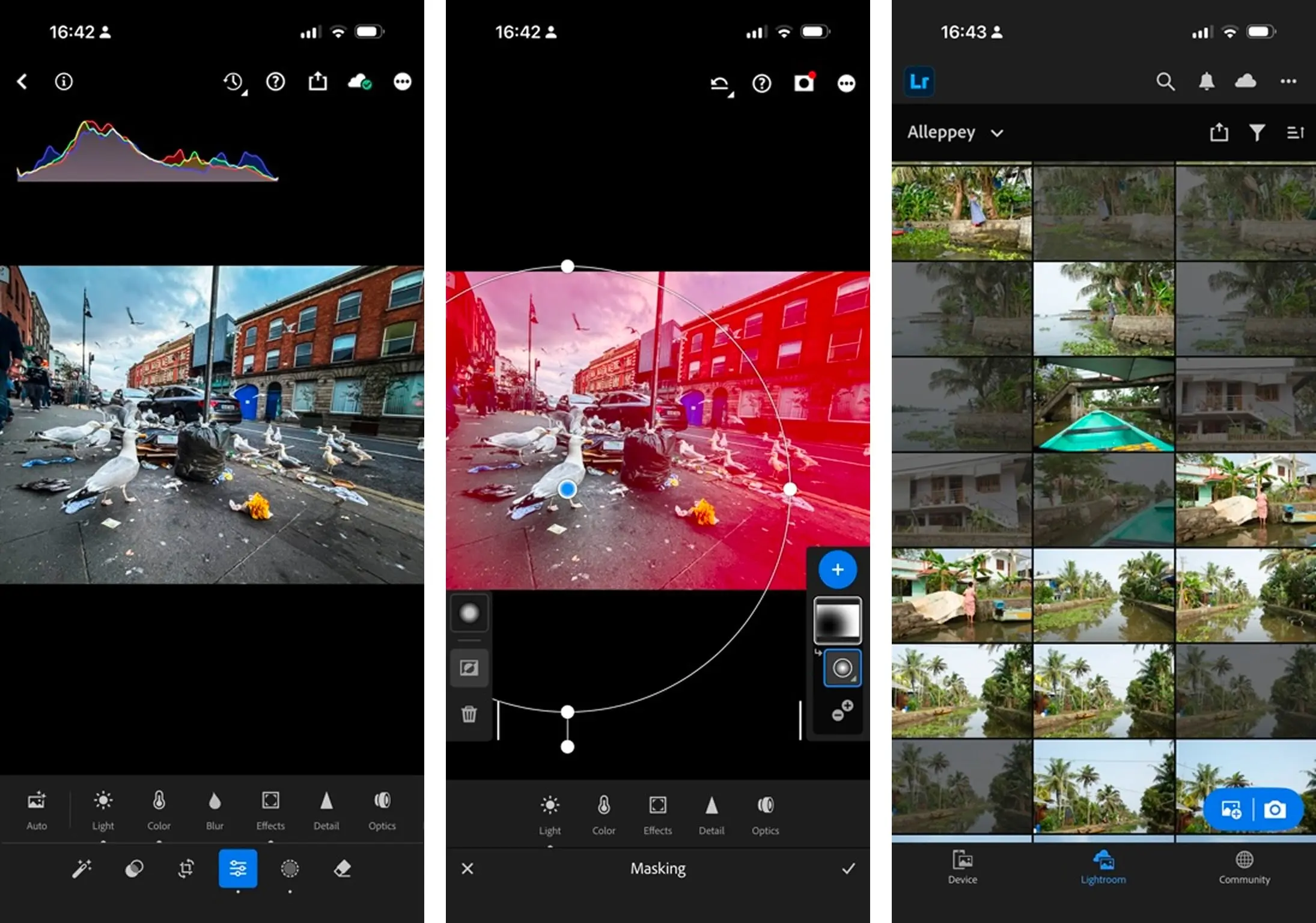
Adobe Photoshop Lightroom remains the benchmark for serious mobile photography. The $9.99/month Photography Plan bundles mobile Lightroom with the desktop version and Photoshop, syncing edits across devices. For operations teams creating visual content, this cross-platform consistency matters.
Lightroom's mobile app supports RAW files, advanced masking, curves, and HSL adjustments. You can save custom presets and apply them across hundreds of images in seconds. The learning curve is steeper than simpler apps, but the payoff is repeatable, professional-grade results.
For teams already using Adobe Creative Cloud, this is the obvious choice. The cloud sync means someone can capture photos on-site, edit on their phone, and the finished files appear in the shared workspace automatically. That workflow integration alone justifies the subscription for high-volume visual content.
Snapseed: Free and surprisingly deep
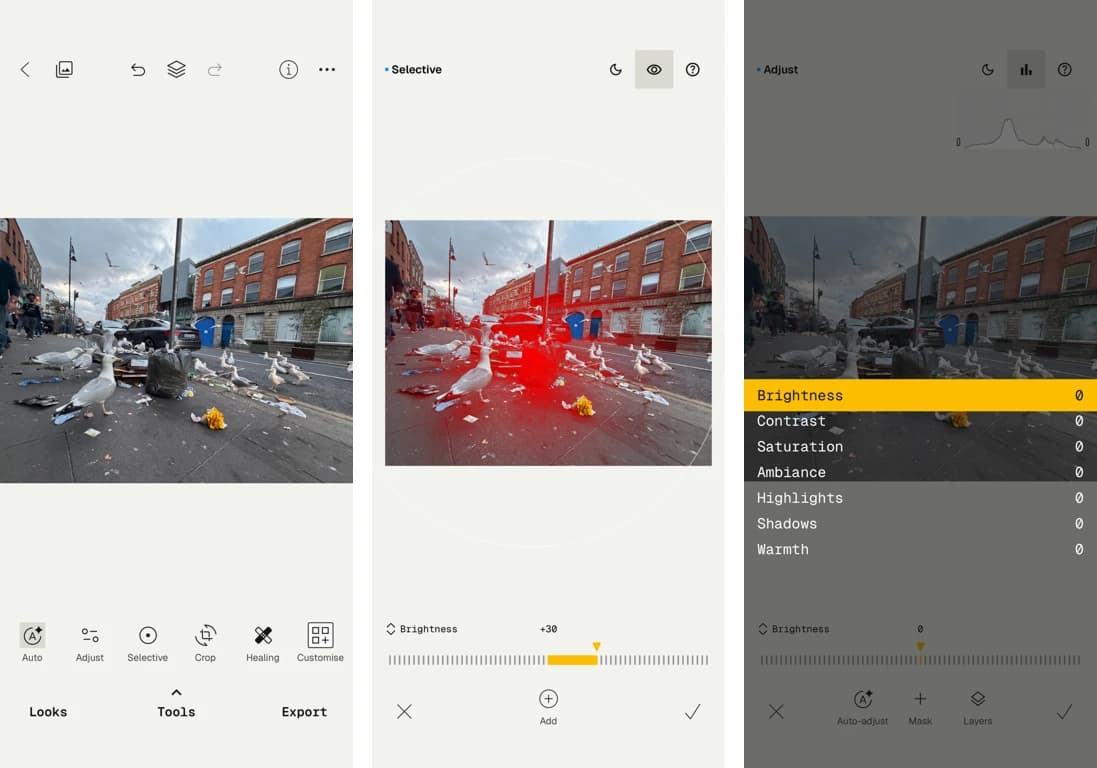
Google's Snapseed costs nothing, runs no ads, and offers editing depth that rivals paid apps. It includes curves, selective adjustments, healing tools, and a surprisingly capable portrait mode. For teams that need occasional photo editing without budget allocation, Snapseed is the answer.
The app's "Looks" feature saves your edits as reusable presets. Edit one product photo, save the look, apply it to the next fifty. This workflow automation turns a free app into a production tool.
Snapseed's weakness is ecosystem integration. There's no cloud sync, no desktop companion, no team sharing. You edit on-device and export manually. For individual contributors or small teams without complex asset pipelines, that's fine. Larger operations may outgrow it.
VSCO: Filter-first creative editing
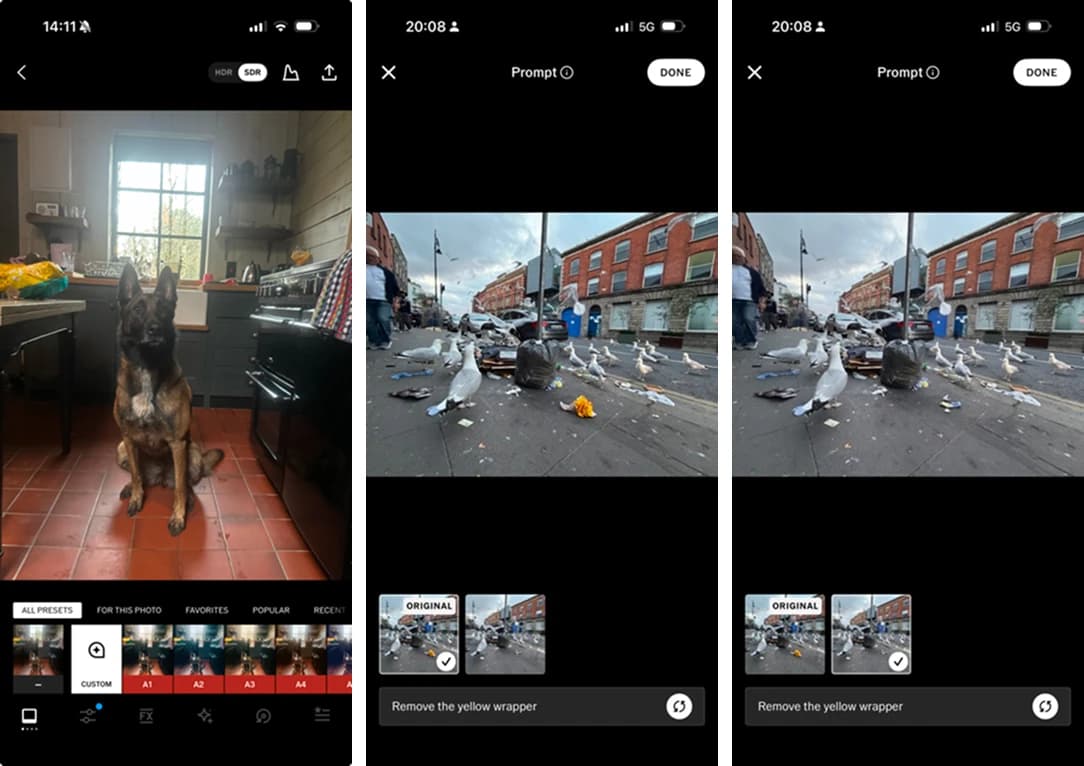
VSCO built its reputation on film-emulation filters that look genuinely good, not the oversaturated Instagram-era presets that scream "edited." The free tier includes around 10 presets and basic editing tools. The paid membership ($29.99/year) unlocks 200+ presets and advanced tools.
The app excels at creating consistent visual identity. Pick a VSCO preset, apply it across all your photos, and your social feeds or marketing materials share a cohesive look. For brand consistency without hiring a designer, VSCO offers a shortcut.
VSCO also includes a social community, which is either a feature or a distraction depending on your goals. For pure editing utility, you can ignore it entirely.
Apple Photos: The iPhone default that's actually good
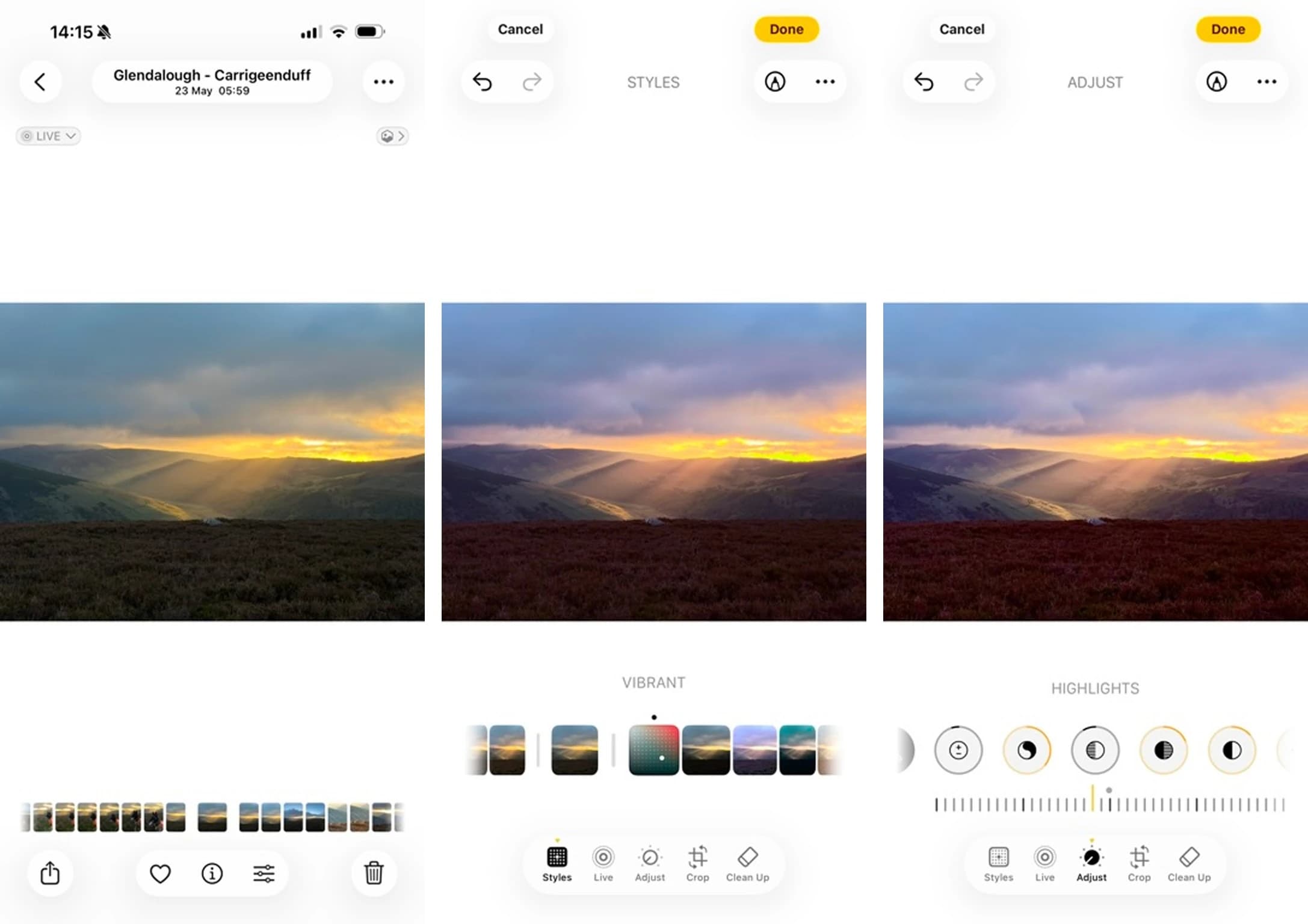
Apple Photos comes pre-installed on every iPhone, and most users never explore past the auto-enhance button. That's a mistake. The built-in editor handles exposure, contrast, color adjustments, cropping, and even selective edits. For 80% of use cases, you don't need another app.
The real advantage is friction elimination. No download, no account creation, no subscription. Open a photo, edit it, done. When workflow automation tools like Zapier or Make pull images from your Camera Roll for automated posting, those edits come along.
Disclosure
Some links in this post are affiliate links — Logicity earns a commission if you sign up, at no extra cost to you. We only link products we have used or actively recommend.
Apple Photos syncs through iCloud, so edits made on your phone appear on your Mac or iPad instantly. For teams in the Apple ecosystem, this creates a lightweight asset workflow without extra tools.
Google Photos: The Android workhorse
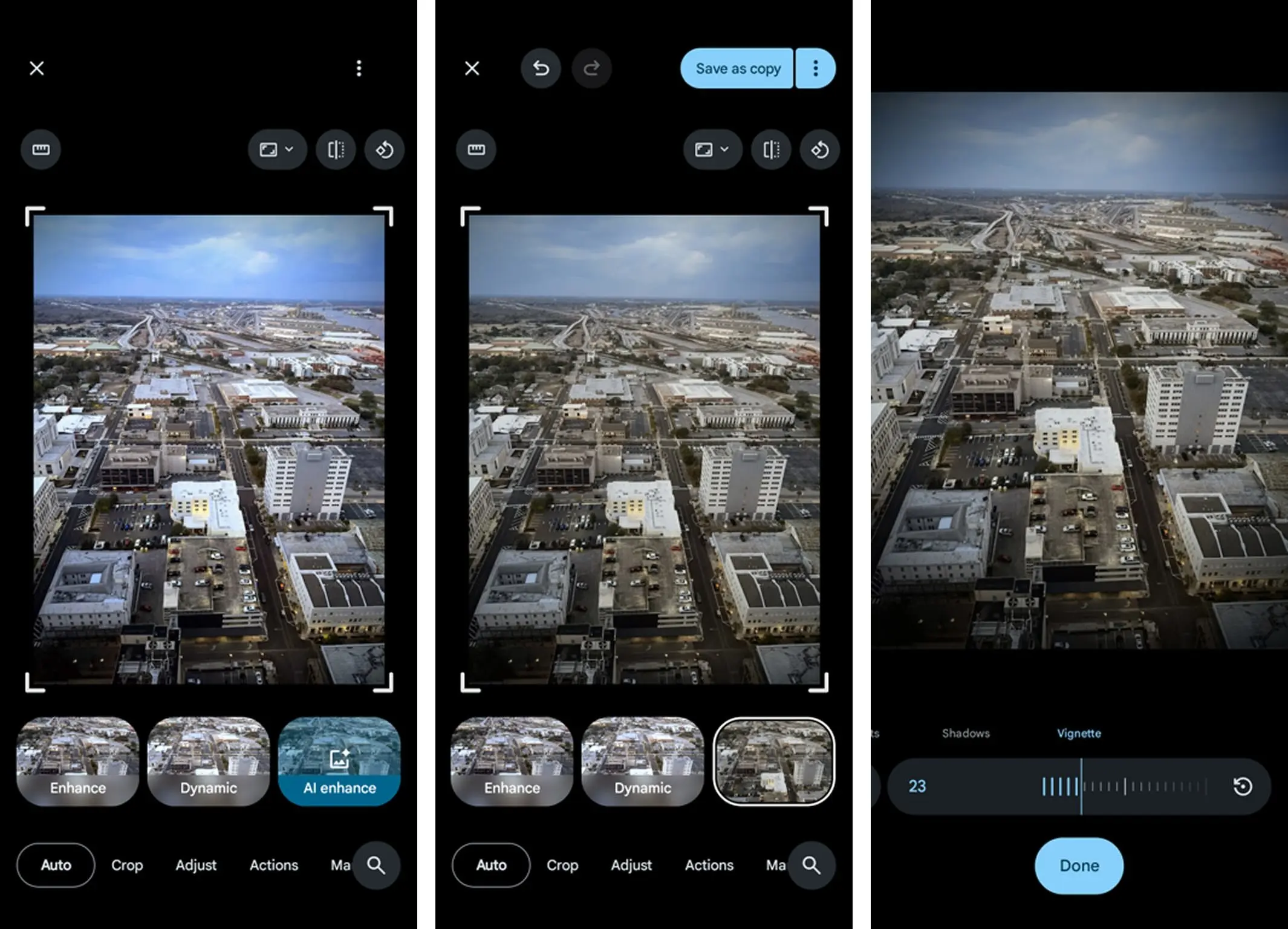
Google Photos mirrors Apple Photos on Android: free, pre-installed, and more capable than most users realize. The editing suite includes AI-powered suggestions, selective color adjustments, and a Magic Eraser tool that removes unwanted objects. Recent updates added portrait relighting and sky replacement.
Google Photos' cross-platform availability is its differentiator. The app works on iOS, Android, and web, syncing edits everywhere. Teams with mixed device environments get consistency that Apple's walled garden can't match.
The catch: some advanced features require Google One subscription ($1.99/month and up). But the free tier handles professional-looking edits for most situations.
What to avoid in mobile photo editors
The app stores overflow with photo editors that work but exist primarily to extract subscription fees. The warning signs: aggressive upselling, watermarks on exports, mandatory accounts, and premium pricing ($4.99/week or more) for features the free apps include.
If you're paying for a photo editing app, Lightroom at $9.99/month sets the value benchmark. Anything charging comparable prices should offer comparable capability. Most don't.
How to pick the right app for your workflow
Start with what's already on your phone. Apple Photos or Google Photos handle basic edits without friction. If you outgrow them, Snapseed adds professional tools for free. Only move to Lightroom when you need cloud sync, team collaboration, or RAW file support.
For teams managing visual content at scale, consider how photo editing fits into your broader automation. Tools like Zapier, Make, or n8n can automate the steps after editing: moving images to shared drives, posting to social channels, or triggering approval workflows. The editing app becomes one node in a larger system.
Logicity's Take
For RevOps teams, the real question isn't which app has the best filters. It's whether your visual content pipeline has unnecessary bottlenecks. A free app plus smart automation often beats an expensive editor used in isolation. Consider how photos flow through your organization: capture, edit, approve, publish. If any step requires manual file shuffling or email attachments, you have workflow debt to pay down. Start there before optimizing the editing tools.
Frequently Asked Questions
Is Snapseed really free with no catch?
Yes. Google acquired Snapseed in 2012 and has maintained it as a free app with no ads, no watermarks, and no premium tier. Google likely uses it to keep users in its ecosystem and improve its AI photo tools.
Can mobile photo editors handle RAW files?
Lightroom Mobile supports RAW files natively. Snapseed and VSCO have limited RAW support. Apple Photos and Google Photos edit RAW files captured by their respective phone cameras but have mixed support for imported RAW files.
Which free photo editing app is best for beginners?
Apple Photos on iPhone or Google Photos on Android. Both have intuitive interfaces, auto-enhance features, and require no learning curve. When you're ready for more control, move to Snapseed.
Is Lightroom Mobile worth $9.99/month?
Only if you need RAW editing, cross-device sync, or professional color grading tools. For casual editing, the free alternatives match or exceed Lightroom's basic features. The subscription makes sense for photographers and content teams producing high volumes.
Do any mobile editors support batch editing?
Lightroom Mobile and Snapseed both support copying edits across multiple photos. Lightroom's preset system is more robust for batch workflows. VSCO applies presets individually but makes the process fast.
Need Help Implementing This?
Building automated visual content workflows? Contact Logicity for guidance on connecting your photo editing pipeline to your broader operations stack.
Source: The Zapier Blog
Huma Shazia
Senior AI & Tech Writer
Produced with AI assistance and reviewed by the Logicity editorial team. Learn more in our Editorial Policy.