Key Takeaways
Google Calendar Tips and Tricks That Will Save You Hours Every Week
- Attach boarding passes, tickets, and meeting documents directly to calendar events via Google Drive
- Appointment schedules let others book from your available times, eliminating back-and-forth emails
- Keyboard shortcuts like Ctrl+C for new events and cal.new in browser bars speed up calendar management
Most professionals treat Google Calendar as a glorified reminder app. You add meetings, get notifications, maybe let Gmail auto-populate flight bookings. That's leaving significant productivity on the table. Google Calendar includes several under-documented features that can eliminate the friction of meeting coordination, document retrieval, and daily planning.
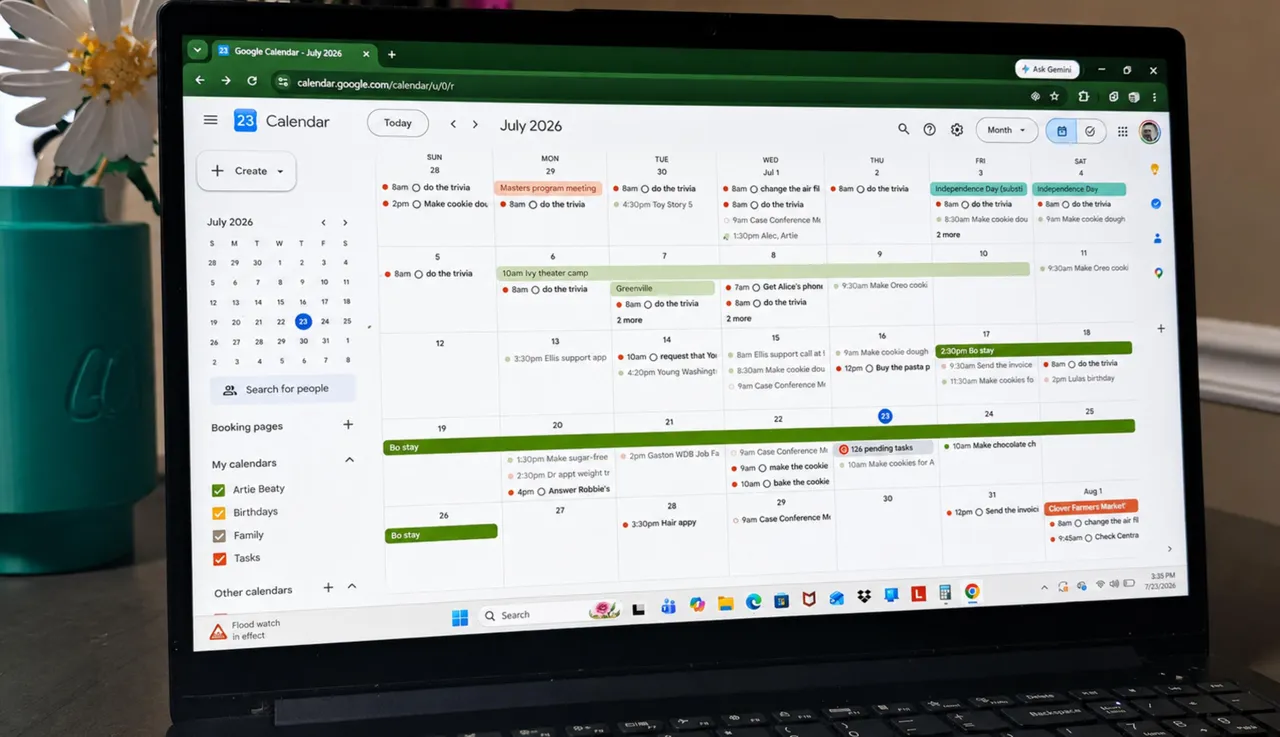
Here are four features worth adopting, particularly if you manage multiple meetings or coordinate schedules across teams.
Attach files directly to calendar events
Every calendar event can hold file attachments from Google Drive. This solves the perennial problem of digging through Gmail for a boarding pass, hotel confirmation, or meeting deck while standing in line or joining a call.
The workflow: upload the relevant document to Google Drive first. Then open the calendar event, tap edit, and select "Add Google Drive attachment." The file now lives with the event itself. For travel, this means tickets, reservations, and itineraries are one tap away. For work meetings, attach the agenda, report, or presentation before the call starts.
This is particularly useful for executives who attend back-to-back meetings and don't have time to search email mid-call. The context arrives with the event.
Let others book from your available slots
Appointment scheduling eliminates the email chains of "Does Tuesday at 3 work? No? How about Thursday?" You define a window of availability, share a booking page, and let the other party pick a slot. When they book, the slot disappears from availability and appears on both calendars.
Recruiters scheduling candidate interviews, teachers coordinating parent conferences, founders running investor calls. Any scenario with multiple sequential one-on-ones benefits from this. The feature competes directly with standalone tools like Calendly, though Calendly offers more customization and integrations for teams with complex scheduling needs.
Disclosure
Some links in this post are affiliate links — Logicity earns a commission if you sign up, at no extra cost to you. We only link products we have used or actively recommend.
For internal team scheduling, there's also "Find a time." Once all participants accept an invite, this tab overlays everyone's calendars side-by-side, showing open slots instantly. It removes the guesswork when coordinating across three or four busy schedules.
Keyboard shortcuts for power users
Desktop users who spend significant time in Google Calendar can cut mouse usage substantially with keyboard shortcuts. The feature is off by default. Enable it under Settings, then use commands like Ctrl+C to create events, Ctrl+T to jump to today, and Ctrl+W to switch to week view.
The learning curve is real. But for operations leads or executive assistants who manage multiple calendars daily, muscle memory pays off within a week or two.
A related trick: type cal.new directly into your browser address bar. It opens a new event creation page immediately, no navigation required.
Daily agenda emails for morning planning
Google Calendar can email you a daily summary of upcoming events each morning. Go to Settings, select your main calendar, then "Other notifications," and enable the daily agenda option.
This is redundant if you already check your calendar first thing. But for people who live in their inbox, a summary email surfaces the day's commitments without switching apps. It's a small friction reducer that compounds over time.
How Google Calendar compares to scheduling alternatives
Google Calendar's built-in scheduling works for basic use cases. But teams with complex workflows, multiple integrations, or client-facing booking often outgrow it. Here's how it stacks up against common alternatives.
| Feature | Google Calendar | Calendly | Notion Calendar |
|---|---|---|---|
| Appointment scheduling | Basic | Advanced with routing, round-robin | Basic |
| File attachments | Via Google Drive | Via integrations | Native |
| Keyboard shortcuts | Yes (must enable) | Limited | Yes |
| Team scheduling | Find a time feature | Team plans with analytics | Via Notion integration |
| Free tier | Full features | Limited to one event type | Full features |
| Calendar sync | Google only | Google, Outlook, iCloud | Google, Outlook |
For solo professionals and small teams already in Google Workspace, the native Calendar features often suffice. Larger organizations or those needing branded booking pages tend to add Calendly or similar tools on top.
For productivity workflows, voice-activated AI assistants are increasingly handling scheduling and calendar management
Logicity's Take
Google Calendar's feature set has quietly expanded, but discoverability remains poor. Most users never find appointment scheduling or keyboard shortcuts because they're buried in settings. The attachment feature via Google Drive creates an interesting lock-in dynamic: your calendar becomes a document hub, which works well if you're all-in on Google Workspace but adds friction if you're on Microsoft 365 or use Dropbox. For scheduling specifically, Calendly's free tier handles one event type, while paid plans start at $10/user/month. Google's native option costs nothing extra if you already pay for Workspace.
The real productivity question
Calendar management is a symptom, not a root cause. These features help, but the deeper problem for most knowledge workers is meeting volume itself. Tools like Notion and ClickUp try to reduce synchronous meetings by moving work to async documentation. The most productive teams tend to combine aggressive meeting hygiene with smart calendar tooling, rather than optimizing scheduling while drowning in calls.
Still, if meetings are unavoidable, reducing the friction around them matters. A few keyboard shortcuts and one-click booking pages won't transform your work, but they'll give you back a few hours each month. That's time better spent on actual work.
Frequently Asked Questions
How do I enable keyboard shortcuts in Google Calendar?
Open Google Calendar on desktop, go to Settings, scroll to the keyboard shortcuts section, and toggle the feature on. Shortcuts like Ctrl+C (new event) and Ctrl+T (jump to today) will then work.
Can I attach files to Google Calendar events without Google Drive?
No. Google Calendar requires files to be stored in Google Drive first. Upload your document to Drive, then add it to the calendar event using the Add Google Drive attachment option.
Is Google Calendar appointment scheduling free?
Yes. Appointment scheduling is included in both free Google accounts and paid Google Workspace plans. Unlike Calendly, there are no paid tiers limiting event types.
How does Find a time work in Google Calendar?
After all participants accept a meeting invite, open the event and click the Find a time tab. Google overlays everyone's calendars to show open slots, making it easy to find availability across multiple schedules.
What does typing cal.new in my browser do?
Typing cal.new in your browser address bar opens Google Calendar's new event creation page directly, skipping the calendar navigation step.
Need Help Implementing This?
For teams looking to optimize scheduling workflows or integrate Google Calendar with broader productivity stacks, reach out to our consulting partners at Logicity. We connect tech leaders with implementation specialists who can audit your current tooling and recommend practical improvements.
Source: Latest news
Huma Shazia
Senior AI & Tech Writer
Produced with AI assistance and reviewed by the Logicity editorial team. Learn more in our Editorial Policy.