
Key Takeaways

- Win+C launches Copilot instantly with cursor in chat. Alt+Space and Hey Copilot voice activation also available.
- Disable data training in Settings > Privacy to stop Microsoft from using your conversations to train AI models.
- Connect Google accounts via Connectors to let Copilot summarize your Gmail, Calendar, and Drive files.
Launch Copilot Faster with Keyboard Shortcuts
The quickest way to open Copilot is Win+C. This shortcut launches the app and places your cursor directly in the chat window. You can start typing immediately without clicking anything.
Two additional launch options exist but require manual activation. Open the Copilot app, click your name in the bottom-left corner, then navigate to Settings > Preferences. Here you can enable Alt+Space as an alternative shortcut and activate voice commands with "Hey Copilot."
Stop Microsoft from Training AI on Your Conversations
By default, Copilot sends your conversations to Microsoft for AI training. Your chats influence how future models behave. Microsoft lets you opt out, but the setting is buried.
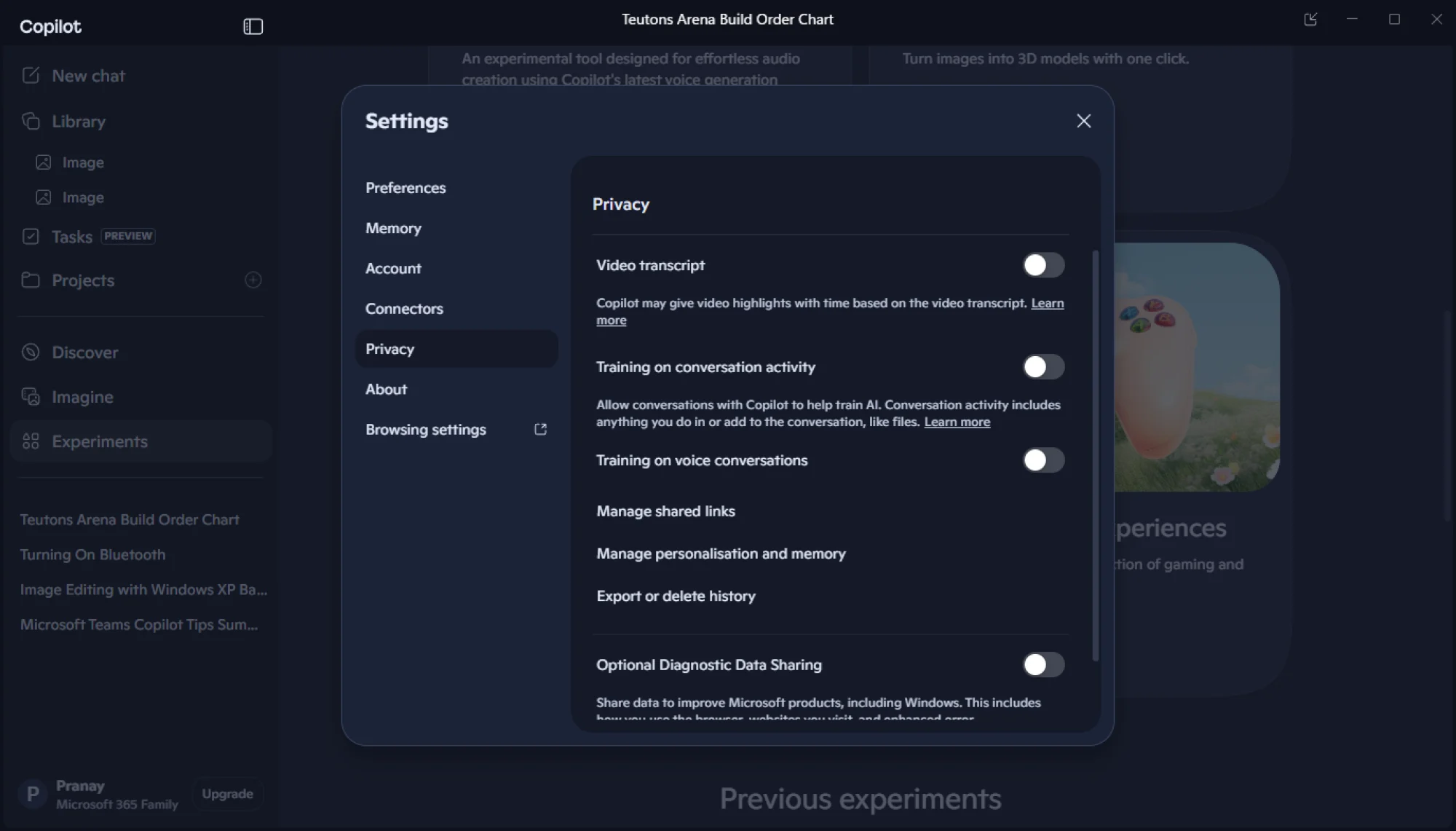
Go to Copilot Settings > Privacy. Turn off both "Training on voice conversations" and "Training on conversation activity." This keeps your data local without affecting Copilot's functionality.
Connect Copilot to Gmail, Google Calendar, and Drive
Microsoft calls this feature "Connectors." It links Copilot to non-Microsoft services, which is surprisingly useful given the company's competitive relationship with Google.
Navigate to Copilot Settings > Connectors and link your Google accounts. Once connected, Copilot can access your Google Calendar events, Gmail messages, and Google Drive files. Ask it to summarize your day. It will pull together your meetings, unread emails, and relevant project details into a single overview.
Share Your Screen for Visual Analysis
Copilot Vision analyzes any window on your PC. It can identify objects in images, recognize landmarks in photos, or explain what's happening in a video.
To use it, open Copilot and click the spectacles icon near the chat box. Grant screen access when prompted. You choose which windows Copilot can see. It will summarize content, answer questions about what's displayed, and help you understand unfamiliar visuals.
Create Study Cheat Sheets
Copilot generates condensed reference materials on demand. Ask it to create a cheat sheet on any topic. Programming syntax, keyboard shortcuts, chemical formulas, historical dates. It formats the information for quick scanning and review.
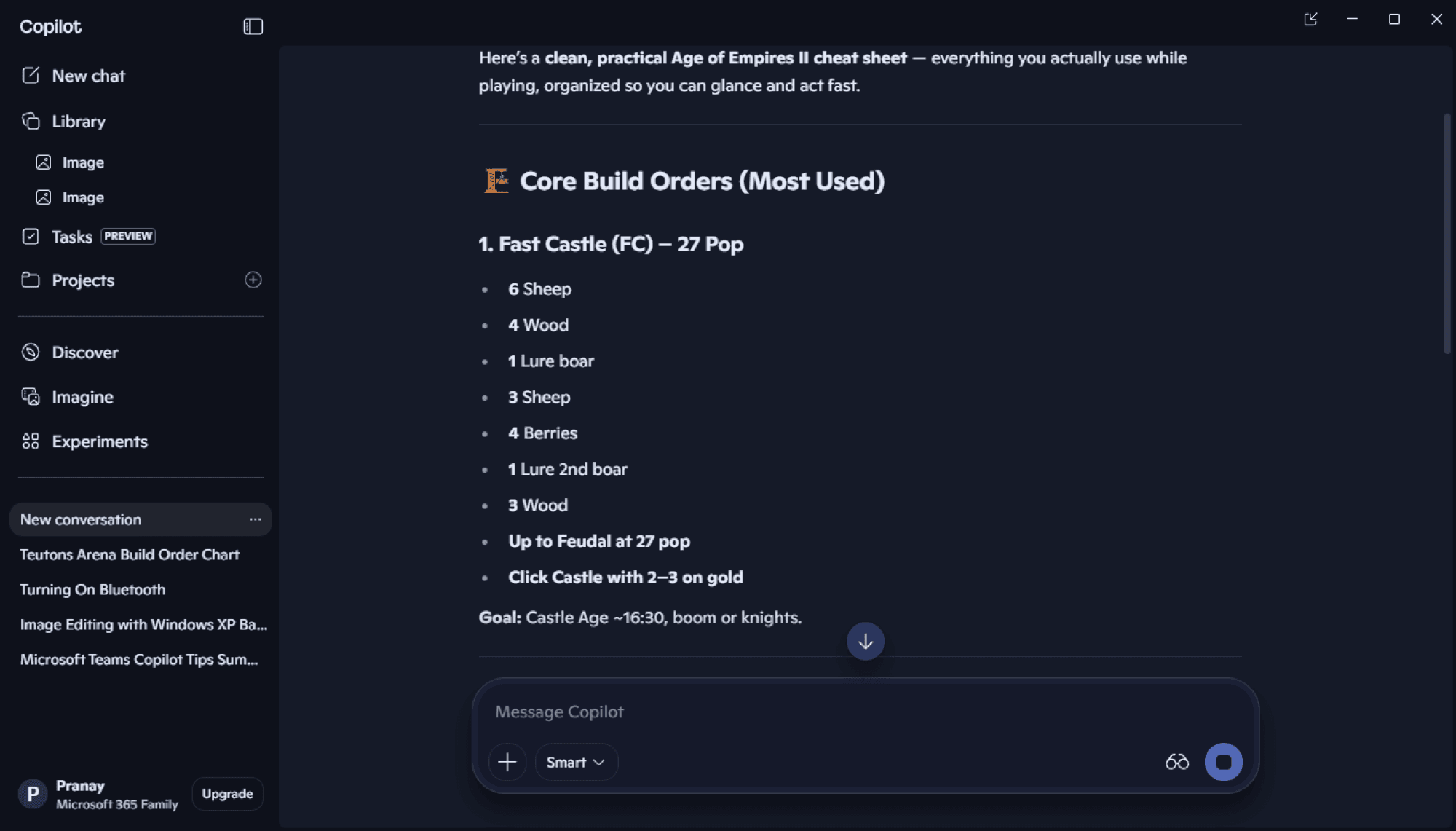
This works well for learning new software. Request a cheat sheet for Excel formulas or Photoshop shortcuts. Copilot produces a structured summary you can reference while working.
Edit Images Without Installing Apps
Copilot handles basic image editing tasks. You can remove backgrounds, adjust colors, resize images, or add text overlays. No need to install Photoshop or GIMP for simple modifications.
Describe what you want changed in plain language. "Remove the background from this photo" or "Make this image black and white." Copilot processes the edit and returns the modified file.
Logicity's Take
Practical Use Cases for Business
The combination of screen sharing and Google integration makes Copilot useful for cross-platform workflows. Share a complex spreadsheet from Google Sheets, ask Copilot to explain the formulas. Or have it scan a presentation and suggest improvements.
Privacy controls matter for enterprise use. The ability to disable training means conversations about sensitive business matters stay out of Microsoft's AI training pipeline. IT departments should standardize these settings across company machines.
Compare how Google's AI assistant stacks up against Microsoft's offering.
Frequently Asked Questions
How do I launch Microsoft Copilot with a keyboard shortcut?
Press Win+C to open Copilot with your cursor in the chat box. You can also enable Alt+Space or voice activation via Settings > Preferences.
Does Microsoft use my Copilot conversations to train AI?
Yes, by default. Disable this in Settings > Privacy by turning off both training toggles for voice and conversation activity.
Can Copilot access my Gmail and Google Calendar?
Yes. Go to Settings > Connectors and link your Google accounts. Copilot can then read your emails, calendar events, and Drive files.
What is Copilot Vision and how do I use it?
Copilot Vision analyzes your screen. Click the spectacles icon in Copilot, grant screen access, and it can identify objects, explain images, or summarize video content.
Can Copilot edit images without Photoshop?
Yes. Describe the edit you want in plain language. Copilot handles background removal, color adjustments, resizing, and basic text overlays.
Need Help Implementing This?
Source: Lifehacker
Microsoft Build 2026 Announcements and Upcoming Features
The new article provides timely information about the Microsoft Build 2026 conference, including the announcement of a new 'Surface Laptop Ultra' featuring an NVIDIA RTX Spark chip. It also outlines the schedule for CEO Satya Nadella's keynote and upcoming product updates related to Windows, Copilot, and Office 365.
Manaal Khan
Tech & Innovation Writer
Produced with AI assistance and reviewed by the Logicity editorial team. Learn more in our Editorial Policy.






