Key Takeaways
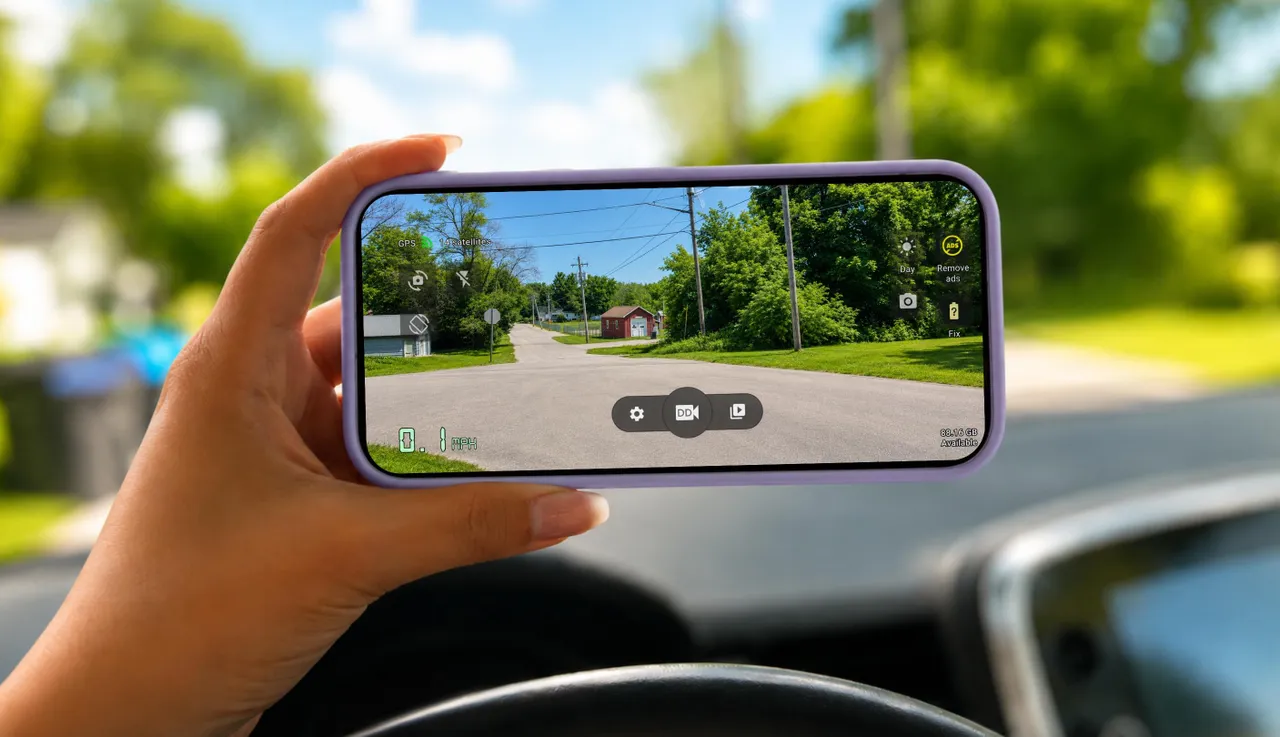
- Any old Android phone with a working camera can function as a dashcam using free apps like Droid Dashcam
- Factory resetting the phone and treating it as single-purpose eliminates distractions and improves reliability
- Heat management and constant charging are the main concerns for long-term phone-as-dashcam setups
Got an old Pixel or Galaxy collecting dust? It can record your commute, document accidents, and potentially save you money on insurance claims. ZDNET's Elyse Betters Picaro walked through the process of converting a spare Pixel 9a into a fully functional dashcam, and the total cost was zero dollars.
The setup requires five things most people already have: the phone itself, a USB-C cable, a car charger, a windshield or dashboard mount, and a free dashcam app. The entire process takes about ten minutes.
Why use a phone instead of a dedicated dashcam?
Dedicated dashcams cost between $100 and $300 for decent models. Meanwhile, an estimated 53 million unused smartphones sit in American households alone. Many of these devices have better cameras than budget dashcams. A three-year-old flagship phone often shoots sharper 1080p video than a $75 dedicated unit.
There's also an environmental angle. Over a billion smartphones get replaced annually worldwide, and extending a device's useful life keeps it out of the e-waste stream for a few more years.
The five-step setup process
Betters Picaro's method starts with a factory reset. Go to Settings > System > Reset options > Erase all data. The goal is to treat the phone as a single-purpose device. No Snapchat, no work email, no notifications pulling your attention while the camera runs.
After the reset, disable notifications entirely (Settings > Notifications), enable Do Not Disturb, and remove any apps the phone reinstalls by default. One device, one job.
The second step is installing a proper dashcam app. The built-in camera will record video, but it won't loop recordings, manage storage, or stamp GPS data onto footage. Betters Picaro chose Droid Dashcam from the Play Store. Alternatives include AutoBoy Dash Cam and DailyRoads Voyager. All three are free with optional premium tiers.
Grant the app permissions for camera, microphone, location, and storage. In the app's settings, drop video quality from 4K to 1080p. This saves storage space and processing power without meaningfully degrading the footage you'd actually use.
Mounting and power considerations
A suction-cup windshield mount or vent clip keeps the phone stable. Position matters. You want a clear view of the road without obstructing your own sightlines. Most drivers mount dashcams behind the rearview mirror.
Constant recording drains batteries quickly, so plug the phone into a car charger or USB port. The phone will stay powered as long as the car is running.
What about heat and battery health?
This is where phone-based dashcams hit their limits. A phone baking on your dashboard in July can overheat and shut down. Dedicated dashcams are built to handle temperature extremes. Phones are not.
Battery degradation is another concern. Keeping a lithium-ion battery at 100% charge for months accelerates capacity loss. Some users remove the phone when parked. Others accept the tradeoff since the device is already retired from daily use.
For a free weekend project using hardware you already own, the limitations are acceptable. For a permanent, set-and-forget solution, a purpose-built dashcam remains the better choice.
Logicity's Take
This approach makes sense for fleet managers testing dashcam policies before committing to hardware purchases. Before rolling out 50 dedicated units at $150 each, equip a few vehicles with old company phones running Droid Dashcam and evaluate whether drivers actually use the footage, how often storage fills up, and whether heat causes reliability issues. If your IT department has decommissioned phones awaiting secure disposal, this extends their value at zero incremental cost. Just document the pilot program so you can justify the real hardware budget later.
Insurance implications
Some insurers offer discounts of 15-20% for drivers who can provide dashcam footage. Check with your provider. Even without a formal discount, video evidence can speed up claims and protect against fraudulent accusations.
Frequently Asked Questions
What's the best free dashcam app for Android?
Droid Dashcam, AutoBoy Dash Cam, and DailyRoads Voyager are the most recommended free options. All support loop recording, GPS stamping, and automatic storage management.
Will using my phone as a dashcam damage the battery?
Keeping any lithium-ion battery at 100% charge continuously accelerates capacity loss. Since you're using a retired phone, this tradeoff is usually acceptable.
Can I use an iPhone as a dashcam instead of Android?
Yes. The same concept works with iPhones using apps like Road Watcher or CamOnRoad. The setup process is nearly identical.
Does a phone dashcam record when the car is off?
Only if the phone has battery remaining. Most car USB ports cut power when the ignition is off, ending recording. Dedicated dashcams often include parking mode with motion detection.
Is phone dashcam footage admissible in court?
Generally yes, though requirements vary by jurisdiction. Footage with GPS and timestamp data is more useful than raw video without metadata.
Need Help Implementing This?
Looking to pilot phone-based dashcams across your fleet or evaluate dedicated hardware options? Logicity can connect you with enterprise mobility consultants who specialize in driver safety and telematics integration. Contact our team for recommendations.
Source: Latest news
Manaal Khan
Tech & Innovation Writer
Produced with AI assistance and reviewed by the Logicity editorial team. Learn more in our Editorial Policy.




