Key Takeaways
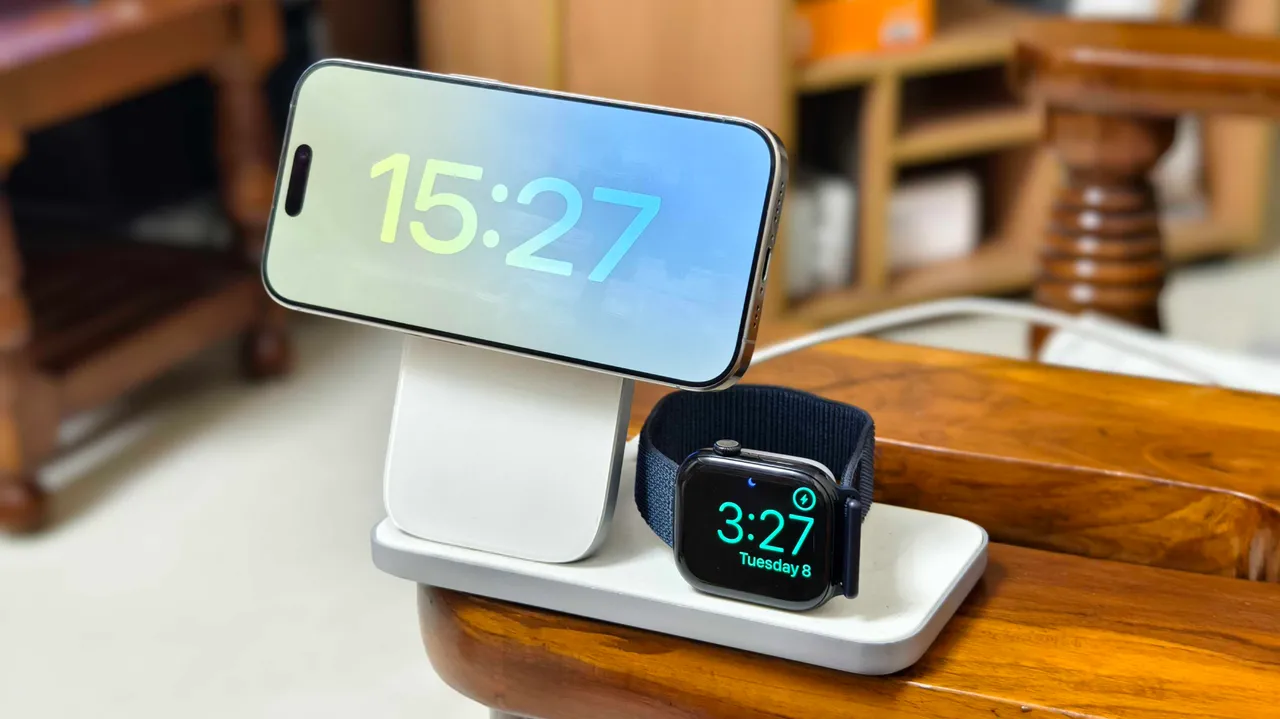
- A 15W wireless charger plugged into a lower-wattage adapter throttles to slower speeds
- Using an adapter rated 5W higher than your charging pad compensates for energy lost to heat
- MagSafe alignment and certified cables are critical for hitting advertised charge rates
Your 15W wireless charger probably isn't delivering 15W. If you've grabbed a random wall adapter from a drawer, you're likely charging at half speed without realizing it. ZDNet's editors tested what they call the 'Plus Five' rule: use a wall brick rated at least 5W higher than your wireless pad's maximum output. The results, they report, were noticeably faster charge times.
The physics are straightforward. Wireless charging loses energy to heat and magnetic field leakage. A 15W pad drawing power from a 10W adapter will throttle down. Even a 15W-rated adapter may not leave enough headroom for efficiency losses. The fix is dead simple: plug your charger into a 20W or higher brick.
Why does wireless charging lose so much power?
Wireless charging uses electromagnetic induction between two coils. Energy transfers from the pad's coil to your phone's coil, but alignment matters. Even a few millimeters off-center can drop efficiency by 20 to 50 percent. That misalignment doesn't just slow charging. It generates heat, which triggers thermal throttling and further reduces speed.
Menno Treffers, chairman of the Wireless Power Consortium that governs the Qi standard, has said proper coil alignment is critical for maximum efficiency. Apple's MagSafe was designed to solve this problem with magnets that snap the phone into the optimal position. But even MagSafe can't compensate for an underpowered wall adapter.
The adapter swap test
ZDNet editor-in-chief Kerry Wan described a common scenario: his household has a drawer full of mismatched adapters, and the wrong one often ends up powering a wireless pad in the bedroom or living room. Switching to a higher-output Anker adapter, or using the original brick that shipped with the charger, made charging noticeably faster.
Samsung phones display 'fast wireless charging' on the lock screen when receiving full power. With an underpowered adapter, that indicator disappears. It's a quick way to confirm whether your setup is actually hitting its rated speed.
Cheap adapters carry real risks
ZDNet's team flagged a second issue: uncertified adapters from sites like Temu. These often lack proper safety certifications and may deliver inconsistent power. At best, you get slow charging. At worst, you risk damaging your battery or creating a fire hazard. A $15 Anker or Apple 20W brick is cheap insurance.
Battery University research has shown that heat is the enemy of battery longevity. Keeping your phone cool during charging extends lifespan. An underpowered adapter that forces longer charge times at higher temperatures works against that goal.
What does this mean for your desk setup?
If you're using a MagSafe puck or Qi pad at your desk, audit the power chain. Check the wattage printed on your wall adapter. If it matches your pad's rating exactly, or falls below it, swap in something higher. A 20W adapter is the minimum for a 15W pad. For multi-device chargers that handle a phone and AirPods simultaneously, 30W or higher makes sense.
Cables matter too. A frayed or low-quality USB-C cable can bottleneck power delivery just like a weak adapter. The safest approach: use the cable that came with your charger, or buy a certified replacement rated for at least 20W power delivery.
Logicity's Take
The Plus Five rule is practical advice, but it's also a reminder that wireless charging remains less efficient than wired. You're paying a convenience tax in the form of slower speeds and more heat. For overnight charging on a nightstand, that trade-off is fine. For topping up during a busy workday, a 20W wired charger still wins. If you're building out a home office with multiple charging stations, buy matching high-wattage adapters in bulk. Anker's 20W USB-C bricks run around $15 each; Apple's 20W adapter is $19. The marginal cost is trivial compared to the frustration of slow charging.
Frequently Asked Questions
What wattage adapter do I need for a 15W wireless charger?
At minimum, use a 20W adapter. The extra headroom compensates for energy lost to heat and magnetic field inefficiency during wireless charging.
Does MagSafe charge faster than regular Qi wireless charging?
Yes. MagSafe delivers up to 15W to compatible iPhones, while standard Qi typically caps at 7.5W for iPhones. The magnetic alignment also improves efficiency.
Can a cheap wall adapter damage my phone battery?
Uncertified adapters may deliver inconsistent power or lack safety protections, potentially causing excess heat that degrades battery health over time.
Why does my phone show 'Charging' instead of 'Fast Charging'?
The adapter isn't delivering enough power, or the charging coils are misaligned. Try a higher-wattage brick and reposition the phone on the pad.
For more on upcoming iPhone hardware changes
Need Help Implementing This?
If you're setting up charging infrastructure for a team or office, we can help you spec the right hardware. Reach out at hello@logicity.in.
Source: Latest news
Huma Shazia
Senior AI & Tech Writer
Produced with AI assistance and reviewed by the Logicity editorial team. Learn more in our Editorial Policy.




