Key Takeaways
Install macOS Sequoia on Unsupported Macs — Works in 2026
- OCLP version 2.4.1 supports macOS up to Sequoia (15) but not yet Tahoe (26)
- The tool creates model-specific bootable installers that bypass Apple firmware checks
- macOS 26 Tahoe supports only four Intel Mac models, making OCLP increasingly valuable for older hardware
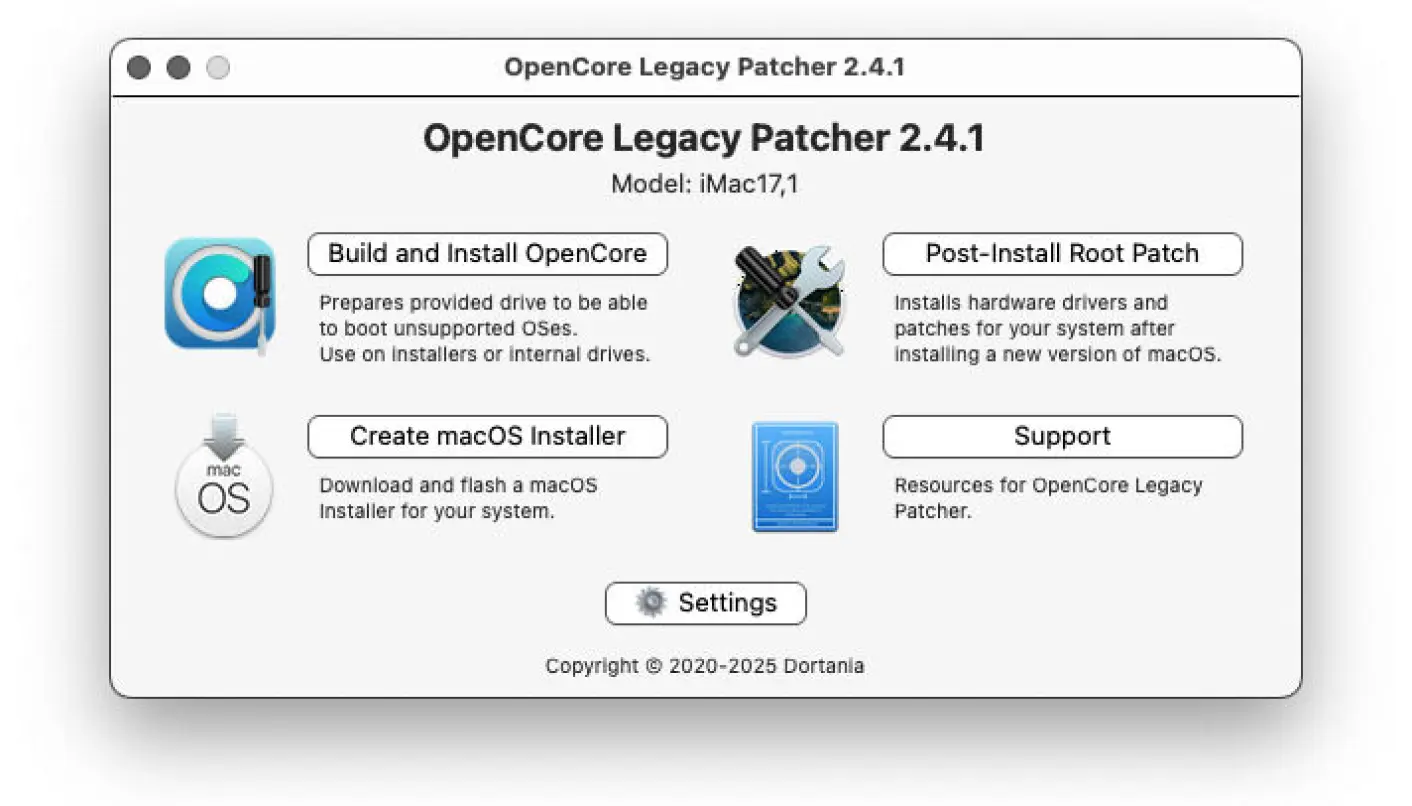
OpenCore Legacy Patcher (OCLP) now sits at version 2.4.1, giving IT teams a free path to install macOS 15 Sequoia on Intel Macs that Apple officially abandoned years ago. The project, maintained by Dortania, adapts Hackintosh techniques for genuine Apple hardware, bypassing firmware checks that would otherwise block installation. One catch: macOS 26 Tahoe support does not exist yet, and may prove difficult to build.
Apple drops macOS support for hardware after roughly five to seven years. That policy leaves millions of functional machines locked out of security updates and modern applications. OCLP exists to close that gap. The tool creates model-specific OpenCore configurations that trick the installer into running on machines Apple no longer recognizes. Post-install root patches handle unsupported drivers.
Why Tahoe support is missing
macOS 26 Tahoe, released in 2025, officially supports just four Intel Mac models. Apple clearly intends this version as the final handshake before cutting x86 entirely. That narrow hardware list creates a significant challenge for OCLP developers. They must reverse-engineer workarounds for dozens of unsupported configurations with minimal official documentation to reference.
Nearly a year after Tahoe's release, OCLP still tops out at Sequoia. The project's GitHub page does not list a Tahoe timeline. For enterprises running Intel Mac fleets, this means Sequoia becomes the practical ceiling, at least for now.
What hardware can OCLP actually extend?
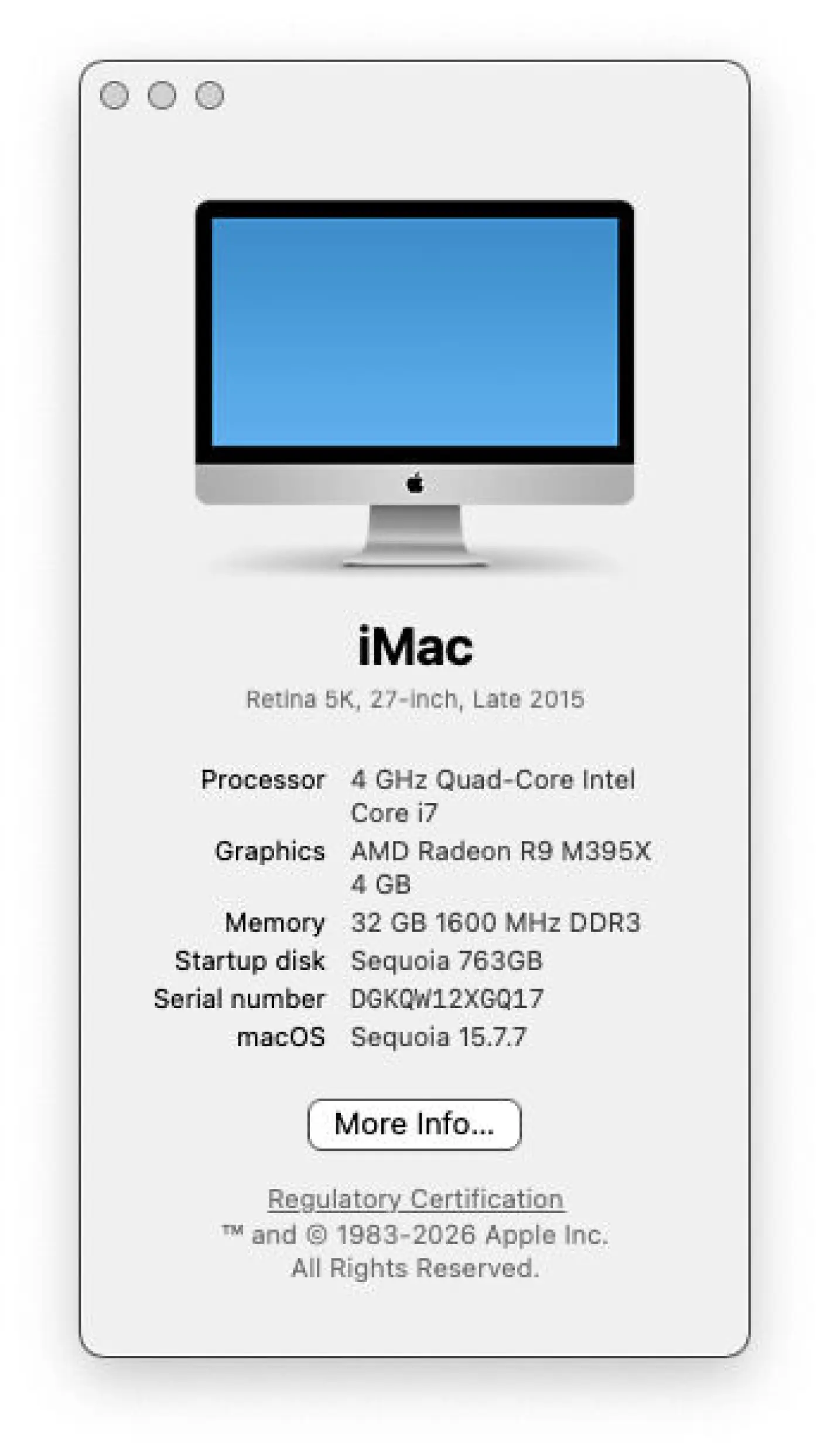
The tool covers Intel Macs from roughly 2010 through 2017. One example: a late-2015 27-inch Retina 5K iMac, whose last officially supported OS was macOS 12 Monterey from 2021. With OCLP, that same machine runs Sequoia. Users report extending Mac lifespans by seven or more years beyond Apple's cutoff.
OCLP handles over 100 Mac configurations depending on the release. Each build targets specific hardware, so a USB installer created on one Mac may not boot another model without reconfiguration.
How the installation process works
OCLP downloads macOS directly, builds a bootable USB installer (minimum 32 GB recommended), and adds a custom EFI boot entry. Intel Macs use EFI firmware with a hidden EFI System Partition. OCLP injects its own bootloader there, which appears as "EFI Boot" in the startup menu.
The standard boot process will not work. You must select the EFI Boot entry OCLP creates. After macOS installs, OCLP applies root patches for hardware components Apple no longer supports, like older GPUs or Wi-Fi chipsets.
Practical warnings for IT teams
A few friction points surface during installation. Wireless keyboards and mice, even Apple-branded ones, can fail to register during early boot stages. Wired USB input devices eliminate that problem. USB 3 keyboards sometimes miss keystrokes at boot, so older USB 2 hardware may actually work better.
PC keyboards work if you know the mapping. Option means Alt. Command means the Windows key. Documentation from iFixit and Greg Gant's 10-step guide covers edge cases, alongside Dortania's own project docs.
One recommended safety measure: keep a small partition with the last officially supported macOS. This gives you a fallback if OCLP patches break something or you need to troubleshoot hardware issues without the added complexity.
Where OCLP fits in fleet management
For IT departments managing older Mac hardware, OCLP buys time. Security updates continue. Modern applications that require recent macOS versions remain usable. The tool is free and open-source under a BSD license, so there's no per-device cost.
The tradeoff: you're running unsupported configurations. Apple's official stance does not cover these machines. Any OS update could, in theory, break OCLP patches until the project releases a fix. That risk profile suits labs, kiosks, or secondary workstations better than mission-critical production systems.
Logicity's Take
OCLP makes the most sense for organizations with sunk hardware costs and low-risk use cases. Think conference room displays, testing environments, or developer machines where a few days of downtime after a patch update is acceptable. For production fleets, the calculation shifts. The labor cost of maintaining unsupported configurations may exceed the depreciation savings, especially as Apple accelerates its Intel phase-out. Compare this approach to Linux alternatives like Ubuntu LTS or Fedora, which offer longer hardware support windows without kernel-level hacks. If your Intel Macs still have legs, OCLP extends them, but plan your Apple Silicon migration regardless.
Frequently Asked Questions
Does OpenCore Legacy Patcher support macOS Tahoe?
Not yet. As of version 2.4.1, OCLP supports macOS up to Sequoia (15). Tahoe (26) support remains under development with no announced timeline.
Which Intel Macs work with OCLP?
OCLP supports over 100 Intel Mac configurations, generally covering models from 2010 through 2017 that Apple has dropped from official macOS support.
Is OpenCore Legacy Patcher free?
Yes. OCLP is free, open-source software released under a BSD license. There are no per-device fees or subscriptions.
Can OCLP break my Mac?
OCLP patches are reversible, and keeping a partition with your last officially supported macOS provides a fallback. However, running unsupported configurations carries inherent risk, and Apple updates may require waiting for OCLP patches.
Do I need special hardware to install OCLP?
You need a USB drive of at least 32 GB. Wired USB keyboards and mice are strongly recommended since wireless input devices can fail during boot sequences.
Need Help Implementing This?
If you're evaluating whether OCLP fits your Mac fleet strategy, or planning an Apple Silicon migration, reach out to Logicity for guidance on balancing hardware lifespan against support risk.
Source: www.theregister.com
Manaal Khan
Tech & Innovation Writer
Produced with AI assistance and reviewed by the Logicity editorial team. Learn more in our Editorial Policy.