Key Takeaways
- Microsoft 365 Copilot now loads 50% faster than the previous version
- New 'progressive disclosure' shows tools based on your prompt instead of all at once
- Copilot can now be accessed directly within paragraphs, cells, and slides
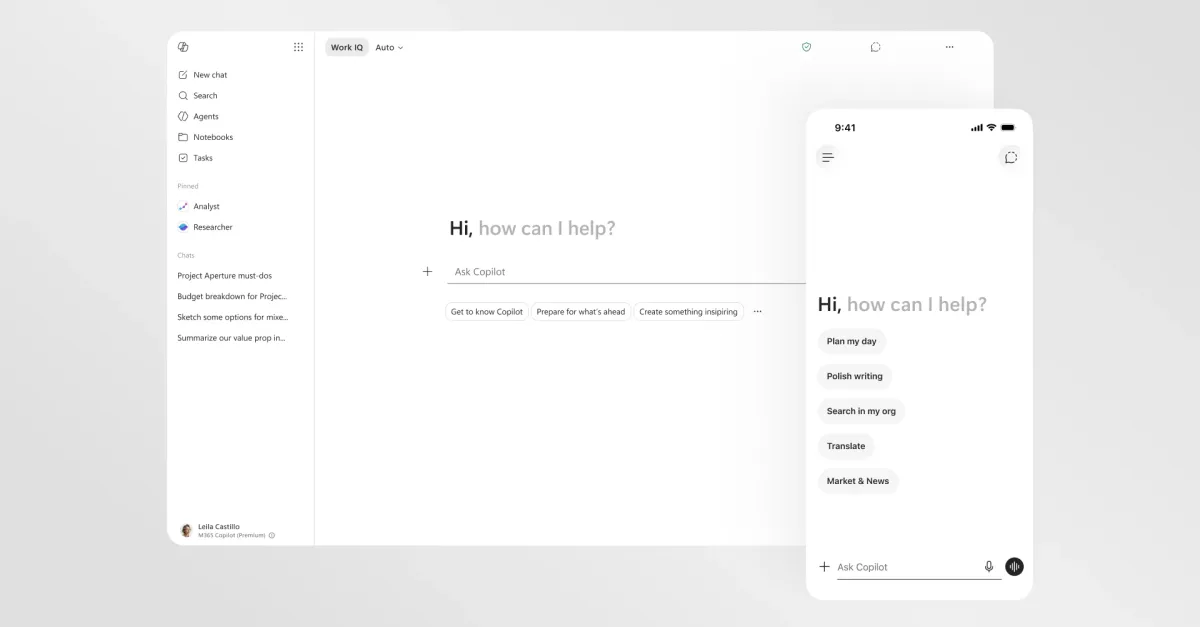
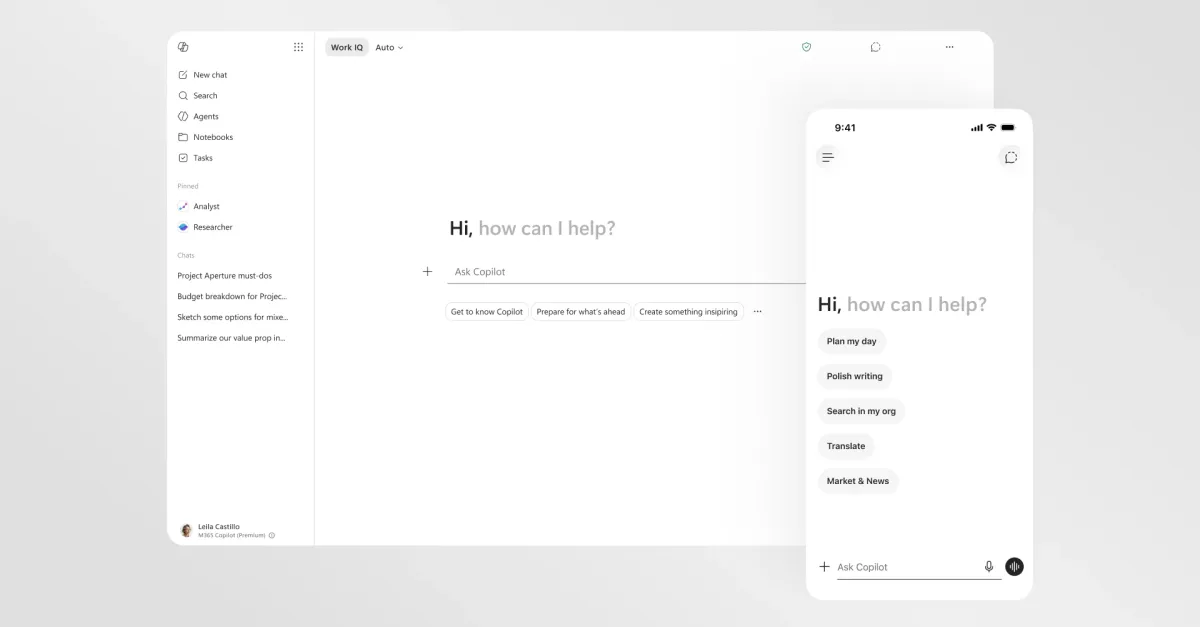
Microsoft just shipped a significant update to Microsoft 365 Copilot. The company claims the productivity assistant now loads twice as fast, with a cleaner interface designed to get out of your way until you need it.
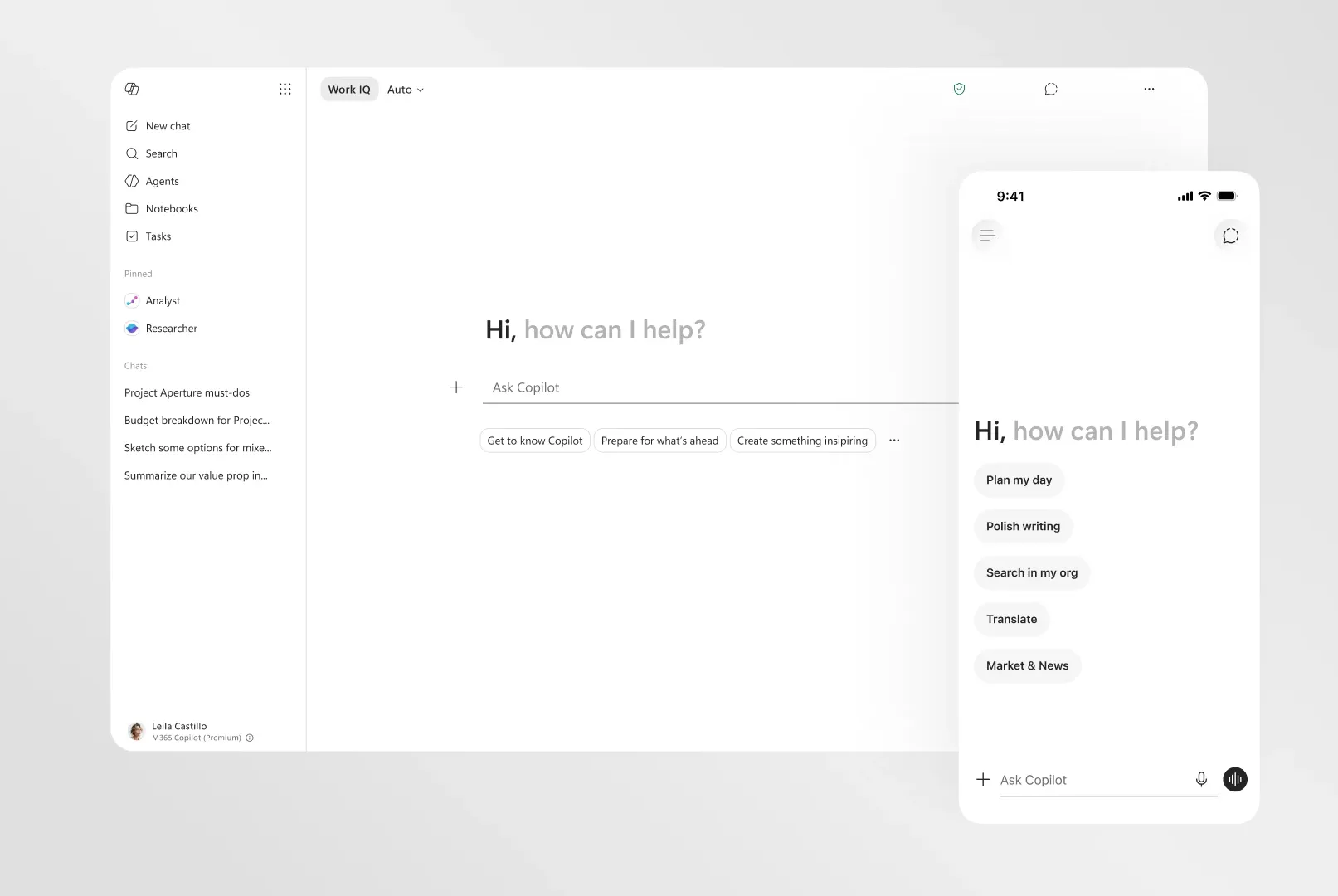
The redesign is rolling out across desktop and mobile devices. It marks a shift in how Microsoft thinks about AI in its productivity suite. Instead of treating Copilot as a chatbot bolted onto existing apps, the company is building it into the core workflow.
What's Actually Changing
The headline number: 50% reduction in initial load time. Microsoft also reports a 10% drop in latency for complex chat prompts, achieved through model optimization. For anyone who has tapped the Copilot button and waited, that matters.
Beyond speed, the interface itself is changing. Microsoft calls the new approach "progressive disclosure." Instead of presenting a wall of tools and options when you open Copilot, the assistant now shows controls based on your specific prompt. Ask about formatting a document, and you see formatting tools. Ask about data analysis, and you see analysis options.
The prompt box got an upgrade too. You can now format text directly inside it, and it expands to fit whatever you type or paste. Small change, but it removes friction for longer, more complex requests.
In-Canvas AI, Not Just a Sidebar
Inside Microsoft 365 apps, Copilot still opens in a side panel. But the redesign adds something more useful: you can now open a chat window directly from within a paragraph, spreadsheet cell, or slide. This is what Microsoft means by making AI a "native layer" instead of an overlay.
“The goal was to make Copilot feel invisible until you need it, and instantaneous when you do.”
— Jared Spataro, CVP of Modern Work at Microsoft
The change addresses a common complaint. Opening a sidebar to ask a question about a specific cell, then copying the answer back, adds steps. Summoning AI exactly where you're working cuts that friction.
Structured Responses Over Chatbot Walls of Text
Microsoft says Copilot will now provide more "structured" responses that are easier to scan. The timing is not coincidental. Google launched a similar design update for its Gemini AI app last week, with the chatbot structuring responses based on your prompt.
Both companies are responding to the same user feedback: nobody wants to read a five-paragraph essay when they asked for a bulleted summary. Structured output means headers, lists, and clear sections instead of prose.
Copilot Pages: From Chat to Persistent Asset
One feature getting attention in user communities is "Copilot Pages." It lets you turn ephemeral chat output into persistent, collaborative documents. Ask Copilot to draft a project brief, and instead of copying the response into a Word doc, you can save it directly as a Page that your team can edit.
Reddit users in r/microsoft have been praising this feature specifically. The ability to make AI output stick around and become a shared workspace addresses a real workflow gap.
The Bigger Picture
Microsoft is serving over 400 million monthly active enterprise users across the M365 ecosystem. Performance improvements at this scale have compounding effects. A few seconds saved per interaction, multiplied across millions of daily uses, adds up.
“We are moving away from treating AI as an overlay, to designing it as a native, performance-first layer in every workflow.”
— Satya Nadella, CEO of Microsoft
The redesign also reflects where enterprise AI is heading. The first wave was about proving that AI assistants could do useful things. The second wave is about making them fast and unobtrusive enough that people actually use them daily.
Logicity's Take
Frequently Asked Questions
How much faster is the new Microsoft 365 Copilot?
Microsoft reports a 50% reduction in initial load time and 10% lower latency for complex chat prompts.
What is progressive disclosure in Microsoft 365 Copilot?
Progressive disclosure means Copilot shows tools and controls based on your specific prompt, instead of displaying all options at once.
Can I use Copilot directly in a document without opening the sidebar?
Yes. The redesign lets you open a chat window from within a paragraph, spreadsheet cell, or slide.
What are Copilot Pages?
Copilot Pages let you save AI chat output as persistent, collaborative documents that your team can edit together.
Is this update available on mobile?
Yes. The redesign is rolling out across both desktop and mobile devices.
Need Help Implementing This?
Huma Shazia
Senior AI & Tech Writer
Produced with AI assistance and reviewed by the Logicity editorial team. Learn more in our Editorial Policy.