Key Takeaways
Samsung Galaxy Owners Don't Have to Use Google Messages Texting App
- Google Messages themes let you assign unique backgrounds and color schemes to individual chats
- The feature helps prevent sending messages to the wrong recipient by making conversations visually distinct
- Themes are free and rolling out on Android devices now
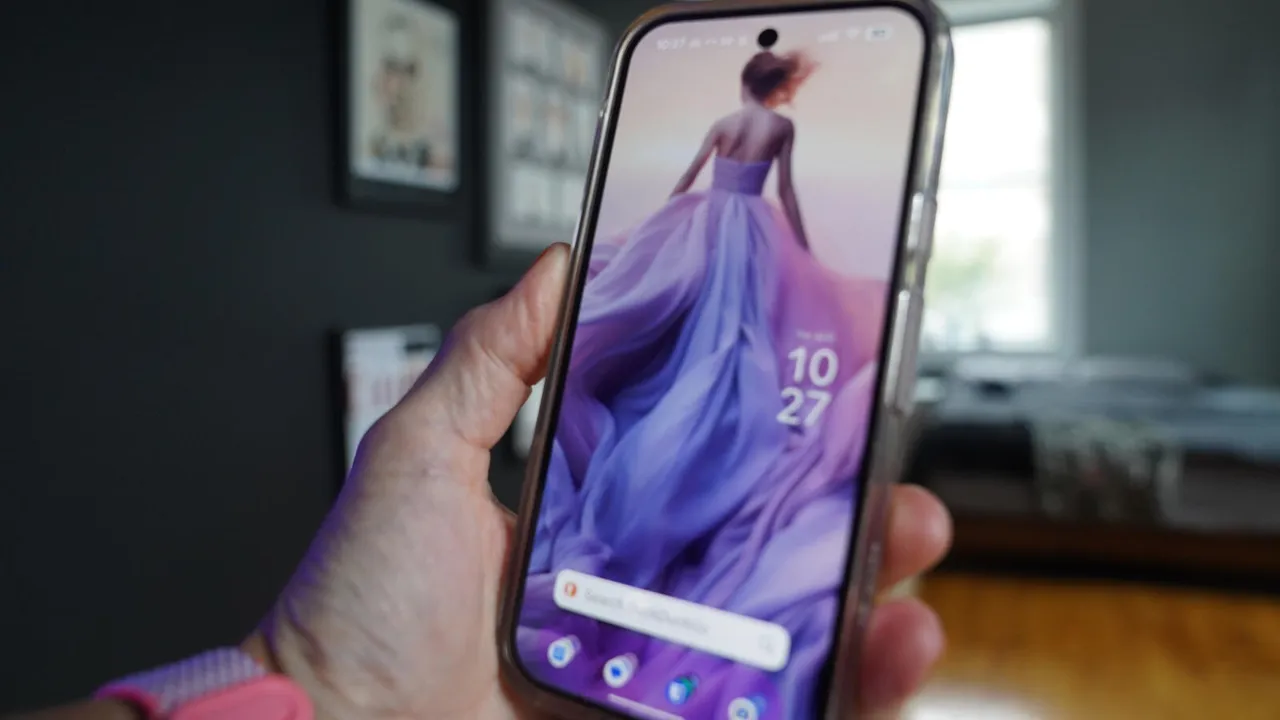
Google Messages now lets you assign unique visual themes to individual conversations, a small tweak that solves a surprisingly common problem: accidentally texting the wrong person. The feature, rolling out on Android, allows users to set distinct background images and color schemes for each chat thread.
If you've ever fired off a message meant for your spouse to your boss, or replied to a client thread thinking it was a friend's, you know the cold dread that follows. Google's solution is simple. Make each conversation look different enough that your brain catches the error before your thumb hits send.
How Google Messages themes work
The theming option lives inside individual chat settings. Tap the profile image of any conversation, then the information icon, and you'll find a "Chat theme" option. From there, you can select a background photo from Google's pre-loaded options or pull one from your camera roll. You also choose a color scheme that changes the chat bubbles and interface elements.
The visual cue doesn't need to be dramatic. A blue theme for work contacts, red for family, green for that group chat that never stops buzzing. The point is instant recognition. When you're groggy at 6 AM or multitasking through lunch, a glaring color difference registers faster than reading a name.
Step-by-step: theming a chat
- Open Google Messages and tap into the conversation you want to theme
- Tap the contact's profile image at the top, then tap the information icon (the small "i" in a circle)
- Scroll to the "Chat theme" option under the Images section and tap it
- Choose a background image from the presets or select one from your photo library
- Pick a color scheme that complements the background
- Exit settings. The theme applies immediately
The feature works on individual and group chats. It's free, requires no additional app, and survives app updates.
Why this matters for busy professionals
The wrong-text problem isn't just embarrassing. Sending sensitive business information to the wrong contact creates compliance headaches and erodes trust. While no one should share truly confidential data over SMS, practical reality is messier than policy. People coordinate deals, share preliminary numbers, and discuss personnel over messaging apps constantly.
Google Messages has over one billion active users globally. With RCS adoption climbing past 60% among US Android users, the app handles an increasing share of business-adjacent communication. Small UX improvements compound across that user base.
The feature also fits Google's broader push to match iMessage's personalization features. Apple has offered custom chat backgrounds for years. WhatsApp and Telegram do too. Google closing this gap removes one more reason for Android users to seek third-party alternatives.
Limitations to know
Themes are local to your device. The recipient sees their own default or custom theme, not yours. You can't force a client to see your company colors. The feature also doesn't sync across devices yet, so you'll need to reapply themes if you switch phones or use Messages on a tablet.
The rollout is gradual. If you don't see the option, check for app updates in the Play Store. Google typically stages releases over several weeks.
Logicity's Take
This feature solves a real problem, but it's also part of Google's defensive play against enterprise messaging platforms. Tools like [Slack](https://logicity.in/r/slack) and Microsoft Teams dominate workplace communication precisely because they offer better organization, threading, and visual separation. Google Messages themes won't pull IT teams away from those tools, but they reduce friction for the hybrid reality where quick texts still happen. For founders managing dozens of investor, partner, and team threads, spending five minutes theming your most important conversations is worth it.
Frequently Asked Questions
Do Google Messages themes show on the recipient's phone?
No. Themes are local to your device only. Recipients see their own default or custom theme, not the one you applied.
Can I use my own photos as chat backgrounds?
Yes. Google Messages lets you select images from your camera roll in addition to preset backgrounds.
Will my themes sync to a new phone?
Currently, themes do not sync across devices. You'll need to reapply them after switching phones or resetting your device.
Does this feature work with RCS and SMS messages?
Yes. Themes apply to the conversation thread regardless of whether messages are sent via RCS or SMS.
Disclosure
Some links in this post are affiliate links — Logicity earns a commission if you sign up, at no extra cost to you. We only link products we have used or actively recommend.
Need Help Implementing This?
Logicity covers the tools and workflows that help tech teams communicate faster. Subscribe to our newsletter for weekly guides on productivity, messaging, and enterprise software.
Source: Latest news
Huma Shazia
Senior AI & Tech Writer
Produced with AI assistance and reviewed by the Logicity editorial team. Learn more in our Editorial Policy.