Key Takeaways
NEW ChatGPT Work is the Claude Cowork Killer? (Full Breakdown)
- ChatGPT Work deleted duplicate files without prompting the user for permission
- Claude Cowork's explicit permission model feels safer for desktop automation tasks
- The file cleanup used 11% of ChatGPT Plus's $20/month plan capacity
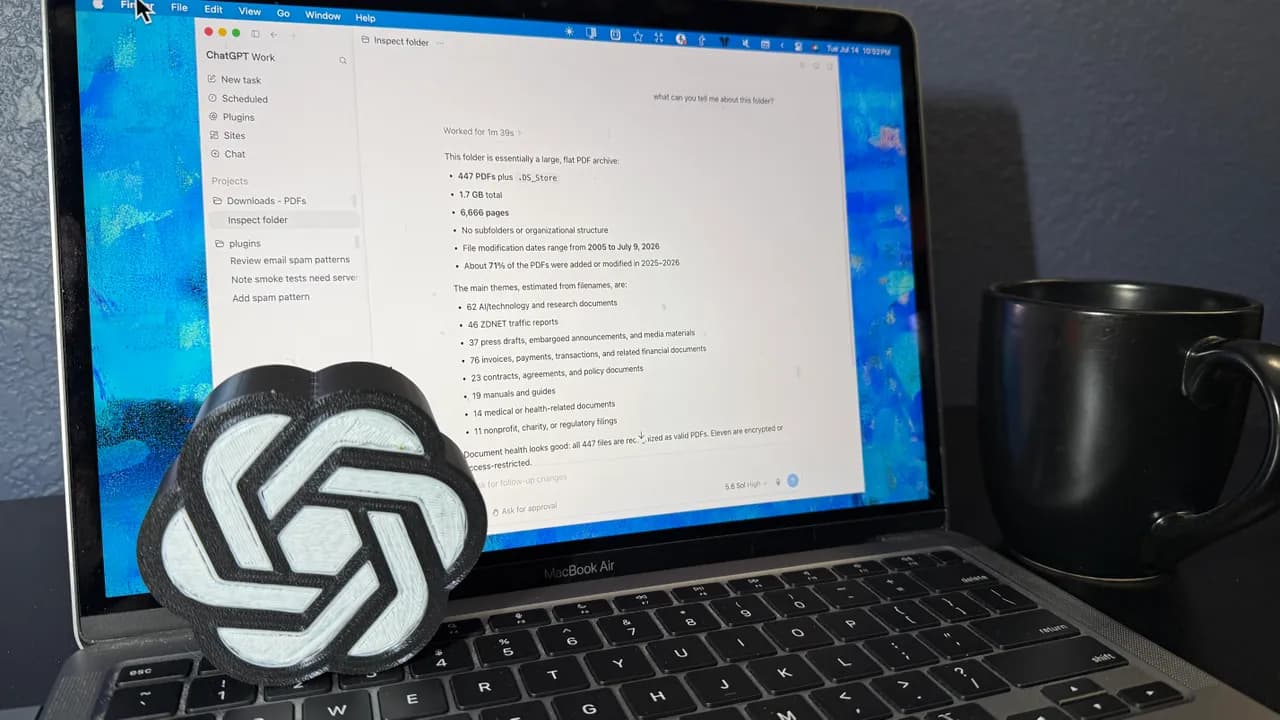
ChatGPT Work and Claude Cowork now both offer AI-powered desktop automation, letting users point an assistant at local files and watch it organize, rename, or delete them. ZDNet's David Gewirtz ran the same test on both tools: sorting 447 PDFs in a messy Downloads folder. The results were nearly identical. The safety models were not.
ChatGPT Work, released last week, lives inside the ChatGPT desktop app. Point it at a folder, describe what you want, and the AI starts manipulating files directly. Gewirtz asked it to analyze his PDF collection, identify duplicates, and organize the rest by content rather than file type.
What ChatGPT Work got right
The AI performed well on the core task. It counted 447 PDFs, measured total storage, tallied page counts, identified themes, flagged encrypted files, and spotted duplicate sets. Claude Cowork had missed the duplicates entirely when Gewirtz ran this test in January with 308 files.
Work went further. It found duplicates with completely different filenames, comparing content rather than relying on metadata alone. "Set 4 is especially easy to miss because its identical files have unrelated-looking names," the AI noted. That's genuine intelligence, not just string matching.
When asked to rename generically titled files, Work explained its reasoning. It flagged names that were "only a number/code, an export default such as 'Document1' or 'download,' or a broad label that omits the actual subject." The logic held up.
The permission problem
Then Gewirtz asked Work to remove the duplicates. It did. Immediately. No confirmation dialog. No "Are you sure?" prompt. No list of files about to be deleted.
This is the red flag Gewirtz buried in his walkthrough. An agentic AI that can delete files on your computer without asking for explicit permission before each destructive action is a liability. Gewirtz had wisely copied his PDFs to a test directory first. Most users won't.
Claude Cowork, by contrast, prompts the user before executing file operations. You see what the AI intends to do before it does it. This friction slows things down, but it means you never discover a mistake after the fact.
What Work missed that Cowork caught
Cowork had flagged generically named files unprompted. Work didn't notice them until Gewirtz explicitly asked. That's a gap in proactive analysis. If you're organizing a messy folder, discovering "Document1.pdf" and "download.pdf" scattered throughout matters as much as finding duplicates.
The difference suggests Claude's tool was built with more explicit prompting around common file hygiene issues, while Work assumes you'll specify exactly what you want.
Resource usage and pricing
The file cleanup consumed 11% of Gewirtz's ChatGPT Plus capacity. At $20 per month, that's roughly $2.20 worth of agentic compute for one folder organization task. Scale that to a workweek of automation and you'll hit the ceiling fast.
Anthropic hasn't published equivalent usage metrics for Cowork, so direct cost comparison isn't possible yet. Both tools require paid subscriptions; neither is available on free tiers.
Why the permission gap matters for enterprise
Desktop automation is only useful if it's trustworthy. IT departments evaluating these tools will ask: what happens when the AI hallucinates and acts on a wrong assumption? With Claude Cowork, you catch the error before execution. With ChatGPT Work, you catch it in the logs, after the damage.
Gewirtz's conclusion is blunt: "Based on ChatGPT Work's results, I'm not quite willing to let it loose on other desktop projects." He's not questioning Work's intelligence. He's questioning its guardrails.
Logicity's Take
OpenAI and Anthropic are racing toward the same goal, but their safety philosophies diverge. Anthropic's Cowork treats every destructive action as opt-in. OpenAI's Work treats your initial folder selection as blanket consent. For personal file cleanup, the convenience might be worth it. For anything touching production systems, client data, or shared drives, the missing confirmation step is a dealbreaker. Expect OpenAI to patch this gap, but for now, the safer bet is Claude.
Frequently Asked Questions
Is ChatGPT Work available in the browser or only desktop?
ChatGPT Work runs in both the browser (for cloud tasks) and the ChatGPT desktop app (for local file operations). Desktop automation requires the app.
How much does ChatGPT Work cost?
It's included in ChatGPT Plus at $20 per month. There's no separate fee, but usage counts against your plan's capacity.
Does Claude Cowork ask permission before deleting files?
Yes. Cowork prompts users before executing file operations, letting you review and approve actions before they happen.
Can ChatGPT Work access files outside the folder I select?
In Gewirtz's test, Work stayed within the selected directory and didn't access other parts of the system.
Which AI file organizer is better for sensitive documents?
Claude Cowork's explicit permission model is safer for sensitive files. ChatGPT Work's speed advantage doesn't offset its lack of confirmation prompts for destructive actions.
Another example of AI autonomy deployed in high-stakes environments
Need Help Implementing This?
Evaluating AI automation tools for your team? Logicity covers enterprise AI adoption. Subscribe to our newsletter for weekly analysis on which tools are ready for production and which need more guardrails.
Source: Latest news
Huma Shazia
Senior AI & Tech Writer
Produced with AI assistance and reviewed by the Logicity editorial team. Learn more in our Editorial Policy.




