Key Takeaways
Best Antivirus 2026: We Tested Them All (Only 3 Made the Cut)

- Bitdefender Antivirus Plus ranks as the best overall malware removal software for 2026
- Free options like Avast One Essential and Avira Free Security offer solid protection without cost
- Specialized tools like Malwarebytes AdwCleaner target specific threats like adware
ZDNET released its updated malware removal software rankings for 2026, placing Bitdefender Antivirus Plus at the top after testing eight products across categories including real-time protection, scan speed, and threat detection. The July 2026 update adds AVG to the recommended list and expands coverage of free alternatives for users who want protection without a subscription.
The timing matters. Cybercrime costs are projected to exceed $10.5 trillion annually, according to Cybersecurity Ventures, and AV-TEST Institute logs more than 560,000 new malware samples daily. Ransomware attacks have tripled since 2020. Built-in tools like Windows Defender have improved, but dedicated malware removal software catches threats that slip past default protections.
Which malware removal software won?
Bitdefender Antivirus Plus claimed the top spot for overall protection. ZDNET's testers praised its combination of real-time scanning, low system impact, and strong detection rates against both known malware signatures and zero-day threats. The software runs quietly in the background without the performance drag that plagues some competitors.
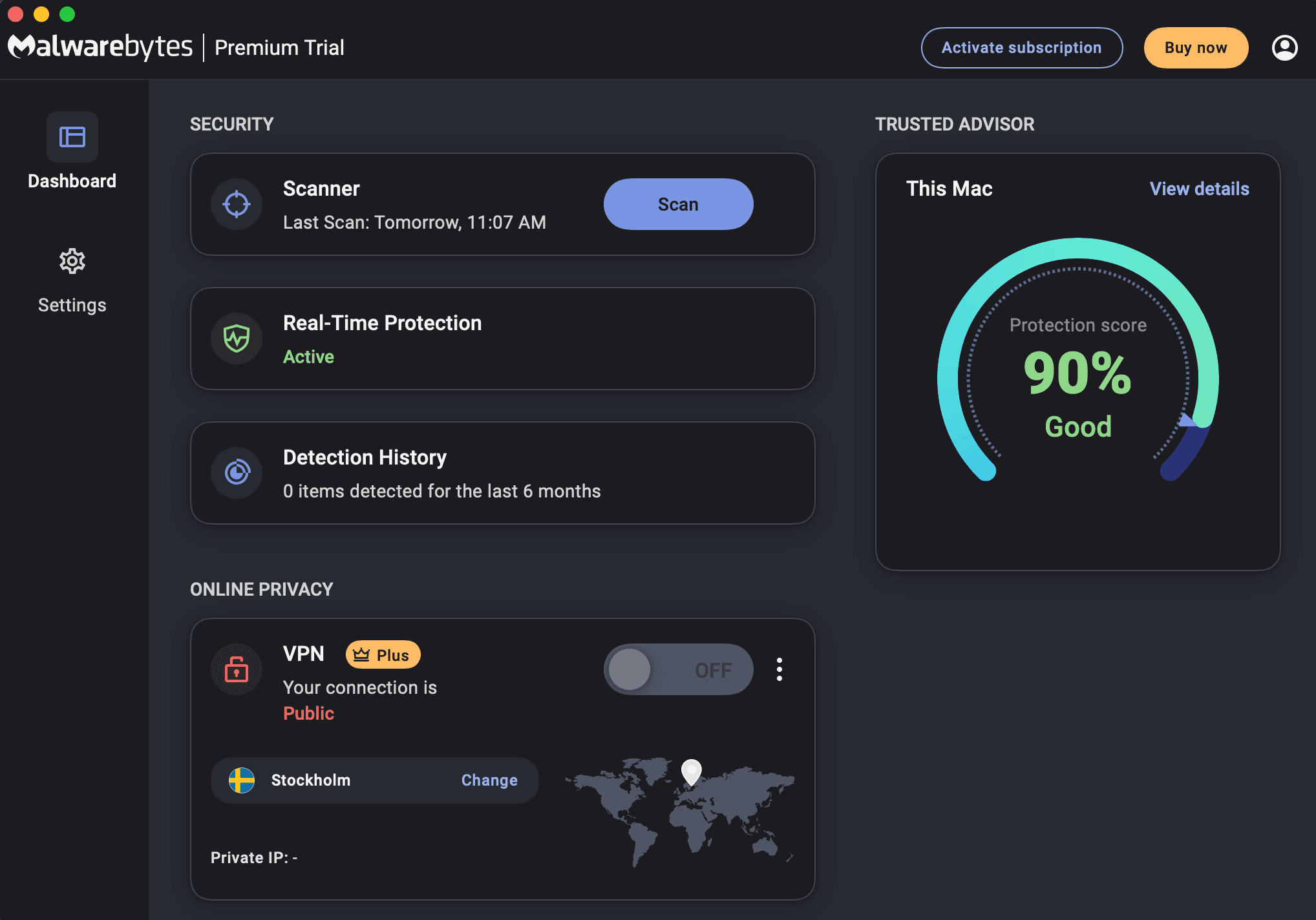
Malwarebytes earned the nod for proactive protection. Its behavior-based detection engine catches threats before they execute, rather than relying solely on signature matching. This approach works well against polymorphic malware that changes its code to evade traditional scanners.
AVG, newly added to the 2026 guide, stood out for scan quality and safe browsing features. The software blocks malicious URLs before they load, cutting off one of the most common infection vectors.
What about free malware removal tools?
Avast One Essential ranked as the best free option. It includes real-time protection, scheduled scans, and basic ransomware shields at no cost. The trade-off: occasional prompts to upgrade. For users who can tolerate that, it provides legitimate protection without spending a dollar.
Avira Free Security won for macOS users specifically. Apple's built-in protections have improved, but Avira catches Mac-targeted adware and potentially unwanted programs that slip through Gatekeeper.
Malwarebytes AdwCleaner serves a narrower purpose. It strips out adware, browser hijackers, and toolbars that bundle themselves with legitimate software downloads. It's not a full antivirus replacement. Think of it as a cleanup tool for machines already showing symptoms.
How did ZDNET test these tools?
The testing methodology combined hands-on evaluation with independent lab data. ZDNET ran each product on identical hardware, measured scan times, tracked CPU and memory usage during active scans, and monitored detection rates against a sample set of known malware. They also pulled data from independent testing organizations to verify results.
Customer reviews factored into the rankings. Real-world feedback often reveals issues that lab testing misses, like false positives that block legitimate software or customer support that goes nowhere.
Full rankings at a glance
| Product | Best For | Price Tier |
|---|---|---|
| Bitdefender Antivirus Plus | Overall protection | Paid |
| Malwarebytes | Proactive protection | Paid/Free tier |
| AVG | Scans and safe browsing | Paid/Free tier |
| Avast One Essential | Free option | Free |
| ESET Home Security Essential | Customized scans | Paid |
| Malwarebytes AdwCleaner | Adware removal | Free |
| Avira Free Security | macOS protection | Free |
| ZoneAlarm Extreme Security NextGen | Modern threats | Paid |
Do you still need dedicated malware software?
Windows Defender has closed the gap significantly. It now scores well in independent tests and comes pre-installed on Windows machines. For users who practice basic security hygiene, never click suspicious links, avoid pirated software, keep systems updated, Defender may be enough.
But layered security still makes sense for higher-risk users. Small business owners, anyone handling financial data, or users who frequently download software from varied sources benefit from a second scanner. Running Malwarebytes alongside Windows Defender, for example, catches threats that slip through either product alone.
The real question is whether paid tiers justify their cost. Free versions of Avast, AVG, and Malwarebytes handle basic protection. Paid upgrades add features like VPNs, password managers, and priority support. Whether those extras matter depends on your existing tool stack.
Logicity's Take
For most tech teams, the paid-vs-free decision comes down to management overhead. Bitdefender's paid tiers include centralized consoles for deploying across multiple machines, which saves IT time. Malwarebytes offers similar fleet management. Free tools work fine for individual devices but create headaches at scale. If you're securing 10+ endpoints, budget $30-60 per device annually for a managed solution. If you're protecting a single personal machine, Avast One Essential or Malwarebytes Free will do the job.
What about AI-powered malware threats?
ZoneAlarm Extreme Security NextGen made the list specifically for handling modern threats, including AI-generated phishing and evasive malware. The product uses behavioral analysis rather than signature matching, which helps against novel attacks that haven't been catalogued yet.
This category will matter more as attackers adopt AI tools to generate unique malware variants at scale. Traditional signature-based detection struggles when every sample looks different. Products emphasizing behavior analysis, like ZoneAlarm and Malwarebytes, have an advantage here.
Frequently Asked Questions
Is Windows Defender good enough in 2026?
For low-risk users who practice good security habits, yes. It scores well in independent tests. High-risk users or businesses should add a second layer like Malwarebytes.
What's the best free malware removal tool?
Avast One Essential for Windows, Avira Free Security for macOS. Both provide real-time protection without payment.
Can I run two antivirus programs at once?
Running two real-time scanners causes conflicts. You can run Windows Defender alongside an on-demand scanner like Malwarebytes Free, which only scans when you tell it to.
How often should I scan for malware?
Weekly full scans catch anything that slipped past real-time protection. Enable real-time scanning and schedule automatic weekly deep scans.
Do Macs need malware protection?
Yes. Mac malware is less common but exists. Avira Free Security or the macOS version of Malwarebytes adds protection beyond Apple's built-in Gatekeeper.
Need Help Implementing This?
If you're securing a company fleet or evaluating endpoint protection for your organization, Logicity can help you compare options and negotiate volume licensing. Reach out to our team for a vendor-neutral consultation.
Source: Latest news
Huma Shazia
Senior AI & Tech Writer
Produced with AI assistance and reviewed by the Logicity editorial team. Learn more in our Editorial Policy.




