Key Takeaways
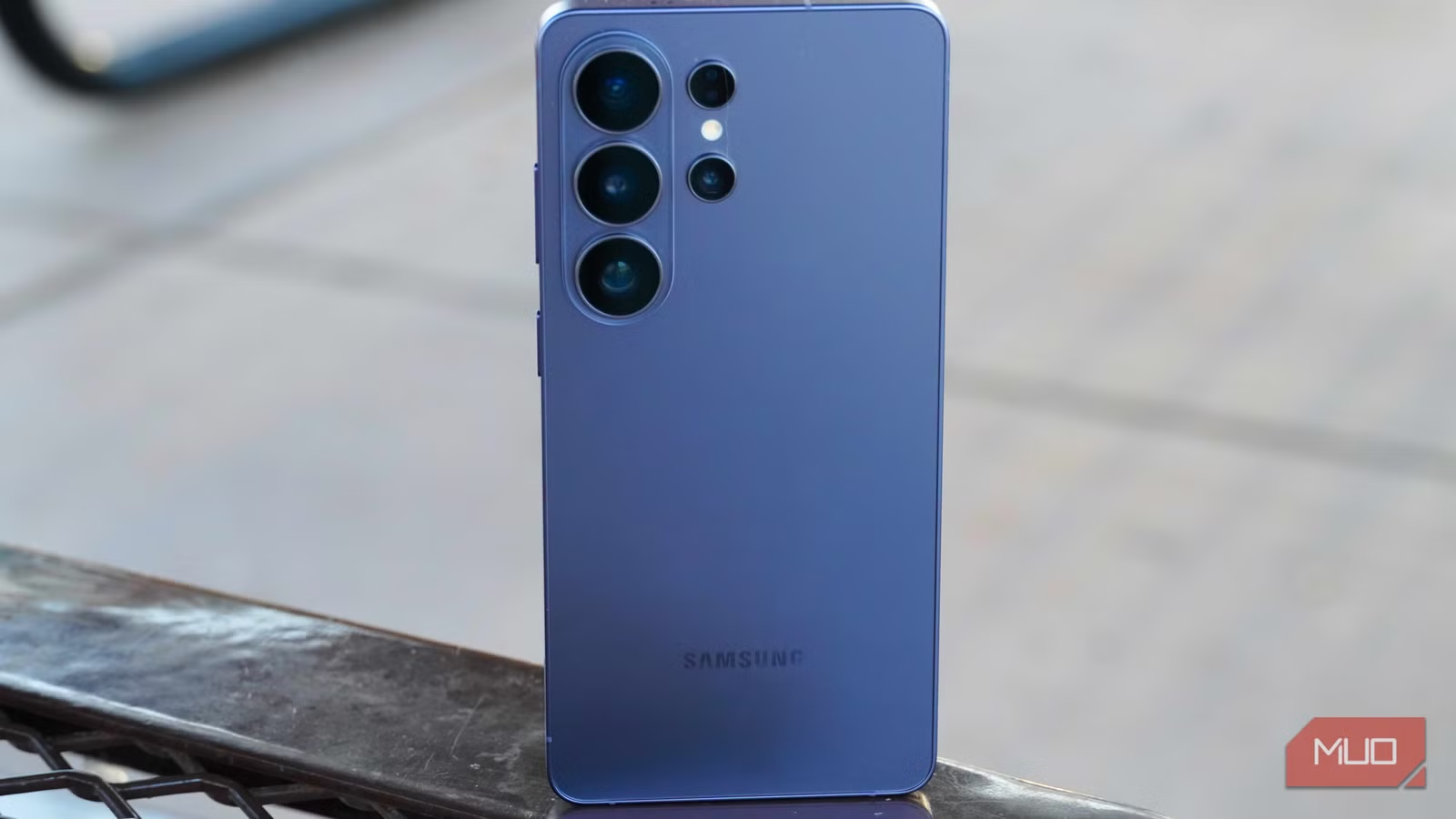
- Auto optimization with scheduled reboots reduces background heat buildup
- Light performance profile cuts temperatures without noticeable lag
- A PPS charger prevents overheating during charging by dynamically adjusting voltage
Samsung Galaxy phones run hot. Not warm, hot. One Galaxy S26 owner traced the problem to two culprits: default settings that let background apps run wild, and a cheap charger that couldn't communicate with the phone. After changing four settings and swapping the charger, the overheating stopped entirely.
The fix doesn't require sacrificing performance. It's a combination of Samsung's built-in thermal management tools and smarter charging hardware. Most users never touch these settings because they're buried in Device Care menus.
Why does your Samsung phone keep overheating?
Flagship Samsung phones pack Snapdragon chips designed for desktop-class performance into bodies under 9mm thick. That's a thermal engineering challenge. Qualcomm's Snapdragon 8 series chips have been notorious for running hot since the 8 Gen 1 era. Samsung addresses this with vapor chamber cooling, but hardware alone can't compensate for software inefficiency.
Background apps are the main offender. They sync, refresh, check notifications, and consume processing cycles constantly. When dozens of apps are doing this simultaneously, your phone never idles. The processor keeps spinning, and heat builds up even during light tasks like scrolling Instagram.
Enable auto optimization for scheduled reboots
Auto optimization is Samsung's maintenance tool that most users either ignore or don't know exists. It performs routine cleanup: closing background apps, freeing memory, and optionally rebooting your phone on a schedule.
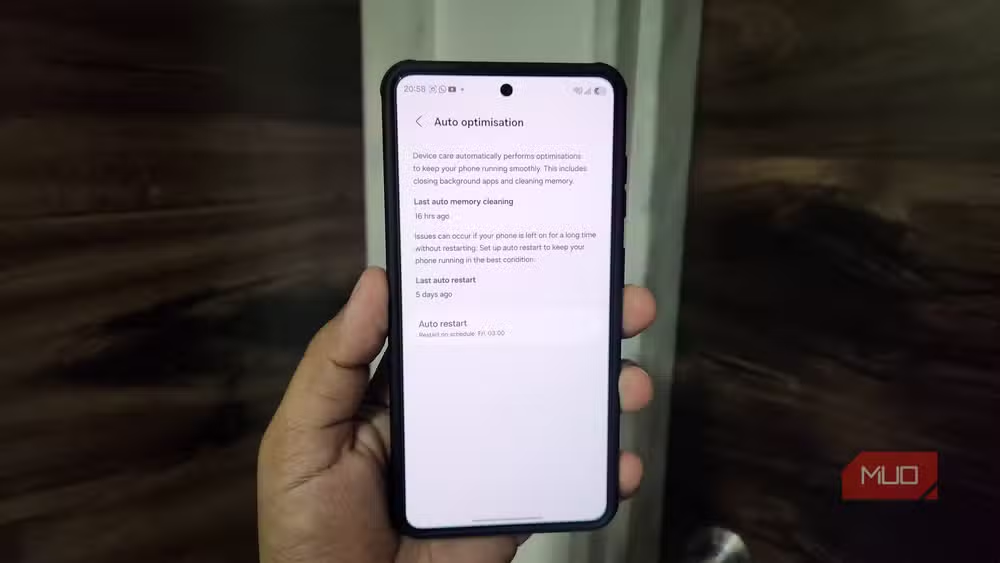
The automatic restart is the key feature here. A periodic reboot clears accumulated junk processes that contribute to thermal load. Samsung designed it to be non-intrusive. Your phone will only restart when the screen is off and battery is above 30%. It won't interrupt calls or messages.
To enable it: Settings > Device care > Auto optimization. Configure reboots to happen late at night or let the phone decide timing automatically.
Switch to Light performance profile
Samsung includes a setting specifically for thermal management that almost nobody uses: Performance profile. By default, it's set to Standard, which prioritizes maximum performance. Light mode reduces processing speed marginally to keep temperatures lower and extend battery life.
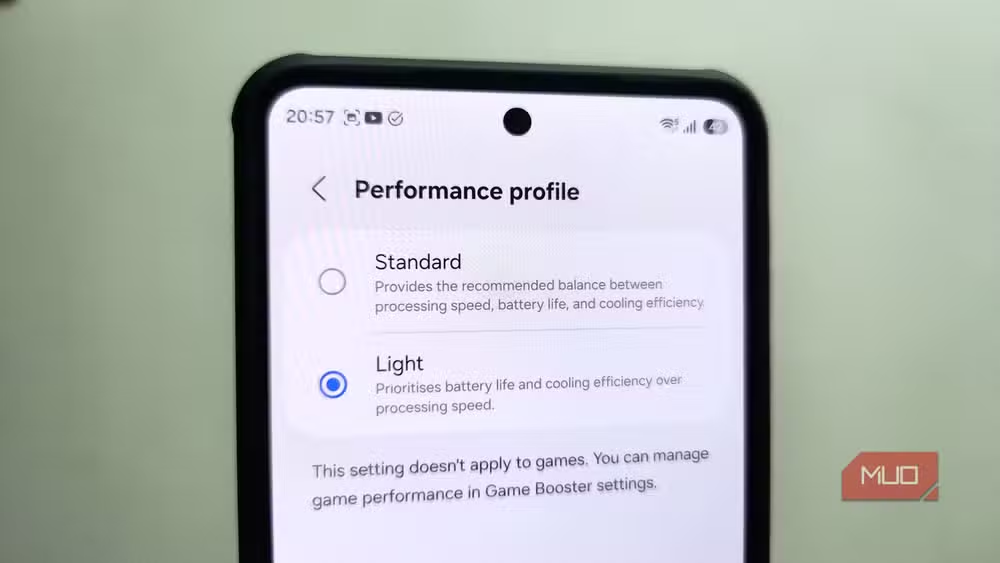
This isn't power-saving mode. The phone doesn't become laggy or dim the screen aggressively. After a week of daily use on Light mode, the difference in speed is barely perceptible for typical tasks. The clever part: the profile doesn't apply during gaming, so you don't need to toggle it manually when you want full power.
Find it at Settings > Device care > Performance profile and select Light.
Restrict background activity for apps you rarely use
Samsung lets you put apps to sleep, limiting how often they run in the background. This doesn't delete them or disable notifications entirely. It just tells your phone to let them run less frequently.
Go to Settings > Battery > Background usage limits > Sleeping apps. Tap the plus icon and add every app you don't actively use throughout the day. Skip apps like WhatsApp, Gmail, or Slack that need real-time notifications. But for games, shopping apps, or utilities you open once a week, the Sleeping apps list is an easy win.
Each app you add is one less process fighting for CPU time and generating heat.
Get a PPS charger to stop charging heat
Software tweaks can't fix overheating during charging. That's a hardware problem. Cheap chargers deliver power at a fixed voltage and let your phone figure out what to do with it. This creates heat.
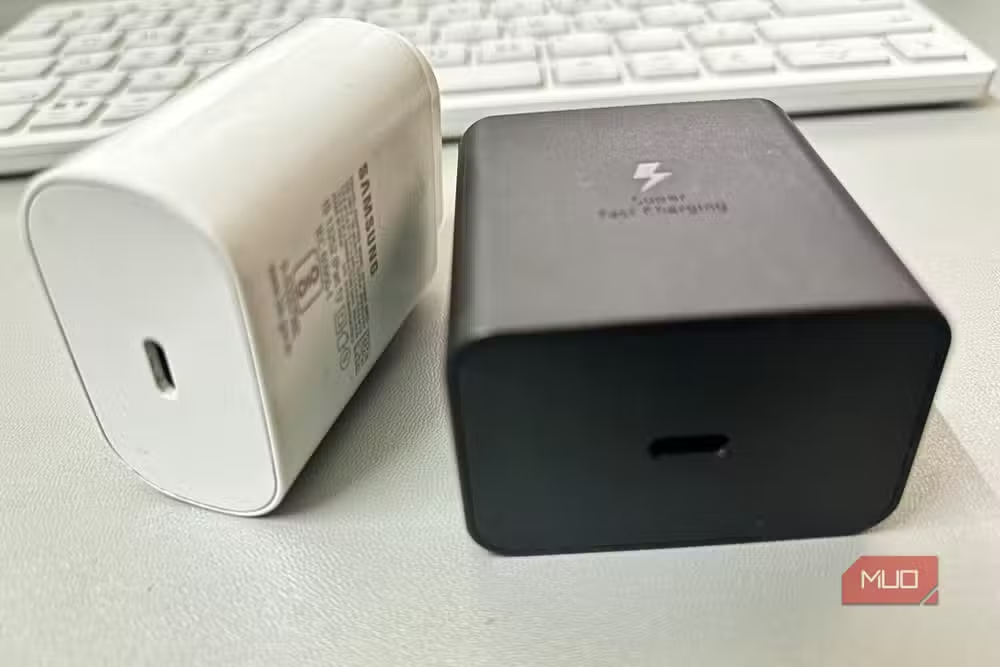
PPS stands for Programmable Power Supply. A PPS charger communicates with your phone, constantly adjusting voltage and current to deliver exactly what the battery needs at each moment. Less wasted energy means less heat. Samsung's own 25W and 45W chargers support PPS. Third-party options exist, but verify PPS compatibility before buying.
If you've been using the same $10 charger for years, this is probably why your phone feels like a hand warmer while plugged in.
Do these changes actually work?
The Galaxy S26 owner who documented this process reported zero overheating incidents after implementing all four changes. That's a strong anecdotal result, but it aligns with how thermal throttling works. Typical Samsung devices throttle performance at around 40°C (104°F), and thermal throttling can cut performance by 15-25% on flagship phones. Reducing heat generation avoids that penalty entirely.
The Light performance profile trades a small amount of peak speed for consistent temperatures. Auto optimization prevents the gradual buildup of rogue processes. Background app limits reduce constant CPU load. And PPS charging eliminates the primary heat source during charging sessions.
None of these changes require technical knowledge or warranty-voiding modifications. They're settings Samsung built into the software and chargers you can buy from any electronics retailer.
Logicity's Take
Samsung buries its most useful thermal management tools in menus most users never open. That's a design failure. If 72% of smartphone owners have experienced overheating, these options should surface during initial setup, not hide three taps deep in Device Care. The PPS charger requirement is the real story here. Samsung stopped including chargers in the box, and users bought cheap replacements that work against the phone's charging intelligence. That's a predictable outcome Samsung could have prevented with clearer guidance.
Frequently Asked Questions
Does Light performance mode make Samsung phones noticeably slower?
No. Light mode reduces processing speed marginally, but most users report no perceptible difference during normal use. The mode doesn't apply during gaming, so you retain full performance when it matters.
Will auto optimization restart my phone during calls or while I'm using it?
No. Samsung designed auto optimization to only restart when the screen is off and battery is above 30%. It won't interrupt active use.
What's the difference between a PPS charger and a regular fast charger?
PPS chargers dynamically adjust voltage and current based on real-time communication with your phone. Regular chargers deliver fixed power, forcing your phone to manage excess energy as heat.
Should I put WhatsApp in Sleeping apps to reduce heat?
No. Apps that rely on real-time notifications like WhatsApp, Gmail, or Slack should not be added to Sleeping apps. Only add apps you don't need immediate updates from.
Does Samsung Galaxy S26 have better thermal management than older models?
Samsung has improved vapor chamber cooling in recent flagships, but software settings still play a major role. The same fixes apply to older Galaxy devices running OneUI.
Need Help Implementing This?
If you're managing a fleet of Samsung devices for your organization and need help configuring thermal and battery settings at scale, reach out to Logicity's enterprise tech team for guidance on MDM solutions that can push these configurations remotely.
Source: MakeUseOf
Manaal Khan
Tech & Innovation Writer
Produced with AI assistance and reviewed by the Logicity editorial team. Learn more in our Editorial Policy.






