Microsoft Edge ships with settings that turn a cluttered browser into something faster and quieter. Profiles separate work from personal bookmarks. Sleeping tabs reclaim memory. Copilot summarises long pages without a single extra click. Most of these options are buried two menus deep. Here is how to find and flip each one on Windows 10 (22H2) or Windows 11 (25H2).

The tips below assume you are running the current version of Edge. A few features, notably the Copilot sidebar, are Windows-only and may differ on older builds.
Separate work and personal browsing with profiles
9 Microsoft Edge Features Chrome Doesn't Have (...yet)
Hybrid work means one laptop, two lives. Mixing work and personal bookmarks creates friction every time you need to reach a site quickly. Edge profiles split favourites, extensions, passwords and Collections into isolated containers, each tied to a different Microsoft account.
To create a second Microsoft account, visit account.microsoft.com, sign out of any existing session, then click Create an account and follow the prompts. Once you have two accounts, add the second to Edge: click your profile icon at the top right of any Edge window, select Set up a new profile and choose Personal or Work or School. Sign in when prompted.
Switching profiles opens a new window. Both profiles can run at once, each with its own tabs. You can also force Edge to open a specific profile whenever you visit a given URL. Go to Settings > Profiles > Profile preferences, scroll to Automatic profile switching and click Add site. Enter the URL and choose which profile should open it.
Add quick links to your new tab page
Edge's new tab page can surface shortcuts to the sites you hit most. Right-click any blank space on the new tab page and select Add a site. Enter a name and URL. The shortcut appears immediately.
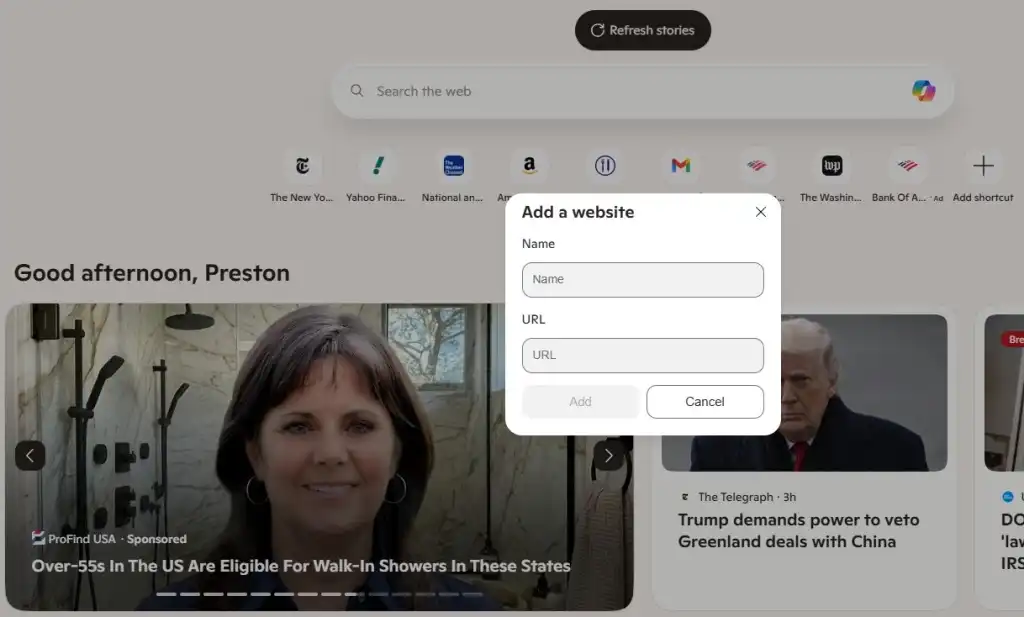
Quick links sit above the search box. Drag them to reorder. If you use Notion, ClickUp or Asana as a daily dashboard, pinning them here saves a click every morning.
Disclosure
Some links in this post are affiliate links — Logicity earns a commission if you sign up, at no extra cost to you. We only link products we have used or actively recommend.
Group tabs by project
A dozen open tabs blur together. Tab groups add colour-coded labels so you can collapse or expand an entire project in one click. Right-click any tab and choose Add tab to new group. Name the group and pick a colour. Drag other tabs into the same group.
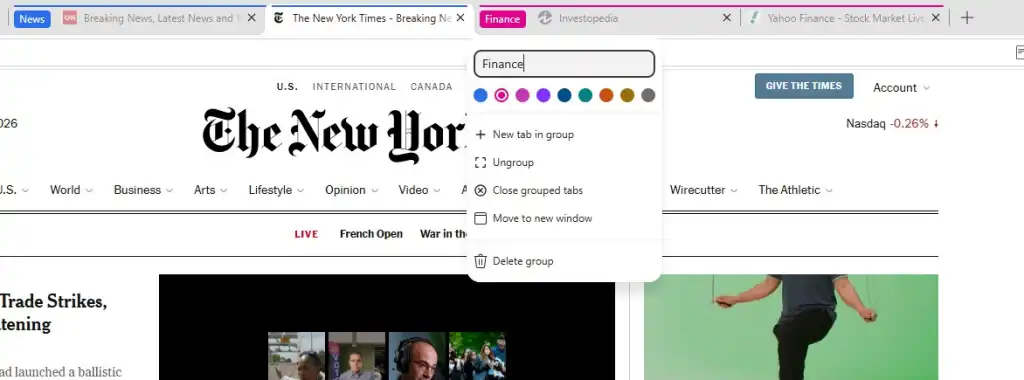
Click the group label to collapse the cluster. Click again to expand. Groups persist across sessions if you enable the relevant setting under Settings > Start, home and new tabs.
Summarise any page with Copilot
Copilot lives in Edge's sidebar. Press Ctrl + Shift + . or click the Copilot icon at the top right of the toolbar. A panel slides in with a summary of the current page. You can also highlight text, right-click and choose Ask Copilot.
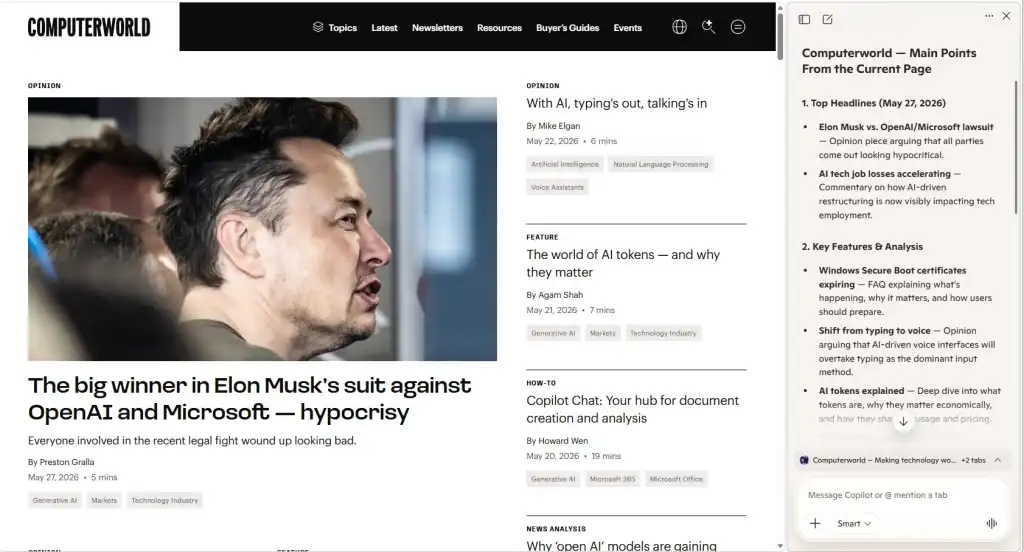
The summary is useful for long reports and documentation. It is not a replacement for reading anything legally binding.
Strip the new tab page down to basics
Edge's default new tab page is noisy: news feeds, weather, stock tickers. You can strip it to a search box and quick links. Click the gear icon at the top right of any new tab page, then under Page layout choose Focused or Custom. Turn off content toggles one by one until only the essentials remain.
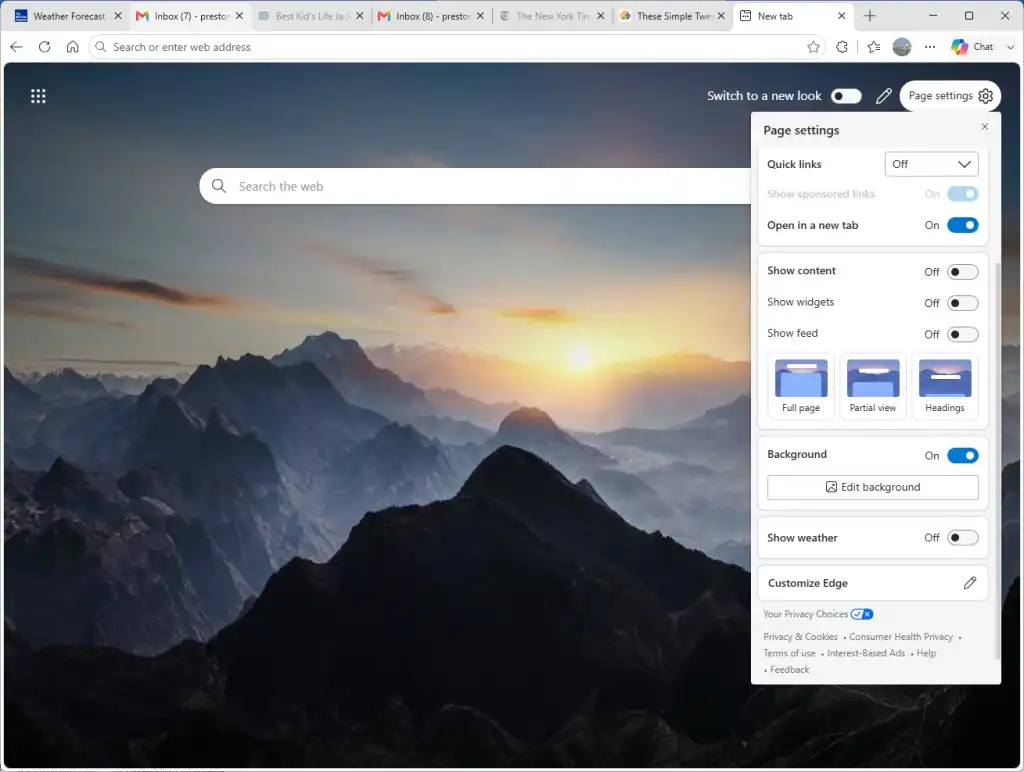
A cleaner start page loads faster and keeps your attention where it belongs.
Replace your start page with Copilot
If you use Copilot constantly, make it your new tab page. Go to Settings > Start, home and new tabs > New tab page, then choose the Copilot option. Every new tab opens straight to the AI prompt box.
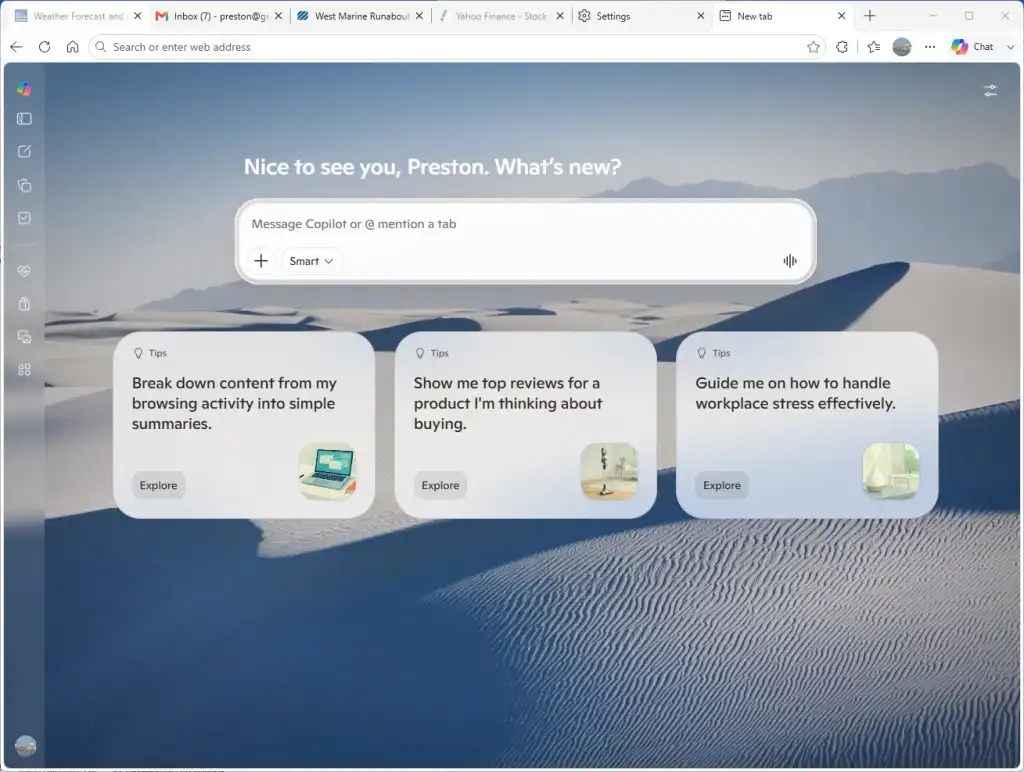
This is not for everyone. If you rely on quick links, stick with a traditional layout.
Put idle tabs to sleep
Tabs you have not touched in a while still consume memory and CPU. Sleeping tabs freeze inactive tabs and wake them only when you click back. Go to Settings > System and performance > Optimize performance and turn on Put inactive tabs to sleep. Choose a timeout: five minutes is aggressive, one hour is conservative.
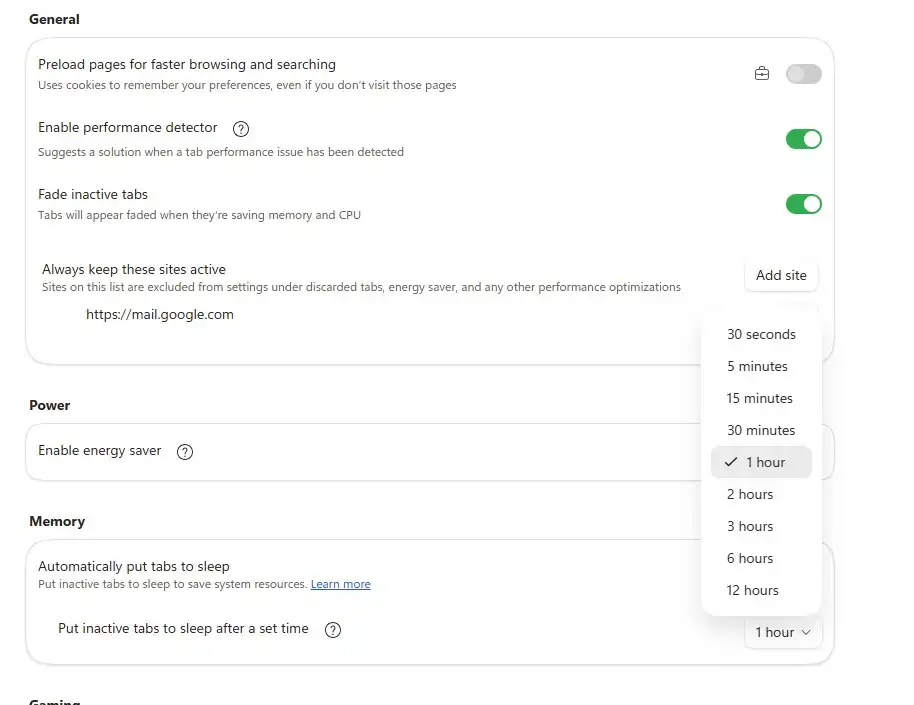
Sleeping tabs can cut Edge's memory footprint by hundreds of megabytes on a busy machine.
Turn on Energy saver mode
On a laptop, Edge can throttle background activity to extend battery life. Go to Settings > System and performance and enable Save battery. Choose whether the mode activates when unplugged or at a specific battery percentage.

Energy saver limits animations and other non-essential work. The trade-off is minor stutter on some sites.
Logicity's Take
Profiles and sleeping tabs offer the biggest returns for IT teams. Profiles let employees keep corporate bookmarks, extensions and credentials isolated without managing a second browser. Sleeping tabs reduce memory pressure on shared VDI environments or older hardware. Copilot's page summaries are useful, but enterprise deployments should confirm Copilot licensing aligns with your Microsoft 365 plan. For task management, pairing Edge quick links with a tool like Notion, ClickUp or Asana keeps context one click away.
When these settings matter most
Large organisations rolling out hybrid-work policies benefit from profile separation. IT can document which profile connects to Azure AD and which stays personal. Sleeping tabs matter when fleets include machines with 8GB of RAM or less.
Copilot integration is still evolving. Microsoft may add features or change licensing terms, so check your Microsoft 365 agreement before enabling Copilot at scale.
Another look at browser-embedded enterprise tooling.
Frequently Asked Questions
Do sleeping tabs break web apps like Teams or Google Docs?
By default, no. Edge excludes tabs playing audio or video, and you can whitelist specific URLs under Settings > System and performance > Never put these sites to sleep.
Can I sync Edge profiles across devices?
Yes. Sign in with the same Microsoft account on each device and enable sync under Settings > Profiles > Sync. Favourites, passwords, extensions and settings follow you.
Is Copilot in Edge free?
The sidebar Copilot is free with a Microsoft account. Copilot Pro and Copilot for Microsoft 365 unlock additional features but require paid subscriptions.
Does Energy saver affect video playback?
It may reduce frame rates on background video. Foreground tabs playing full-screen video are generally unaffected.
Need Help Implementing This?
Logicity helps IT teams roll out browser policies, evaluate enterprise software and build automation. Get in touch for hands-on guidance.
Source: Computerworld
Huma Shazia
Senior AI & Tech Writer
Produced with AI assistance and reviewed by the Logicity editorial team. Learn more in our Editorial Policy.