Why You Should Learn Python in WSL Instead of Windows
Key Takeaways
- Most Python tutorials assume a Unix environment, making Windows users translate paths and commands constantly
- Windows and Linux handle file paths, line endings, and storage differently, causing script errors
- WSL provides a native Linux environment inside Windows, eliminating these friction points
The Problem With Learning Python on Windows
You've decided to learn Python. Maybe you want to automate tasks, maybe you're curious about 'vibe coding,' or maybe your job now requires it. You fire up your Windows laptop, find a well-reviewed tutorial, and start following along. Then you hit the first command that references /usr/bin/python. Your machine has no idea what that means.
This is the core problem. Most Python tutorials, including the official documentation, assume you're running a Unix-like operating system. macOS qualifies. Linux qualifies. Windows does not.
The differences go deeper than interface preferences. They're structural. And for beginners trying to build their first scripts, these differences create constant mental overhead that has nothing to do with learning Python itself.
File Paths: The First Wall
Windows stores files on drives labeled by letter. C:\Windows\System32 is a typical path. This convention dates back to CP/M, the operating system Microsoft borrowed from in the early 1980s.
Linux uses a single directory tree. Everything lives under the root directory, represented by a forward slash. That Python interpreter you need to reference? It's at /usr/bin/python. No drive letters. Forward slashes instead of backslashes.
When you're new to programming, you don't want to spend cognitive effort translating paths between operating systems while also trying to understand variables, loops, and functions. Yet that's exactly what Windows users face with most Python learning materials.
Line Endings: The Invisible Bug
Windows and Linux interpret line endings in text files differently. Windows uses a carriage return followed by a line feed (CRLF). Linux uses just a line feed (LF).
This matters because Python scripts are text files. Write a script on Windows, send it to a colleague on Linux, and they might get error messages. The Python interpreter thinks the lines aren't terminated properly. The script looks identical in both text editors, but the invisible characters at the end of each line are different.
Utilities exist to convert files between formats. But constantly running conversion tools adds friction to your workflow. It's another thing to remember, another place where errors can creep in.
Libraries: Where Windows Breaks Down
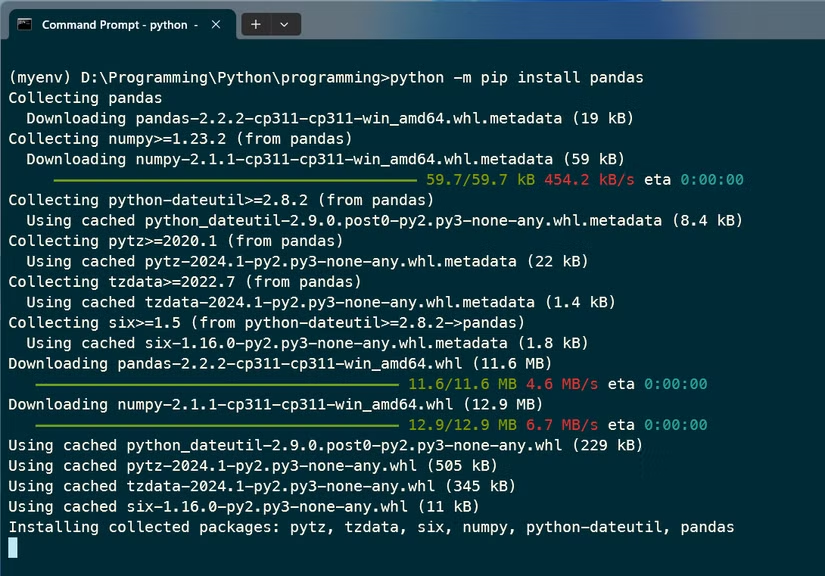
Python's real power comes from libraries. NumPy for numerical computing. Pandas for data analysis. TensorFlow for machine learning. These libraries let you accomplish complex tasks with a few lines of code.
Many of these libraries are developed primarily on Linux systems. Their developers test on Linux first. When you install them on Windows, you might hit bugs that don't exist on Linux. Sometimes installation fails entirely because a library depends on tools that aren't available on Windows.
This is frustrating for experienced developers. For beginners, it's demoralizing. You followed the instructions exactly, but something broke, and the error message makes no sense to you yet.
The Command Line Gap
Programming requires comfort with text-based interfaces. You'll run the Python interpreter from a terminal. You'll use an editor like Vim or VS Code. You'll navigate directories, create files, and run scripts from the command line.
Most Windows users live in graphical programs. Clicking icons, dragging windows, using menus. Linux users, especially experienced ones, work heavily in the terminal. The tutorials reflect this. They assume familiarity with commands that Windows users have never encountered.
WSL: The Solution That Already Exists
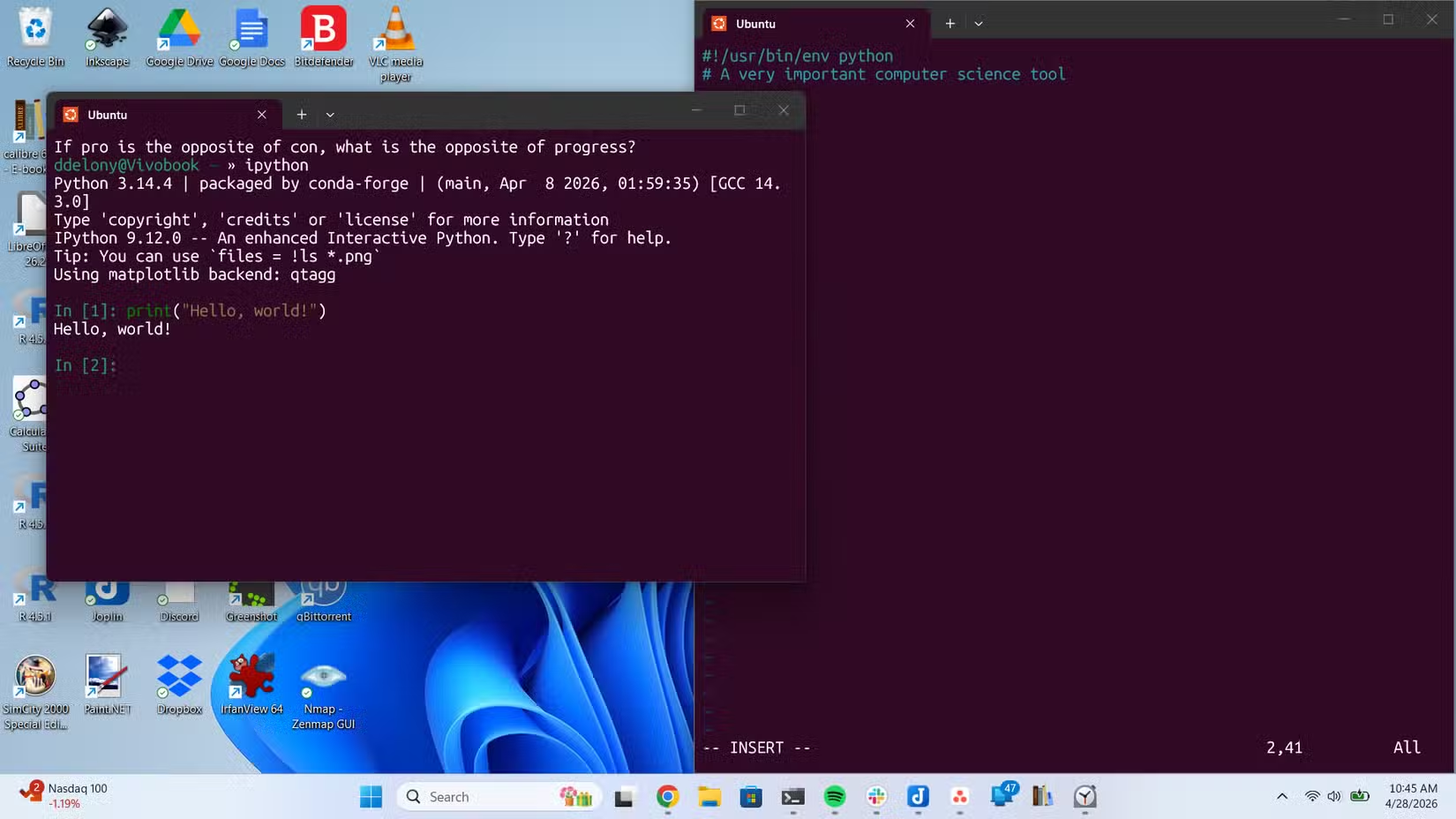
Windows Subsystem for Linux lets you run a Linux environment directly inside Windows. No dual-booting. No virtual machine overhead. Just a real Linux terminal where Python works the way tutorials expect.
File paths work correctly. Line endings are handled properly. Libraries install without Windows-specific bugs. When a tutorial tells you to run a command, you can run it exactly as written.
You can still use Windows for everything else. Your browser, your email, your other applications all work normally. WSL just gives you a Linux environment for development tasks.
Once you're in WSL, Fish shell makes the command line easier to learn
Getting Started With WSL
Installing WSL takes one command in an administrator PowerShell window: wsl --install. Windows downloads Ubuntu by default, though you can choose other Linux distributions.
Once installed, you launch WSL from the Start menu like any other application. You get a terminal window running Linux. From there, you can install Python using Ubuntu's package manager: sudo apt install python3.
Your Windows files are accessible from WSL at /mnt/c/ for your C: drive. Your WSL files are accessible from Windows File Explorer. The two systems coexist without conflict.
Who Should Stick With Native Windows
WSL isn't required for everyone. If you're building Windows-specific applications, like desktop programs using Windows APIs, native Windows development makes sense. If your company standardizes on Windows Python setups and provides support for them, follow their lead.
But if you're learning Python on your own, following online tutorials, or planning to deploy scripts on Linux servers, WSL removes obstacles from your path. You'll spend time learning Python instead of fighting your operating system.
Logicity's Take
Frequently Asked Questions
Is WSL slow compared to native Linux?
No. WSL 2 runs a real Linux kernel with near-native performance. For Python development, you won't notice any difference.
Can I use VS Code with WSL?
Yes. VS Code has a Remote WSL extension that lets you edit files in your WSL environment while using the Windows VS Code interface.
Do I need to know Linux to use WSL for Python?
Basic commands are enough to start. You'll learn more Linux naturally as you follow Python tutorials written for Linux environments.
Can I run Python scripts I write in WSL on Windows later?
Yes, but you may need to adjust file paths and line endings. For learning purposes, staying in WSL keeps things consistent.
Need Help Implementing This?
Source: How-To Geek
Huma Shazia
Senior AI & Tech Writer
مقالات ذات صلة
تصفح الكل
5 إعدادات في متصفحك تسرّب بياناتك حتى مع تفعيل VPN
ماذا لو أخبرتك أن متصفحك المفضل يسلّم عنوان IP الحقيقي وموقعك الفعلي وعادات تصفحك لأي موقع يطلبها، حتى مع تفعيل VPN؟ هذا بالضبط ما يحدث لملايين المستخدمين يومياً، ومنهم من يكتشف ذلك بالصدفة عند إجراء

كيف تعرض شاشة هاتف Android على التلفزيون مجاناً باستخدام Google Cast
هل تبحث عن طريقة لعرض شاشة هاتف Android على التلفزيون دون دفع أموال لتطبيقات مليئة بالإعلانات أو شراء كابلات HDMI؟ الحل موجود فعلياً داخل هاتفك: ميزة Google Cast المدمجة في نظام Android 16 تتيح لك بث

4 تطبيقات سامسونج تستحق البقاء على هاتفك Galaxy
يأتي هاتف Galaxy الجديد محملاً بأكثر من 50 تطبيقاً مُثبتاً مسبقاً، وليست جميعها ضرورية. لكن وسط هذا الكم من التطبيقات، تبرز أربعة تطبيقات سامسونج تستحق فعلاً أن تبقى على جهازك — بل قد تفضّلها على بدائ

استدعاءات يونيو 2026 للسيارات: Ford وHonda وToyota تسحب ملايين المركبات من الأسواق
سجّلت الهيئة الوطنية الأمريكية لسلامة المرور على الطرق السريعة NHTSA أكثر من 300 استدعاء للسلامة شملت أكثر من 100 شركة مصنّعة منذ بداية عام 2026، لكن استدعاءات يونيو 2026 للسيارات جاءت الأضخم والأخطر.
اقرأ أيضاً

محركات Elmo Titanium الجديدة: تحكم بـ 256 محوراً في حجم علبة الكبريت
كشفت شركة Elmo Motion Control الإسرائيلية عن جيل جديد من محركات السيرفو الصناعية ووحدات التحكم بالحركة، يتصدرها خط Titanium الذي يُتيح التحكم بما يصل إلى 256 محوراً في آنٍ واحد، مع دمج وظائف الأمان مب
كيف تُخصّص سطر الأوامر باستخدام Oh My Zsh والذكاء الاصطناعي
إذا كنت تقضي ساعات يومياً في سطر الأوامر، فأنت تعلم أن الطرفية الافتراضية مملّة ومحدودة. الحلّ؟ Oh My Zsh، الإطار مفتوح المصدر الذي يحوّل تجربة الـ Terminal إلى بيئة مُخصّصة بالكامل — والآن يمكنك تخصي
خيوط PLA Pure من Bambu Lab: اعتراف ضمني بأن البلاستيك «الآمن» ليس بريئاً تماماً
حين تُطلق شركة رائدة في الطباعة ثلاثية الأبعاد منتجاً «نقياً» من خيوط PLA، فهي تقول ضمنياً ما لم تُرد قوله صراحةً: النسخة العادية ليست نظيفة كما روّجنا لها طوال سنوات. هذا بالضبط ما فعلته Bambu Lab بإ