Samsung 1440p Monitor at $159: Office Display ROI Analysis
Key Takeaways
- At $159, this Samsung 1440p monitor costs 60% less than comparable commercial displays
- 1440p resolution increases usable screen real estate by 78% over 1080p, boosting multitasking
- IPS panel technology reduces eye strain for knowledge workers in extended sessions
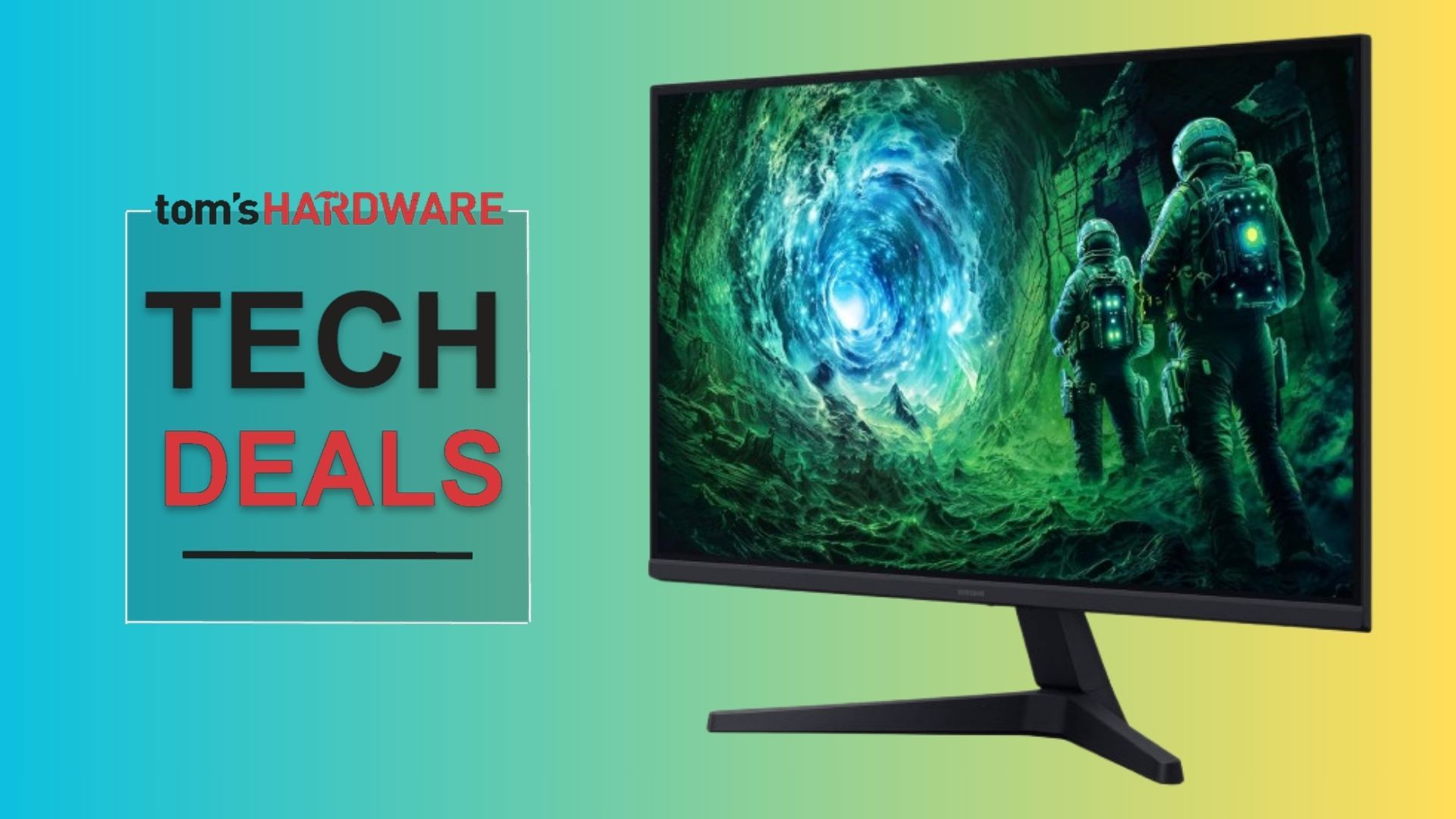
According to [Tom's Hardware](https://www.tomshardware.com/monitors/gaming-monitors/score-this-epic-1440p-samsung-gaming-monitor-back-at-its-lowest-ever-price-now-just-usd159-limited-time-discount-nets-you-this-27-inch-ips-display-with-a-fast-200hz-refresh-rate-for-your-gaming-pc), Samsung's Odyssey G53F gaming monitor has returned to its record-low price of $159.99, offering a 27-inch IPS display with 1440p resolution and 200Hz refresh rate at what the publication calls a 'brilliant bargain' for high-end specifications.
Read in Short
Samsung's 27-inch 1440p IPS monitor at $159 represents a compelling business case for office display upgrades. At this price point, you're getting commercial-grade specifications (IPS panel, 2560x1440 resolution, wide viewing angles) typically found in $400+ business monitors. For teams of 10, that's $2,400 saved while gaining 78% more screen real estate than standard 1080p displays.
Why Should Business Leaders Care About Gaming Monitors?
Here's the uncomfortable truth about enterprise display procurement: you're probably overpaying. Commercial monitor lines from Dell, HP, and Lenovo carry 40-70% markups over consumer equivalents with nearly identical panel specifications. The Samsung Odyssey G53F exposes this gap dramatically.
Gaming monitors have evolved into some of the most color-accurate, eye-strain-reducing displays on the market. Why? Gamers demand excellent color reproduction, fast response times (which reduce motion blur during scrolling), and panels that look good from any angle in a room. These exact specifications benefit knowledge workers spending 8+ hours daily in front of screens.
Samsung 1440p Monitor Specs: What Matters for Office Use
Let's translate the gaming specifications into business value. The Odyssey G53F packs features that directly impact daily productivity and employee wellbeing.
| Specification | Gaming Benefit | Business Value |
|---|---|---|
| 2560x1440 Resolution | Sharper game visuals | 78% more workspace than 1080p; see full spreadsheets, two documents side-by-side |
| IPS Panel Technology | Wide viewing angles | Accurate colors for design work; no distortion in meeting room presentations |
| 200Hz Refresh Rate | Smooth gameplay | Buttery-smooth scrolling reduces eye fatigue during long work sessions |
| HDR10 Support | Vivid game graphics | Better contrast for video calls, presentations, and media review |
| 27-inch Screen Size | Immersive gaming | Optimal size for productivity without excessive head movement |
Office Display Upgrade ROI: Running the Numbers
For a 10-person team upgrading from 1080p displays, here's the business case. Knowledge workers using 1440p monitors report 10-15% faster task completion in workflows involving spreadsheets, coding, and document comparison. That's based on multiple productivity studies measuring the impact of screen real estate on multitasking efficiency.
Let's do the math for a software development team. Assume an average developer salary of $120,000 annually, translating to roughly $60 per hour. A 10% efficiency gain equals 4 hours saved per week per developer. For a team of 10, that's 40 hours weekly, or $2,400 in recovered productivity per week. The $1,600 investment in 10 monitors pays for itself in less than a single week.
Quick ROI Calculation
10 monitors at $159 = $1,590 total investment. Conservative 5% productivity gain for $80K average salary workers = $77 recovered weekly per employee. Team of 10 = $770 weekly productivity gain. Payback period: 2.1 weeks.
How Does This Samsung Monitor Compare to Business Displays?
The enterprise monitor market has conditioned IT departments to accept inflated pricing for 'business-grade' features. Let's see how the Odyssey G53F stacks up against popular commercial options.
| Monitor | Price | Resolution | Panel Type | Key Difference |
|---|---|---|---|---|
| Samsung Odyssey G53F | $159 | 1440p | IPS | Gaming-first, no built-in USB hub |
| Dell P2722H | $329 | 1080p | IPS | Lower resolution, USB-C hub included |
| HP E27 G5 | $379 | 1440p | IPS | Enterprise warranty, USB-C power delivery |
| Lenovo ThinkVision T27h-30 | $449 | 1440p | IPS | Enterprise features, docking capability |
Notice that Dell's business monitor at twice the price actually offers lower resolution. The premium you pay for 'commercial' monitors typically buys extended warranties, USB-C connectivity with power delivery, and enterprise support channels. For organizations comfortable with consumer-grade support and standard HDMI/DisplayPort connectivity, those premiums may not justify the cost difference.
What's Missing: Honest Assessment for Business Buyers
The Odyssey G53F isn't a perfect business monitor. Decision-makers should understand what they're giving up at this price point.
✅ Pros
- • Exceptional value at $159 for 1440p IPS specifications
- • IPS panel superior to cheaper VA/TN alternatives for color work
- • AMD FreeSync Premium eliminates screen tearing (also works with most Nvidia cards)
- • Auto-source switching simplifies multi-device setups
- • HDMI 2.0 and DisplayPort 1.4 cover most connectivity needs
❌ Cons
- • No USB-C connectivity or power delivery for laptops
- • No built-in USB hub for peripherals
- • Consumer warranty (typically 1 year vs 3-5 years for commercial)
- • No height-adjustable stand (tilt only)
- • Gaming aesthetics may not fit conservative office environments
The lack of USB-C is the biggest consideration for modern hybrid workplaces. If your team primarily uses USB-C laptops and values single-cable docking, you'll need separate docking stations, which adds $100-200 per workstation and partially erodes the cost advantage.
Strategic Procurement: Where This Monitor Makes Sense
Not every business situation calls for premium commercial monitors. Here's where the Odyssey G53F delivers maximum ROI.
- Developer workstations: Programmers benefit enormously from 1440p real estate and don't typically need USB-C docking
- Secondary displays: Adding a second monitor to existing setups where the primary already handles connectivity
- Conference room displays: The wide viewing angles and HDMI connectivity work perfectly for meeting room screens
- Creative teams on budget: IPS color accuracy at this price is genuinely hard to find elsewhere
- Startup environments: When stretching runway matters more than enterprise warranties
For organizations evaluating hardware investments broadly, similar value-focused thinking applies across technology categories. Understanding where premium pricing actually delivers value versus where it's pure margin is becoming essential for cost-conscious IT leadership.
Another example of consumer technology with underappreciated business applications
Implementation: Getting Monitors Deployed Without IT Headaches
Procuring consumer monitors for business use requires some adjustments to standard IT workflows. Here's how to handle the common concerns.
- Order through Amazon Business for proper invoicing, tax documentation, and consolidated shipping
- Purchase VESA-compatible monitor arms separately if height adjustment is needed ($25-40 each)
- Document the specific model for warranty claims: Samsung LS27DG502ENXZA (Odyssey G53F)
- For teams over 20 monitors, contact Samsung Business directly for potential volume pricing and extended warranty options
- Standardize on DisplayPort connections for cleanest cable management with most desktop systems
The auto-source switching feature mentioned by Tom's Hardware is particularly useful for hot-desking environments. Employees can plug in their laptops and the monitor automatically switches to the new input. This removes the daily friction of hunting for input buttons.
Limited-Time Pricing: How Long Does This Deal Last?
According to price tracking data from Camelcamelcamel cited in the source article, $159.99 represents the absolute lowest price this monitor has ever hit. Previous sales have seen it return to $200+ within days. For organizations considering volume purchases, this creates urgency that conflicts with typical procurement timelines.
Procurement Strategy
Consider purchasing 2-3 units immediately for evaluation while processing larger orders. The 30-day Amazon return window provides risk-free testing. If the deal expires before volume orders clear approval, consumer electronics historically see similar pricing during Prime Day (July) and Black Friday (November).
AI tools also require quality displays for reviewing generated visual content
Frequently Asked Questions About Office Monitor Investments
Frequently Asked Questions
Is a gaming monitor appropriate for professional office environments?
Yes, with caveats. The Samsung Odyssey G53F uses a standard black bezel design that's less aggressive than many gaming monitors. The underlying panel technology (IPS) is identical to what's found in commercial displays. The main differences are aesthetic branding and the lack of enterprise features like USB-C hubs.
How much does upgrading to 1440p monitors actually improve productivity?
Research varies, but studies consistently show 10-15% task completion improvements for work involving multiple windows, spreadsheets, or code editing. The 78% additional pixel count versus 1080p translates directly to seeing more information without scrolling or switching windows.
What's the total cost when accounting for accessories and support?
Budget approximately $200 per workstation: $159 for the monitor, $30-40 for a quality VESA monitor arm (recommended since the included stand lacks height adjustment), and cables as needed. Extended warranty options through retailers add $15-30 if consumer support concerns you.
Should we wait for better deals on commercial monitors instead?
Commercial 1440p IPS monitors rarely drop below $250 even during major sales. The $159 price point for equivalent specifications represents structural value, not just a sale discount. The trade-off is features (USB-C, premium stands, enterprise warranty) versus raw display quality per dollar.
Does this monitor work well for video calls and remote meetings?
Yes. The IPS panel's wide viewing angles ensure consistent color regardless of camera positioning. HDR10 support improves contrast in video playback. At 27 inches, gallery views in Zoom or Teams remain legible with 10+ participants visible simultaneously.
Logicity's Take
We've been tracking display economics for our clients in Hyderabad's startup ecosystem, and this Samsung deal highlights a broader pattern we see in IT procurement. Many businesses default to 'enterprise' product lines out of habit, not analysis. At Logicity, we run 27-inch 1440p displays (different brand, similar specs) for our development work on Claude API integrations and Next.js projects. The extra screen real estate is genuinely transformative for debugging and code review. That said, we'd be cautious about recommending this specific monitor for design-heavy agencies where color calibration matters. Gaming monitors prioritize response time over factory color accuracy. For general knowledge work, coding, and business applications? The value proposition is undeniable. Indian businesses especially should pay attention to these consumer-to-enterprise arbitrage opportunities. When a $159 monitor offers specs matching $400+ alternatives, the savings compound significantly at scale. We'd suggest procurement teams establish evaluation criteria that separate genuine enterprise requirements (USB-C PD, extended warranties for regulated industries) from habit-driven preferences.
Bottom Line: Who Should Buy This Monitor?
The Samsung Odyssey G53F at $159 is a no-brainer purchase for budget-conscious organizations prioritizing display quality and productivity gains over enterprise features. Startups, small businesses, and teams comfortable with consumer-grade support will find exceptional value. Enterprises with strict USB-C requirements, extended warranty mandates, or aesthetic policies against gaming branding should look elsewhere, but understand they're paying 2-3x for those requirements.
More context on Samsung's role in enterprise technology supply chains
Need Help Evaluating Business Technology?
Logicity helps businesses make smarter technology decisions. From AI agent implementations to infrastructure optimization, we cut through marketing to find genuine ROI. Based in Hyderabad, working globally. Reach out at logicity.in to discuss your technology strategy.
Source: Latest from Tom's Hardware
Manaal Khan
Tech & Innovation Writer
اقرأ أيضاً

رأي مغاير: كيف يؤثر اختراق الأمن الداخلي الأميركي على شركاتنا الخاصة؟
في ظل اختراق عقود الأمن الداخلي الأميركي مع شركات خاصة، نناقش تأثير هذا الاختراق على مستقبل الأمن السيبراني. نستعرض الإحصاءات الموثوقة ونناقش كيف يمكن للشركات الخاصة أن تتعامل مع هذا التهديد. استمتع بقراءة هذا التحليل العميق

الإنسان في زمن ما بعد الوجود البشري: نحو نظام للتعايش بين الإنسان والروبوت - Centre for Arab Unity Studies
في هذا المقال، سنناقش كيف يمكن للبشر والروبوتات التعايش في نظام متكامل. سنستعرض التحديات والحلول المحتملة التي تضعها شركات مثل جوجل وأمازون. كما سنلقي نظرة على التوقعات المستقبلية وفقًا لتقرير ماكنزي

إطلاق ناسا لمهمة مأهولة إلى القمر: خطوة تاريخية نحو استكشاف الفضاء
تعتبر المهمة الجديدة خطوة هامة نحو استكشاف الفضاء وتطوير التكنولوجيا. سوف تشمل المهمة إرسال رواد فضاء إلى سطح القمر لconducting تجارب علمية. ستسهم هذه المهمة في تطوير فهمنا للفضاء وتحسين التكنولوجيا المستخدمة في استكشاف الفضاء.