Data Storage Lifespan Guide: Protect Business Assets for Decades
Key Takeaways
- M-DISC optical media can preserve critical business data for 100+ years at minimal cost
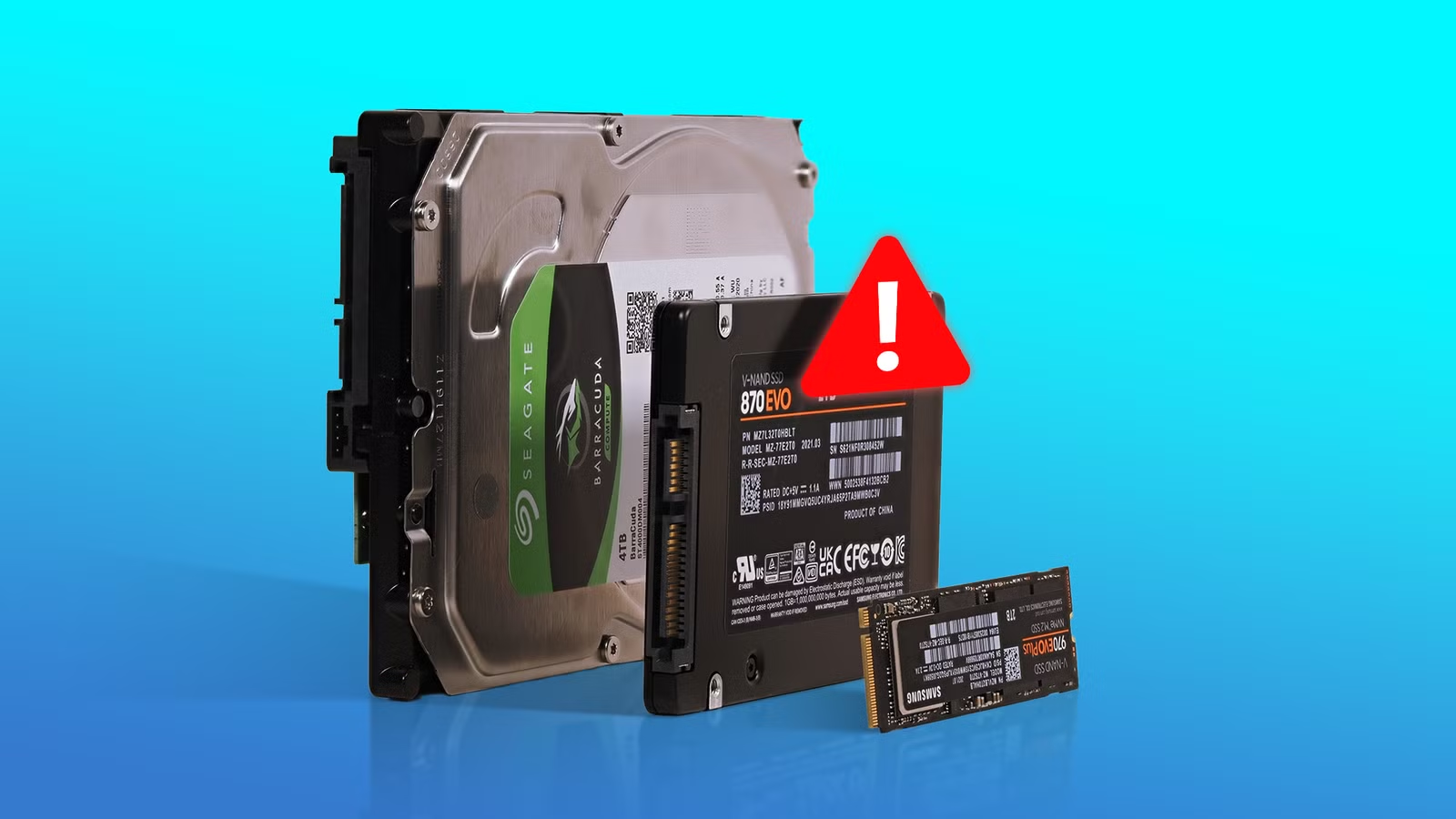
- SSDs lose data after 1-2 years without power, making them poor choices for archival storage
- A hybrid backup strategy using multiple media types reduces data loss risk by over 90%
According to [How-To Geek](https://www.howtogeek.com/drives-discs-and-sticks-which-storage-media-has-the-longest-lifespan/), the storage media most businesses rely on for backups may be the worst choice for long-term data preservation, with some formats lasting over a century while others degrade within months of being shelved.
Here's a scenario that keeps CTOs up at night: Your company needs to retrieve critical financial records from five years ago for an audit. The backup drive won't mount. The data is gone. The recovery bill? Anywhere from $500 to $3,000 per drive. The regulatory fine for missing records? Potentially much worse.
Most businesses choose their backup media based on convenience and upfront cost. That's a mistake. The real question isn't 'what's cheapest today?' but 'what will actually preserve our data for as long as we need it?' The answers might surprise you.
How Long Does Each Storage Media Actually Last?
Let's cut through the marketing claims and look at real-world longevity for each storage type. These numbers come from industry research, manufacturer testing, and documented failure rates. They assume proper storage conditions, which most offices don't actually maintain.
| Storage Type | Active Lifespan | Archival Lifespan | Cost per TB | Best Business Use |
|---|---|---|---|---|
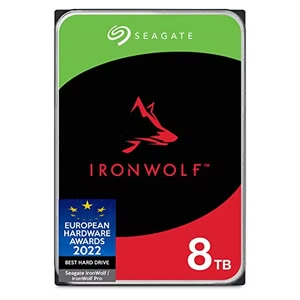
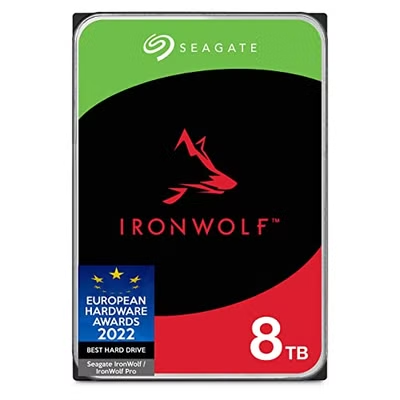
| HDD (Enterprise) | 5-10 years | 3-5 years unpowered | $15-25 | Active storage, short-term backup |
| SSD (Consumer) | 5-7 years | 1-2 years unpowered | $50-80 | Fast access, NOT archival |
| USB Flash Drive | 5-10 years | 5-10 years | $8-15 | File transfer only |
| M-DISC | 100+ years | 100+ years | $200-400 | Critical archival, legal compliance |
| LTO Tape | 30+ years | 30+ years | $5-10 | Large-scale enterprise backup |
| Standard DVD/BD | 5-10 years | 2-5 years | $2-5 | Not recommended for business |
Notice something interesting? The storage most companies use daily, SSDs and flash drives, are among the worst choices for long-term preservation. Meanwhile, a format most people forgot about in the 90s, optical media, offers the longest lifespan at a fraction of the cost per decade of storage.
Why SSDs Fail as Archival Storage
SSDs are incredible for daily use. Fast, reliable, no moving parts. But there's a critical flaw that makes them dangerous for backups: they need power to retain data. Without regular use, the electrical charge that holds your data literally leaks away.
This isn't theoretical. A consumer SSD stored at 30°C (86°F) without power can start losing data in about a year. Enterprise SSDs fare better due to higher-quality components, but they're not designed for cold storage either. If your backup strategy involves copying data to an SSD and putting it in a drawer, you're gambling with your company's assets.
Executive Summary: SSD Backup Reality
SSDs are excellent for active use but poor for archival storage. If you're using SSDs for backups, plan to power them on and verify data at least quarterly. For truly long-term storage, other media types are more reliable and often cheaper.
M-DISC: The 100-Year Storage Solution Most Businesses Ignore
M-DISC technology uses a data layer made of rock-like materials instead of organic dyes. The result? Data that survives extreme temperatures, humidity, and light exposure. The U.S. Department of Defense tested M-DISC media and found it significantly outperforms standard optical media in accelerated aging tests.
For businesses with compliance requirements, think healthcare, legal, financial services, M-DISC offers something valuable: write-once media that can't be altered. Once data is burned to an M-DISC, it's permanent. That's a powerful audit trail.
✅ Pros
- • 100+ year lifespan under proper storage
- • Write-once format prevents tampering
- • No power required for data retention
- • Resistant to temperature, humidity, and light
- • Low cost per decade of storage
❌ Cons
- • Limited capacity (25GB-100GB per disc)
- • Slow write speeds compared to modern drives
- • Requires compatible burner (about $100-200)
- • Physical storage space needed for large archives
The capacity limitation is real. At 100GB per disc, you'd need 10 discs to store 1TB. But consider this: for truly critical data, contracts, IP documentation, financial records, you're probably talking about gigabytes, not terabytes. A $50 pack of M-DISCs can preserve those records for your grandchildren's grandchildren.
What About Enterprise Tape Storage?
LTO tape might seem like ancient technology, but it's the backbone of enterprise backup for good reason. The latest LTO-9 tapes hold 18TB uncompressed (45TB compressed), cost around $100-150 per tape, and last 30+ years in proper storage. That works out to about $3-5 per TB for long-term storage.
The catch? LTO tape drives cost $2,000-5,000. That makes tape economical only at scale. If you're backing up 50TB or more, tape becomes cost-effective. For smaller operations, it's overkill.
How to Build a Business Backup Strategy That Actually Works
The 3-2-1 backup rule has been around for decades because it works: keep 3 copies of your data, on 2 different media types, with 1 copy offsite. But most businesses implement this poorly. Here's a more practical framework for 2026.
- Tier 1 (Hot): Active SSDs or cloud storage for daily operations. Fast access, refreshed constantly.
- Tier 2 (Warm): HDDs or NAS systems for recent backups. Monthly verification, 1-3 year retention.
- Tier 3 (Cold): M-DISC or tape for archival. Critical records, compliance data, annual verification.
- Tier 4 (Offsite): Cloud backup or physical offsite for disaster recovery. Different geographic location.
The key insight is matching storage media to retention requirements. Don't use expensive, fast storage for data you'll rarely access. Don't use cheap, unreliable storage for data you can't afford to lose.
Evaluating hardware investments for your team
The Hidden Cost of Ignoring Data Storage Lifespan
Data recovery services charge $500-3,000 per drive for standard recovery. Complex recoveries can exceed $10,000. And that's assuming recovery is even possible. Some failures result in permanent data loss.
Beyond direct recovery costs, consider the business impact. Lost customer records means lost revenue opportunities. Missing financial data creates audit nightmares. Destroyed IP documentation weakens your legal position. The true cost of data loss extends far beyond the recovery bill.
Quick ROI Calculation
A $200 M-DISC setup (burner + media) that preserves 500GB of critical data for 50+ years costs $4 per year. A single data recovery attempt costs $500+. If you avoid just one recovery in a decade, you've paid for the archival system 25 times over.
Cloud Backup vs Physical Media: Which Wins?
Cloud backup has clear advantages: automatic, offsite, scalable. But it's not a complete solution. Cloud providers can go bankrupt, change terms, or experience breaches. Monthly fees accumulate. And retrieving large volumes of data quickly can be expensive.
The smart approach combines both. Use cloud for operational backups and disaster recovery. Use physical media (M-DISC, tape, or HDDs) for long-term archival where you control the data directly. This hybrid strategy protects against both local disasters and cloud provider risks.
Cloud-based productivity tools for data management
Storage Recommendations by Business Size
Your backup strategy should scale with your data volume and compliance requirements. Here's a practical breakdown.
Startups and Small Teams (Under 1TB critical data)
Cloud backup as primary, M-DISC for contracts and IP documentation, quarterly backup verification. Total annual cost: $200-500.
Mid-Size Companies (1-50TB)
NAS with RAID for daily operations, cloud backup for disaster recovery, M-DISC or small tape library for compliance records. Annual cost: $2,000-10,000.
Enterprise (50TB+)
Tiered storage with SSD/HDD arrays, LTO tape library for archival, geo-distributed cloud backup, dedicated backup infrastructure team. Annual cost: $50,000+.
Frequently Asked Questions About Data Storage Lifespan
Frequently Asked Questions
How much does enterprise-grade archival storage cost?
For most mid-size businesses, a robust archival strategy costs $2,000-10,000 annually. This includes a mix of cloud backup ($50-200/month for 1-10TB), M-DISC media and burners ($200-500 one-time), and NAS storage ($500-2,000). The cost is typically less than a single data recovery attempt.
Is cloud backup enough, or do I need physical media too?
Cloud backup alone creates a single point of failure. If your cloud provider experiences an outage, data breach, or goes out of business, you could lose access to your backups. Physical media you control (M-DISC, tape, HDDs) provides a safety net. For compliance-heavy industries, some regulations require physical backups.
How often should we verify our backup integrity?
At minimum: quarterly for hot/warm storage, annually for cold archival storage. This means actually restoring sample files and confirming they're intact. Many businesses discover their backups have failed only when they need them. Verification catches problems before they become emergencies.
What's the best storage for healthcare or legal compliance records?
M-DISC is ideal for compliance because it's write-once (tamper-proof), lasts 100+ years, and requires no power to maintain. Combined with proper documentation of the archival process, M-DISC provides a defensible audit trail. LTO tape with WORM (Write Once Read Many) is the enterprise alternative.
Should we still use HDDs for backups in 2026?
Yes, but with caveats. HDDs remain cost-effective for medium-term backups (1-5 years) when stored properly and powered on periodically. They're not ideal for true archival storage due to mechanical wear and bit rot. Use HDDs as part of a tiered strategy, not as your only backup media.
Logicity's Take
At Logicity, we've built data pipelines and backend systems for startups across India, and we've seen firsthand how backup strategy gets deprioritized until disaster strikes. One client lost three months of customer data because their 'backup' SSD had been sitting unpowered in a drawer for two years. The data was gone. For our own operations, we use a hybrid approach: automated cloud backups for daily work, with critical project files and client contracts archived to M-DISC annually. The initial setup took half a day. The peace of mind is worth far more than the $300 investment. If you're running a tech startup or SMB in India, don't overthink this. Start with the 3-2-1 rule, pick storage media that matches your retention needs, and schedule quarterly verification. The companies that get this right don't make headlines. That's exactly the point.
The Bottom Line for Business Leaders
Your backup strategy is insurance. Like all insurance, it feels like a waste of money until you need it. The difference is that data loss isn't an 'if' question but a 'when' question. Drives fail. Employees delete files. Ransomware encrypts systems.
The businesses that survive these events are the ones that invested in proper backup infrastructure before the crisis. That means understanding which storage media actually lasts, matching your media choices to your retention requirements, and verifying your backups actually work.
Start with your most critical data. What records would cripple your business if they disappeared tomorrow? Those belong on archival media: M-DISC for smaller volumes, tape for larger ones. Everything else can follow a tiered approach that balances cost, convenience, and longevity.
Need Help Implementing This?
Logicity specializes in building resilient data infrastructure for growing businesses. From automated backup pipelines to disaster recovery planning, we help teams protect their most valuable digital assets. Get in touch to discuss your backup strategy.
Source: How-To Geek
Huma Shazia
Senior AI & Tech Writer
اقرأ أيضاً

رأي مغاير: كيف يؤثر اختراق الأمن الداخلي الأميركي على شركاتنا الخاصة؟
في ظل اختراق عقود الأمن الداخلي الأميركي مع شركات خاصة، نناقش تأثير هذا الاختراق على مستقبل الأمن السيبراني. نستعرض الإحصاءات الموثوقة ونناقش كيف يمكن للشركات الخاصة أن تتعامل مع هذا التهديد. استمتع بقراءة هذا التحليل العميق

الإنسان في زمن ما بعد الوجود البشري: نحو نظام للتعايش بين الإنسان والروبوت - Centre for Arab Unity Studies
في هذا المقال، سنناقش كيف يمكن للبشر والروبوتات التعايش في نظام متكامل. سنستعرض التحديات والحلول المحتملة التي تضعها شركات مثل جوجل وأمازون. كما سنلقي نظرة على التوقعات المستقبلية وفقًا لتقرير ماكنزي

إطلاق ناسا لمهمة مأهولة إلى القمر: خطوة تاريخية نحو استكشاف الفضاء
تعتبر المهمة الجديدة خطوة هامة نحو استكشاف الفضاء وتطوير التكنولوجيا. سوف تشمل المهمة إرسال رواد فضاء إلى سطح القمر لconducting تجارب علمية. ستسهم هذه المهمة في تطوير فهمنا للفضاء وتحسين التكنولوجيا المستخدمة في استكشاف الفضاء.