Claude Recovered 1,000 Dead Bookmarks in Minutes
Key Takeaways
- Claude can process and categorize 1,000+ bookmarks in minutes, sorting them by topic and identifying dead links
- The AI can trace broken URLs to archived versions on the Wayback Machine, recovering lost resources
- Privacy-conscious users are exploring local LLM alternatives to avoid uploading personal bookmark data to cloud services
The Problem: A Decade of Digital Hoarding
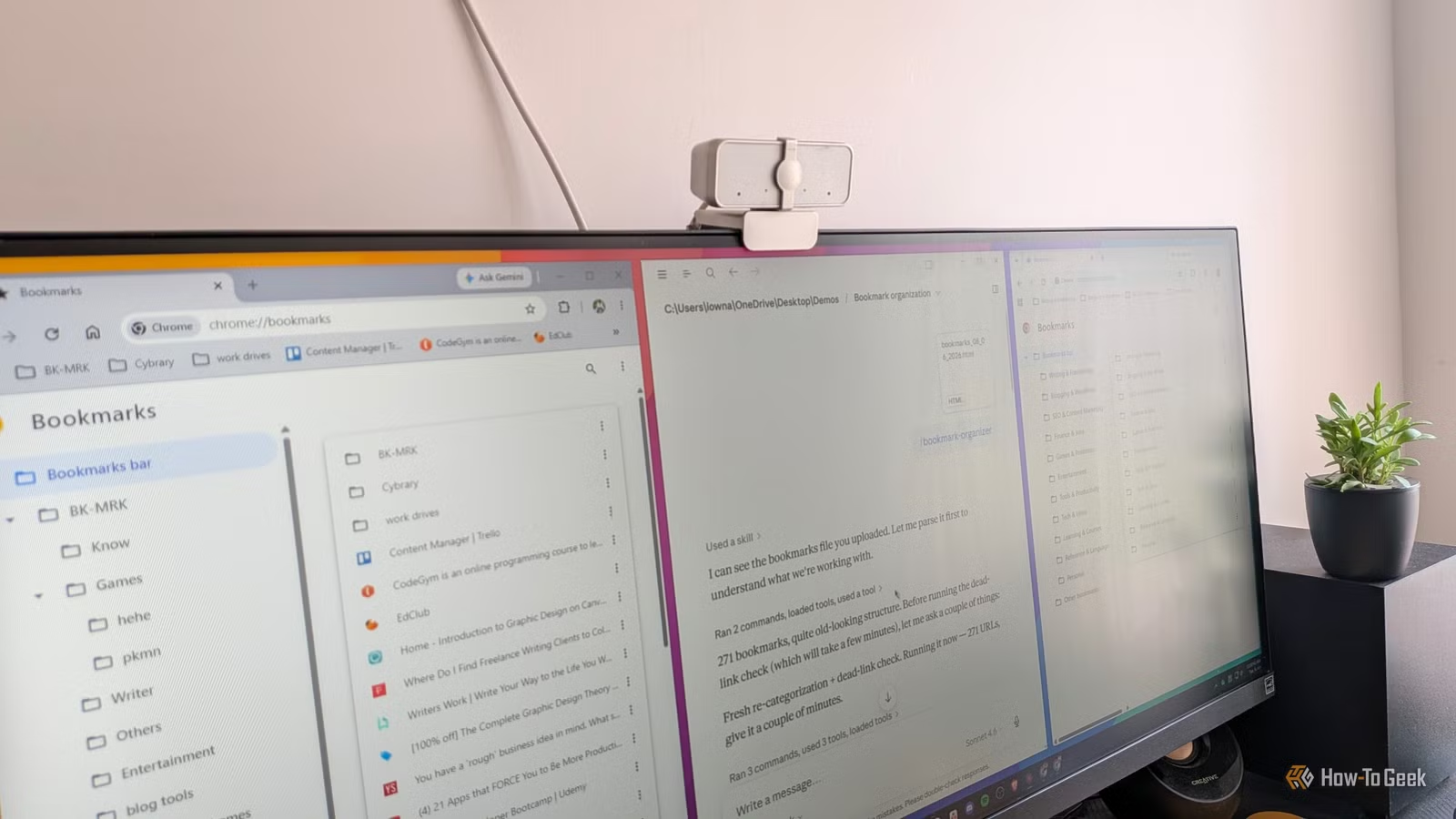
Dibakar Ghosh, a tech journalist at How-To Geek, had a familiar problem. Over 10 years, he had saved more than 1,000 bookmarks across countless browser sessions. Articles he meant to read later. Tools he planned to try. Resources from phases he'd long moved past: digital drawing, chess, music theory, filmmaking, math.
The collection grew so large that organizing it felt impossible. Worse, many links had rotted. Websites disappeared. Pages moved. Services shut down. The bookmarks became a graveyard of good intentions.
This is digital rot, a growing problem where personal knowledge bases built over years become unreliable as the web changes beneath them. Approximately 30% of decade-old bookmark collections suffer from dead links.
The Solution: Let Claude Do the Tedious Work
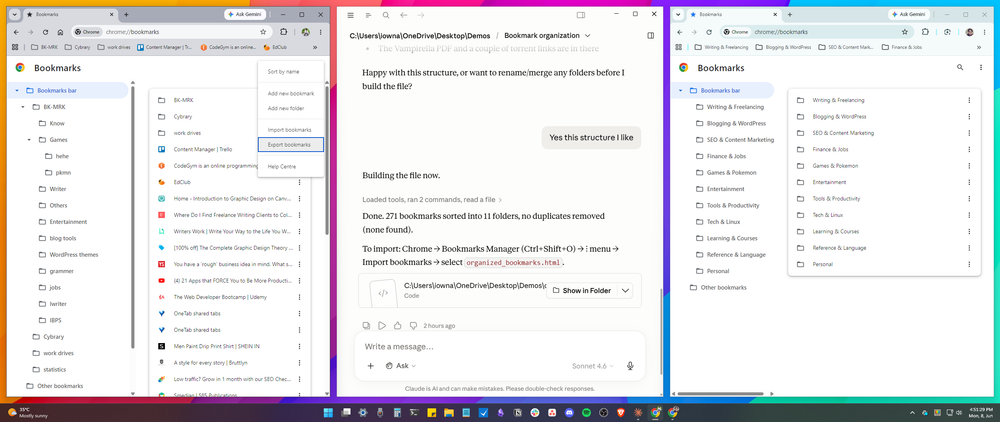
Ghosh exported his Chrome bookmarks as an HTML file and fed it to Claude, Anthropic's AI assistant. What would take a human hours of tedious clicking and sorting, the LLM handled in minutes.
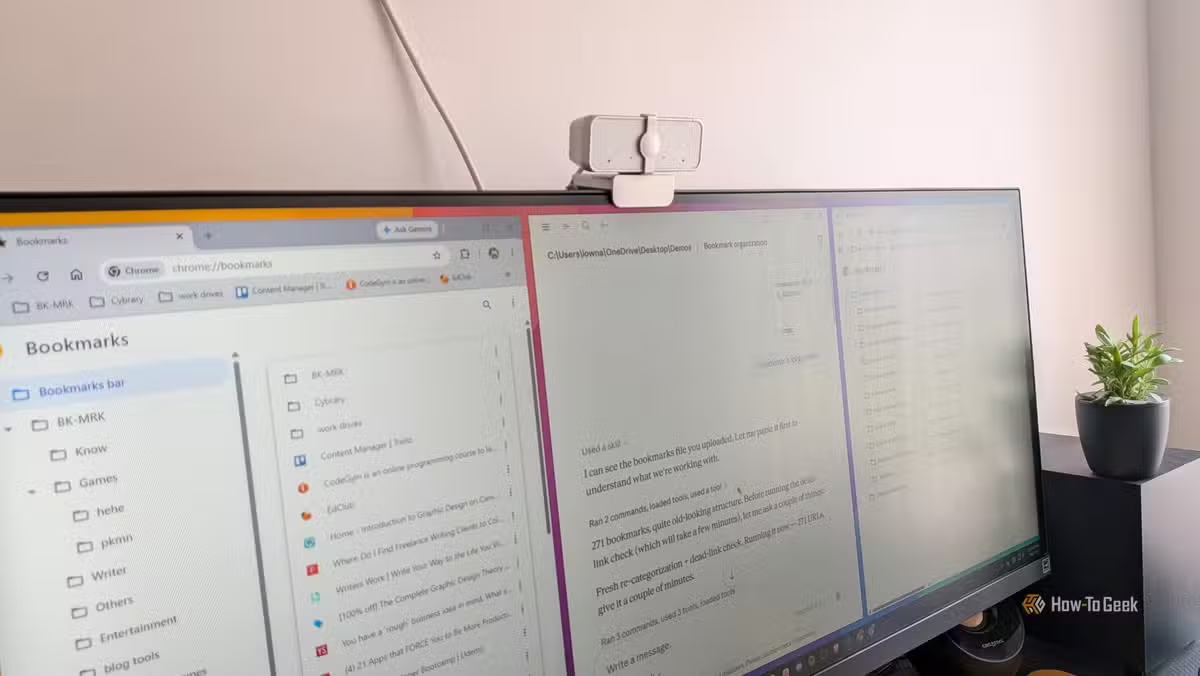
Claude analyzed the 1,000+ links, categorized them by topic, and identified which URLs no longer worked. For the dead links, it traced them back to archived versions on the Wayback Machine. Resources that seemed lost forever became accessible again.
“The internet is a cemetery of great ideas. By using LLMs to trace these broken threads back to the Wayback Machine, we aren't just saving URLs; we're reclaiming lost productivity.”
— Dibakar Ghosh, Tech Journalist at How-To Geek
The average processing time for a 500-link HTML export was around 5 minutes. For Ghosh's 1,000+ collection, the entire cleanup happened faster than he could have manually sorted a single folder.
Why LLMs Excel at This Task
Bookmark organization combines several things that overwhelm humans but are trivial for AI: pattern recognition across hundreds of URLs, category inference from page titles and domains, and batch processing without fatigue or decision paralysis.
A human looking at 1,000 bookmarks doesn't know where to start. Keep or delete? Which folder? What if I need it later? These micro-decisions stack up into paralysis. Claude doesn't get paralyzed. It processes each link, makes a categorization decision, and moves on.
The Privacy Question
The workflow requires uploading your bookmark file to Claude's servers. For some users, that's a dealbreaker. Bookmarks can reveal reading habits, interests, and browsing patterns that people prefer to keep private.
On Reddit's r/DataHoarder and r/Productivity communities, users discussing this article have shifted toward recommending local LLM alternatives. Running a model like Llama locally means your bookmark data never leaves your machine.
The tradeoff: local models require more technical setup and may not match Claude's processing speed or accuracy. For most users with standard bookmark collections, the cloud workflow is faster and simpler.
Another approach to managing personal knowledge bases
How to Try This Yourself
- Export your bookmarks from Chrome (chrome://bookmarks > three-dot menu > Export bookmarks) or Firefox (Bookmarks > Manage Bookmarks > Import and Backup > Export Bookmarks to HTML)
- Upload the HTML file to Claude (claude.ai) with a prompt like: 'Organize these bookmarks by topic, identify dead links, and find Wayback Machine alternatives for broken URLs'
- Review Claude's output and import the cleaned structure back into your browser or a bookmark manager like Raindrop.io
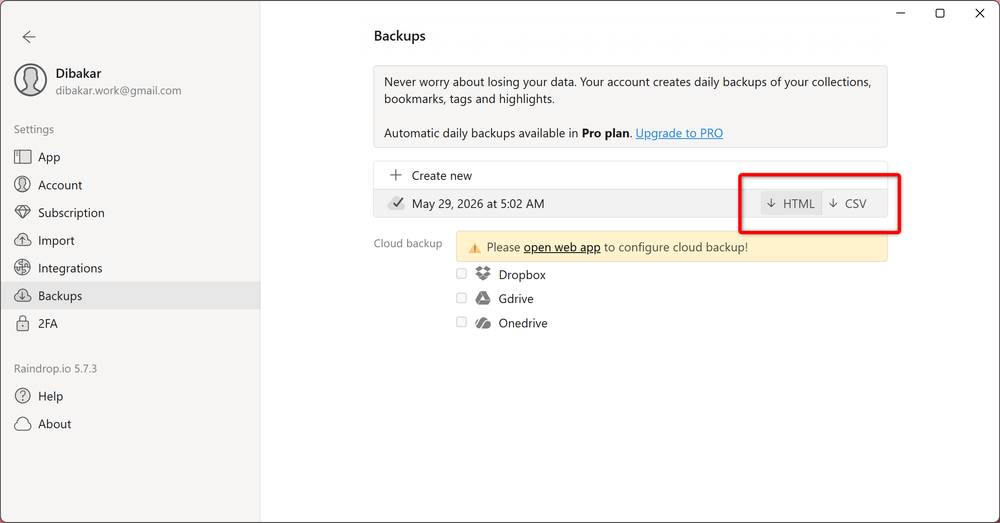
For ongoing maintenance, consider tools like Raindrop.io that offer automatic backup to cloud services and built-in broken link detection. The AI cleanup is a one-time fix. A proper system prevents the graveyard from rebuilding.
Logicity's Take
Beyond Bookmarks
The same approach works for other digital clutter: email folders, file systems, note archives. Any large collection of text-based items that needs categorization and cleanup is a candidate for LLM processing.
The key insight: tasks that feel overwhelming to humans because of sheer volume are often simple for AI. The pattern recognition isn't hard. The tedium is what stops us. LLMs don't experience tedium.
Another tool for organizing digital workspaces
Frequently Asked Questions
Is it safe to upload my bookmarks to Claude?
Your bookmark file reveals your browsing interests and saved resources. Anthropic's privacy policy governs how this data is handled. For sensitive collections, consider local LLM alternatives that keep data on your machine.
Can Claude actually recover dead links?
Claude can identify dead links and search for archived versions on the Wayback Machine. Success depends on whether the page was ever archived. Widely-linked pages have better odds than obscure ones.
How long does the bookmark cleanup take?
Processing time varies by collection size. A 500-link export takes roughly 5 minutes. Larger collections may require splitting into batches.
Does this work with browsers other than Chrome?
Yes. Any browser that exports bookmarks to HTML format will work. Firefox, Edge, Safari, and Brave all support HTML bookmark export.
What's the best way to prevent bookmark rot going forward?
Use a dedicated bookmark manager like Raindrop.io with automatic cloud backup and broken link detection. Regular cleanup is easier than decade-long neglect.
Need Help Implementing This?
Source: How-To Geek
Manaal Khan
Tech & Innovation Writer
اقرأ أيضاً

رأي مغاير: كيف يؤثر اختراق الأمن الداخلي الأميركي على شركاتنا الخاصة؟
في ظل اختراق عقود الأمن الداخلي الأميركي مع شركات خاصة، نناقش تأثير هذا الاختراق على مستقبل الأمن السيبراني. نستعرض الإحصاءات الموثوقة ونناقش كيف يمكن للشركات الخاصة أن تتعامل مع هذا التهديد. استمتع بقراءة هذا التحليل العميق

الإنسان في زمن ما بعد الوجود البشري: نحو نظام للتعايش بين الإنسان والروبوت - Centre for Arab Unity Studies
في هذا المقال، سنناقش كيف يمكن للبشر والروبوتات التعايش في نظام متكامل. سنستعرض التحديات والحلول المحتملة التي تضعها شركات مثل جوجل وأمازون. كما سنلقي نظرة على التوقعات المستقبلية وفقًا لتقرير ماكنزي

إطلاق ناسا لمهمة مأهولة إلى القمر: خطوة تاريخية نحو استكشاف الفضاء
تعتبر المهمة الجديدة خطوة هامة نحو استكشاف الفضاء وتطوير التكنولوجيا. سوف تشمل المهمة إرسال رواد فضاء إلى سطح القمر لconducting تجارب علمية. ستسهم هذه المهمة في تطوير فهمنا للفضاء وتحسين التكنولوجيا المستخدمة في استكشاف الفضاء.