6 Windhawk Mods That Fix Windows 11's Worst Design Choices
Key Takeaways
- Windows 11 downscales 32x32 icons to 24x24, creating blurry taskbar icons that Windhawk can fix
- The vertical taskbar Microsoft removed can be restored with a single Windhawk mod
- All 500+ Windhawk mods are open-source, so you can audit the code before running it
Windows 11 shipped with a cleaner interface. It also shipped with fewer options. Microsoft locked the taskbar to the bottom of the screen, forced smaller icons that render blurry on sharp displays, and removed the ability to resize or reposition UI elements that power users had customized for decades.
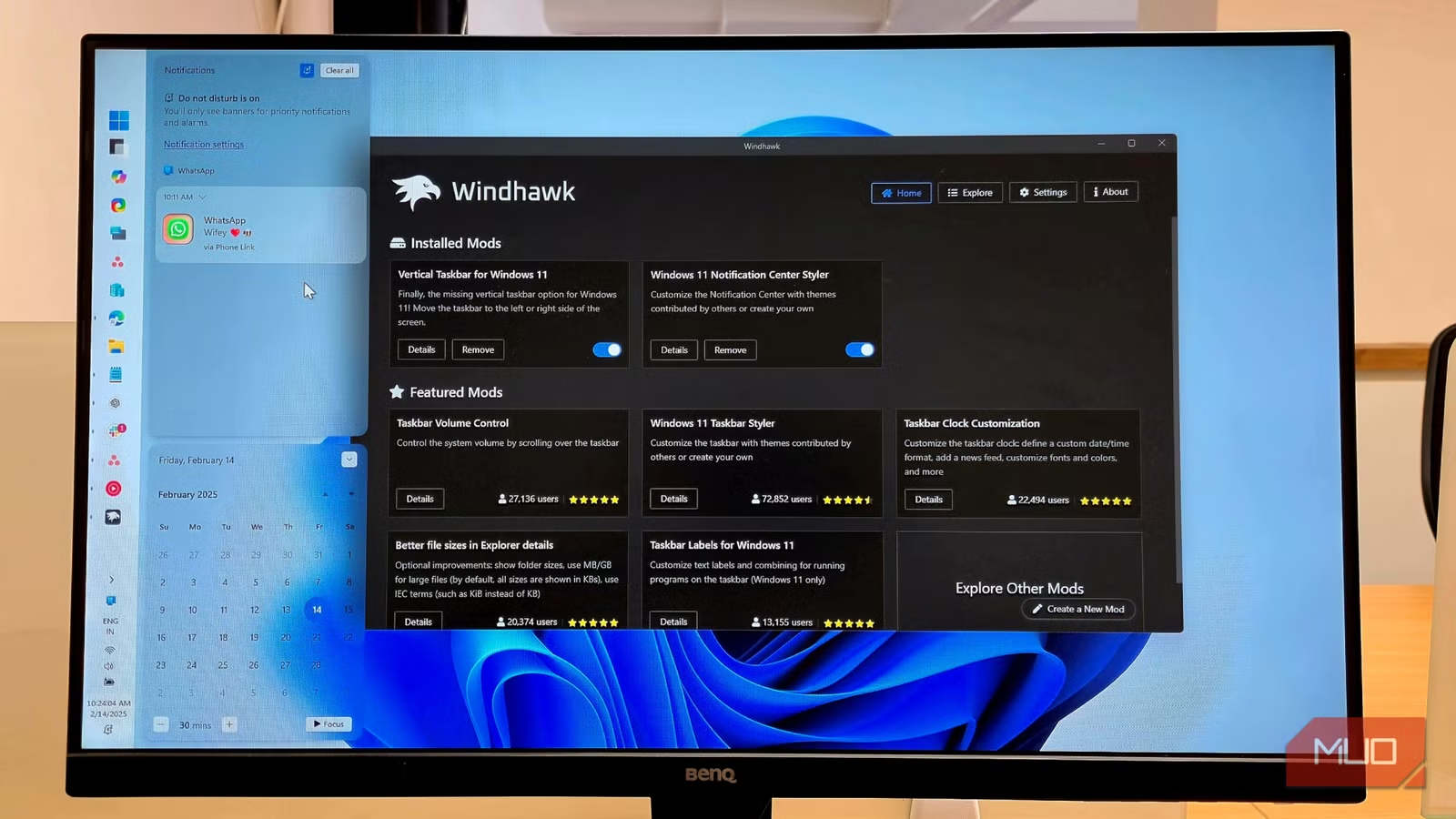
Windhawk exists because Microsoft won't budge. It's an open-source customization platform that injects code into running Windows processes. No permanent registry edits. No replaced system files. Toggle a mod off, and Windows returns to its default state. The platform now hosts over 500 community-created mods, all open-source so you can read the code before running it.
“Windhawk represents the best of the power-user community: safe, modular, and focused on putting the user back in control of their OS.”
— Sarah Jenkins, Senior Windows Analyst at TechInsight
Here are six mods that fix the most common complaints about Windows 11's interface.
1. Taskbar Height and Icon Size
Windows 11's taskbar displays icons at 24x24 pixels. The problem: app icons are designed at 32x32. Windows loads the 32x32 version and downscales it. On a high-DPI display, the result is visibly soft, slightly blurry icons.
The Taskbar height and icon size mod exposes three settings: icon size, taskbar height, and taskbar button width. Set icon size to 32, and Windows renders icons at their native resolution. No scaling. No blur. The difference is immediately visible on a sharp monitor.
Microsoft recently added a "Show smaller taskbar buttons" toggle under Taskbar behaviors. But there's still no native way to make icons larger or sharper. This mod fills that gap.
2. Vertical Taskbar for Windows 11
In Windows 10, you could drag the taskbar to any screen edge. Left, right, top, bottom. Windows 11 locked it to the bottom.
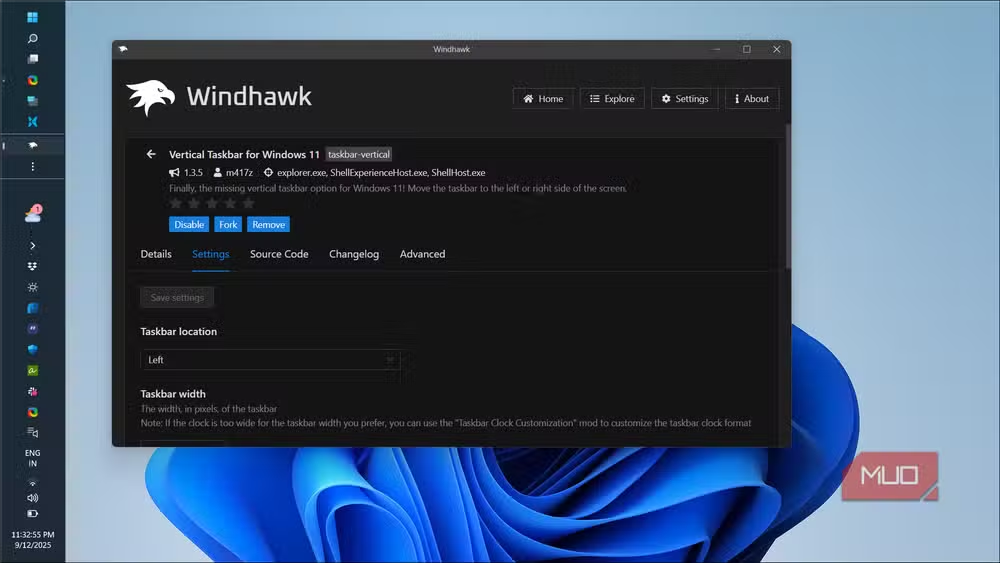
For ultrawide monitor users, a vertical taskbar makes sense. Horizontal pixels are abundant. Vertical pixels are scarce. Docking the taskbar on the left or right side recovers usable vertical space for applications.
The Vertical Taskbar mod restores this functionality. Pick your edge, set your width, and the taskbar moves. Windows 11's centered icons adapt to the new orientation.
3. Taskbar Labels
Windows 11 removed taskbar labels. Every open window is an icon. If you have three Chrome windows open, you see three identical Chrome icons. You hover, wait for the preview, then click.
The Taskbar Labels mod brings back text labels next to icons. Each window shows its title. You click directly instead of hovering and waiting.
4. Chrome/Edge Scroll Tabs with Mouse Wheel
This mod isn't for Windows itself. It targets Chromium browsers. Hover over the tab bar, scroll your mouse wheel, and the tabs cycle left or right. No clicking, no dragging. Just scroll.
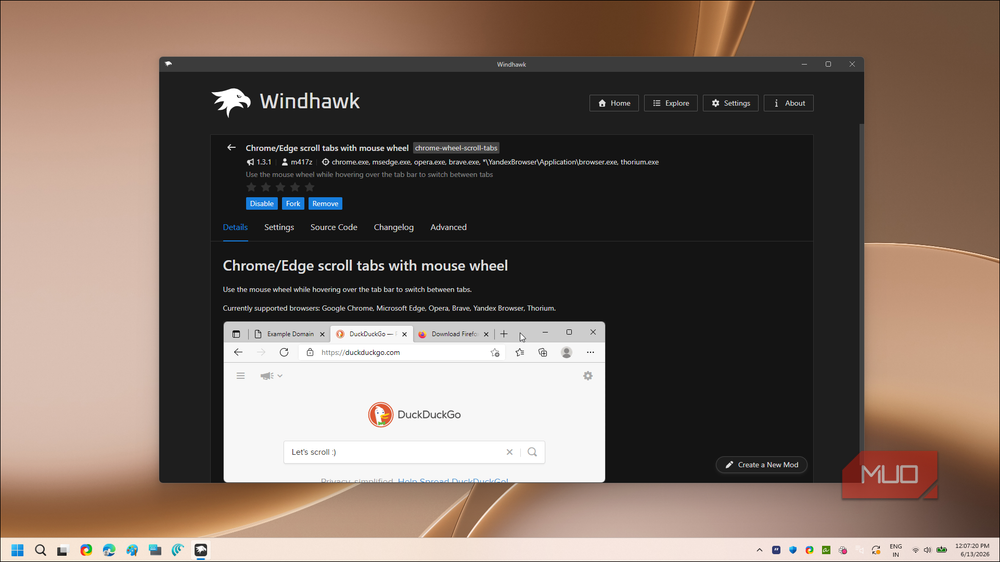
If you regularly work with 20+ tabs, this saves noticeable time. The mod works on Chrome, Edge, Brave, and other Chromium-based browsers.
5. Classic Start Menu
Windows 11's Start Menu centers pinned apps and shows a "Recommended" section that most users ignore. The old Windows 10 menu showed all apps in an alphabetical list, with live tiles for those who wanted them.
Windhawk offers multiple Start Menu mods. Some restore the Windows 10 layout. Others go further back to Windows 7. Pick the version you prefer.
6. Dynamic Maximum Foreground FPS
This mod targets gamers. It adjusts the frame rate cap dynamically based on whether a game window is in focus. When you alt-tab to Discord or a browser, the game's FPS drops to a set limit. When you return, it restores full performance.
The benefit is reduced power draw and heat when you're not actively playing. On a laptop or in a warm room, that matters.
How Windhawk Works
Windhawk injects code into running Windows processes. This sounds invasive, but the approach has advantages over registry hacks or file replacements. Every mod can be toggled off instantly. If a Windows update breaks something, you disable the mod, update Windows, and wait for the community to patch the mod.
The platform is open-source. Every mod's code is visible. You can read exactly what a mod does before enabling it. For security-conscious users, this matters more than convenience.
Community and Safety
The r/Windows11 and r/Windhawk subreddits are active. Users share modified desktops, report mod conflicts, and flag issues after Windows updates. The general consensus: Windhawk is the safest way to make deep UI changes without permanent system modifications.
Unlike registry hacks, which persist across reboots and can be difficult to undo, Windhawk changes exist only while the app runs. Close Windhawk, and Windows reverts to stock behavior.
Logicity's Take
Microsoft's design philosophy prioritizes consistency over customization. That's a reasonable stance for consumer devices. But for professionals who spend 8+ hours a day in Windows, the ability to optimize the interface is a productivity tool, not a luxury. Windhawk fills a gap Microsoft created, and the open-source model makes it trustworthy enough to recommend.
Frequently Asked Questions
Is Windhawk safe to use on a work computer?
Windhawk is open-source, so you can audit every mod's code. It doesn't modify system files permanently. But check your IT policy first. Some organizations restrict third-party tools that inject code into Windows processes.
Will Windhawk mods break after Windows updates?
Sometimes. Major Windows updates can change the code Windhawk hooks into. When that happens, you disable the broken mod, update Windows, and wait for the community to patch the mod. Usually takes a few days for popular mods.
Does Windhawk slow down Windows?
Impact is minimal for most mods. UI mods run lightweight hooks. The dynamic FPS mod for games is designed specifically to reduce resource usage when games aren't in focus.
Can I use multiple Windhawk mods at once?
Yes. Most mods target different Windows components and work together without conflict. The Windhawk interface shows active mods and lets you toggle each one independently.
Is Windhawk better than other Windows customization tools?
Windhawk focuses on modular, toggleable changes rather than permanent modifications. Tools like O&O ShutUp10 disable telemetry. ExplorerPatcher makes deeper UI changes. Windhawk is best for targeted tweaks you can easily reverse.
Another roundup of essential tools for tech professionals setting up new systems
Similar focus on open-source tools that fix software annoyances
Need Help Implementing This?
If your organization is standardizing Windows 11 deployments and wants to preserve power-user customization options, we can help you evaluate tools like Windhawk for enterprise use. Contact Logicity's consulting team to discuss compliant customization strategies.
Source: MakeUseOf
Manaal Khan
Tech & Innovation Writer
اقرأ أيضاً

رأي مغاير: كيف يؤثر اختراق الأمن الداخلي الأميركي على شركاتنا الخاصة؟
في ظل اختراق عقود الأمن الداخلي الأميركي مع شركات خاصة، نناقش تأثير هذا الاختراق على مستقبل الأمن السيبراني. نستعرض الإحصاءات الموثوقة ونناقش كيف يمكن للشركات الخاصة أن تتعامل مع هذا التهديد. استمتع بقراءة هذا التحليل العميق

الإنسان في زمن ما بعد الوجود البشري: نحو نظام للتعايش بين الإنسان والروبوت - Centre for Arab Unity Studies
في هذا المقال، سنناقش كيف يمكن للبشر والروبوتات التعايش في نظام متكامل. سنستعرض التحديات والحلول المحتملة التي تضعها شركات مثل جوجل وأمازون. كما سنلقي نظرة على التوقعات المستقبلية وفقًا لتقرير ماكنزي

إطلاق ناسا لمهمة مأهولة إلى القمر: خطوة تاريخية نحو استكشاف الفضاء
تعتبر المهمة الجديدة خطوة هامة نحو استكشاف الفضاء وتطوير التكنولوجيا. سوف تشمل المهمة إرسال رواد فضاء إلى سطح القمر لconducting تجارب علمية. ستسهم هذه المهمة في تطوير فهمنا للفضاء وتحسين التكنولوجيا المستخدمة في استكشاف الفضاء.