5 Samsung DeX Features That Make It a Real PC Alternative
Key Takeaways
- Wireless DeX is stable enough for full workdays on newer Galaxy phones like the Z Fold 6
- A USB-C hub lets you connect keyboards, mice, and storage while displaying to an external monitor
- Power users can run full Linux distributions inside DeX for professional coding and admin tasks
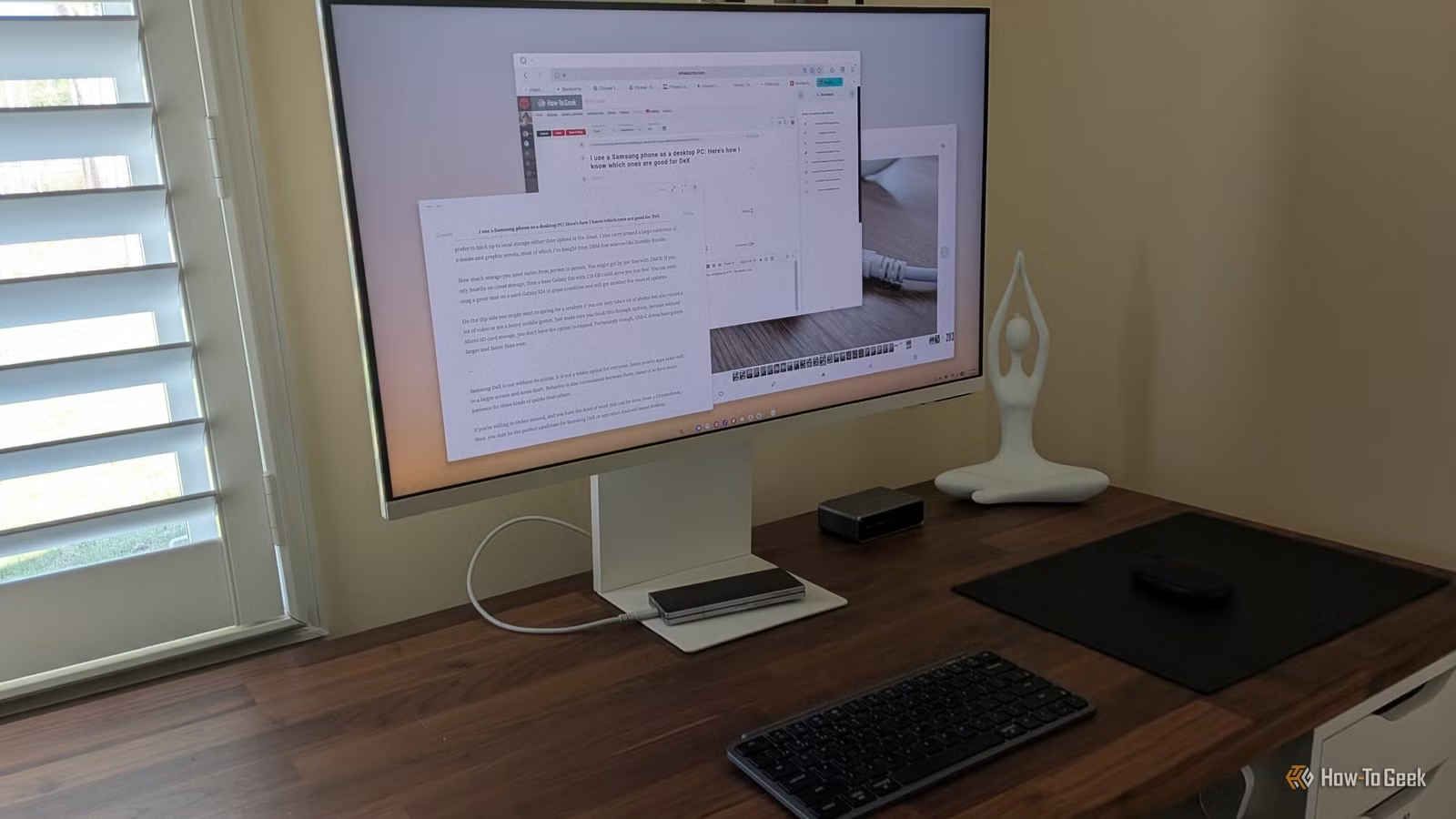
Bertel King, writing for How-To Geek, has used Samsung DeX as his primary PC for nearly two years. In that time, he discovered several features that most users never learn about. Some are obvious in hindsight. Others require community workarounds. All of them make DeX far more capable than its reputation suggests.
For context: Samsung DeX (Desktop eXperience) transforms a compatible Galaxy phone or tablet into a full desktop environment when connected to an external monitor, keyboard, and mouse. Samsung introduced it in 2017. Nine years later, it has become a core part of the Galaxy ecosystem, bridging mobile computing and traditional office work.
Wireless DeX Actually Works Now
The conventional wisdom says you must plug your phone directly into a display for DeX to be usable. A wired connection is more stable. That part is true. But King found wireless DeX surprisingly practical, especially with a wireless lapdock.
The key insight: a wired connection is awkward when you're not at a desk. Having a phone dangling from a cable while the lapdock sits on your lap is barely manageable. Wireless DeX eliminates that problem.
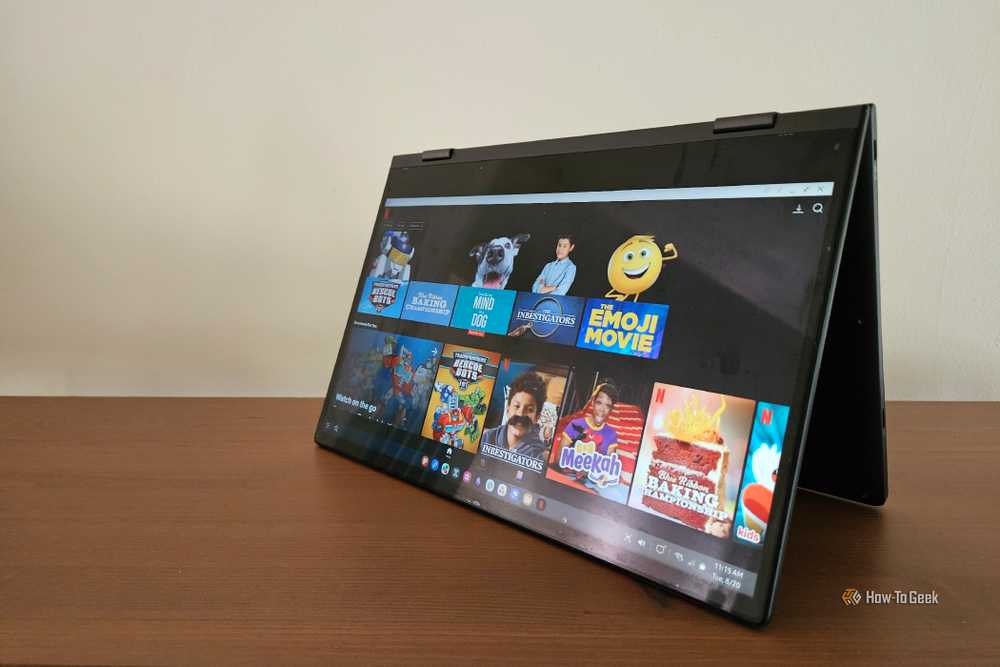
King reports that wireless DeX was stable enough for entire workdays of typing and web browsing. The experience varies by phone age. He found wireless performance "much better" on the Galaxy Z Fold 6 compared to the Z Fold 5. Newer devices like the Galaxy Z Fold 7 and S26 Ultra may improve further.
USB-C Hubs Solve the One-Port Problem
Smartphones have one USB-C port. If that port connects to a display, you have zero ports left. This seems like a dealbreaker for using external accessories.
The solution is the same one laptop users already know: a USB-C hub. Connect the hub to your phone, then connect the display, keyboard, mouse, and storage to the hub. You get the same multi-device setup as a traditional computer.
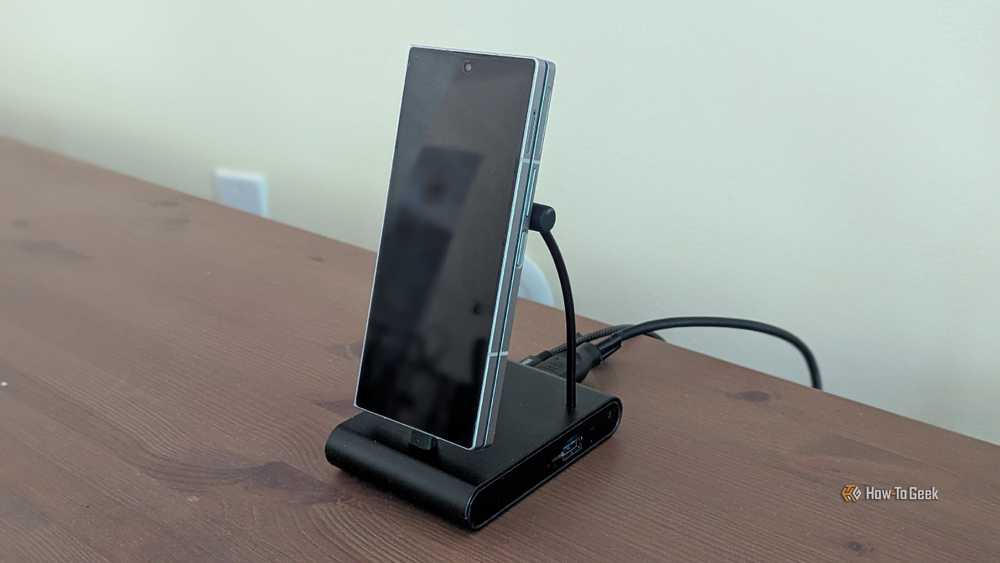
This is obvious once you know it. But many users assume phone hardware is fundamentally limited compared to laptop hardware. In practice, the USB-C port on a modern Galaxy flagship supports the same peripherals.
Cloud Gaming Turns DeX Into a Game Console
DeX isn't just for productivity. With cloud gaming services like GeForce Now, it becomes a capable gaming setup. The phone handles the interface. The cloud servers handle the graphics. The external display shows the results.
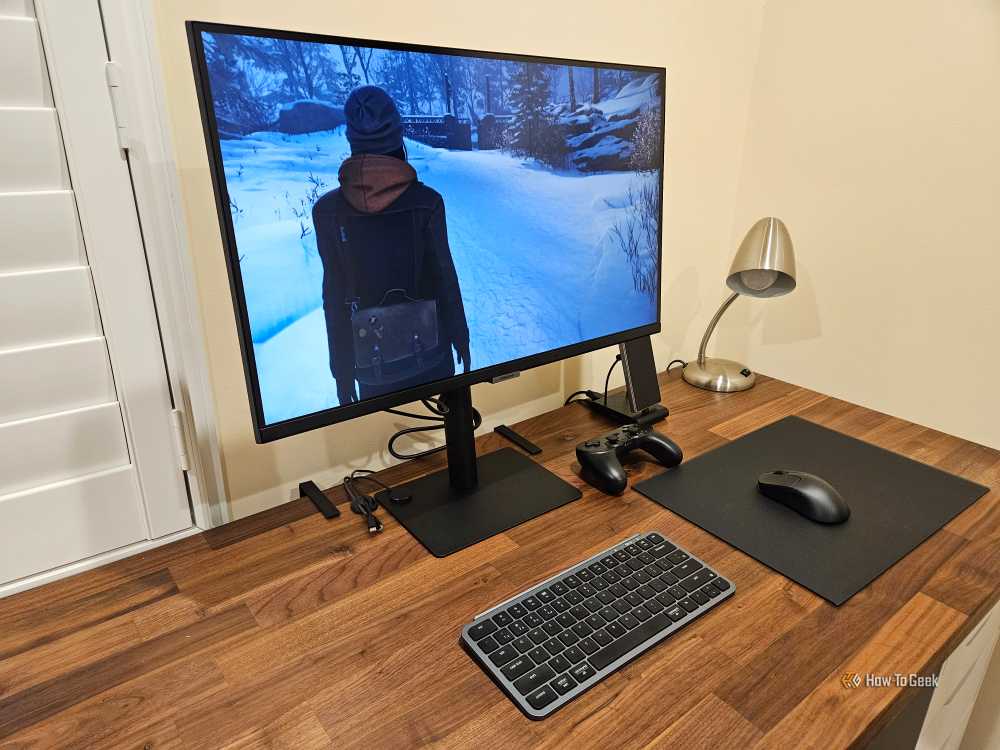
This works because cloud gaming offloads the demanding computation. Your phone doesn't need a discrete GPU. It just needs a stable internet connection and a display output. DeX provides both.
Good Lock Modules Unlock Hidden Capabilities
Samsung's Good Lock app contains modules that extend DeX beyond its default limitations. The r/SamsungDex community actively trades advice on these workarounds.
One popular module is MultiStar, which can force high-resolution 4K output on unofficial monitors. By default, DeX limits resolution on unrecognized displays. MultiStar removes that restriction.
These modules are first-party Samsung software, not hacks. But Samsung doesn't advertise them. Users discover them through community discussion.
Full Linux Runs Inside DeX
For users who need more than Android apps, tools like Andronix let you run full Linux distributions inside DeX. This enables professional-grade coding, server administration, and other tasks that Android alone can't handle.
The setup requires some technical knowledge. But once configured, you get a Linux desktop alongside your Android apps. It's not a VM in the traditional sense. It runs in a container with shared resources.
“For me, and probably a lot of people whose work doesn't involve Adobe apps, programming, massive spreadsheets, or multi-monitor setups, Samsung DeX is more than good enough.”
— Pankil Shah, Writer at Android Authority
The Enterprise Angle
Samsung provides seven years of security updates for flagship devices. That's long enough for enterprise IT departments to consider DeX as a thin-client alternative to traditional PCs.
“DeX may not replace the PC for all people, all the time. But for highly mobile workers who like the idea of ditching that heavy laptop, it's a smart way to go.”
— Expert Consultant, Samsung Business USA
With over 1 billion Samsung smartphone users globally and 21.2% market share in Q1 2026, the potential user base for DeX is enormous. Most of those users don't know what their phone can do.
What DeX Still Can't Do
DeX isn't a full PC replacement for everyone. Professional software like Adobe Creative Suite doesn't run natively. Multi-monitor setups remain limited. Heavy spreadsheet work can strain the mobile processor.
But for writing, email, web browsing, video calls, light photo editing, and basic document work, DeX handles the job. That covers most knowledge workers most of the time.
Logicity's Take
Another Samsung optimization tip for power users
Another self-hosted alternative to mainstream services
Frequently Asked Questions
Does Samsung DeX work without a cable?
Yes. Wireless DeX connects to compatible displays and lapdocks over Wi-Fi. Performance has improved significantly on newer phones like the Galaxy Z Fold 6 and S26 Ultra.
Can I use a keyboard and mouse with Samsung DeX?
Yes. Connect them via Bluetooth or through a USB-C hub. The hub connects to your phone and provides multiple ports for peripherals.
What phones support Samsung DeX?
Most Samsung Galaxy flagships from the past several years support DeX, including the S series, Note series, Z Fold series, and some A series phones. Check Samsung's compatibility list for your specific model.
Can Samsung DeX run desktop software?
DeX runs Android apps in desktop windows. For true desktop software, you can run Linux distributions inside DeX using tools like Andronix. Cloud services also provide access to desktop applications.
Is Samsung DeX good enough to replace a laptop?
For writing, email, web browsing, and basic productivity, yes. For Adobe apps, programming IDEs, massive spreadsheets, or multi-monitor setups, traditional PCs remain better suited.
Need Help Implementing This?
Source: How-To Geek
Manaal Khan
Tech & Innovation Writer
اقرأ أيضاً

رأي مغاير: كيف يؤثر اختراق الأمن الداخلي الأميركي على شركاتنا الخاصة؟
في ظل اختراق عقود الأمن الداخلي الأميركي مع شركات خاصة، نناقش تأثير هذا الاختراق على مستقبل الأمن السيبراني. نستعرض الإحصاءات الموثوقة ونناقش كيف يمكن للشركات الخاصة أن تتعامل مع هذا التهديد. استمتع بقراءة هذا التحليل العميق

الإنسان في زمن ما بعد الوجود البشري: نحو نظام للتعايش بين الإنسان والروبوت - Centre for Arab Unity Studies
في هذا المقال، سنناقش كيف يمكن للبشر والروبوتات التعايش في نظام متكامل. سنستعرض التحديات والحلول المحتملة التي تضعها شركات مثل جوجل وأمازون. كما سنلقي نظرة على التوقعات المستقبلية وفقًا لتقرير ماكنزي

إطلاق ناسا لمهمة مأهولة إلى القمر: خطوة تاريخية نحو استكشاف الفضاء
تعتبر المهمة الجديدة خطوة هامة نحو استكشاف الفضاء وتطوير التكنولوجيا. سوف تشمل المهمة إرسال رواد فضاء إلى سطح القمر لconducting تجارب علمية. ستسهم هذه المهمة في تطوير فهمنا للفضاء وتحسين التكنولوجيا المستخدمة في استكشاف الفضاء.