4 Proxmox Features That Standard Server OSes Lack
Key Takeaways
- Proxmox provides a full web dashboard for server management, eliminating the need for SSH
- You can run both containers and full virtual machines on the same host with unified management
- Community helper scripts can deploy complex services like Jellyfin in minutes
Why Proxmox Is Different From Traditional Server OSes
If you've managed servers running Debian, Ubuntu Server, Alpine, or DietPi, you know the drill: SSH in, navigate the command line, configure everything manually. These distributions are powerful, but they expect you to bring your own management tools.
Proxmox Virtual Environment takes a different approach. It's built on Debian but adds an integrated virtualization layer and management interface from the start. The result is a platform that can do things standard server operating systems simply cannot do without significant additional configuration.
With Proxmox now managing 1.5 million hosts globally and holding a 16.1% share of the server virtualization market (up from roughly 10% in 2023), it's moved well beyond its homelab origins. Organizations fleeing licensing costs from proprietary virtualization platforms have accelerated this growth.
“Proxmox has moved from a homelab hobbyist secret to a primary enterprise infrastructure standard, largely fueled by the community's desire for independence and transparent licensing.”
— Martin Maurer, CEO and Founder of Proxmox Server Solutions
1. A Complete Web Dashboard for Server Management
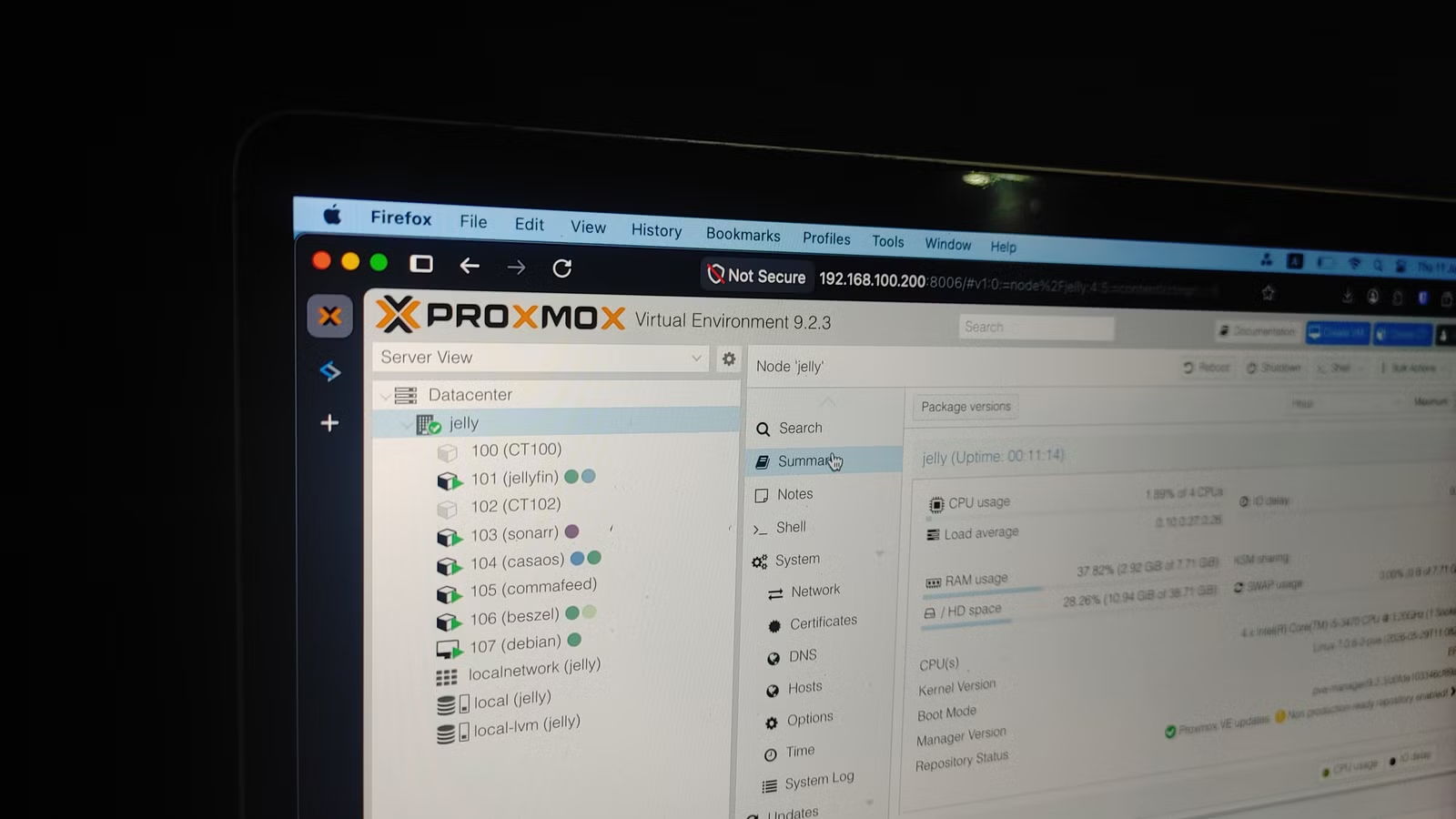
Standard server operating systems are headless. You interact with them through the terminal, either directly connected or via SSH. Proxmox is also headless in the traditional sense, but it includes a web-based management interface accessible from any browser on your network.
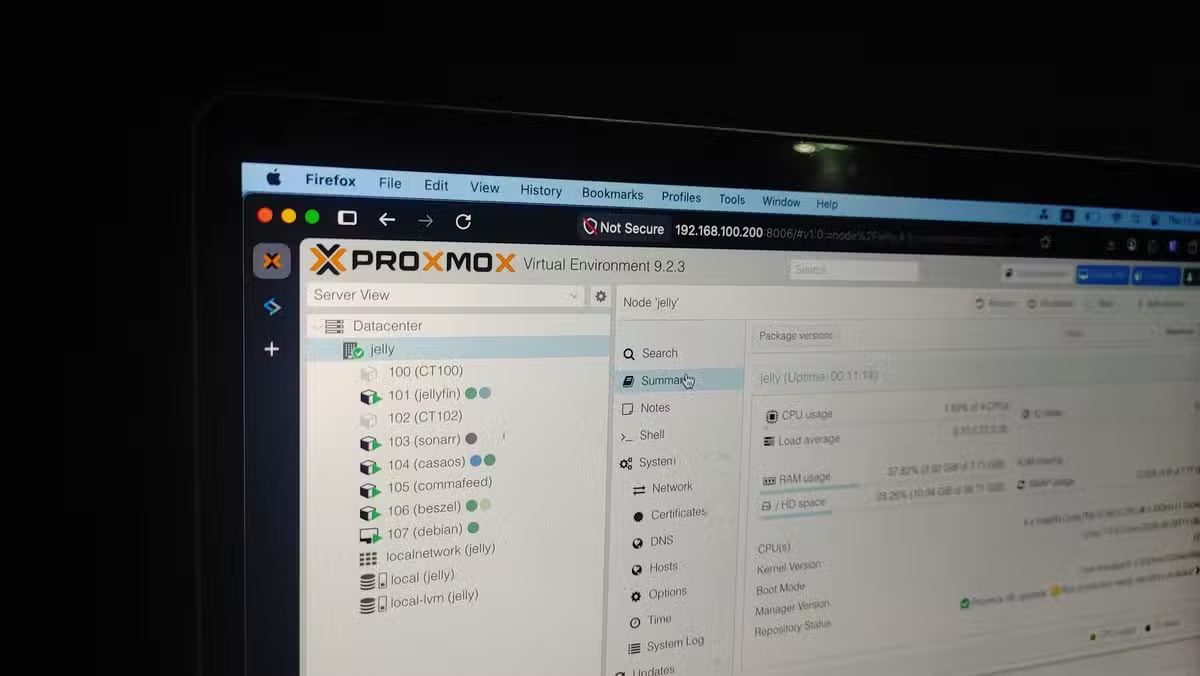
The dashboard might look intimidating at first. There are many buttons and options. But the essentials are straightforward: your Proxmox node appears in the left pane, and a Shell button on the right opens a terminal window directly in your browser. No SSH client required.
From this single interface, you can configure network settings, manage storage, create containers or virtual machines, and send reboot or shutdown commands. Real-time statistics show RAM, CPU, storage, and network bandwidth consumption for individual containers, VMs, and the entire host.
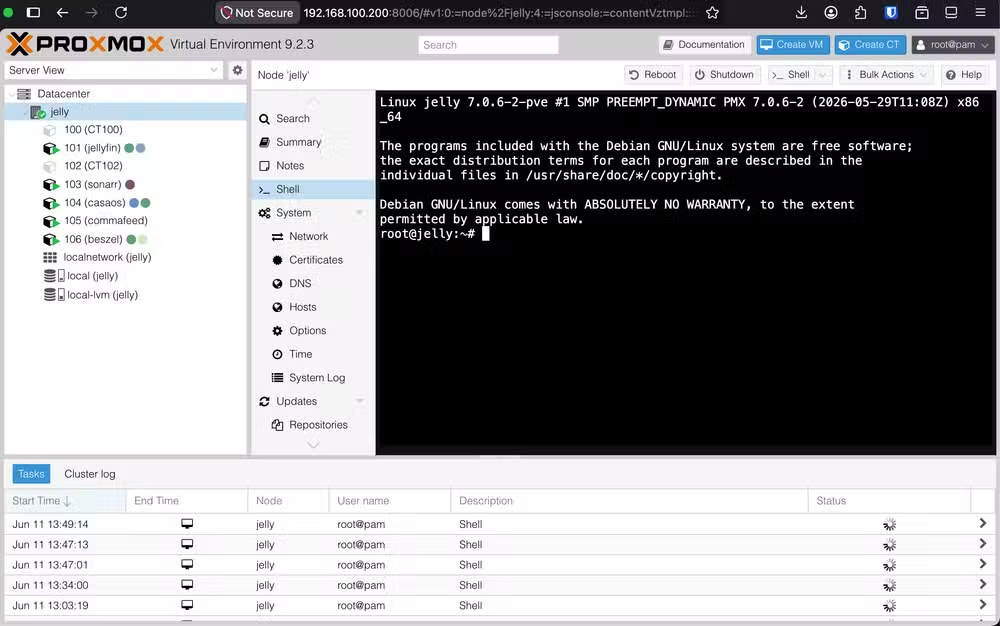
Compare this to a fresh Debian installation. You'd need to install and configure Cockpit, Webmin, or a similar tool to get anything close to this level of browser-based management. Proxmox ships with it built in.
2. Run Containers and VMs on the Same Host
This is where Proxmox reveals its core design philosophy. Think of it as multiple virtual server boxes inside one physical box. You can run lightweight LXC containers alongside full virtual machines with completely different operating systems, all managed from the same interface.
On a standard server OS, you'd need to install Docker or LXC for containers, then add QEMU or VirtualBox for VMs, then figure out how to manage both. Proxmox integrates KVM hypervisors and LXC containers into a single management layer.
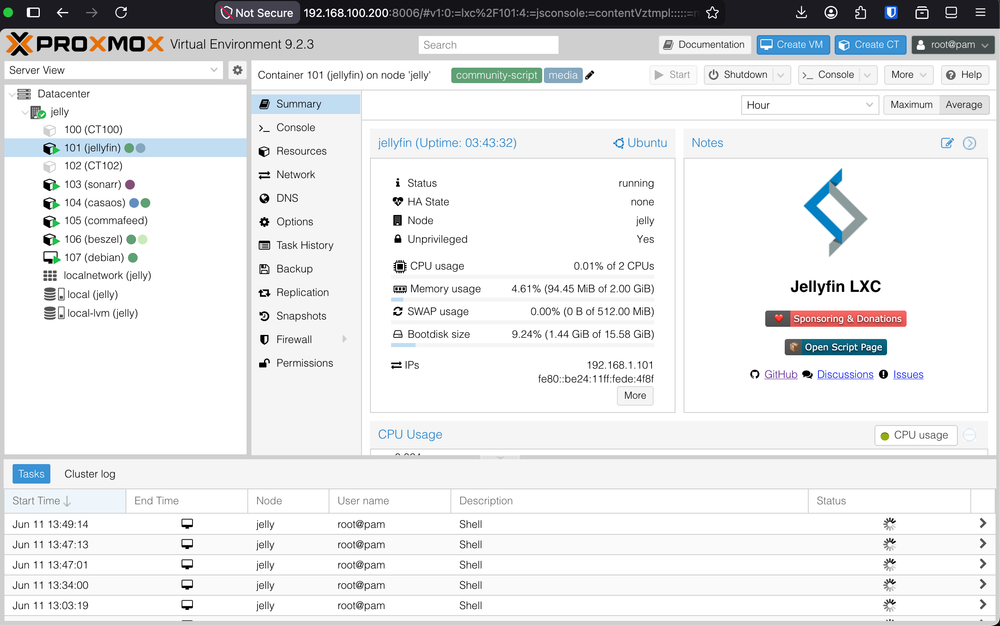
This matters for practical workloads. You might run a lightweight Jellyfin container for media streaming alongside a full Windows VM for specific applications. Both appear in the same dashboard, with the same monitoring and backup tools.
3. Community Helper Scripts for Fast Deployment
The Proxmox community has developed an extensive library of helper scripts that automate the deployment of common self-hosted services. Instead of manually configuring a Debian VM, installing dependencies, and setting up your application, you can run a single script.
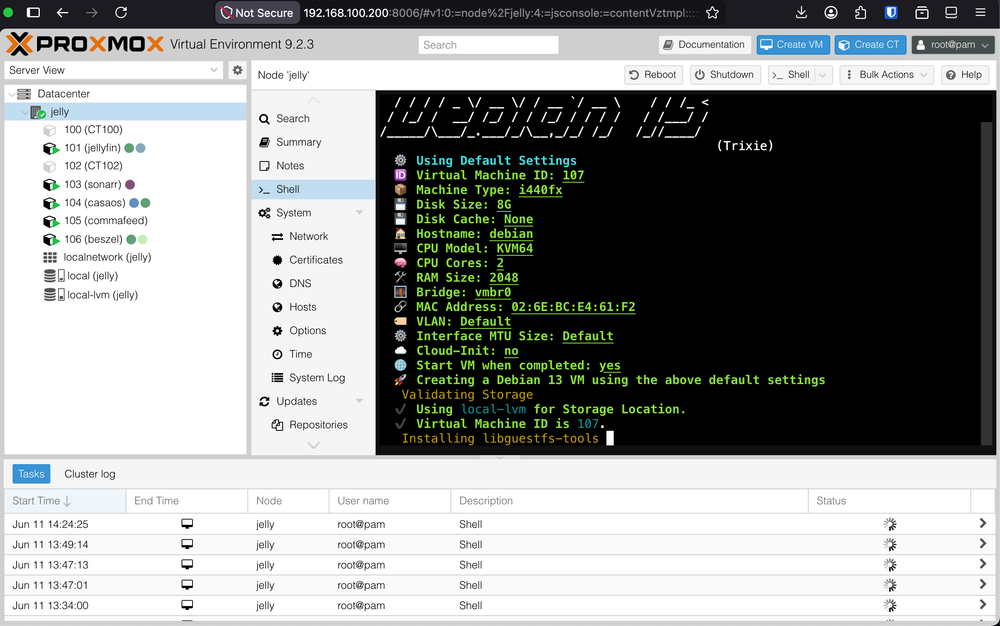
These scripts handle container creation, OS setup, application installation, and initial configuration. Want a Home Assistant instance? There's a script. Need Plex, Pi-hole, or a reverse proxy? Scripts exist for all of them.
The Reddit community at /r/proxmox actively shares these scripts, along with optimization tips and cluster builds using affordable hardware like Intel N100 mini PCs. This ecosystem of shared knowledge doesn't exist in the same organized way for plain Debian or Ubuntu Server installations.
4. Integrated Backup and Snapshot Tools
Proxmox includes built-in backup functionality for both containers and virtual machines. You can schedule automated backups, create snapshots before making changes, and restore to previous states directly from the web interface.
On a standard server OS, backup requires separate tools. You might use rsync, Borg, or Restic, each requiring its own configuration and scheduling. Proxmox consolidates this into the same dashboard where you manage everything else.
Snapshots are particularly useful for testing. Before upgrading an application or changing a configuration, take a snapshot. If something breaks, roll back in seconds. This workflow is possible on other platforms but requires more setup and expertise.
The Tradeoffs
Proxmox isn't without downsides. It's more resource-intensive than a minimal Debian installation. The virtualization layer adds overhead, even for simple workloads. If you're running a single application on modest hardware, a lightweight OS like DietPi might make more sense.
The learning curve is also steeper initially. The web interface has many options, and concepts like storage pools, VM templates, and container privileged modes take time to understand. For straightforward file serving or a single application, Proxmox might be overkill.
✅ Pros
- • Web-based management eliminates SSH dependency for most tasks
- • Unified platform for containers and VMs with shared monitoring
- • Built-in backup and snapshot tools with scheduling
- • Active community with helper scripts for common deployments
- • Enterprise-grade features without licensing costs (up to 90% savings vs. proprietary alternatives)
❌ Cons
- • Higher resource overhead than minimal server distributions
- • Steeper initial learning curve
- • Overkill for single-application deployments
- • Some features require paid support subscription for enterprise use
When Proxmox Makes Sense
Proxmox shines when you're running multiple services, experimenting with different operating systems, or need the flexibility to mix containers and VMs. Home server enthusiasts building a consolidated media, automation, and development environment will find it particularly appealing.
For enterprise use, the 90% potential licensing cost savings compared to proprietary virtualization platforms has driven significant adoption. The recent release of Proxmox VE 9.2 introduced a new Dynamic Load Balancer, adding features that compete directly with commercial alternatives.
The Proxmox Datacenter Manager (PDM) and third-party tools like PegaProx extend capabilities further for those managing multiple clusters. What started as a homelab favorite has become a serious infrastructure platform.
Logicity's Take
Frequently Asked Questions
Is Proxmox free to use?
Yes, Proxmox VE is open-source and free. Paid subscription tiers offer enterprise support and access to the stable repository, but all core features work without payment.
Can Proxmox run on old hardware?
Proxmox runs on most x86-64 hardware with virtualization support. Users commonly deploy it on affordable mini PCs like those using Intel N100 processors. Check that your CPU supports VT-x or AMD-V.
How does Proxmox compare to VMware?
Proxmox offers similar virtualization capabilities with integrated container support. Organizations report up to 90% licensing cost savings. The main tradeoffs are in enterprise support options and some advanced features.
What's the difference between containers and VMs in Proxmox?
Containers (LXC) share the host kernel and use fewer resources. VMs run complete operating systems with their own kernels, allowing you to run Windows or other non-Linux systems. Proxmox manages both from the same interface.
Can I migrate from another virtualization platform to Proxmox?
Yes. Proxmox supports importing VMs from other platforms. The /r/proxmox community maintains active migration support threads with guides for transitioning from VMware and other hypervisors.
More open-source alternatives to proprietary software
Related homelab and self-hosting considerations
Need Help Implementing This?
Source: How-To Geek
Manaal Khan
Tech & Innovation Writer
اقرأ أيضاً

رأي مغاير: كيف يؤثر اختراق الأمن الداخلي الأميركي على شركاتنا الخاصة؟
في ظل اختراق عقود الأمن الداخلي الأميركي مع شركات خاصة، نناقش تأثير هذا الاختراق على مستقبل الأمن السيبراني. نستعرض الإحصاءات الموثوقة ونناقش كيف يمكن للشركات الخاصة أن تتعامل مع هذا التهديد. استمتع بقراءة هذا التحليل العميق

الإنسان في زمن ما بعد الوجود البشري: نحو نظام للتعايش بين الإنسان والروبوت - Centre for Arab Unity Studies
في هذا المقال، سنناقش كيف يمكن للبشر والروبوتات التعايش في نظام متكامل. سنستعرض التحديات والحلول المحتملة التي تضعها شركات مثل جوجل وأمازون. كما سنلقي نظرة على التوقعات المستقبلية وفقًا لتقرير ماكنزي

إطلاق ناسا لمهمة مأهولة إلى القمر: خطوة تاريخية نحو استكشاف الفضاء
تعتبر المهمة الجديدة خطوة هامة نحو استكشاف الفضاء وتطوير التكنولوجيا. سوف تشمل المهمة إرسال رواد فضاء إلى سطح القمر لconducting تجارب علمية. ستسهم هذه المهمة في تطوير فهمنا للفضاء وتحسين التكنولوجيا المستخدمة في استكشاف الفضاء.