4 Galaxy Watch Features That Deserve More Attention
Key Takeaways
- Double-pinch gestures let you reply to texts with voice-to-text without touching the screen
- The 'Mute notifications on phone' setting solves the silent mode problem when you're not wearing your watch
- These features are buried in Settings menus and easy to miss during initial setup
The Double-Pinch Gesture Changes Everything
If you've dismissed smartwatch gestures as gimmicks, you're not alone. Most of them are. But Samsung's double-pinch gesture is the exception. It actually works, and it solves a real problem: interacting with a tiny touchscreen while your other hand is occupied.
The gesture is exactly what it sounds like. Touch the tips of your pointer or middle finger to your thumb twice in quick succession. The watch detects this movement and triggers an action. Find it under Settings > Buttons and gestures > Double pinch.
What makes it useful is context sensitivity. The action changes based on where you are in the watch interface. On the watch face, double-pinch opens the Now Bar or cycles through notifications. In the media controller, it pauses or plays music. When an alert pops up, it dismisses it.
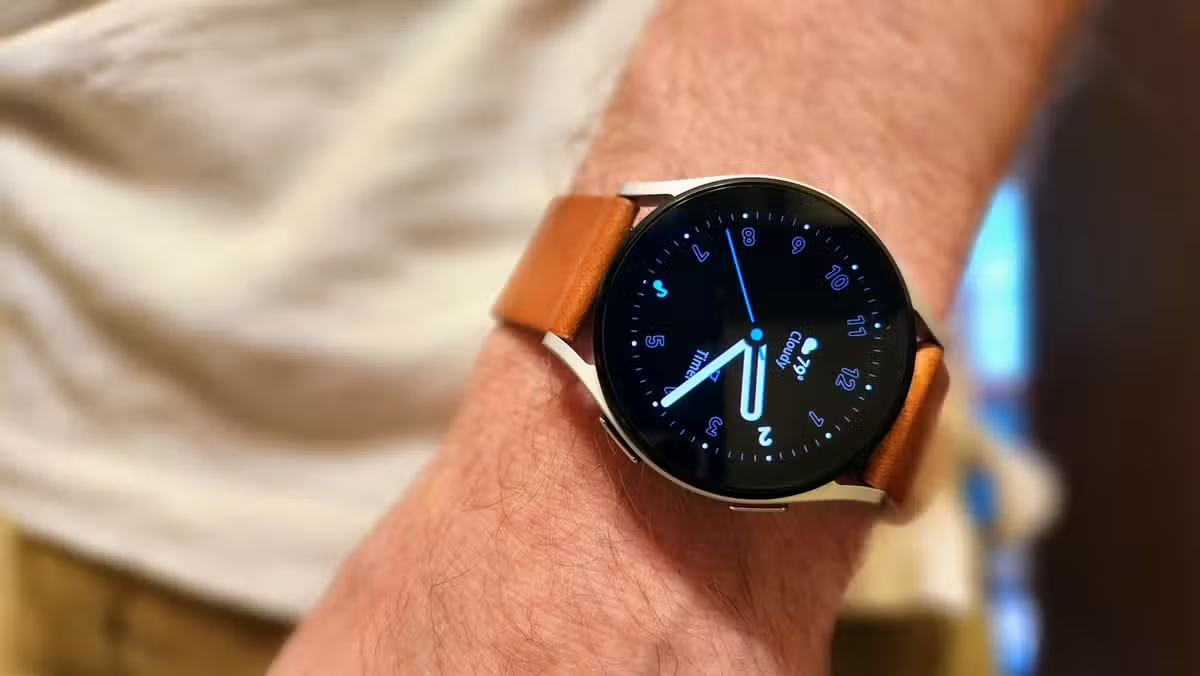
The best use case appears with text message notifications. Double-pinch opens voice-to-text immediately, letting you dictate a reply without ever touching the screen. When you're carrying groceries, walking the dog, or cooking dinner, this becomes genuinely useful rather than a party trick.
The Notification Muting Problem (and Its Fix)
Here's a scenario many Galaxy Watch owners experience. You want your watch to be the only thing alerting you to notifications, so you keep your phone on silent mode permanently. Then you leave your watch at home one day. You miss every notification because your phone is still silent.
Samsung has a setting that solves this, but the name makes it easy to misunderstand. It's called 'Mute notifications on phone' in standard Galaxy Watch settings, or 'Smart device selection' if you use a Galaxy phone.
The setting creates a dynamic relationship between your phone and watch. When the watch is connected and on your wrist, your phone stays silent. When you're not wearing the watch, your phone resumes its normal notification behavior. No more remembering to toggle silent mode.
Why These Features Stay Hidden
Samsung buries useful features in nested menus. The initial setup wizard prioritizes fitness tracking and Samsung Pay over interaction improvements. Most users finish setup and never revisit Settings.
This is a consistent pattern across wearables. Apple, Google, and Samsung all ship devices with capabilities that remain undiscovered by most owners. The difference is whether you stumble across the right settings menu.
For Galaxy Watch owners who switched from Pixel Watch or Apple Watch, these features represent a meaningful upgrade. The Pixel Watch has minimal gesture support. Apple's equivalent requires specific accessibility settings that aren't designed for general use.
Getting Started
If you own a Galaxy Watch and haven't explored the gesture settings, start with double-pinch. Open Settings > Buttons and gestures > Double pinch, enable it, and practice the motion a few times. The detection is reliable once you get the timing right.
For the notification muting feature, look in your phone's Galaxy Wearable app under Watch settings > Notifications. The exact location varies by phone model and software version, but searching for 'mute' in settings usually finds it.
Logicity's Take
Frequently Asked Questions
Which Galaxy Watch models support the double-pinch gesture?
Double-pinch gestures are available on Galaxy Watch 4 and newer models running Wear OS. Older Tizen-based Galaxy Watches have different gesture options.
Does double-pinch work when the watch screen is off?
You need to wake the watch first, either by raising your wrist or tapping the screen. The gesture then works within the active interface.
Can I customize what double-pinch does?
The actions are context-sensitive and preset by Samsung. You can enable or disable the feature but cannot assign custom actions to the gesture.
Does the notification muting feature work with non-Samsung phones?
Yes, the feature works with any Android phone paired to a Galaxy Watch through the Galaxy Wearable app. The setting name may differ slightly.
Another hidden software feature that improves daily workflow
Similar practical automation for everyday device interactions
Need Help Implementing This?
Source: How-To Geek
Manaal Khan
Tech & Innovation Writer
اقرأ أيضاً

رأي مغاير: كيف يؤثر اختراق الأمن الداخلي الأميركي على شركاتنا الخاصة؟
في ظل اختراق عقود الأمن الداخلي الأميركي مع شركات خاصة، نناقش تأثير هذا الاختراق على مستقبل الأمن السيبراني. نستعرض الإحصاءات الموثوقة ونناقش كيف يمكن للشركات الخاصة أن تتعامل مع هذا التهديد. استمتع بقراءة هذا التحليل العميق

الإنسان في زمن ما بعد الوجود البشري: نحو نظام للتعايش بين الإنسان والروبوت - Centre for Arab Unity Studies
في هذا المقال، سنناقش كيف يمكن للبشر والروبوتات التعايش في نظام متكامل. سنستعرض التحديات والحلول المحتملة التي تضعها شركات مثل جوجل وأمازون. كما سنلقي نظرة على التوقعات المستقبلية وفقًا لتقرير ماكنزي

إطلاق ناسا لمهمة مأهولة إلى القمر: خطوة تاريخية نحو استكشاف الفضاء
تعتبر المهمة الجديدة خطوة هامة نحو استكشاف الفضاء وتطوير التكنولوجيا. سوف تشمل المهمة إرسال رواد فضاء إلى سطح القمر لconducting تجارب علمية. ستسهم هذه المهمة في تطوير فهمنا للفضاء وتحسين التكنولوجيا المستخدمة في استكشاف الفضاء.