3 Homelab Projects to Try This Weekend
Key Takeaways
- Umami provides a cleaner, privacy-focused alternative to Google Analytics that you can self-host
- A single Umami instance can track multiple websites with page views, visitor counts, sources, and locations
- Self-hosted documentation wikis help you track homelab configurations as your setup grows
Replace Google Analytics with Umami
If you run any website, even a personal blog, you probably use Google Analytics. It works. It's free. But it also feeds everything into Google's data machine, and the interface has become bloated over the years.
Umami is a self-hosted alternative that tracks the metrics you actually care about: page views, visitor counts, traffic sources, operating systems, and geographic locations. The interface is cleaner than Google Analytics, and you own all the data.
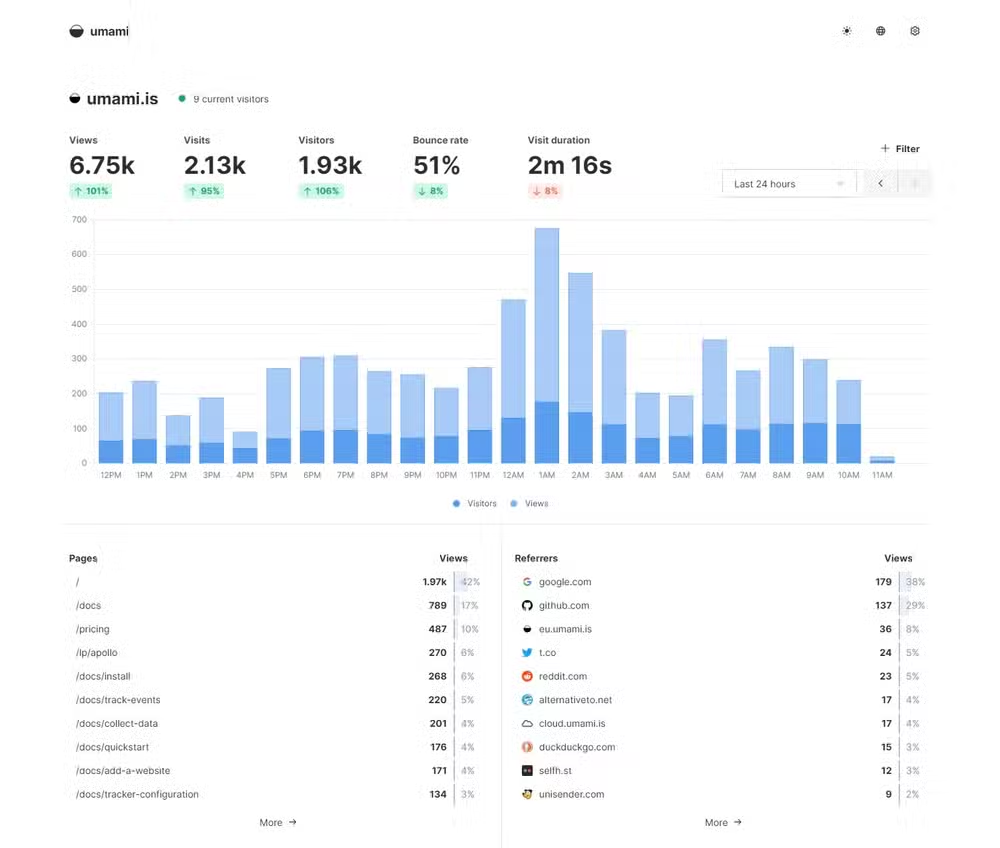
One feature stands out. Umami shows a seven-day traffic view broken into 24-hour segments. Each hour displays a dot sized by visitor volume. Bigger dot, more traffic. No dot, no visitors. You can technically build this view in Google Analytics, but it's not straightforward. In Umami, it's the default.
A single Umami instance handles multiple websites. If you run a personal site, a side project, and maybe a client site, one deployment tracks all of them. Installation works through Docker Compose, with sample configuration files provided in the official documentation.
Build a Better Homelab Dashboard
Once you're running more than two or three services, keeping track of what's running where becomes its own project. A homelab dashboard puts all your services in one place with status indicators and quick links.
Several open-source options exist. The right choice depends on whether you want something minimal that just shows links, or a full monitoring solution that checks service health and displays system metrics. Either way, you'll spend less time remembering port numbers and more time using your services.
Set Up Your Own Documentation Wiki
Here's the problem with homelabs: you set something up on a Saturday afternoon, it works, and six months later you have no idea how you configured it. A self-hosted wiki solves this.
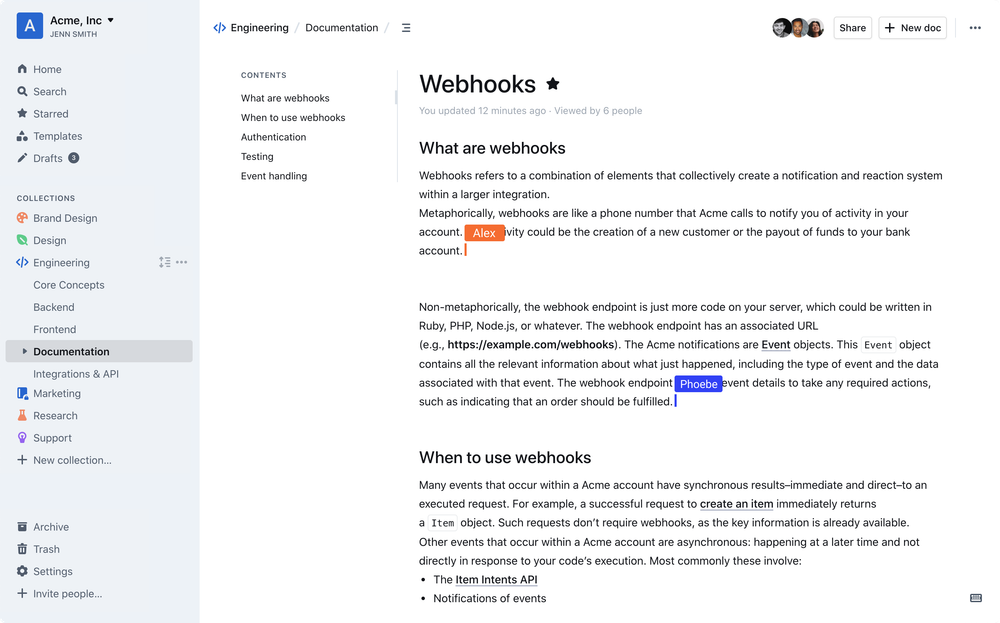
Document your network layout, your Docker Compose files, your firewall rules, and the weird workaround you found at 2 AM on a forum from 2019. When something breaks, you'll have notes. When you want to rebuild a service, you'll have the configuration.
Options like Outline, Wiki.js, and BookStack all run well in containers. Pick one based on the editing experience you prefer. Some use Markdown, others offer rich text editors. The tool matters less than the habit of documenting as you build.
Getting Started
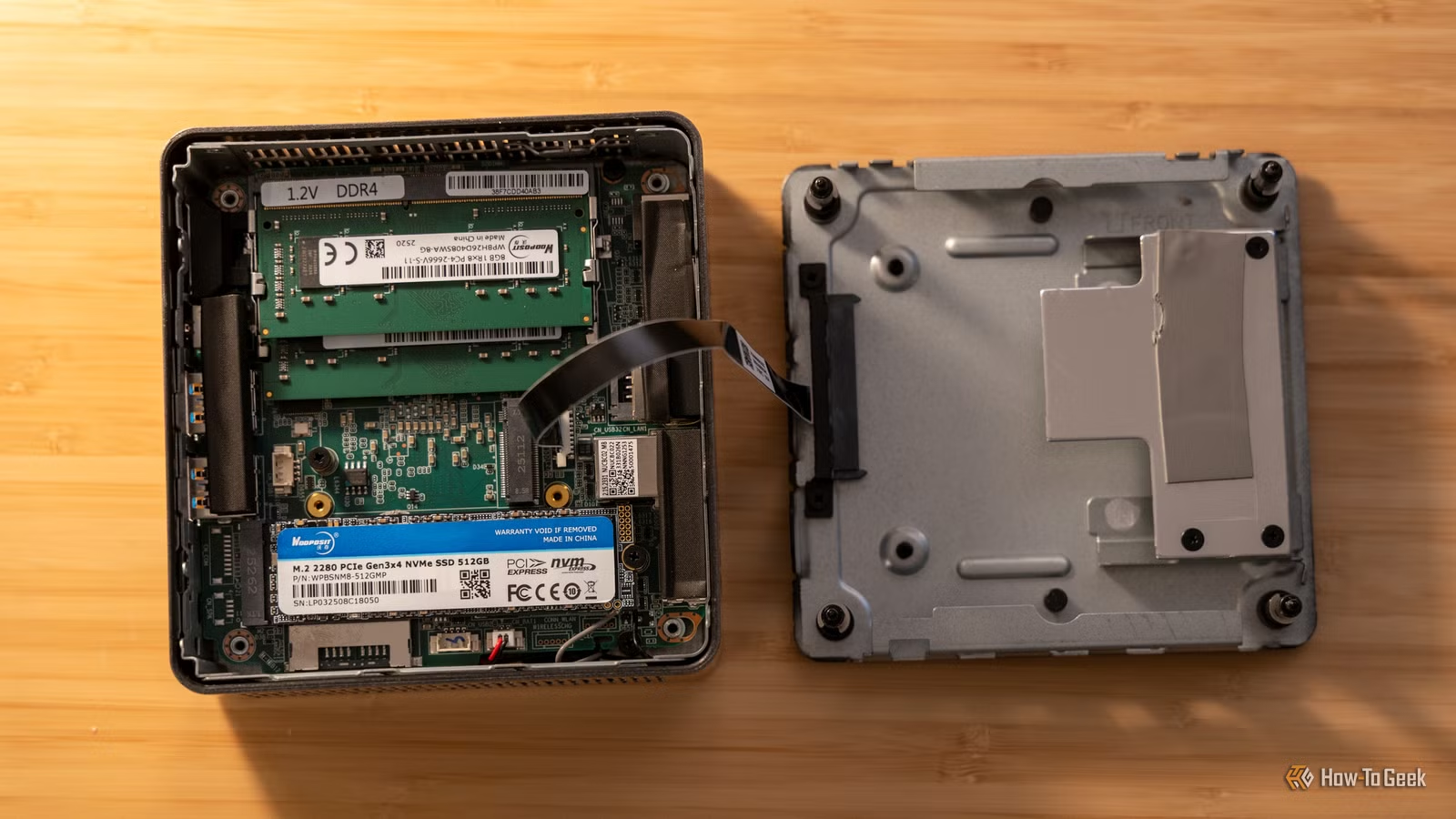
All three projects run well on minimal hardware. A Raspberry Pi handles any of them. A mini PC gives you room to run all three plus more. If you're just starting with homelabs, Umami makes a good first project because you get immediate value if you have any website to track.
The wiki pays off over time. Start simple. Document what you set up this weekend. In six months, you'll thank yourself.
Logicity's Take
More weekend project ideas for the technically curious
Another approach to self-hosted documentation
Frequently Asked Questions
What hardware do I need to run these homelab projects?
A Raspberry Pi 4 handles any single project. A mini PC with 8GB RAM comfortably runs all three. Old laptops work too.
Is Umami difficult to set up?
No. Docker Compose deployment takes about 15 minutes if you have Docker installed. The project provides sample configuration files.
Can Umami track multiple websites?
Yes. A single Umami instance tracks as many websites as you need. Each site gets its own tracking code and dashboard view.
Which wiki software is best for homelab documentation?
Outline, Wiki.js, and BookStack are all solid choices. Pick based on whether you prefer Markdown or rich text editing.
Need Help Implementing This?
Source: How-To Geek
Huma Shazia
Senior AI & Tech Writer
اقرأ أيضاً

رأي مغاير: كيف يؤثر اختراق الأمن الداخلي الأميركي على شركاتنا الخاصة؟
في ظل اختراق عقود الأمن الداخلي الأميركي مع شركات خاصة، نناقش تأثير هذا الاختراق على مستقبل الأمن السيبراني. نستعرض الإحصاءات الموثوقة ونناقش كيف يمكن للشركات الخاصة أن تتعامل مع هذا التهديد. استمتع بقراءة هذا التحليل العميق

الإنسان في زمن ما بعد الوجود البشري: نحو نظام للتعايش بين الإنسان والروبوت - Centre for Arab Unity Studies
في هذا المقال، سنناقش كيف يمكن للبشر والروبوتات التعايش في نظام متكامل. سنستعرض التحديات والحلول المحتملة التي تضعها شركات مثل جوجل وأمازون. كما سنلقي نظرة على التوقعات المستقبلية وفقًا لتقرير ماكنزي

إطلاق ناسا لمهمة مأهولة إلى القمر: خطوة تاريخية نحو استكشاف الفضاء
تعتبر المهمة الجديدة خطوة هامة نحو استكشاف الفضاء وتطوير التكنولوجيا. سوف تشمل المهمة إرسال رواد فضاء إلى سطح القمر لconducting تجارب علمية. ستسهم هذه المهمة في تطوير فهمنا للفضاء وتحسين التكنولوجيا المستخدمة في استكشاف الفضاء.