Key Takeaways
Microsoft Quietly Changed Windows Again... Here's What They Didn't Tell You
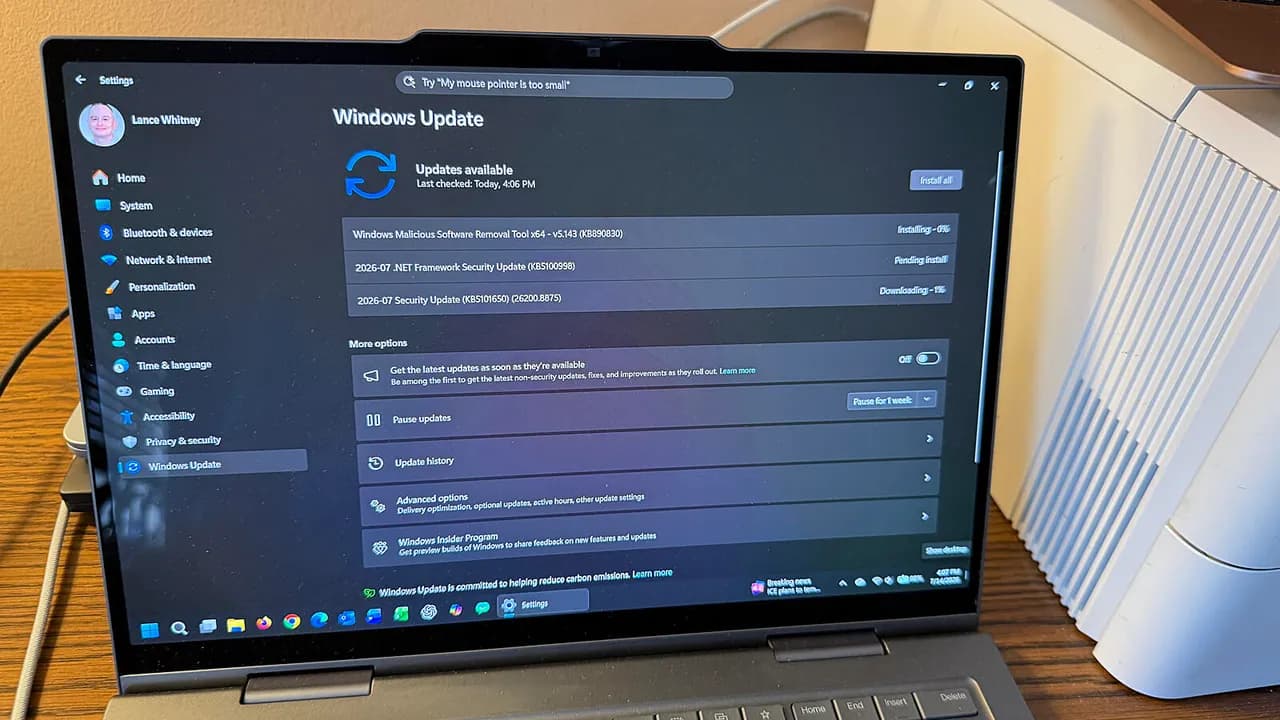
- Microsoft patched 570 vulnerabilities in July's Patch Tuesday, the largest single-month fix in Windows history
- Two zero-day flaws affecting Active Directory and SharePoint were actively exploited before the patch
- Dell users with Intel processors should hold off, as Microsoft halted updates for certain Dell devices due to shutdown issues
Microsoft's July 2026 Patch Tuesday fixes 570 security vulnerabilities, the most ever in a single month. Two of the three zero-day flaws were already being exploited before the patch dropped. If you run Windows, this update is not optional.
The update covers Windows 11 25H2/24H2, Windows 11 23H2, and Windows 10 for users enrolled in the Extended Security Update program. As with all Patch Tuesday releases, it downloads automatically. Your only job is to reboot.
Why 570 bugs in one month?
The number dwarfs previous records. Microsoft patched 206 bugs in June and 164 in April. The jump comes from MDASH, Microsoft's internal AI scanning system. The tool, described as a "multi-model agentic scanning harness," hunts for true vulnerabilities, filters false positives, and routes findings to engineers faster than manual review.
Patch management provider Action1 noted that Microsoft has warned organizations to expect more frequent security updates as AI accelerates vulnerability discovery. Human engineers still validate and ship the fixes, but the detection side now runs at machine speed.
The implication for IT teams: patch cycles that once felt predictable may become heavier and less predictable. Budgeting time for testing and rollout needs to reflect that reality.
Which zero-days matter most?
Three zero-days. Two were exploited in the wild before the fix arrived. The third was publicly disclosed, which means attackers likely had access to the details.
- Active Directory flaw (exploited): Impacts enterprise authentication infrastructure. Attackers targeting AD typically aim for lateral movement across corporate networks.
- SharePoint flaw (exploited): SharePoint remains a common vector for document-based attacks in organizations.
- BitLocker bypass (disclosed): Someone with physical access to a device could bypass encryption and read files on the system drive. Lost or stolen laptops are the obvious risk, but shared workstations and remote site hardware also qualify.
"Although the attack requires physical access, the potential exposure of sensitive corporate or personal information makes this a significant security concern, particularly for lost, stolen, or unattended devices," Action1 said. "Systems deployed in remote locations or shared environments may be particularly vulnerable."
Dell users: hold off
Microsoft paused the update for certain Dell machines with Intel processors. The company cited "unexpected shutdowns, poor performance, increased heat, and battery drain" as the symptoms. A fix is expected "in the coming days."
If you manage a fleet that includes Dell hardware, check whether your models are affected before forcing deployment. The last thing you want is a security update that bricks workstations.
How to install the July 2026 update
On Windows 11, go to Settings > Windows Update. On Windows 10, go to Settings > Update & Security > Windows Update. The patch should already be waiting for a reboot. If not, click "Check for updates."
For organizations using Windows Server Update Services (WSUS) or Intune, the usual approval and staging workflow applies. Given the two exploited zero-days, most security teams will want to compress their testing window.
Beyond security: feature changes
The July update also touches Widgets, Bluetooth, and File Explorer. Microsoft has adjusted how Widgets triggers, since hovering over the taskbar icon has been a persistent annoyance for many users. The exact change is that the Widgets screen no longer appears on hover by default.
These feature tweaks are minor compared to the security payload, but they signal Microsoft's continued effort to smooth daily friction points in Windows 11.
Logicity's Take
The 570-bug patch is less about one bad month and more about what happens when AI-driven scanning hits production. Microsoft's MDASH tool is surfacing vulnerabilities faster than the old manual process ever could. That's good for security long-term, but it means IT teams need to rethink patch cadence assumptions. If your organization still treats Patch Tuesday as a monthly chore that can wait a week or two, the two exploited zero-days this month show why that posture is risky. Expect this volume to become the new baseline, not an outlier.
Frequently Asked Questions
How many vulnerabilities did Microsoft patch in July 2026?
Microsoft patched 570 security flaws, the highest number ever fixed in a single Patch Tuesday update.
Were any of the July 2026 zero-days already being exploited?
Yes. Two zero-days affecting Active Directory and SharePoint were actively exploited before the patch was released. A third zero-day affecting BitLocker was publicly disclosed.
Why is Microsoft finding so many more vulnerabilities now?
Microsoft uses an internal AI tool called MDASH (multi-model agentic scanning harness) that identifies vulnerabilities faster and reduces false positives, allowing engineers to patch more flaws per cycle.
Should Dell users install this update?
Not yet if you have a Dell with an Intel processor. Microsoft paused the update for affected models due to shutdown and performance issues. A fix is expected soon.
How do I install the July 2026 Windows update?
Go to Settings > Windows Update on Windows 11, or Settings > Update & Security > Windows Update on Windows 10. The update should be waiting for a reboot. If not, click Check for updates.
More details on the Dell compatibility issue affecting this month's update
Need Help Implementing This?
If your organization needs help managing patch deployment at scale, or you want to discuss security automation strategies, contact the Logicity team. We help tech leaders build systems that keep infrastructure secure without burning out IT staff.
Source: Latest news
Manaal Khan
Tech & Innovation Writer
Produced with AI assistance and reviewed by the Logicity editorial team. Learn more in our Editorial Policy.




