Windows 11 Snap Layouts vs macOS Tiling: Which Wins?
Key Takeaways
- Windows 11 offers nine Snap Layout configurations including thirds and dashboard views
- macOS only gained window tiling in 2025 after Microsoft's patent expired in 2023
- Windows 11's extra layouts like the dashboard configuration suit multi-app workflows better
The Patent That Held macOS Back
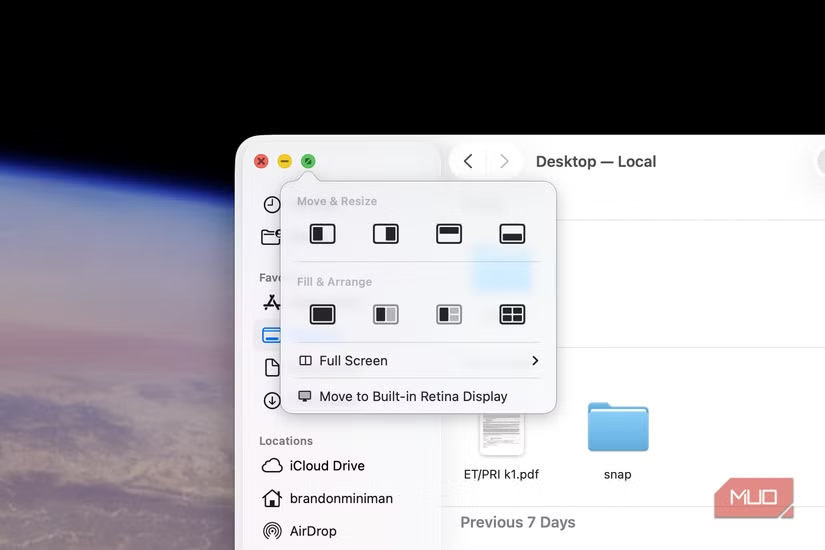
Microsoft held a patent on window management and resizing tools that expired in 2023. This patent blocked Apple from offering similar functionality for years. Once it lapsed, Apple moved quickly. macOS Tahoe, released in 2025, introduced window tiling accessible through the green maximize button in the upper-left corner of any window.
But arriving late to the game shows. macOS offers eight arrangements: left, right, top, bottom, and quarters. That covers basic needs. Windows 11, refined over years of iteration, provides nine preset configurations that go further.
What Windows 11 Snap Layouts Actually Offers
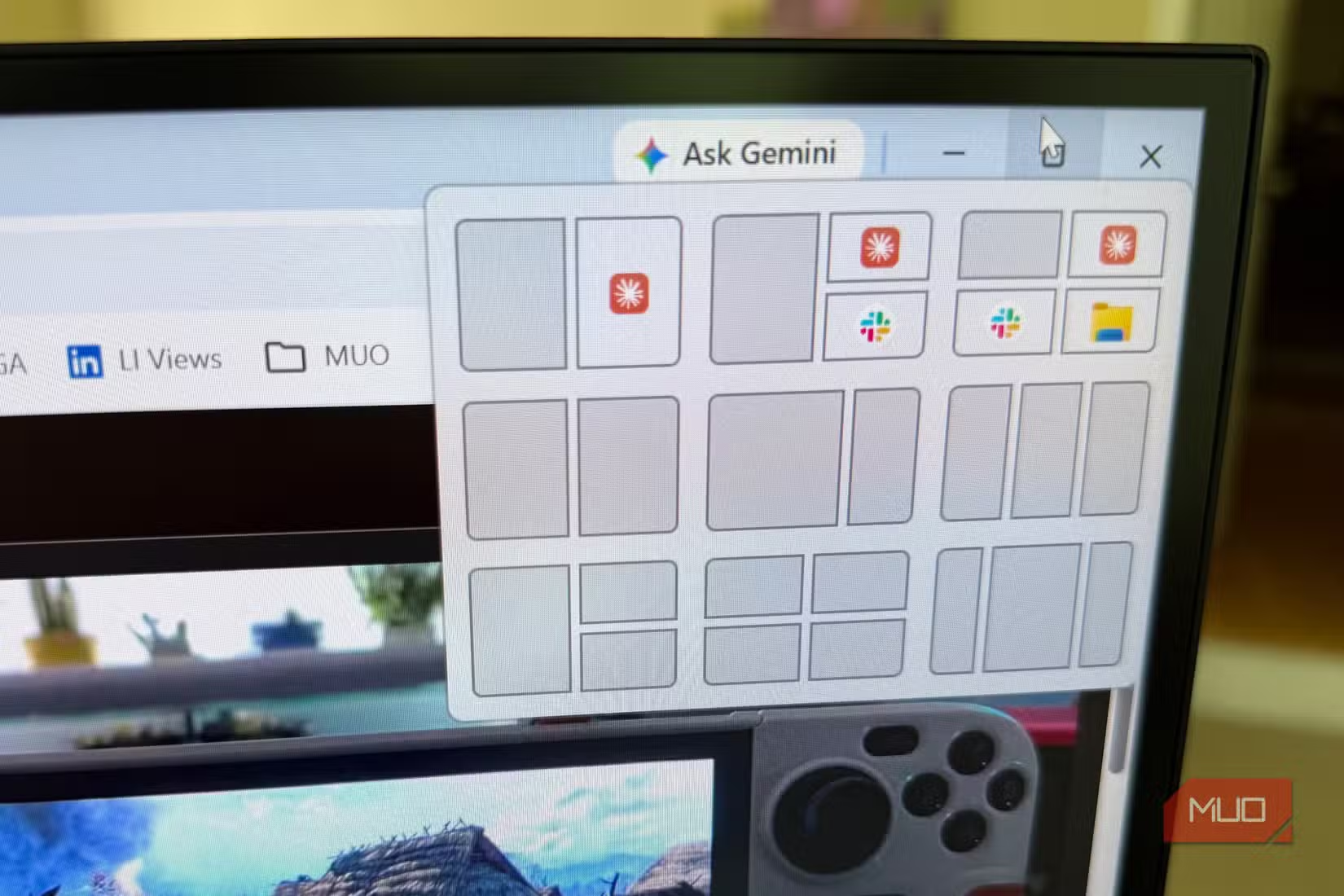
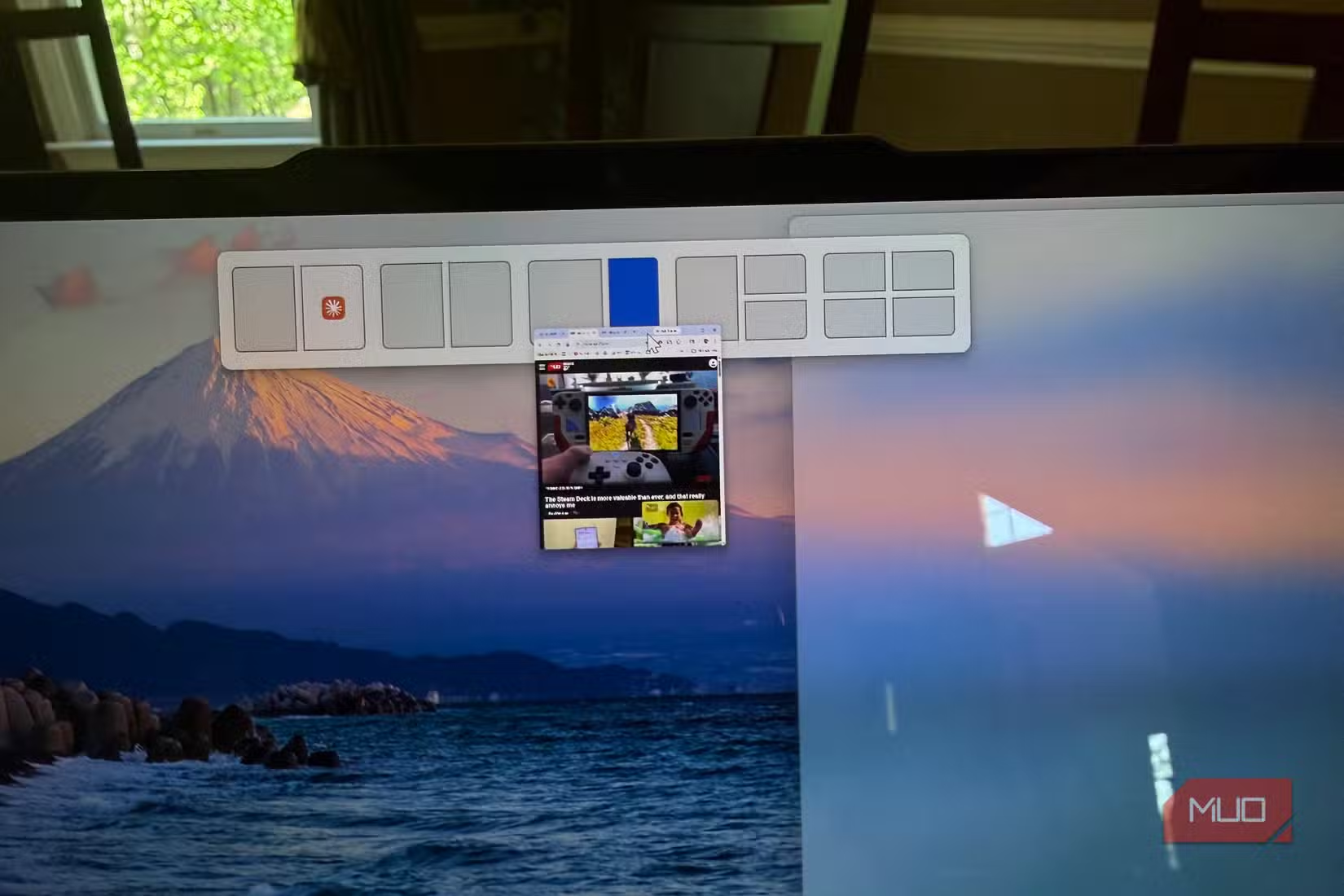
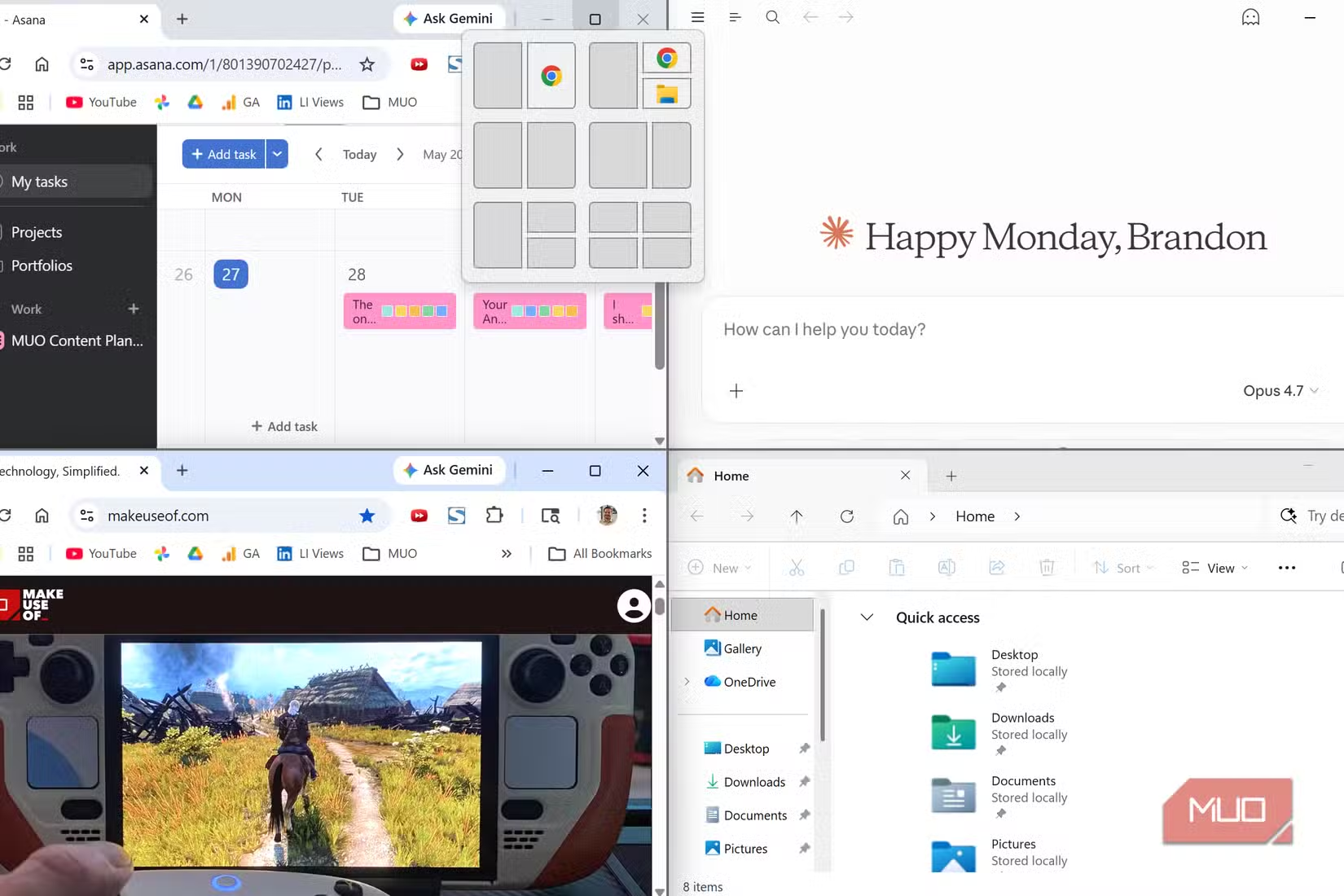
Hover over any window's maximize button in Windows 11 and a grid appears showing nine layout options. You get the basics that macOS provides: left half, right half, quarters. Then Windows adds configurations macOS lacks: thirds, a larger center window flanked by smaller ones, and a dashboard layout.
That dashboard configuration places one large window on the left with two stacked smaller windows on the right. It's built for a common scenario: browsing the web while monitoring Slack or Teams, with a music player running in the corner.
How to Use Snap Layouts
Three ways to trigger Snap Layouts exist in Windows 11. The hover method works well with a mouse. Move your cursor over the maximize button and wait a moment. The layout grid appears.
Keyboard users can press Win + Z to open the same grid. Or skip the menu entirely: Win + Arrow keys snap windows directly. Win + Left Arrow sends a window to the left half. Win + Up Arrow maximizes. Combine them for corners.
- Hover over maximize button to see layout options
- Win + Z opens the Snap Layout menu
- Win + Arrow keys snap windows without the menu
- Drag a window to screen edges or corners for automatic snapping
Dragging windows to screen edges triggers snapping too. Pull a window to the top center and Windows offers to maximize it. Pull to a corner and it quarters. The system remembers your layout preferences and suggests filling empty spaces with your other open windows.
Why the Extra Layouts Matter
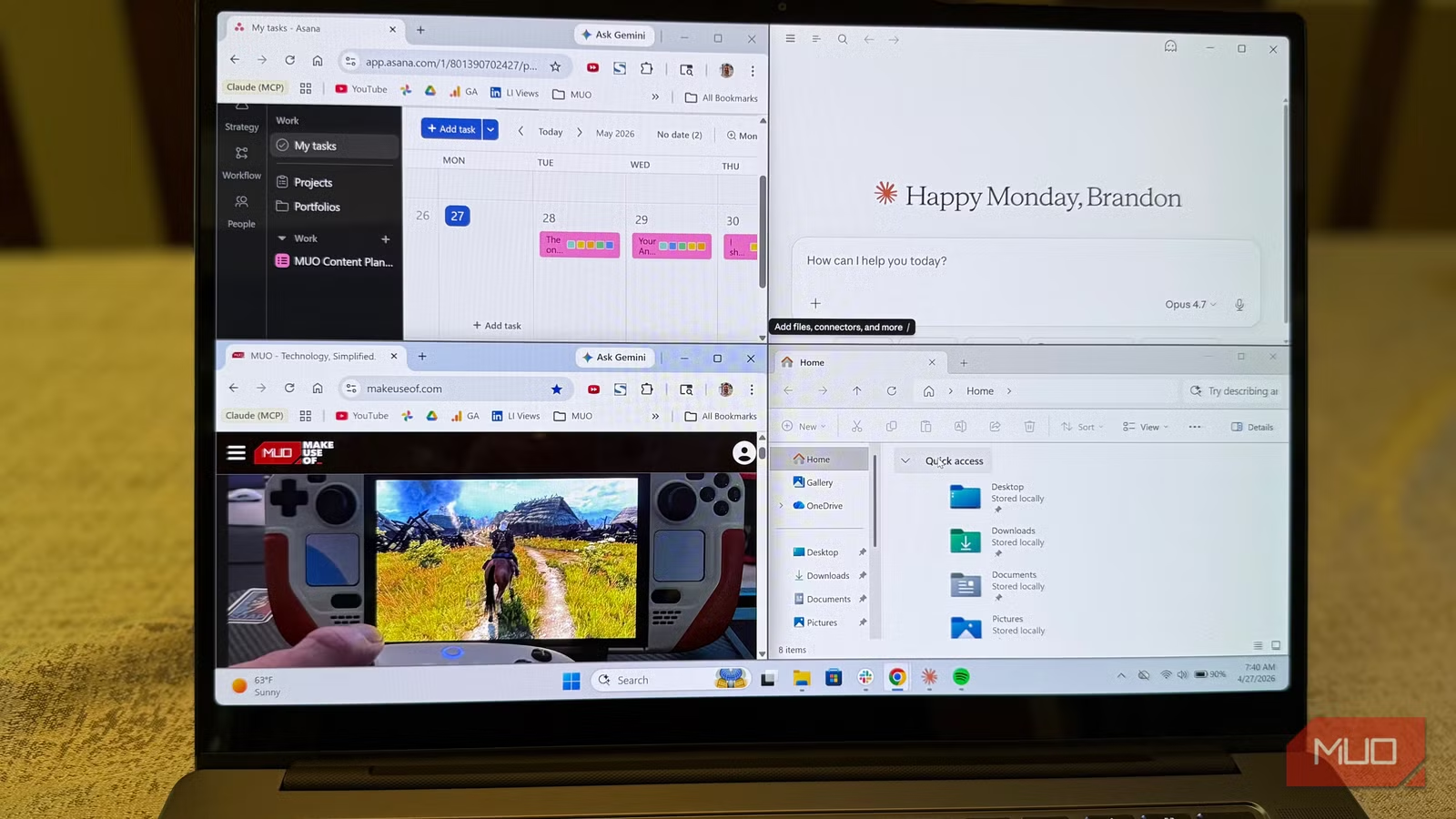
The difference between eight and nine layouts sounds minor. It's not. The thirds configuration that Windows offers lets you compare three documents or websites simultaneously. The dashboard layout reflects how people actually work: one primary focus area with secondary apps in peripheral vision.
Widescreen monitors amplify this advantage. On a 34-inch ultrawide, splitting the screen into just halves wastes space. Each half becomes wider than a normal monitor. Thirds make better use of the real estate. macOS doesn't offer this option natively.
| Feature | Windows 11 Snap Layouts | macOS Tahoe Tiling |
|---|---|---|
| Total presets | 9 | 8 |
| Thirds support | Yes | No |
| Dashboard layout | Yes | No |
| Keyboard shortcut | Win + Z | Hover required |
| Year introduced | 2021 | 2025 |
| Corner snapping | Yes | Yes |
External Monitor Considerations
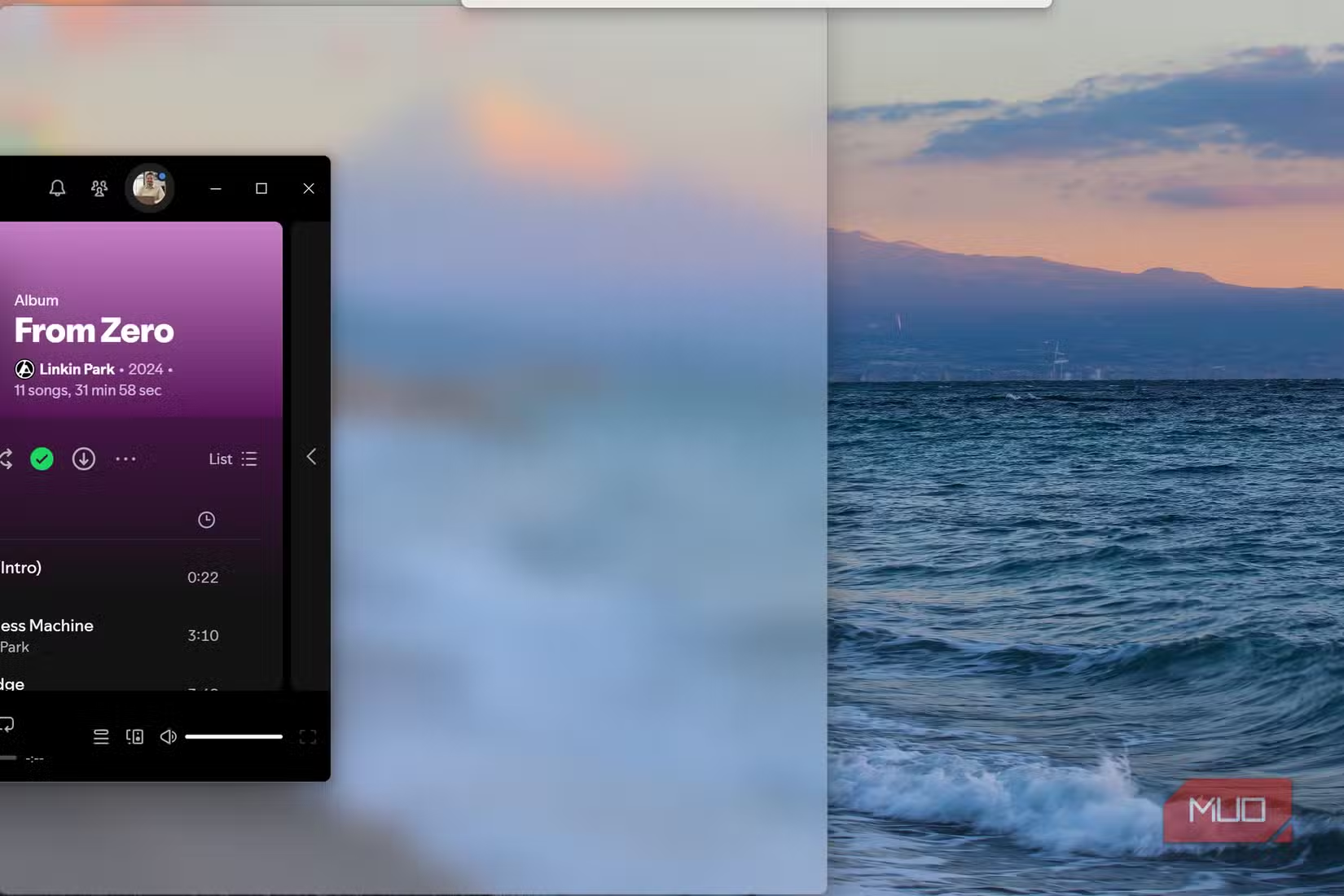
Snap Layouts shine with external monitors. Connect a second display and Windows remembers which layouts you used on each screen. The system tracks window positions per monitor configuration. Disconnect your external display, then reconnect it later. Your windows return to their previous positions.
macOS handles external monitors adequately but doesn't offer the same layout memory for its newer tiling features. The feature is too new to have developed that level of polish.
The Third-Party Alternative
Mac users frustrated by limited native options have turned to third-party apps like Rectangle and Magnet for years. These tools add keyboard shortcuts and more layout options. They work well. But they cost money or require configuration that casual users skip.
Windows building this into the operating system means every user gets it. No installation needed. No settings to configure. The feature exists, ready to use, on every Windows 11 machine.
More Windows productivity tips for developers
Practical Workflow Examples
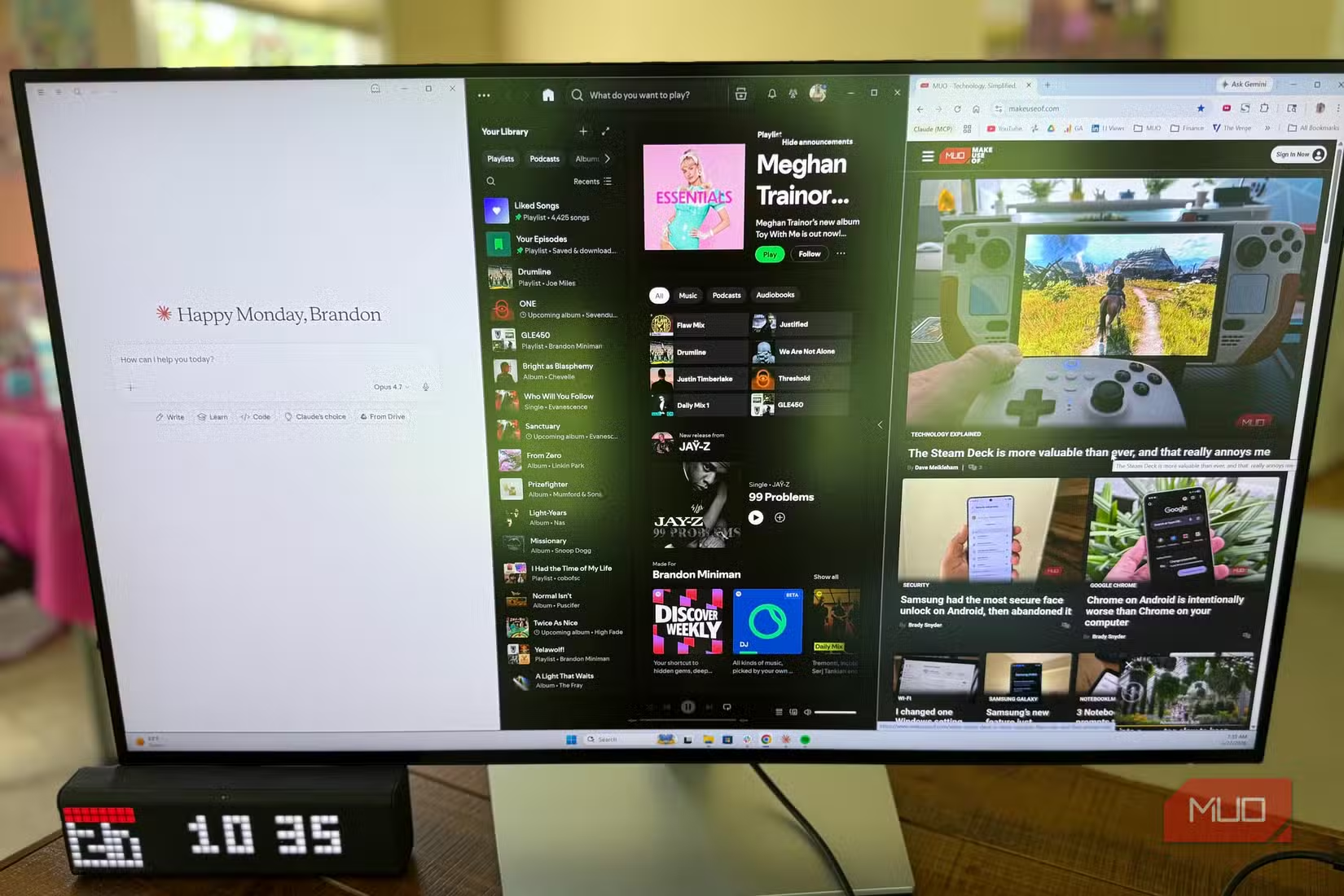
Consider a developer reviewing code. They need their IDE on one side, documentation in the middle, and a terminal on the other. Windows 11's thirds layout handles this natively. On macOS, you'd resize windows manually or pay for Rectangle.
A project manager might want their project board taking two-thirds of the screen with Slack in the remaining third. Windows supports this. macOS limits you to equal halves.
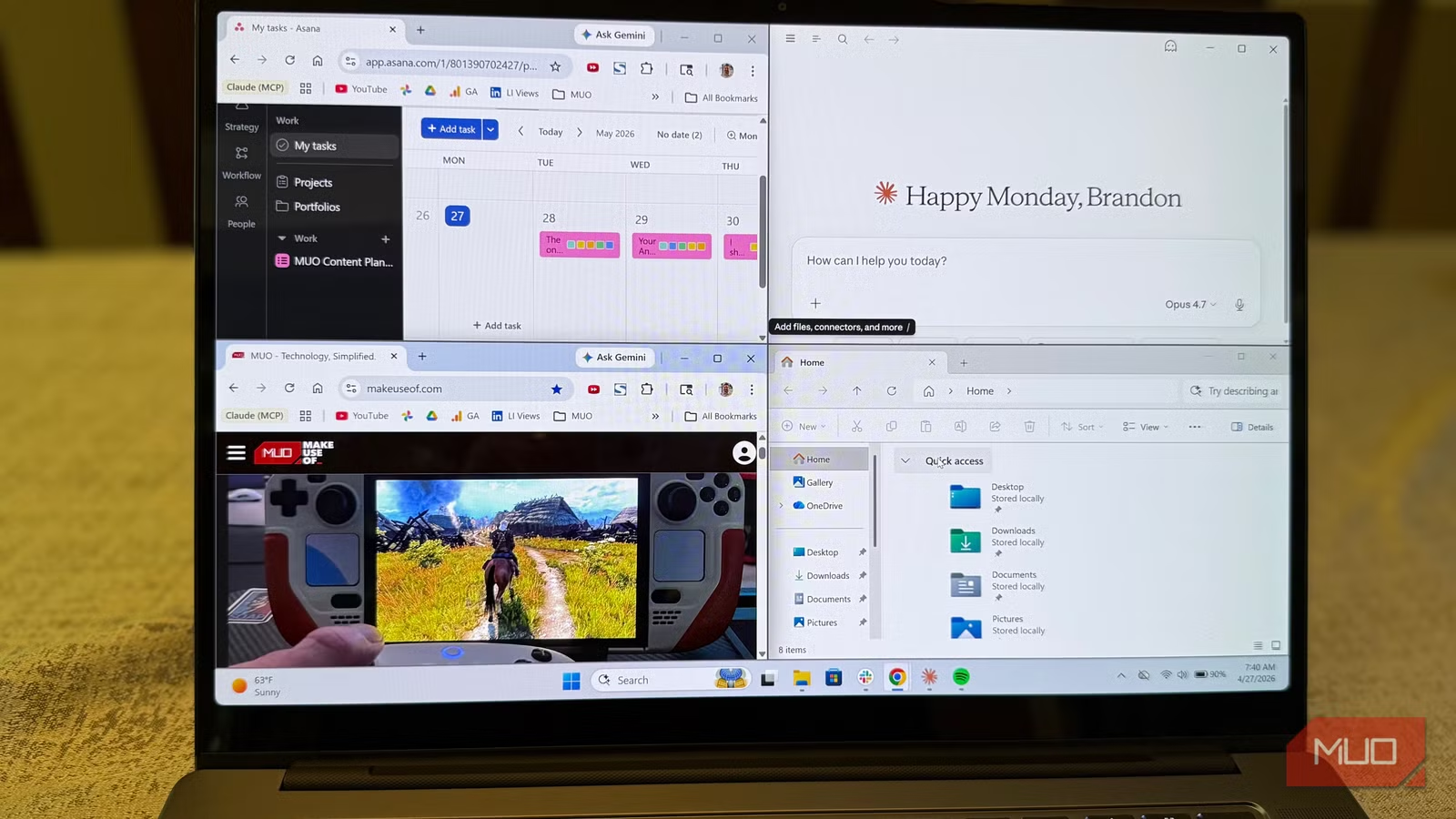
Content creators often run their primary editing app alongside reference images and a chat application. The dashboard layout fits this exactly. One main window for work. Two smaller windows for context and communication.
Logicity's Take
Settings Worth Adjusting
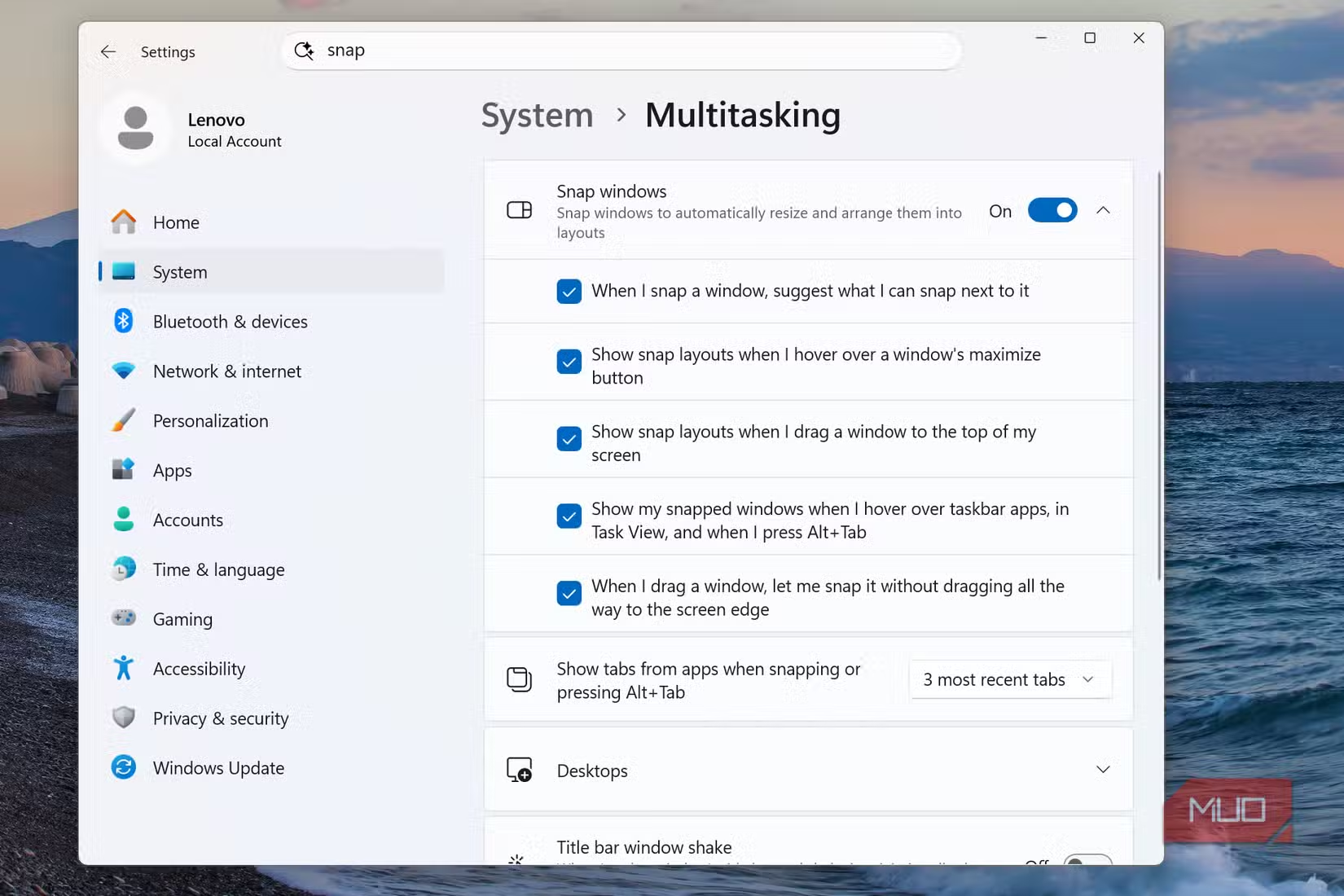
Open Settings, then System, then Multitasking to customize Snap behavior. You can disable the automatic suggestions for filling empty space if they annoy you. You can turn off edge snapping while keeping hover layouts. You can adjust how windows behave when you resize one in a snapped group.
The default settings work well for most people. But the options exist for those who want control over the details.
Another productivity improvement for your development setup
Frequently Asked Questions
How do I enable Snap Layouts in Windows 11?
Snap Layouts are enabled by default. Just hover over any window's maximize button or press Win + Z. If missing, go to Settings > System > Multitasking and ensure Snap windows is toggled on.
Can I customize Windows 11 Snap Layout configurations?
The nine preset layouts cannot be modified. However, you can adjust behavior in Settings > System > Multitasking, including turning off auto-suggestions and changing resize behavior for snapped groups.
Does macOS have window snapping like Windows 11?
macOS Tahoe (2025) added basic window tiling with eight configurations. It lacks Windows 11's thirds and dashboard layouts. Third-party apps like Rectangle and Magnet provide more options for Mac users.
What keyboard shortcut opens Snap Layouts?
Win + Z opens the Snap Layout menu. You can also use Win + Arrow keys to snap windows directly without opening the menu. Win + Left Arrow snaps to the left half, for example.
Why did macOS only get window tiling in 2025?
Microsoft held a patent on window management and resizing features that expired in 2023. Apple introduced native window tiling in macOS Tahoe after the patent lapsed.
Need Help Implementing This?
Source: MakeUseOf
Microsoft Shifts Focus to Quality with 'Windows K2' Initiative
Microsoft has reportedly launched an internal initiative codenamed 'Windows K2' to shift its focus from rapid feature releases to update quality and stability. This change in philosophy aims to address performance issues and security concerns that have plagued recent updates, such as the AI-powered 'Recall' feature.
Huma Shazia
Senior AI & Tech Writer
مقالات ذات صلة
تصفح الكل
5 إعدادات في متصفحك تسرّب بياناتك حتى مع تفعيل VPN
ماذا لو أخبرتك أن متصفحك المفضل يسلّم عنوان IP الحقيقي وموقعك الفعلي وعادات تصفحك لأي موقع يطلبها، حتى مع تفعيل VPN؟ هذا بالضبط ما يحدث لملايين المستخدمين يومياً، ومنهم من يكتشف ذلك بالصدفة عند إجراء

كيف تعرض شاشة هاتف Android على التلفزيون مجاناً باستخدام Google Cast
هل تبحث عن طريقة لعرض شاشة هاتف Android على التلفزيون دون دفع أموال لتطبيقات مليئة بالإعلانات أو شراء كابلات HDMI؟ الحل موجود فعلياً داخل هاتفك: ميزة Google Cast المدمجة في نظام Android 16 تتيح لك بث

4 تطبيقات سامسونج تستحق البقاء على هاتفك Galaxy
يأتي هاتف Galaxy الجديد محملاً بأكثر من 50 تطبيقاً مُثبتاً مسبقاً، وليست جميعها ضرورية. لكن وسط هذا الكم من التطبيقات، تبرز أربعة تطبيقات سامسونج تستحق فعلاً أن تبقى على جهازك — بل قد تفضّلها على بدائ

استدعاءات يونيو 2026 للسيارات: Ford وHonda وToyota تسحب ملايين المركبات من الأسواق
سجّلت الهيئة الوطنية الأمريكية لسلامة المرور على الطرق السريعة NHTSA أكثر من 300 استدعاء للسلامة شملت أكثر من 100 شركة مصنّعة منذ بداية عام 2026، لكن استدعاءات يونيو 2026 للسيارات جاءت الأضخم والأخطر.
اقرأ أيضاً

Anthropic تفرض التحقق من الهوية للوصول إلى ميزات Claude المتقدمة
في خطوة تعكس التشدد المتزايد في قطاع الذكاء الاصطناعي التوليدي، بدأت Anthropic بفرض التحقق من الهوية على مستخدمي Claude للوصول إلى ميزات معينة. القرار يضع الشركة في مصاف المؤسسات المالية التي تطبق معا

6 طرق ذكية لتحويل هاتفك القديم إلى أداة مفيدة بدلاً من شراء جهاز جديد
قبل أن تسارع إلى شراء جهاز جديد بعشرين أو خمسين دولاراً، افتح ذلك الدرج المنسي في منزلك. هناك على الأرجح هاتف قديم لا يزال يعمل، وهو قادر على أداء المهمة ذاتها التي تفكر في شراء جهاز مخصص لها. إعادة ا

لماذا تتجنب Apple وSamsung بطاريات السيليكون-كربون رغم تفوقها؟
تتصدر الشركات الصينية سباق بطاريات السيليكون-كربون منذ عامين، بينما تقف Apple وSamsung موقف المتفرج الحذر. هذه التقنية تعد بسعات تصل إلى 6500 ميلي أمبير في هياكل أنحف، فلماذا تتمسك أكبر علامتين تجاريت