Why VLANs Are the Simplest Way to Secure Home Wi-Fi
Key Takeaways
- Every device on your home Wi-Fi can talk to every other device by default, creating major security risks
- A compromised smart bulb or IoT gadget gives attackers access to your entire network
- VLANs create separate logical networks so your IoT devices can't reach your work laptop or NAS
Your Home Network Has a Trust Problem
Here's something uncomfortable: that smart light bulb you bought for $12 can see your work laptop. It can see your NAS with the family photos. It can see everything on your home network, and everything can see it.
This is how most home networks work. You set up a Wi-Fi name, create a password, and connect everything. Your phone, laptop, smart TV, baby monitor, and that cheap bulb from a company you've never heard of. The router treats them all as friends who can talk freely.
Network engineers call this a "flat network." Everyone else should call it a security problem.
The Open Field Problem
Think of your standard home router setup. You plug it in, create an SSID like "Smith_Family_WiFi," and proceed to connect every gadget you own to that single network. Physically or wirelessly, they all connect to the same SSID. Logically, the router treats them as a community.
The problem is simple: most of these devices don't need unrestricted access to each other. Many probably shouldn't have it.
That cheap smart bulb is a computer. It has a processor, memory, and a Wi-Fi chip. It was likely made by a company with zero long-term security update policies. It's a ticking time bomb sitting on the same network as your banking sessions and work documents.
What Happens When a Device Gets Compromised
Hackers exploit vulnerabilities in cheap IoT devices constantly. When they compromise that light bulb, they haven't just gained control of your lighting. They've landed on your network's runway.
From there, they can see everything. Your NAS with all the family photos. Your unpatched laptop. Your home security cameras. In a flat network, you're inviting a stranger who enters through the doggy door to rummage through your filing cabinet, safe, and bedside table.
You trust every device to behave. But trust is not a security strategy.
VLANs: Simpler Than They Sound
VLAN stands for Virtual Local Area Network. It sounds like enterprise-grade, Cisco-certified, command-line nightmare reserved for network engineers. We've been conditioned to believe network segmentation is "advanced networking."
It's not. If you can organize a filing cabinet, you can understand a VLAN.
A VLAN lets you segment one physical network into multiple logical networks. Your smart home devices go on one VLAN. Your work devices go on another. Your kids' tablets go on a third. Each VLAN is isolated from the others. Devices on one can't talk to devices on another unless you explicitly allow it.
How This Actually Protects You
With VLANs set up properly, that compromised smart bulb can only see other devices on the IoT VLAN. Your NAS, work laptop, and personal devices live on a separate VLAN the bulb can't reach.
The attacker lands on your network, but they're trapped in a room with only other IoT devices. Your important stuff is behind a locked door they can't open.
- IoT devices (bulbs, thermostats, cameras) go on an isolated VLAN with internet access but no local network access
- Work devices go on a separate VLAN with strict access controls
- Guest devices go on their own VLAN, never touching your main network
- Personal devices can be on a primary VLAN with access to your NAS and printers
What You Need to Get Started
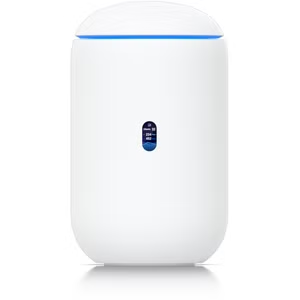
Not every router supports VLANs. Consumer-grade routers from your ISP typically don't. You'll need hardware that supports VLAN tagging. Options include prosumer routers like UniFi, pfSense boxes, or managed switches.
The good news: the hardware has gotten cheaper and the software has gotten easier. You don't need a networking certification. You need an afternoon and willingness to learn.
More ways to take control of your smart home setup
The Core Concept Is Simple
You're creating separate networks that happen to run on the same physical equipment. Each VLAN gets its own SSID if you want. "Home_Main" for your trusted devices. "Home_IoT" for smart gadgets. "Home_Guest" for visitors.
The router enforces boundaries between them. Traffic can't cross from one VLAN to another without explicit firewall rules allowing it. Your smart fridge stays in its lane.
Logicity's Take
Start Small
You don't need to segment everything on day one. Start with an IoT VLAN that isolates your least trusted devices. Block that VLAN from accessing your main network. Give it internet access so the devices still work.
That single change eliminates the worst-case scenario: a compromised smart device becoming a launch pad for attacks on your important systems.
Related: securing and managing your home server setup
Frequently Asked Questions
Do VLANs slow down my network?
No. VLANs are a logical separation handled by your router's switching fabric. There's no meaningful performance impact for home use.
Can I set up VLANs on any router?
No. Most ISP-provided routers and basic consumer routers don't support VLANs. You'll need prosumer hardware like UniFi, pfSense, or a managed switch.
Will my IoT devices stop working if I put them on a separate VLAN?
They'll work fine for internet-connected features. Some local control features may need firewall rules to allow specific traffic between VLANs.
How many VLANs should I create?
Start with two or three: one for trusted devices, one for IoT, and optionally one for guests. You can add more as needed.
Is this the same as a guest network?
A guest network is a simple form of VLAN. Full VLAN support gives you more control over multiple segments and the firewall rules between them.
Need Help Implementing This?
Source: How-To Geek
Huma Shazia
Senior AI & Tech Writer
اقرأ أيضاً

رأي مغاير: كيف يؤثر اختراق الأمن الداخلي الأميركي على شركاتنا الخاصة؟
في ظل اختراق عقود الأمن الداخلي الأميركي مع شركات خاصة، نناقش تأثير هذا الاختراق على مستقبل الأمن السيبراني. نستعرض الإحصاءات الموثوقة ونناقش كيف يمكن للشركات الخاصة أن تتعامل مع هذا التهديد. استمتع بقراءة هذا التحليل العميق

الإنسان في زمن ما بعد الوجود البشري: نحو نظام للتعايش بين الإنسان والروبوت - Centre for Arab Unity Studies
في هذا المقال، سنناقش كيف يمكن للبشر والروبوتات التعايش في نظام متكامل. سنستعرض التحديات والحلول المحتملة التي تضعها شركات مثل جوجل وأمازون. كما سنلقي نظرة على التوقعات المستقبلية وفقًا لتقرير ماكنزي

إطلاق ناسا لمهمة مأهولة إلى القمر: خطوة تاريخية نحو استكشاف الفضاء
تعتبر المهمة الجديدة خطوة هامة نحو استكشاف الفضاء وتطوير التكنولوجيا. سوف تشمل المهمة إرسال رواد فضاء إلى سطح القمر لconducting تجارب علمية. ستسهم هذه المهمة في تطوير فهمنا للفضاء وتحسين التكنولوجيا المستخدمة في استكشاف الفضاء.