Why Good Lock Keeps Me on Samsung Over Pixel
Key Takeaways
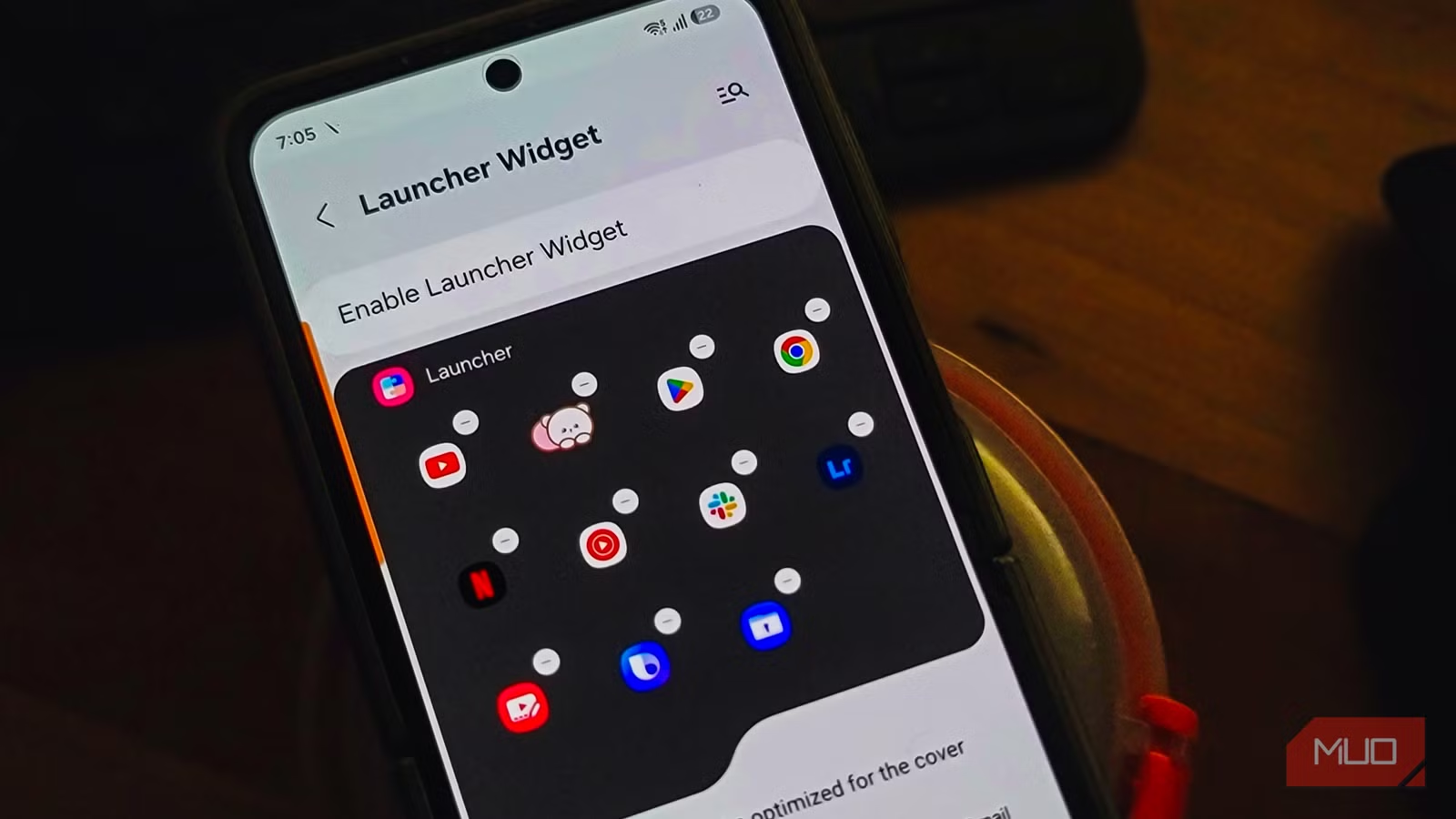
- Good Lock is Samsung's official customization suite with modular tools that modify One UI at a system level
- The app's changes feel native because Samsung builds them, unlike third-party launchers that can drain battery or break features
- Google's Pixel software prioritizes simplicity over customization, leaving power users without options Samsung users take for granted
Google's Pixel series might be the second-best Android experience available. But for users who want to reshape how their phone looks and behaves, Samsung still holds the edge. The reason isn't hardware. Most Android makers pack nearly identical components into their phones. The difference is software.
Samsung's One UI includes something Google has never matched: Good Lock. It's an official customization layer deep enough to rework your entire interface. Once you've used it, stock Android starts to feel restrictive.
What Is Good Lock?
Good Lock is a customization suite that Samsung builds and maintains. It's easy to miss because it doesn't come pre-installed. You have to download it from the Galaxy Store, which explains why many Samsung owners never discover it.
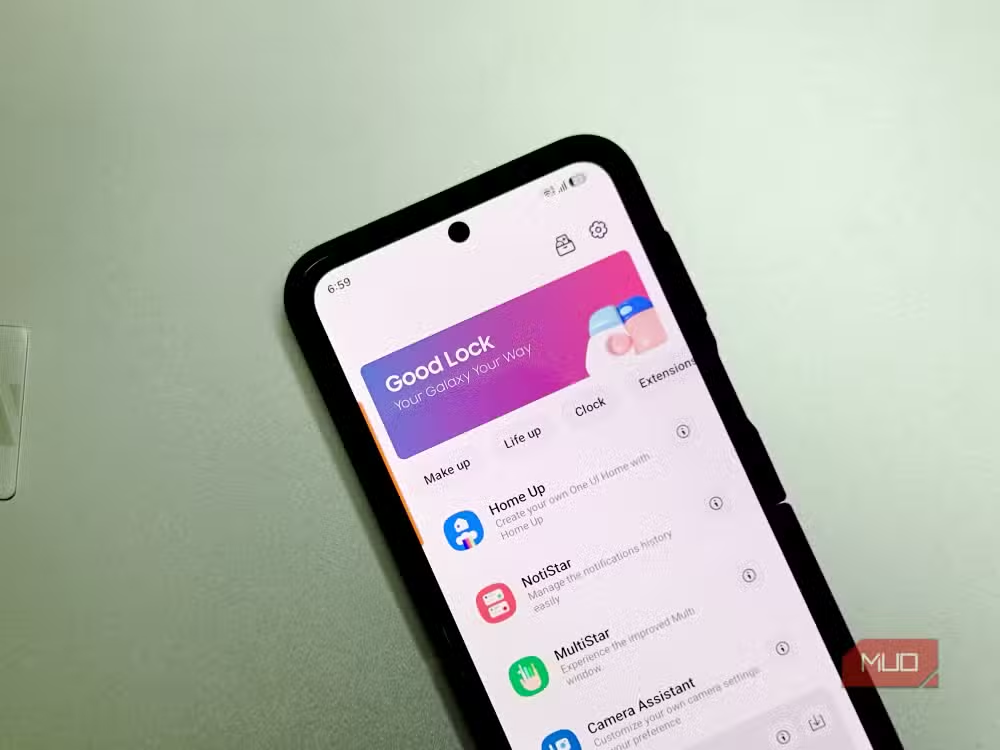
Once installed, Good Lock acts as a hub for smaller tools. Each one targets a specific part of One UI. You can modify your lock screen, notification panel, app drawer, navigation gestures, and more. The app is modular. You download only the pieces you want.
What separates Good Lock from third-party launchers or icon packs is its origin. Samsung makes it. The changes feel native rather than bolted on. You don't worry about system conflicts or battery drain because Samsung designed these tools to work with One UI at a deep level.
The Modules Worth Starting With
Good Lock contains more than a dozen modules. Each targets a specific part of the interface and adds controls that Samsung leaves out of the standard Settings menu. Here are the ones that matter most.
Home Up
Home Up controls the home screen, app drawer, and recent apps view. The DIY Home option lets you resize widgets and overlay them in ways the default launcher doesn't allow. You can change the grid size, adjust folder layouts, and modify how the recent apps screen displays your open applications.
LockStar
LockStar rebuilds your lock screen. You can move the clock anywhere, add or remove widgets, change which shortcuts appear at the bottom, and adjust the overall layout. It's the kind of control that iOS and Pixel users have requested for years.
QuickStar
QuickStar modifies the notification panel and status bar. You can hide icons you don't need, change the quick settings grid, adjust colors, and even remove the carrier name. For users who find the default status bar cluttered, QuickStar fixes the problem.
Sound Assistant
Sound Assistant gives granular control over volume. You can set per-app volume levels, change the default volume key behavior, and customize how media playback interacts with other audio. Android Police called this one of the modules that "fixes basic Android OS oversights that users have requested for years."
NotiStar
NotiStar archives your notifications. If you accidentally dismiss something important, you can retrieve it. You can also filter notifications by app and create custom notification histories. It solves a problem Android has never properly addressed.
Why Google Hasn't Built This for Pixel
The Pixel experience follows a different philosophy. Google prioritizes simplicity and AI integration over granular user control. The interface is polished and consistent. But it's also rigid.
“The Pixel experience is beautiful, but it's increasingly becoming the 'iPhone of Android'—simple, polished, and rigid. Good Lock is the antithesis of this, trusting the user to define their own experience.”
— Tashreef Shareef, Tech Journalist
This approach works well for users who want their phone to stay out of the way. But power users who've spent time with Good Lock find Pixel's limitations frustrating. You can't move the lock screen clock. You can't set per-app volume levels without third-party apps. You can't customize the notification panel's layout.
Marques Brownlee highlighted this gap on X, calling Good Lock the "secret sauce" that keeps Samsung ahead in customization compared to the "clean but restrictive" Pixel approach. For users who want control, Samsung delivers what Google won't.
The Hidden Depth of Good Lock
Beyond the core modules, Good Lock includes tools most users never discover. Wonderland creates dynamic wallpapers with layered effects. Pentastic enhances S Pen functionality on Galaxy Note and S Ultra devices. Keys Cafe lets you design custom keyboard themes.
According to Samsung's estimates, the core Home Up and LockStar modules alone allow over 400 unique customization permutations. Combine multiple modules and the possibilities multiply. This depth explains why 60% of power users cite customization as their primary reason for choosing Samsung over stock Android.
The Tradeoff
Good Lock isn't without drawbacks. It requires effort to discover and configure. The Galaxy Store installation means some users never find it. And Samsung's update cadence sometimes breaks modules temporarily after major One UI releases.
But for users willing to invest 30 minutes exploring the options, Good Lock transforms a Samsung phone into something genuinely personal. Every other Android interface starts to feel like a compromise.
✅ Pros
- • System-level customization without root or third-party apps
- • Modular design lets you install only what you need
- • Samsung-built tools integrate seamlessly with One UI
❌ Cons
- • Not pre-installed or prominently advertised
- • Only available through Galaxy Store, not Google Play
- • Some modules break temporarily after major One UI updates
Logicity's Take
Frequently Asked Questions
Is Good Lock free to use?
Yes. Good Lock and all its modules are free. Samsung develops and maintains them as part of the Galaxy ecosystem.
Does Good Lock work on all Samsung phones?
Good Lock requires a Samsung Galaxy device running One UI. Older Samsung phones without One UI are not supported. Some modules require specific hardware features.
Will Good Lock drain my battery?
No. Because Samsung builds Good Lock to integrate with One UI at a system level, the tools don't run as separate background processes like third-party launchers often do.
Can I get Good Lock features on a Google Pixel?
No. Good Lock is exclusive to Samsung Galaxy devices. Some third-party apps offer similar features, but they can't match the native integration Good Lock provides.
Where do I download Good Lock?
Good Lock is available only through the Samsung Galaxy Store, not the Google Play Store. Search for "Good Lock" in the Galaxy Store app on your Samsung device.
Understanding Samsung's privacy indicators
Related Google ecosystem news
Need Help Implementing This?
Source: MakeUseOf
Manaal Khan
Tech & Innovation Writer
اقرأ أيضاً

رأي مغاير: كيف يؤثر اختراق الأمن الداخلي الأميركي على شركاتنا الخاصة؟
في ظل اختراق عقود الأمن الداخلي الأميركي مع شركات خاصة، نناقش تأثير هذا الاختراق على مستقبل الأمن السيبراني. نستعرض الإحصاءات الموثوقة ونناقش كيف يمكن للشركات الخاصة أن تتعامل مع هذا التهديد. استمتع بقراءة هذا التحليل العميق

الإنسان في زمن ما بعد الوجود البشري: نحو نظام للتعايش بين الإنسان والروبوت - Centre for Arab Unity Studies
في هذا المقال، سنناقش كيف يمكن للبشر والروبوتات التعايش في نظام متكامل. سنستعرض التحديات والحلول المحتملة التي تضعها شركات مثل جوجل وأمازون. كما سنلقي نظرة على التوقعات المستقبلية وفقًا لتقرير ماكنزي

إطلاق ناسا لمهمة مأهولة إلى القمر: خطوة تاريخية نحو استكشاف الفضاء
تعتبر المهمة الجديدة خطوة هامة نحو استكشاف الفضاء وتطوير التكنولوجيا. سوف تشمل المهمة إرسال رواد فضاء إلى سطح القمر لconducting تجارب علمية. ستسهم هذه المهمة في تطوير فهمنا للفضاء وتحسين التكنولوجيا المستخدمة في استكشاف الفضاء.