Why Fish Shell Beats Bash for New Programmers
Key Takeaways
- Fish includes syntax highlighting, autocomplete, and web-based configuration without plugins
- Fish scripts are not POSIX-compliant, so they won't run in Bash or Zsh
- Installing Fish takes one command on Mac, Arch, or Fedora
What Makes Fish Different
Every command you run in a Linux or Mac terminal goes through a shell. Most systems default to Bash. Some use Zsh. Fish is a third option that ships with features other shells require plugins to match.
Fish stands for Friendly Interactive Shell. The name reflects its design philosophy: make the terminal less hostile to newcomers. Where Bash expects you to memorize commands or reach for documentation, Fish shows you options as you type.
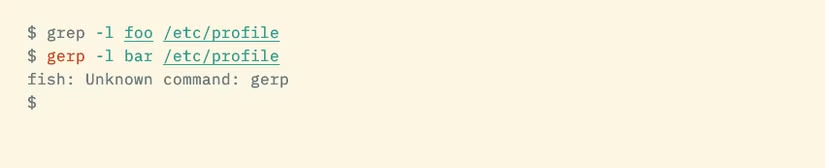
The shell handles syntax highlighting automatically. Valid commands appear in one color. Typos appear in another. You catch errors before hitting Enter, not after reading a cryptic error message.
Features That Help Beginners
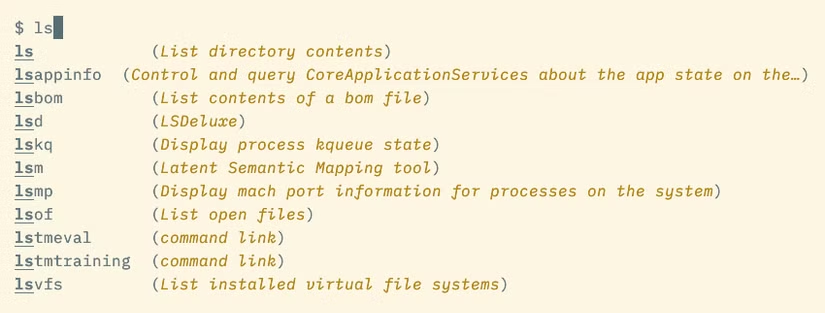
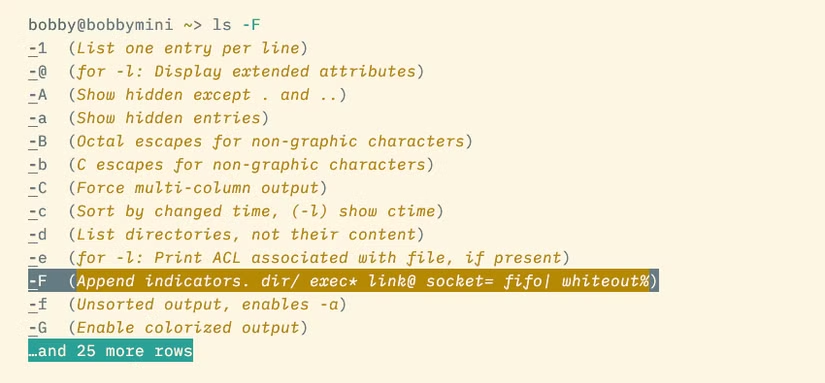
Fish's autocomplete pulls from your command history, file paths, and even man pages. Start typing a command you've used before, and Fish suggests the rest in gray text. Press the right arrow to accept.
The shell also introduces abbreviations. Think of them as smarter aliases. When you type an abbreviation and press space, Fish expands it to the full command. You see exactly what will run before executing it.
Configuration happens through a web interface. Run fish_config in your terminal, and a browser window opens with point-and-click options for colors, prompts, and functions. No editing dotfiles required.
The POSIX Tradeoff
Bash and Zsh follow the POSIX standard, a specification for how Unix shells should behave. Fish deliberately ignores POSIX. This gives Fish freedom to improve syntax and add features, but it creates a compatibility problem.
Scripts written for Fish won't run correctly in Bash or Zsh. If you're writing automation for your own machine, this doesn't matter. If you're building software others will use, you'll need Bash scripts anyway.
✅ Pros
- • Syntax highlighting and autocomplete work immediately
- • Web-based configuration requires no file editing
- • Abbreviations show expanded commands before execution
- • Friendlier error messages than Bash
❌ Cons
- • Scripts won't run in Bash or Zsh
- • Not installed by default on most systems
- • Less documentation than Bash due to smaller user base
- • Some Bash tutorials won't translate directly
How to Install Fish
Fish is available through standard package managers. Pick the command that matches your system.
# Mac (Homebrew)
brew install fish

# Arch Linux
pacman -S fish

# Fedora
dnf install fish
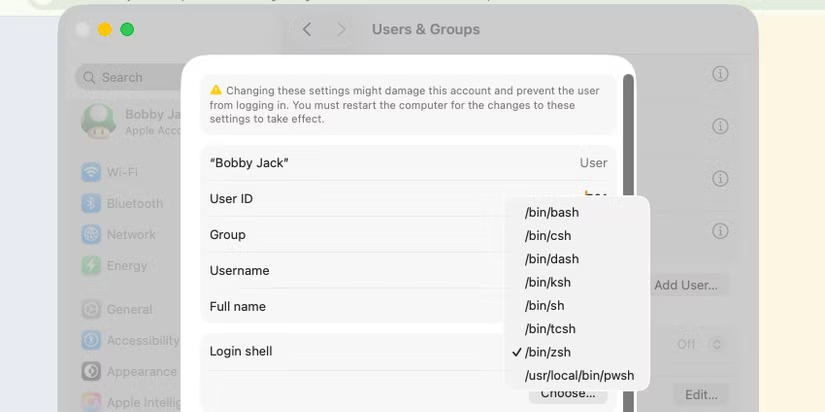
After installation, type fish to try it. Your current shell stays unchanged. When you're ready to switch permanently, use the chsh command or your system's GUI settings.
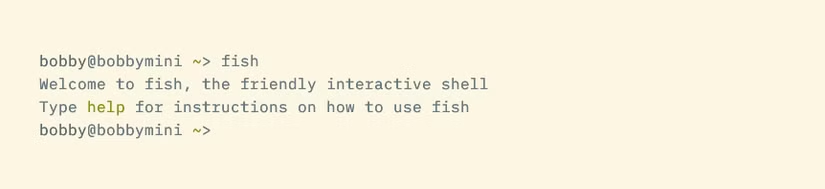
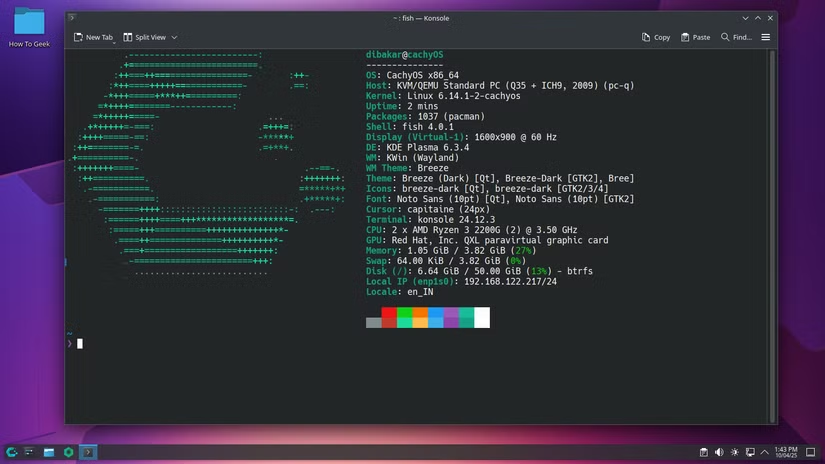
CachyOS, an Arch-based distribution that has gained attention recently, ships Fish as its default shell. Most other distributions still default to Bash, which explains why Fish remains less known despite its advantages.
Who Should Use Fish
Fish makes the most sense for developers doing personal work. The features that help beginners, like autocomplete and syntax highlighting, remain useful as you gain experience. The POSIX incompatibility only matters when distributing scripts to others.
If your job involves writing shell scripts that run on servers or in CI pipelines, you'll still need Bash knowledge. But for day-to-day terminal work on your own machine, Fish reduces friction.
Logicity's Take
Another tool that simplifies a traditionally tedious developer task
More command-line history for terminal enthusiasts
Frequently Asked Questions
Can I use Fish and Bash on the same machine?
Yes. Installing Fish doesn't remove Bash. You can switch between them anytime by typing the shell name in your terminal.
Will my Bash scripts still work if I switch to Fish?
Your existing Bash scripts will run fine. Fish uses its own syntax only for scripts written specifically for Fish. External scripts use whatever shell is specified in their shebang line.
Is Fish slower than Bash?
For interactive use, Fish feels faster because autocomplete reduces typing. For script execution, any difference is negligible for typical tasks.
Do Fish features work over SSH?
Yes, if Fish is installed on the remote machine. Your local Fish installation doesn't affect remote servers.
Need Help Implementing This?
Source: How-To Geek
Huma Shazia
Senior AI & Tech Writer
مقالات ذات صلة
تصفح الكل
5 إعدادات في متصفحك تسرّب بياناتك حتى مع تفعيل VPN
ماذا لو أخبرتك أن متصفحك المفضل يسلّم عنوان IP الحقيقي وموقعك الفعلي وعادات تصفحك لأي موقع يطلبها، حتى مع تفعيل VPN؟ هذا بالضبط ما يحدث لملايين المستخدمين يومياً، ومنهم من يكتشف ذلك بالصدفة عند إجراء

كيف تعرض شاشة هاتف Android على التلفزيون مجاناً باستخدام Google Cast
هل تبحث عن طريقة لعرض شاشة هاتف Android على التلفزيون دون دفع أموال لتطبيقات مليئة بالإعلانات أو شراء كابلات HDMI؟ الحل موجود فعلياً داخل هاتفك: ميزة Google Cast المدمجة في نظام Android 16 تتيح لك بث

4 تطبيقات سامسونج تستحق البقاء على هاتفك Galaxy
يأتي هاتف Galaxy الجديد محملاً بأكثر من 50 تطبيقاً مُثبتاً مسبقاً، وليست جميعها ضرورية. لكن وسط هذا الكم من التطبيقات، تبرز أربعة تطبيقات سامسونج تستحق فعلاً أن تبقى على جهازك — بل قد تفضّلها على بدائ

استدعاءات يونيو 2026 للسيارات: Ford وHonda وToyota تسحب ملايين المركبات من الأسواق
سجّلت الهيئة الوطنية الأمريكية لسلامة المرور على الطرق السريعة NHTSA أكثر من 300 استدعاء للسلامة شملت أكثر من 100 شركة مصنّعة منذ بداية عام 2026، لكن استدعاءات يونيو 2026 للسيارات جاءت الأضخم والأخطر.
اقرأ أيضاً

محركات Elmo Titanium الجديدة: تحكم بـ 256 محوراً في حجم علبة الكبريت
كشفت شركة Elmo Motion Control الإسرائيلية عن جيل جديد من محركات السيرفو الصناعية ووحدات التحكم بالحركة، يتصدرها خط Titanium الذي يُتيح التحكم بما يصل إلى 256 محوراً في آنٍ واحد، مع دمج وظائف الأمان مب
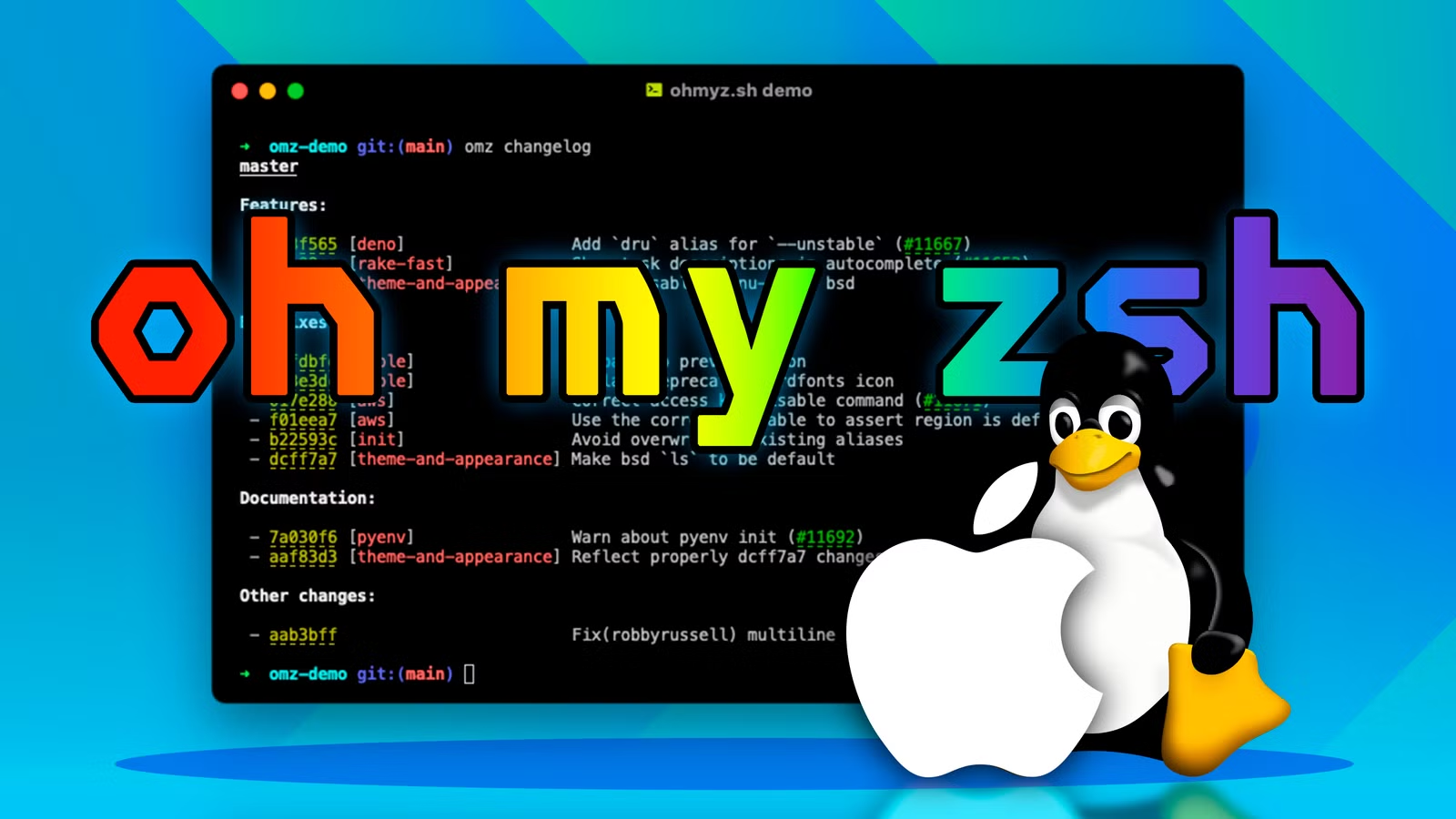
كيف تُخصّص سطر الأوامر باستخدام Oh My Zsh والذكاء الاصطناعي
إذا كنت تقضي ساعات يومياً في سطر الأوامر، فأنت تعلم أن الطرفية الافتراضية مملّة ومحدودة. الحلّ؟ Oh My Zsh، الإطار مفتوح المصدر الذي يحوّل تجربة الـ Terminal إلى بيئة مُخصّصة بالكامل — والآن يمكنك تخصي
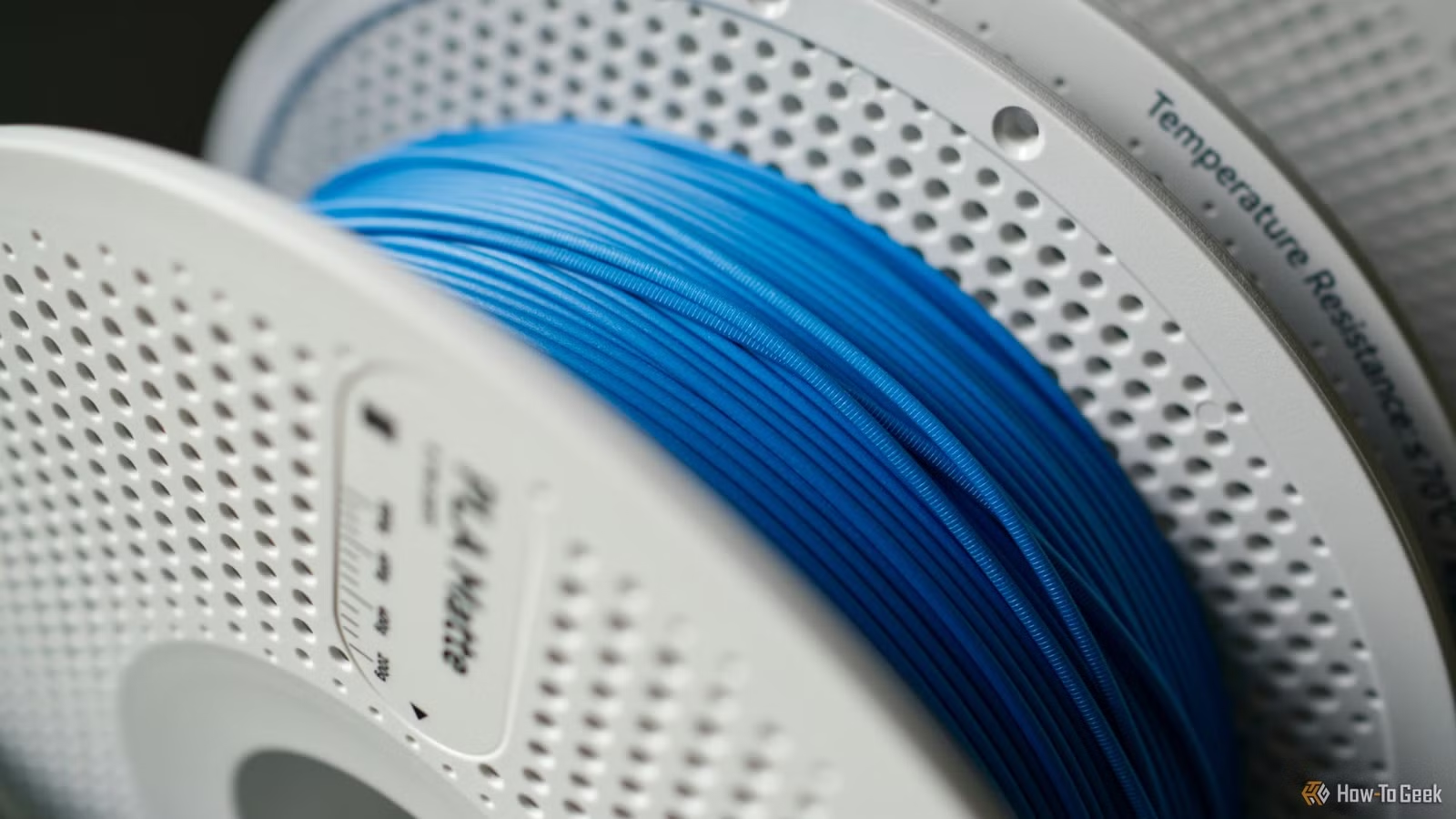
خيوط PLA Pure من Bambu Lab: اعتراف ضمني بأن البلاستيك «الآمن» ليس بريئاً تماماً
حين تُطلق شركة رائدة في الطباعة ثلاثية الأبعاد منتجاً «نقياً» من خيوط PLA، فهي تقول ضمنياً ما لم تُرد قوله صراحةً: النسخة العادية ليست نظيفة كما روّجنا لها طوال سنوات. هذا بالضبط ما فعلته Bambu Lab بإ